

Posts by Maya Chen
CapCut alternatives: free editors are easy, free clipping isn't
CapCut alternatives by job: four free editors replace its timeline with no watermark. Replacing its AI clipper cost me $0.85 to $2.03 per 35-minute video.
CapCut auto captions: Pro in the editor, still free on one page
I tested CapCut auto captions on a free account. The editor now locks export behind Pro, but CapCut's AI Captions page exported free, with 2.7% of words wrong.
CapCut pricing: there is no single price, and CapCut says so
CapCut publishes $19.99 a month on one page and says it has no fixed global price on another. Here is what the upgrade screen showed, and how to find yours.
CapCut review: free 1080p exports, until 512MB stops you
I put a 35-minute panel through CapCut's AI clipping and exported all 8 clips. Watermark-free 1080p on the free plan, but the cloud ceiling bites at clip four.
NotebookLM video overview: I asked for 5 minutes, got 9
I made a NotebookLM video overview in both formats on a free account. The 72-second Short got the science right. The Explainer ran 8:57 and ignored my limit.
HeyGen pricing: what the credits really cost
HeyGen starts at $29/mo, but credits decide your real cost: 600 credits is 30 min of premium avatar or 200 on the cheaper engine. Here's the full breakdown.
HeyGen video translation: one free minute, one changed meaning
I ran a 55-second talk through HeyGen video translation on the free plan. The Spanish was mostly right, ran 2.5 seconds short, and used my only free video.
Grammarly humanizer: I tested it, and it rewrote my facts
I ran three Claude texts through Grammarly's free humanizer and Humanizer agent, then two AI detectors. What it changed, what it scored, the limits.
QuillBot humanizer: free, 100 words at a time, and it broke my logic
I ran a Claude essay through QuillBot's free AI humanizer and its own detector. The 100-word cap, the daily limit, what it changed, and an 11% that hid a 45%.
Best AI assistant: the free tiers decide it, not the $20 ones
The best AI assistant depends on whether you pay. Five tested on real accounts: at $20 they are close, on the free tier the gap runs opposite to the ranks.
ChatGPT vs Grok: 4 prompts, both free tiers, a clear tie
I ran four prompts through ChatGPT free and Grok free. They tied on all four. The real gaps: Plus $20 vs Grok Premium $30, and five free models against none.
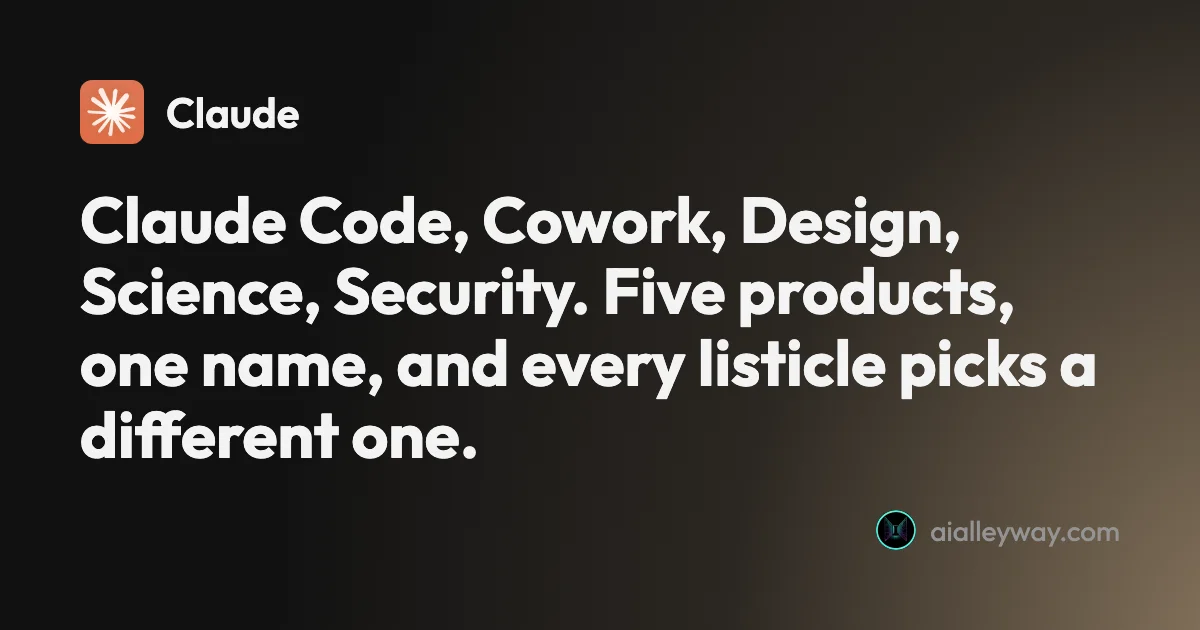
Claude alternatives: which Claude are you replacing?
Anthropic sells the chat assistant plus five named products called Claude, and page one answers four different questions. Work out which you mean first.
Claude vs Grok: I ran both on a question Google gets wrong
Claude vs Grok, both run on the same two prompts. Both got the hard question right, but Grok opened 3 vendor pages while Claude cited 9 third-party posts.
ChatGPT Plus vs Pro: three Pro prices and no published multiplier
ChatGPT Plus costs $20; Pro is now $100, $200 or $500 a month. OpenAI dropped the 5x and 20x figures, so here is what each tier still says it buys.
ChatGPT review: the free tier is the story, not the $20 one
A ChatGPT review from a year on the free tier plus one month of Plus. Six rungs from $0 to $500, and ads now run on both the Free and $8 Go tiers.
ChatGPT vs Claude: one writes, one does everything else
ChatGPT vs Claude, from a paid Claude account and a year on ChatGPT free. Both $20, but the free tiers differ far more — and only one generates images.
ChatGPT vs Gemini: the free tier decides this one
ChatGPT vs Gemini, both tested on free accounts. One hands a non-paying user its advanced reasoning model; the other will not let you pick a model at all.
Grammarly AI detector: I tested it, and the #1 claim is stale
Grammarly's free AI detector, tested on human and AI text: what it caught, what it missed, the two-scan daily cap, and why its RAID #1 claim is out of date.
Perplexity alternatives: 7 ranked, 6 tested on one question
The best Perplexity alternatives, tested on one question with a checkable answer. ChatGPT used the newest figure; three free answers began below 2025's rate.
Perplexity vs ChatGPT: we asked both the same question
Same question, same day, both free tiers. One got the facts right and cited them; the other was confidently wrong. Plus the price nobody compares properly.
Best AI writing tools: one to draft, one to check
The best AI writing tools, tested on one email brief and 23 planted errors. Claude drafted best, Grammarly checked best, and Gemini changed a promise.
Grammarly alternatives: 6 tested, none beat its free plan
The best Grammarly alternatives, tested on 23 planted errors: ChatGPT caught 22, Ginger 20, ProWritingAid 18. None beat Grammarly Free. Here is when to switch.
Grammarly vs QuillBot: one caught 23 of 23 errors, one costs less
Grammarly vs QuillBot, tested with the same paragraphs on both free plans: who caught more errors, who rewrote without changing facts, and who costs less.
Grammarly pricing: $144 a year, or $360 if you pay monthly
Grammarly pricing in October 2026: Free, Pro at $12 or $30 a month, the student half-price deal, the Superhuman $15 trap and what a year really costs.
QuillBot AI detector: 6 of 7 right, and the miss that matters
QuillBot AI detector tested on seven texts: it cleared every human one and caught formal AI, then scored a casual Claude story 100% human.
Grammarly review: a near-perfect checker with a pushy AI
A Grammarly review from 23 planted errors: the free plan caught all 23, but one AI rewrite added a claim I never made. Prices, privacy and verdict.
QuillBot review: a quick paraphraser that edits your meaning too
A QuillBot review from the free plan: 18 of 23 planted errors caught, a paraphraser that swapped facts, and whether Premium at $99.95 a year is worth it.
Perplexity vs Google: same right answers, different sources
Perplexity vs Google, tested side by side on five everyday searches: both got every answer right, so the difference is whose sources you can check.
How to use Google AI Mode, and when an AI Overview is enough
How to use Google AI Mode on desktop, phone and Chrome, tested on a free account: every way in, what the + menu does, and where the sources thin out.
Perplexity vs Gemini: one cites better, one gives more away
Perplexity vs Gemini, tested on both free tiers with the same questions: who found October's news, who got the prices right, and which free plan does more.
Comet browser review: a careful reader, a paywalled agent
A hands-on Comet browser review on Perplexity's free plan: accurate page summaries, an honest one-tab limit, and an agent that stops at an Upgrade to Pro wall.
Google AI Mode review: free, current and loose with its sources
A hands-on Google AI Mode review: news two days old, correct arithmetic, a Canvas that forgot the question, and citations that lean on blogs over sources.
Perplexity pricing: $20 a month, or $17, on the same site
Perplexity pricing is $0, $20 or $200 a month. Its own plan pages show two different headline numbers, and the Enterprise tab quietly switches billing basis.
Best AI for Research: 8 Tools, Matched to Each Step of the Job
The best AI for research, by step: Gemini Notebook to question your sources, Perplexity and Consensus to find them, deep research to write up. US prices.
Notion Alternatives: 9 Picks for Notes, Wikis, Tables and Tasks
The best Notion alternatives by job: Obsidian for personal notes, Confluence for wikis, ClickUp for projects, Airtable for databases. Prices in US dollars.
Google Gemini review: the best free tier, sold as storage
A Google Gemini review from the free tier: four models including 3.1 Pro handed over for nothing, then paid tiers that are really 400GB, 5TB and 20TB of Drive.
How to Use NotebookLM: Seven Steps, From First Source to Quiz
How to use NotebookLM, now Gemini Notebook: add sources, ask questions you can check, make audio overviews and quizzes, and stay inside the usage meter.
NotebookLM Alternatives: 9 Picks, Sorted by Why You're Leaving
The best NotebookLM alternatives by reason for leaving: Notion AI for teams, Copilot Notebooks for Microsoft 365, Open Notebook to self-host. Prices in US$.
Perplexity AI review: the free tier is a showroom
A Perplexity AI review from the free tier: ten models in the picker and every one padlocked, $17 a month to unlock them, and six publishers now suing.
NotebookLM vs Notion: I Gave Both the Same Four Articles
NotebookLM vs Notion AI on the same four articles and questions: Gemini Notebook's citation opened the passage and it is free; Notion builds pages, from $20.
Notion Pricing: $0 to $24 a Seat, and Where Notion AI Starts
Notion pricing in the US: Free, Plus at $10 or $12, Business at $20 or $24 per member a month. Where Notion AI starts, what credits cost and how seats bill.
NotebookLM Pricing: Free, $4.99 or $19.99, and What You Get
NotebookLM pricing in the US: free, or $4.99, $19.99 or from $99.99 a month via Google AI plans. What each tier's limits buy, plus work and student routes.
Notion AI Review: It Builds Real Pages, but Full AI Costs $20
A hands-on Notion AI review on a free workspace: 39 requests, a 23-row database, a six-minute slide deck, one wrong citation, and what Business costs.
Best AI Design Tools: 8 Picks, 5 Tested, Sorted by the Job
The best AI design tools by job: Canva for layouts, ChatGPT for images with exact text, Lovable for working apps. Five tested, three read, each one labelled.
NotebookLM Review: Gemini Notebook Cites Well, Meters Hard
A NotebookLM review, now Gemini Notebook: five test questions, four Studio outputs, and an audio overview estimated at 45% of a five-hour limit.
Canva Background Remover: How to Use It, Tested on 3 Photos
Canva background remover, step by step: where the button is, what it costs, how to get a transparent PNG and how it did on three hard photos. Plus Magic Eraser.
Canva Code: What It Builds, and What One App Cost Me
Canva Code turns a prompt into a working web page. I built a pricing calculator on a Pro trial: correct sums, hard-to-read totals, 43% of the AI allowance gone.
Canva Pro Price: $144 a Year, and What Canva Leaves Out
Canva Pro price in the US: $18 a month or $144 a year. Business is $25 per person. Plus the $100 AI Pass, seat billing and the refund rule, all sourced.
Canva Review: Great Editor, but the AI Runs on a Meter
A Canva review from a Pro trial: nine hands-on tests, exact US prices, and six AI requests that used 56% of the trial's allowance. Plus what the trial hides.
Adobe Express Review: Generous Free Plan, Shaky AI Hand-Off
An Adobe Express review from the free plan: free background removal, an AI Assistant that got the brief right in all four designs, and an editor that lost text.
Canva Alternatives: 9 Picks, and the Catch in Each Free Plan
The best Canva alternatives by reason for leaving: Adobe Express for price, VistaCreate for teams, Affinity for pro work. Plus what each free plan holds back.
Cancel Canva Subscription: The Steps, and the Refund Rule
Cancel a Canva subscription on the web, iPhone or Android, stop a free trial before it bills, and what Canva's refund page says. Steps from Canva's help pages.
Canva vs Adobe Express: Same Prompts, Opposite Strengths
Canva vs Adobe Express on the same prompts: Canva's AI spelled 11 of 11 text lines, Adobe's default model 0 on its first image. Express costs less.
Adobe Firefly Review: Safe to Use, Shaky With Words
An Adobe Firefly review from the free plan: three generations a day, a default model that isn't Adobe's, and a café menu Firefly Image 5 could not spell.
Best AI Image Generator: 9 Picks, Two Tested Head to Head
The best AI image generator is ChatGPT for exact briefs and Nano Banana for free, fast images, both tested. Plus Midjourney, Ideogram, Firefly and four more.
Best AI Image Generator for Realistic Photos: 6 Picks
The best AI image generator for realistic photos: ChatGPT and Nano Banana, tested on portraits, hands and products, plus Midjourney, FLUX, Leonardo and more.
Midjourney Alternatives: 7 Picks, Two Tested Side by Side
The best Midjourney alternatives in 2026: ChatGPT for exact briefs, Nano Banana for free, plus Leonardo, Ideogram, Stable Diffusion, Playground and Firefly.
ChatGPT Image Editing: 7 Photo Edits Tested
How ChatGPT image editing works: upload a photo, describe the change, use the editor tools, and what held or slipped in seven real edits on ChatGPT Plus.
ChatGPT Image Generator Review: Perfect Text, Pushy Slogans
I tested the ChatGPT image generator (Images 2.5) with 12 prompts on Free and Plus. It spelled all 15 text strings right, and added slogans I never asked for.
ChatGPT Image Generator Free: The Limits, Tested
Is the ChatGPT image generator free? Yes, with an account: my free plan allowed three image requests, then locked for 24 hours. What free gets, and when to pay.
ChatGPT Image Prompts: 15 Tested, With the Results
ChatGPT image prompts for headshots, product shots, thumbnails, logos, stickers and edits, each tested on ChatGPT Plus with the result it gave.
ChatGPT Photo Prompts: 9 Trends Tested, Gemini Compared
ChatGPT photo prompts for 9 selfie trends, run on ChatGPT Plus with every result shown and compared with Gemini. It kept the smile but misspelt a masthead.
ChatGPT Plus Image Generation Limit: I Hit the Wall at 155
The ChatGPT Plus image generation limit, tested: 155 images in 101 minutes, then a card locking me out for 24 hours from my first image. Every warning I saw.
Free AI Image Generator: 3 Run Head to Head, 5 Ranked
The best free AI image generators: Google Flow, Bing Image Creator and Meta AI run on the same two prompts, plus the Gemini and ChatGPT free limits we measured.
Free AI Photo Editor: 3 Edits on 2 Tools, 5 Ranked
The best free AI photo editor: Google Flow and Meta AI ran the same three edits on one photo, plus what Gemini, ChatGPT and Bing allow free, tested 8 October.
Gemini Image Editing: 7 Photo Edits on a Free Account
How Gemini image editing works on a free account: upload a photo, pick the right mode, describe the change, and what held or failed in seven real edits.
Gemini Watermark Remover: What Works, Tested Free
Gemini watermark remover options on a free account: the Media Watermark setting (missing for me), cropping, asking Gemini, and what SynthID still shows.
Google Whisk AI Is Gone: Do It in Flow Instead, Tested
Google Whisk shut down on 30 April 2026 and now redirects to Flow. I rebuilt a Whisk subject, scene and style remix in Flow, free, and tested ImageFX prompts.
How to Use Nano Banana: Gemini's Image Model, Step by Step
How to use Nano Banana in Gemini: pick the right mode, prompt, edit in plain words and download, with which mode runs which model and what free users get.
Is Midjourney Free? What a No-Plan Account Can Do
Is Midjourney free? No: a signed-in account without a plan can browse but not create. The one official trial, Meta AI tested, and a free alternative.
Midjourney Pricing: What $10 to $120 a Month Really Buys
Midjourney pricing runs $10 to $120 a month, $8 to $96 billed yearly. What each plan buys in images, Fast hours and video, plus the refund and expiry traps.
Midjourney Review: Is It Worth $10 a Month?
A Midjourney review from its own plans page and docs: no free tier, $10 for about 800 images, and every picture public unless you pay $60 a month.
Nano Banana Pro Free: Where It Actually Works, Tested
Nano Banana Pro free, tested on a free Google account: it worked in Google Flow at no credit cost, but not in the Gemini app or AI Studio.
Nano Banana Pro Pricing: $0 to $0.24 per Image
Nano Banana Pro pricing in full: $0.134 per 1K or 2K image and $0.24 per 4K on the API, half that in batch, plans from $4.99, and one route that cost me $0.
Nano Banana Pro vs Nano Banana 2: 8 Prompts, Tested
Nano Banana Pro vs Nano Banana 2 on the same 8 prompts: Pro added nothing to a poster, Nano Banana 2 costs half per 1K image. Which to use, and when.
Nano Banana Review and Pricing: Fast, Free, Nearly Exact
Nano Banana pricing, tested: 12 prompts on Gemini's free tier, no limit hit. 15 of 15 text strings right, most images in 30 seconds, and one tulip too many.
Nano Banana vs ChatGPT: 12 Prompts, Two Different Winners
Nano Banana vs ChatGPT, tested with the same 12 prompts: ChatGPT follows a brief exactly, Nano Banana is faster and free. Which one to use, and when.
Nano Banana vs Midjourney: Free Precision or Paid Style?
Nano Banana vs Midjourney: Google's model is free, fast and spelled every word right in our test; Midjourney sells style from $10 a month. Which to use.
Nano Banana 2.1 Tested: 8 Prompts vs Nano Banana 2
Nano Banana 2.1, tested free in Google Flow on the same 8 prompts as Nano Banana 2: cleaner poster text, no extra foot, and half the API price.
Gemini Omni Flash, Tested: Google's Video Model, Free
Gemini Omni Flash, tested free in Google Flow: 10-second clips, vertical video, image and character references, and a prompt edit that added snow.
Google Flow Free: What 50 Daily Credits Buy, Tested
Google Flow free, tested on a free account: 50 credits a day bought four AI video clips, images cost nothing, and Veo 3.1 Quality was out of reach.
How to Use Google Flow: A Hands-On Beginner's Guide
How to use Google Flow, tested on a free account: start a project, make free images, build a character with a voice, turn it into video and download it.
Nano Banana Pro Prompts: 16 Tested for Text and Layouts
16 Nano Banana Pro prompts for posters, labels, charts, comics, app screens and headshots, tested free in Google Flow, with every result and two fixes.
Nano Banana Video: Turn Images Into Clips Free, Tested
Nano Banana video, tested: Nano Banana makes images, not video, but Google Flow animated mine free. Start frame, end frame and reference, with credit costs.
The Best AI Video Generator for Every Kind of Video
The best AI video generator depends on the job. We tested 10 hands-on: Google Veo for generation, Synthesia for avatars, Fliki for script-to-video, and more.
The Best Free AI Video Generator (No Trial Traps)
Most free AI video generators are watermarked or trials in disguise. Google Veo's free tier gives a real clip with sound, refilled daily, for $0.
Google Veo 3 Review: Cinematic AI Video, Brutal Credit Math
Google Veo makes the West's most cinematic AI video, but a top clip costs 100 credits. My hands-on take on quality, the Flow workflow, and real pricing.
Hailuo AI review: the most generous free trial in AI video
Hailuo AI review: MiniMax's video model gives ~80 free videos to start and genuinely good motion for $7.99/mo — but it's silent, watermarked, and one-time.
How to Use Kling AI Without Getting Burned
How to use Kling AI: sign up, generate an elite clip, and manage the credit system that eats a free account. Tested hands-on, billing traps included.
How to Use Runway AI: A Hands-On Walkthrough
How to use Runway AI: generate a clip, revise it with Aleph, then run Seedance or Veo from one account. All tested hands-on, updated for Gen-4.5.
Kling AI Alternatives: 6 Best Video Tools Ranked
Kling makes great video but has a 1.3-star billing record. The 6 best Kling AI alternatives — cleaner billing, better free tiers, top picks tested hands-on.
Kling AI Review: The Best AI Video, and a Billing Problem
Kling AI makes some of the best AI video anywhere, but one free clip cost 60 of my 66 credits. My hands-on take on quality, credits, and trust issues.
Kling vs Sora: One Shut Down, the Other Didn't
OpenAI shut Sora down, so Kling vs Sora has one answer: Kling — the raw-quality heir, if you can handle its billing. The honest comparison and what to use now.
Kling vs Veo: I Tested Both AI Video Models
Kling and Google Veo are the two best AI video models. I tested both: Veo wins overall (4.6), but Kling does native 4K and is far cheaper per top clip.
The Best Luma AI Alternatives, Tested Hands-On
Luma AI is a multi-model aggregator you pay a margin for. The 6 best Luma alternatives — go direct to one model, or switch aggregators — each tested hands-on.
Luma AI review: the video generator became an agent
Luma AI review: Dream Machine is now an agentic, multi-model platform that runs Veo, Kling, and its own Ray. The output is great; you pay for the breadth.
Pika Labs review: the AI video tool for fun, not fidelity
Pika Labs review: the playful AI video tool that owns one-tap effects. Cheap at $8/mo, but the free tier is 480p and watermarked, and commercial use needs Pro.
Runway AI Review: Best Editing Suite, Most Locked Free Tier
Runway has the best editing tools in AI video, but its free tier was the most locked I tested: image-to-video only, watermarked, no audio. My hands-on take.
The Best Runway Alternatives, Tested Hands-On
Runway has the best editing in AI video but the most locked free tier. The 6 best Runway alternatives — better free tiers, lower cost — tested hands-on.
Runway vs Seedance: The Studio vs the Cheapest Engine
Runway vs Seedance: both score 4.2 but sit at opposite ends — Runway edits footage, Seedance generates it cheap. I tested both; here's which your work needs.
Runway vs Veo 3: Editing Studio vs Cinematic Engine
Runway and Google Veo 3 do different jobs: Veo generates the best clip (4.6), Runway edits it (4.2). I tested both — here's which one your work actually needs.
Seedance Review: The Best Video Model You Can't Easily Use
Seedance makes some of the best AI video anywhere for about $0.62 a clip, but its own app gates it behind a paywall. My hands-on take on quality and price.
The Best Seedance Alternatives, Tested Hands-On
Seedance makes the cheapest top-tier clips, but through a developer platform with a gated free tier. The 6 best Seedance alternatives, tested hands-on.
Seedance vs Veo 3: Cheapest Quality vs the Best Model
Seedance makes benchmark-quality clips for ~$0.62; Veo 3 is the best model at ~$2 a clip. I tested both — which wins depends on price, access, and audio.
Sora Alternatives: 7 AI Video Generators to Switch To
OpenAI shut Sora down — the app went in April and the API hit its September 24, 2026 end date. The 7 best Sora alternatives, ranked from hands-on testing.
Sora vs Veo 3: The Contest Ended When Sora Shut Down
OpenAI shut Sora down, so the Sora vs Veo 3 choice has one live answer: Google Veo. But it led on quality, audio, and access even before Sora closed for good.
The Best Google Veo 3 Alternatives, Tested Hands-On
Google Veo 3 makes the best AI video, but a Quality clip costs ~$2. The 6 best Veo 3 alternatives — cheaper, longer clips, better free tiers — tested hands-on.
Google Veo 3 Pricing: What It Really Costs Per Clip
Google Veo 3 pricing, decoded: free to try, but the real cost is Flow credits — a Quality clip is about $2. Full per-clip, per-plan math, measured hands-on.
Gemini AI Photo Prompts: 9 Trends Tested on a Free Account
Gemini AI photo prompts for 9 selfie trends, tested free with every result shown: the face mostly held, but Gemini invented a name, jewellery and new hair.
Nano Banana Prompts: 15 I Tested, With the Results
Nano Banana prompts for headshots, product shots, thumbnails, stickers, logos and edits, each tested in Gemini with the result, and what it ignored.
Higgsfield AI review: the 30% off that is never 30% off
A Higgsfield AI review: 15 video models on one credit balance, rated 4.0 — the breadth is real, the discount badges are not. Who it suits, and who should skip.
Higgsfield alternatives: 7 picks, and the two real choices
Seven Higgsfield alternatives we tested. The same Seedance clip costs $1.76 through Higgsfield and about $0.40 direct — when to leave, and where to go.
Open source AI video generator: only 2 of 6 really are
Six models get called open source AI video generators. Two are Apache 2.0. One is not licensed in the EU or UK, another is free only under $10M revenue.
Higgsfield pricing: what a credit actually costs you
Higgsfield pricing read off the live page: $15 to $270 a month solo, $65 a seat for teams, and the plan that looks cheapest is the worst value per credit.
AI YouTube Shorts generator: which ones make a postable Short
YouTube caps Shorts at three minutes. I measured four AI shorts generators on one 35-minute file, and six of one tool's eight clips were too long to post.
The best AI video clipping tool, measured on one file
Four AI video clipping tools, one identical 35-minute file. OpusClip found 32 clips, Submagic 31, Vizard 30 but delivered 10, CapCut 8. What that means.
CapCut long video to shorts: the steps and the four traps
I ran a 35-minute panel through CapCut's long video to shorts on the free plan: the exact steps, the eight clips it returned, and the four traps I hit.
Free AI clip generator: only one export came back clean
Four AI clip generators, one 35-minute file, two of them on genuine free plans. Only CapCut returned a file with no watermark. Here is what the rest hand back.
Opus Clip alternatives: what each one takes away
Every cheaper OpusClip alternative costs you something. I ran four tools on one 35-minute file — Vizard did it for $0.85 against $2.03 — and priced two more.
Submagic alternatives: the cheapest depends on your meter
Seven Submagic alternatives ranked by the meter they charge on. Four tools measured on one 35-minute video, and the cheapest changes with source length.
Klap AI review: the free trial that will not make a clip
A Klap AI review from two runs on its free trial. It took a 354MB upload, then asked for money at the generate step. What Klap pricing costs and what it claims.
Captions AI review: the pricing page hides half the plans
A Captions AI review from the published record: the pricing page shows three plans, the help doc lists six. Credits are 5 cents flat, and one clip costs $7.
OpusClip pricing: the annual discount is 40%, not 60%
OpusClip pricing read live from a signed-in account: Pro is $208.80 a year, not the $174 everyone quotes, and the annual discount is 40%, not 60%.
OpusClip review: 32 clips from one video, 5 worth posting
OpusClip review from a measured run: one 35-minute video in, 32 clips out, and a virality score that never went below 80 on a scale of 100.
Submagic pricing: what 45 credits actually buys you
Submagic pricing read live from both billing cycles: $12 to $41 a month, three credits per video, and the Magic Clips add-on everyone quotes does not exist.
Submagic review: 31 clips, and it charged me for a failure
Submagic review: 31 clips from one 35-minute video, a score that never drops below 90, and 8 trial credits spent on a job that returned nothing.
Vizard review: the cheapest clipper, with one catch
A Vizard AI review from a measured run: it found 30 clips in my 35-minute panel and handed me 10. The other 20 need a card, and the maths still favours it.
Claude AI review: brilliant at words, strange about limits
A Claude AI review from a paying Max account. My $100 Max 5x plan invoiced at $111.11, three usage meters run at once, and overflow is billed at API rates.
Fliki AI review: the voices carry it, the visuals don't
I ran a script through Fliki's free tier: a captioned video with a genuinely good AI voice in minutes. The voices are why you'd use it. My 4.3/5 verdict.
ChatGPT alternatives: 6 worth switching to, 3 tested
The best ChatGPT alternatives, with the three I use daily scored from real accounts: Claude 4.4 for writing, Gemini 4.3 free, Perplexity 4.4 for citations.
Gemini alternatives: the two reasons people actually leave
The best Gemini alternatives, sorted by why you are leaving. Privacy points one way, escaping Google's ecosystem points another, and they are different tools.
Best AI search engine: one question, three engines
The best AI search engines, tested with one identical question. All three agreed on the facts. One cited EUR-Lex, another a consultancy blog and YouTube.
Claude Max plan: the 5x is per session, not per month
The Claude Max plan costs $100 or $200 a month. The multiplier everyone quotes describes a five-hour window, and the limit that actually stops you is weekly.
Claude vs ChatGPT vs Gemini: they don't all cost $20
Claude vs ChatGPT vs Gemini, after reviewing all three separately. Two cost $20, one is a storage plan — and the free tiers differ far more than the paid.
Hailuo vs Kling: Cheap, Capable, and Very Different
Hailuo vs Kling, tested hands-on. Kling wins on 4K and native audio; Hailuo wins on a huge risk-free trial and clean billing. Which cheap AI model to pick.
Runway vs Pika: The Studio vs the Effects Toy
Runway vs Pika, tested hands-on. They barely compete: Runway is a pro editing studio, Pika a playful one-tap effects tool. Which AI video tool you need.
Luma vs Runway: The Agent vs the Editing Studio
Luma vs Runway, tested hands-on: both put many models in one workspace, but Luma is an AI agent that builds for you and Runway is an editing studio you control.
Luma AI pricing: what the credits really cost
Luma AI pricing: the free tier is a one-time trial, Plus is $30/mo for 10,000 credits, and a clip runs ~97. What each plan really buys, tested hands-on.
How to Use Seedance AI Without the Paywall
How to use Seedance AI: the cheap route to top-tier video is a developer platform, not the gated app. Which version, what it costs, tested hands-on.
Runway vs Kling: I Tested Both AI Video Tools
Runway vs Kling: both score 4.2 but win different jobs. I tested both — Runway for editing and predictable billing, Kling for raw quality and audio.
Seedance vs Kling: I Tested Both AI Video Models
Seedance and Kling both make elite AI video and both score 4.2. I ran one prompt through each: Seedance wins on price and licensing, Kling on audio and ease.
Runway AI Pricing: What Every Plan Really Costs
Runway pricing runs $0 to $95 a month, but the free tier is a locked demo and every plan meters credits per generation. The real cost, tested hands-on.
Seedance Pricing: What It Really Costs by Route
Seedance has no single price — it depends where you run it: ~$0.62 a 1080p clip on fal.ai, credits on Dreamina. Full route-by-route breakdown, tested hands-on.
Kling AI Pricing: What a Clip Really Costs
Kling AI runs from $0 to $128 a month, but the real cost is credits per clip — a 1080p video is 60 credits. Here's the full pricing math, hands-on.
Synthesia alternatives: cheaper, or more lifelike?
Leaving Synthesia over the price or the stiff avatars? HeyGen (4.8 on G2) is more lifelike and cheaper, plus 5 more picks sorted by why you're switching.
Tavus pricing: what conversational video really costs
Tavus starts free and $22/mo, but you pay by the live conversation minute with a 30-second minimum on every call. Here's what your real bill looks like.
HeyGen alternatives: the best one depends on why you left
Leaving HeyGen? The best HeyGen alternative isn't one tool: Synthesia (4.6 on G2) for training, Creatify for ads, Tavus for real-time, plus 3 more by job.
Synthesia pricing: what the minutes really cost
Synthesia starts at $18/mo, but it meters by video minutes, and they're tight: Starter is about 10 minutes a month at roughly $2 a minute. Here's the math.
Best AI avatar generator: our picks for every use case
We tested the top AI avatar generators. Synthesia (4.6) wins for enterprise, HeyGen for creators, Tavus for live conversation. The best one for your use case.
HeyGen vs Synthesia: which AI avatar tool wins for you?
I tested both hands-on. HeyGen makes more lifelike avatars and renders in ~1 min; Synthesia wins on languages, governance, and price. Here's how to pick.
Tavus review: the AI avatar that talks back
I had a real-time video conversation with Tavus's AI. It's the most futuristic avatar tool I've tested, the most niche, and still in beta. Who it's for.
HeyGen review: stunning avatars, a stingy free plan
I made a real avatar video on HeyGen's free plan. The avatar was uncannily good — then it wouldn't let me download it. Here's who should pay, and who shouldn't.
Synthesia review: the enterprise standard, at a price
I made a real avatar video on Synthesia's free plan. The output is enterprise-clean, but you can't download it and the minutes run out fast. Who should pay.
The 5 best InVideo AI alternatives, ranked by job
InVideo alternatives ranked: Fliki from $8 for voice and a free tier, Runway for generative footage, Pictory for blog-to-video, plus avatar and editing picks.
InVideo AI pricing: what a video actually costs
InVideo AI starts at $20/mo, but credits decide everything: a stock clip costs 2, a Veo or Sora clip 40. The real per-plan cost, and the credit trap.
The best script-to-video AI tools, by job
The best script-to-video AI tools ranked by job: Fliki wins overall, InVideo for generative footage, Pictory for blog-to-video, plus avatar and editing picks.
Fliki pricing: what $8 a month really gets you
Fliki starts at $8/mo (or $6 with annual billing, 25% off), and its free tier actually exports a video. The real per-plan cost, the credits, and the catch.
Fliki vs InVideo: I tested both — voice or visuals?
Fliki vs InVideo, both tested hands-on: Fliki (4.3) wins on voice, languages, price, and a free tier; InVideo (4.2) wins on generative visuals and speed.
The 5 best Pictory alternatives, ranked by job
The best Pictory alternatives, ranked: Fliki for voice, InVideo for generative video, Lumen5 for blog-to-video, Synthesia for avatars, Descript for editing.
Pictory vs Fliki: I tested both — here's which to pick
Pictory vs Fliki, both tested: Fliki (4.3) wins on voice, price, and a real free tier; Pictory (4.1) wins at turning blog posts into video. Which fits you?
Pictory vs InVideo: I tested both — here's which wins
Pictory vs InVideo, both tested hands-on: InVideo (4.2) is the faster, more powerful all-rounder; Pictory (4.1) is cleaner for turning blog posts into video.
InVideo AI review: the fastest prompt-to-video, at a price
I ran one script through InVideo AI three ways. It's the fastest, broadest AI video tool I've tested, but the credits bite hard. My hands-on 4.2/5 verdict.
Pictory pricing: the plans, the credits, and the catch
Pictory starts at $25/mo annually, but the trial paywalls clean exports and credits meter every video. The real per-plan cost and the catch, hands-on.
Pictory AI review: fast blog-to-video, real trade-offs
I ran a script and a blog post through Pictory's free trial: watchable videos in minutes, a 4.1/5 verdict, but the clean export is paywalled. Here's the review.
Fathom vs Fireflies: solo notetaker or team brain?
Fathom vs Fireflies, both run through one test meeting: Fathom wins the free plan and clean summaries, Fireflies wins team search and CRM. Which fits you.
Granola vs Fireflies: quiet notepad or team brain?
Granola vs Fireflies: Granola is the bot-free notepad for client calls, Fireflies the bot-based team brain for search and CRM. Which one fits your meetings?
Best free AI note taker: which free plan actually lasts
Most free AI notetakers are trials in disguise. We tested the tiers: Fathom's stays unlimited forever, and Granola, Fireflies, and Otter each win a niche.
Granola pricing: the AI notetaker's free-plan catch
Granola pricing, for the AI notetaker, runs free or $14 a user. Its free plan hides your older notes, and that limited history is the catch that makes you pay.
Fireflies AI review: the team brain, not the solo notetaker
I ran a controlled test meeting through Fireflies: a near-flawless transcript, 25+ CRM syncs, and real team analytics. Brilliant for teams, overkill solo.
Fireflies pricing: what the credits and caps really cost
Fireflies pricing runs $0 to $39 a seat, but the free plan's real limit is storage, not minutes, and the AI is metered by credits. Here's the actual math.
AI notetaker for Zoom: AI Companion vs free apps
The best AI notetakers for Zoom — the native AI Companion, included on paid Zoom plans, vs free apps like Fathom — and how to set each one up.
AI notetaker for Google Meet: best picks and setup
The best AI notetakers for Google Meet — Google's native Gemini notes vs free apps like Fathom — plus how to set each one up in minutes.
AI notetaker for Microsoft Teams: Copilot vs free apps
The best AI notetakers for Microsoft Teams — the native Copilot and intelligent recap vs free apps like Fathom — and how to set each one up.
Fathom AI alternatives: 5 tested, and the bot-free pick
We tested the top Fathom alternatives. Leaving over the bot? Granola is our bot-free pick (4.6/5). Need in-person recording or a free plan? Here's the fix.
Fireflies AI alternatives: 5 tested, simpler and free
We tested the top Fireflies alternatives. Fireflies is powerful but heavy — leaving for a simpler tool, a real free plan, or no bot? Here's the one that fits.
Otter vs Fathom: live transcript or polished summary?
We tested both. Fathom wins for most — unlimited free plan, video, cleaner summaries; Otter for live transcription and in-person notes. Which fits you?
Otter vs Fireflies: solo transcriber or team brain?
We tested Otter and dug into Fireflies. Otter wins for the individual and live transcription; Fireflies for team search, analytics, and CRM. Which fits you?
Fathom pricing: what you'll pay, and who pays nothing
Fathom pricing starts at $0, and most people stay there. Here's what each paid tier costs, the 30-day free-preview catch, and which plan you actually need.
Granola AI alternatives: 5 better notetakers, tested
The best Granola alternatives for AI meeting notes, tested. Need Android, saved video, or team-wide search? Here's the notetaker that fixes Granola's gaps.
Fathom vs Granola: we ran one meeting through both
We fed the same meeting to Fathom and Granola. Fathom wins on the free plan and video; Granola wins on bot-free notes. Here's which AI notetaker fits you.
Otter.ai pricing: what you'll actually pay in 2026
Otter.ai pricing runs from free to $30 a user. Here's what each tier really costs, the limits the pricing page soft-pedals, and which plan you actually need.
Otter.ai alternatives: 6 better notetakers, tested
We tested the top Otter.ai alternatives. Whether you're leaving over the price, the consent lawsuit, or the meeting bot, here's the notetaker that fixes it.
Otter vs Granola: we ran one meeting through both
We fed the same meeting to Otter and Granola. Otter wins on transcription and search; Granola wins on bot-free notes. Here's which AI notetaker fits you.
Best AI note taker: 4 top tools, tested head-to-head
We ran one meeting through Granola, Fathom, Fireflies, and Otter. The best AI note taker depends on whether you take client calls, want it free, or run a team.
Fathom review: the best free AI notetaker, tested
I fed Fathom a fake meeting and it wrote the cleanest summary of any notetaker I tested. With a genuinely unlimited free plan, it's where to start.
Granola AI review: it took better notes than I did
I fed Granola six rough bullets and a messy call; it returned a clean summary with details I never typed. Why this bot-free notepad earns its hype.
Otter.ai review: the AI notes are great, the limits aren't
I fed Otter.ai a controlled two-speaker meeting: near-perfect transcript, summary and action items. The catch is the stingy free plan and a privacy lawsuit.