
The 5 best Pictory alternatives, ranked by job
The best Pictory alternatives, ranked: Fliki for voice, InVideo for generative video, Lumen5 for blog-to-video, Synthesia for avatars, Descript for editing.
Contents
The best Pictory alternatives at a glance
Pictory is a genuinely good tool for one job: turning a blog post or script into a stock-footage video. But it is not the best at every job in this lane. Its weak spots are specific ones: a robotic default voice, a free trial that paywalls the export, and a last-generation stock aesthetic. Each sends a different kind of creator looking for a different thing.
So there is no single “best Pictory alternative.” There is a best one for each job. Here is the short version.
| Your reason for leaving Pictory | Best alternative |
|---|---|
| Better voices, more languages, lower price | Fliki |
| Generative, cinematic footage from a prompt | InVideo |
| The same blog-to-video job, cheaper | Lumen5 |
| A presenter or avatar reading your script | Synthesia |
| Editing your own footage, not assembling stock | Descript |
We tested Fliki, InVideo, Pictory, and Descript hands-on; Synthesia and Lumen5 are assessed from their pricing pages and positioning, not first-hand, and we say so in each section.
Why look for a Pictory alternative?
Almost nobody searches for a Pictory alternative because Pictory is broken. They search because one specific thing about it is quietly costing them time, quality, or money on every video, and they have decided to stop working around it. So the useful question is not “what is better than Pictory” in the abstract, it is “which of Pictory’s known weaknesses is the one blocking you.” Get that right and the choice below is almost automatic.
Every honest Pictory review, including ours, lands on the same four caveats, and each one is a reason a particular creator switches.
The default voice is robotic. Out of the box, Pictory narrates with a flat “Tom” voice. The good voices are metered ElevenLabs minutes, gated to paid tiers, so the narration that makes a faceless video sound human is a rationed, paid resource. If your videos live on their voice, that is the gap.
The free trial paywalls a clean export. Pictory’s 14-day trial lets you build a full video, but the moment you choose “Generate without watermark,” it sends you to the upgrade page. You cannot download a clean clip without paying, so the trial shows you the product and holds the output hostage.
The visuals are last-generation. Pictory assembles licensed stock under captions. It is competent, but it is a 2022 aesthetic in a year when Sora, Veo, and Runway generate original footage from a prompt. If the picture is the point, stock-and-caption feels dated.
The credit math is confusing. Pictory quotes usage in “AI credits,” a short video costs 16 to 26 of them, and in our test the public pricing page and the in-app dashboard disagreed on the allotment. Budgeting your output is guesswork until you are already inside.
None of this makes Pictory a bad tool. It makes it a specialist with known gaps, and which alternative you want depends entirely on which gap actually bothers you. Here are the five best, ranked by how many creators each one fits, starting with our highest-rated pick overall.
| Tool | Best for | Starts at | Free tier |
|---|---|---|---|
| Pictory (the baseline) | blog/article-to-video repurposing | $25/mo | trial, paywalls export |
| Fliki | voice-first, multilingual video | $8/mo | yes, exports watermarked |
| InVideo | generative, prompt-to-video | $20/mo | no usable export |
| Lumen5 | blog-to-video on a budget | ~$19/mo | yes, watermarked (5/mo) |
| Synthesia | avatar / talking-head video | $18/mo | yes, 10 min watermarked |
| Descript | editing your own footage | $24/mo | yes, watermarked |
1. Fliki — best Pictory alternative for voice and multilingual video

If Pictory’s robotic voice or its price sent you looking, Fliki is the alternative to try first. It does the same core job, turning a script into a captioned, narrated video, but it leads with the thing Pictory rations: the voice. We scored it 4.3 out of 5 in our hands-on Fliki review, our highest rating in this lane.
The voice library is the whole pitch. Fliki advertises 2,000+ AI voices across 80+ languages and 100+ dialects, with hundreds of ultra-realistic options and one-tap previews. In our test the default voice sounded natural rather than robotic, exactly where Pictory’s “Tom” falls down, and you can filter by language, dialect, and gender and clone your own voice on paid tiers.
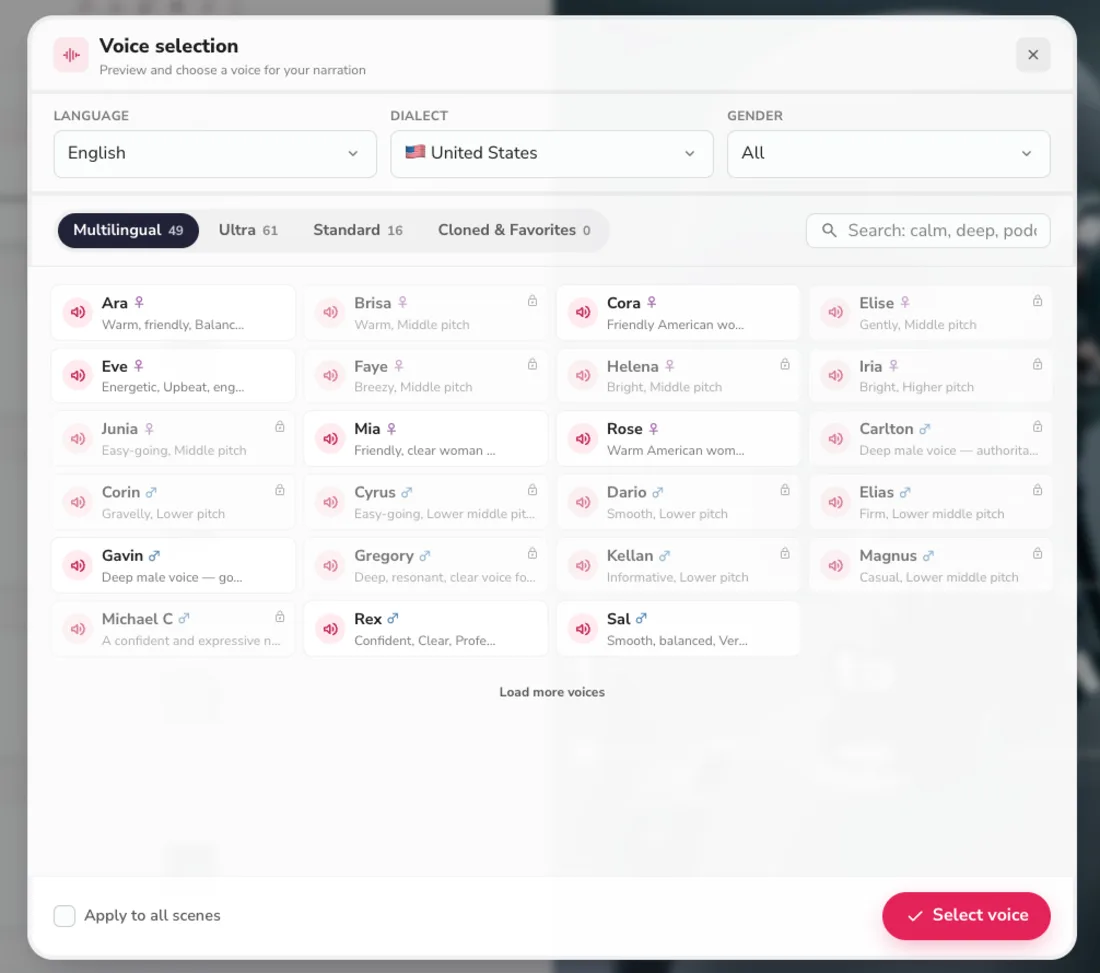
Multilingual reach is the other half of the gap. Fliki carries native-sounding voices across 80-plus languages and, on paid tiers, will translate a finished video into other languages in a few clicks, turning one script into a stack of localized clips. Pictory’s language coverage runs through its metered ElevenLabs minutes and tops out far lower, so for a creator publishing beyond English this is not a marginal upgrade, it is the difference between running one channel and running several.
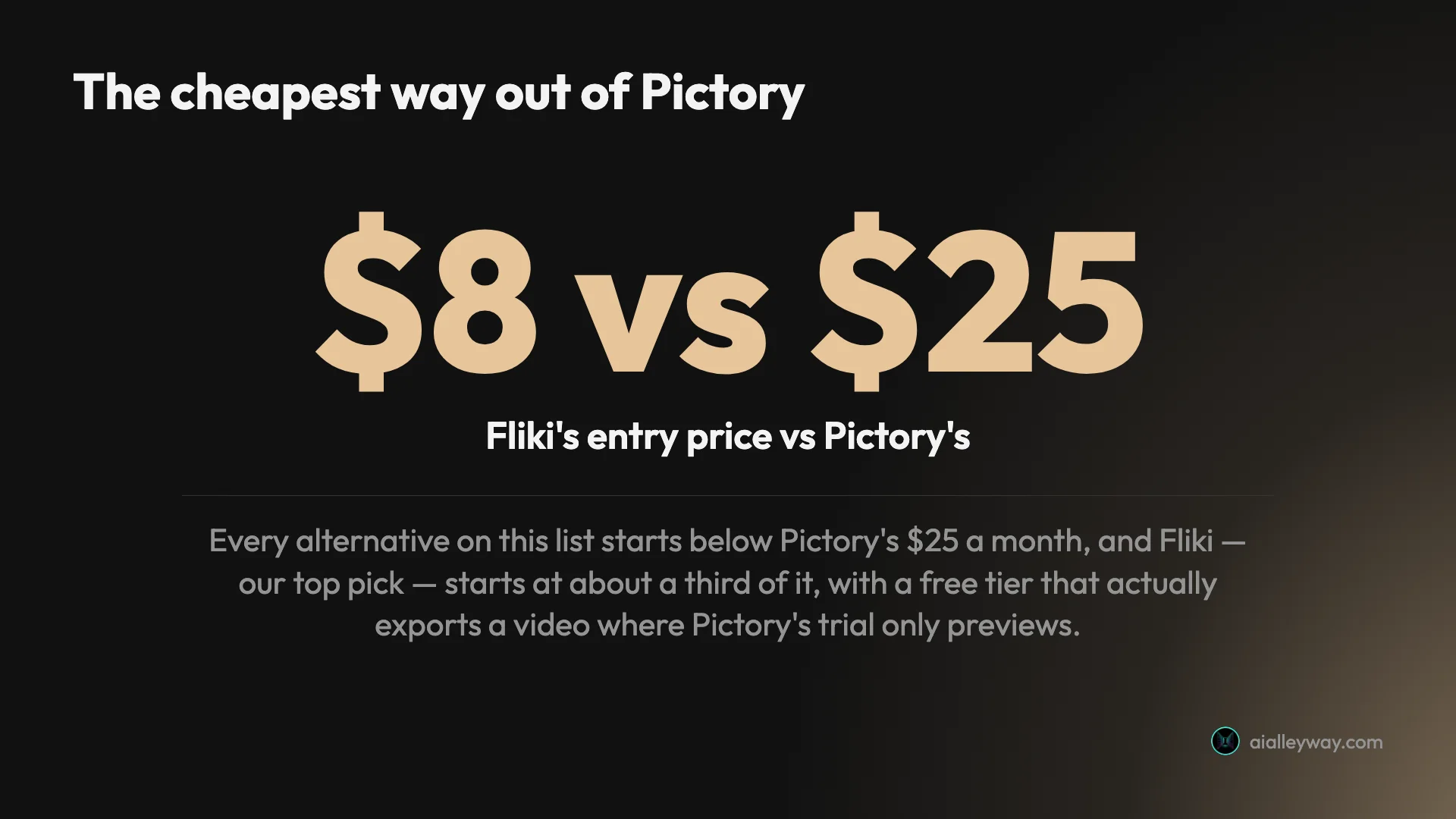
It is also cheaper and more honest about its free tier. Fliki starts at $8 a month for Basic against Pictory’s $25, and its free plan actually exports a finished (watermarked, 720p, one-minute) video, where Pictory’s trial only previews. The trade is visual: like Pictory, Fliki’s auto-generated images and stock are basic, so it is the wrong swap if the picture was your complaint. If narration and languages were the problem, though, it is the most direct fix on this list.
Pricing: Free (exports a watermarked 720p clip); Basic $8/mo; Standard $28/mo; Premium $88/mo. Annual billing plus its promo roughly halves those.
Best for: voice-first and multilingual faceless creators who liked Pictory’s workflow but needed better narration, more languages, and a lower price.
2. InVideo — best Pictory alternative for generative, prompt-to-video

If Pictory’s stock-and-caption visuals were the problem, InVideo is the upgrade. Where Pictory assembles licensed stock, InVideo generates original footage, building a whole video from a single sentence and reaching Google’s Veo 3.1, OpenAI’s Sora 2, Kling, and Seedance from one workflow. We scored it 4.2 out of 5 in our InVideo review.
It is also the fastest tool in this lane from a standing start: type one line and Agent One returns a complete captioned, narrated draft in minutes, with footage, voiceover, and music assembled. Its Explore gallery even shows finished example videos with the prompts that produced them, so you can start from a proven format.

Editing after that first draft is a strength too. You can revise the video with plain-English commands, typing an instruction like “swap the second scene” and having Agent One rebuild it, or open a full timeline for manual control, which is finer reach than Pictory’s scene editor. The whole tool is built to move you from a bare idea to a polished draft faster than assembling stock ever could, which is exactly the friction Pictory creates when you have to feed it a finished script first.
The catch is the economics, and it is a real one. InVideo’s free plan cannot export a usable video, so there is no honest free trial the way Fliki offers. And its premium generative footage burns credits fast: a stock clip costs about 2 credits, but a Veo or Sora clip costs 40 of the $20 Plus plan’s 75 monthly credits, with no discount when you regenerate. It is the most powerful alternative here, and it is priced like it, so go in planning to ration the generative tier rather than reach for it by default.
Pricing: Free (cannot export a usable video); Plus $20/mo (75 credits); Max $100/mo; Generative $200/mo. Annual billing trims about 15%.
Best for: creators who left Pictory for its dated visuals and want generative, cinematic footage, and who can manage a credit meter.
3. Lumen5 — best Pictory alternative for blog-to-video on a budget

Lumen5 is the most like-for-like swap on this list. It does exactly what Pictory is best known for, turning a blog post or script into a templated, captioned video with stock footage and a voiceover, and it is one of the original tools in the category. We have not tested Lumen5 hands-on, so this is a synthesis read from its pricing page and positioning rather than a first-person verdict.
The pitch is the same as Pictory’s, aimed squarely at marketers repurposing written content: paste a URL or a script, pick a template, and Lumen5 auto-matches stock footage to your text and lays in captions. It leans harder on templates and brand kits than on voice, so it suits teams who want on-brand social videos at volume more than creators chasing narration quality.
| Lumen5 at a glance | |
|---|---|
| Core job | blog / text-to-video, template-led |
| Free tier | Community: ~5 watermarked videos/mo, 2-min cap |
| Paid from | ~$19/mo (billed annually) |
| Weakness | basic voices and visuals, like Pictory |
Where Lumen5 has an edge over Pictory is templates and brand consistency. It ships a large library of on-brand templates and brand kits, and marketing teams tend to praise how quickly it turns a blog post into an on-brand social video at scale. Where it has no edge is anywhere Pictory was already weak: the voices are basic text-to-speech and the stock is generic, and there is no generative footage on offer.
On price, its free Community plan gives you around five short, watermarked videos a month, and paid plans start near $19 a month billed annually (published rates have shifted across sources, so confirm the current tier before you commit). The honest caveat: Lumen5’s voices and visuals are as basic as Pictory’s, so a like-for-like swap gets you a cheaper workflow and a real free tier, not a higher production ceiling.
Pricing: Free Community plan (watermarked, capped); paid tiers from roughly $19/mo billed annually, up to a Professional tier for teams.
Best for: bloggers and marketing teams who liked Pictory’s template-driven blog-to-video workflow but wanted a genuine free tier and a lower entry price.
4. Synthesia — best Pictory alternative for avatar-led video

Synthesia solves a job Pictory cannot do at all: putting a realistic presenter on screen to read your script. Instead of assembling stock under a voiceover, it generates a talking-head avatar that speaks your text in any of 160+ languages, which is why it dominates corporate training and explainer video. We have not tested Synthesia hands-on; this is a synthesis read from its pricing page and category reputation.
That makes it less a direct Pictory replacement and more an answer to a different question: what if the video needs a human face rather than B-roll? For onboarding, product walkthroughs, and internal comms, an avatar reading a script is often more effective than stock footage, and Synthesia is the category standard, with 230-plus avatars and custom avatars of yourself on higher tiers.
| Synthesia at a glance | |
|---|---|
| Core job | avatar / talking-head video |
| Free tier | 10 min/mo, watermarked, 9 avatars |
| Paid from | $18/mo (billed annually) |
| Weakness | narrow scope, pricier at volume |
The reason to reach for it despite the price is the fidelity of delivery. A named presenter speaking your exact script, in the viewer’s language, lands differently than stock footage under a voiceover, especially for anything instructional. On higher tiers you can even create a custom avatar of yourself or a colleague, so a course or a recurring product update can feature a consistent host without anyone ever filming. That is a capability Pictory has no answer to.
The trade is price and scope. Its free plan gives 10 minutes of watermarked avatar video a month; the Starter plan is $18 a month billed annually ($29 monthly) for 120 minutes a year, and the Creator plan jumps to $64 a month. That is steeper than Pictory once you produce at volume, and it is a narrower tool: brilliant at talking-head video, not built for the stock-montage social clips Pictory makes.
Pricing: Free (10 min/mo, watermarked, 9 avatars); Starter $18/mo annual; Creator $64/mo annual; Enterprise custom.
Best for: training, e-learning, and explainer creators who want a presenter delivering the script on camera rather than stock B-roll.
5. Descript — best Pictory alternative for editing your own footage

Descript is the alternative for people who realized they do not want to assemble stock at all, they want to edit their own recordings. It is a different kind of tool: you edit video by editing a transcript, deleting words to cut the footage, which makes it the pick when you are recording yourself rather than generating a faceless montage. We scored it 4.0 out of 5 in our Descript review.
Where Pictory is an assembler, Descript is an editor with AI baked in: filler-word removal, studio-sound cleanup, an “Underlord” AI assistant, and voice cloning via Overdub. For a creator who was using Pictory to fake a produced video from stock but would rather just film and polish their own, it is a genuine step up in control.
The workflow itself is the reason to switch. Because Descript ties the video to its transcript, cutting a sentence cuts the footage, and cleaning up filler words or awkward pauses is a find-and-delete rather than a timeline scrub. For anyone who was using Pictory to disguise the fact that they had no footage of their own, actually recording and editing real footage is a different league of control, and Descript makes that approachable for a non-editor in a way a traditional editor never has.
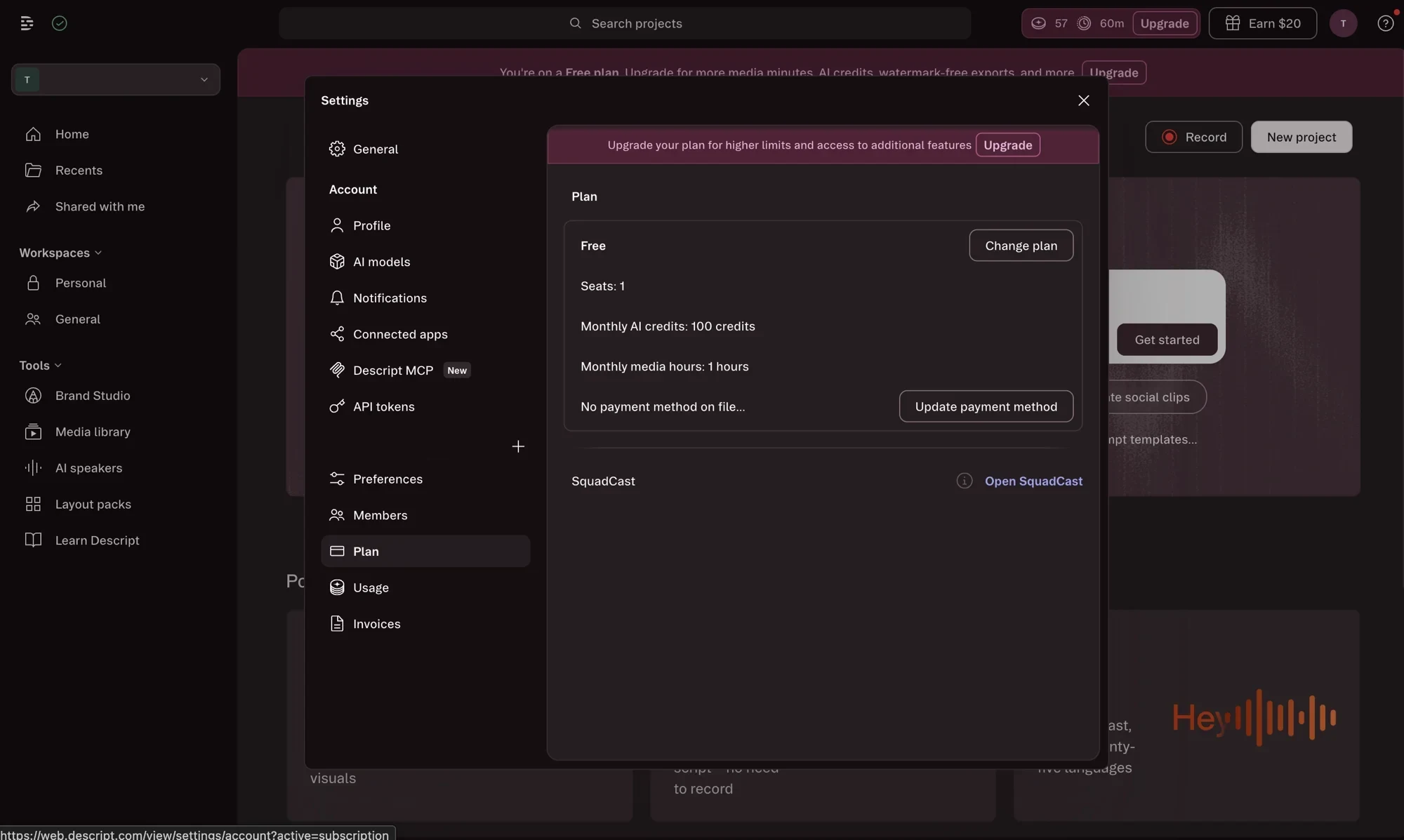
The knock, from our testing, is the pricing and the AI-credit system: heavy AI users burn through their monthly credits and hit a wall, and top-ups are only on the higher plans. Its free plan gives 60 media minutes and 100 AI credits a month with a watermark, enough to judge the editor. It is the least Pictory-like tool here, and that is the point: pick it when the answer to your Pictory frustration is “I should just edit real footage.”
Pricing: Free (60 media min/mo, watermarked); Hobbyist $24/mo; Creator $35/mo; Business $65/mo. Annual billing cuts roughly 30%.
Best for: creators who want to record and edit their own footage with AI assistance, rather than assemble stock into a faceless video.
How to pick your Pictory alternative
The mistake most people make here is shopping for the “best” tool in the abstract and ending up with something powerful that does not fix their actual problem, an all-rounder when they needed better voices, or a generative engine when they just wanted a cheaper blog-to-video workflow. The tools above do genuinely different jobs, so the right one falls out of a single question: what was Pictory failing you on?
- The voice sounded robotic, or you publish in several languages → Fliki. Best voice library in the lane, a free tier that exports, and the lowest price.
- The stock visuals looked dated and you want original footage → InVideo. Generative Veo and Sora footage, if you can manage the credits.
- You liked the blog-to-video workflow but wanted it cheaper → Lumen5. The closest like-for-like swap, with a real free tier.
- The video needs a presenter on camera, not B-roll → Synthesia. The avatar standard for training and explainers.
- You would rather edit your own recordings than assemble stock → Descript. Transcript-based editing with AI cleanup.
And one honest note: if none of Pictory’s gaps actually bother you, the best move may be to stay. Pictory is still the cleanest tool for the specific job of turning an existing article into a video, and switching tools has its own cost. The alternatives win when a specific weakness of Pictory’s is blocking your specific work, not as a general upgrade.
The verdict
There is no universal “best Pictory alternative,” only the best one for the job you were hiring Pictory to do. For most creators that is Fliki, our highest-rated tool in this lane, because it fixes Pictory’s biggest weakness, the voice, while costing less and offering a free tier you can actually publish from. If your complaint was the visuals rather than the voice, InVideo and its generative footage is the sharper answer.
A note on how we rank these: our scores come from testing the tools on one consistent, volume-weighted yardstick, not from affiliate payouts. Fliki, InVideo, and Descript we tested hands-on; Synthesia and Lumen5 we assessed from their pricing and positioning, and we flag that in each section rather than dressing synthesis up as first-hand testing.
But if you read this far and realized your issue with Pictory is minor, it is worth remembering that Pictory remains genuinely good at article-to-video repurposing, as we found in our full Pictory review. Switching tools carries its own cost in relearning a workflow and re-importing your assets, so switch when a real gap is blocking real work; otherwise the tool you already know may still be the right one.
For the wider field, our best script-to-video AI tools roundup ranks every option here, Pictory included.
Frequently asked questions
What is the best Pictory alternative?
For most creators, Fliki, which is why it is our top-rated tool in this lane at 4.3 out of 5. It does the same job Pictory does, turning a script into a captioned, narrated video, but with a far deeper voice library (2,000+ AI voices across 80+ languages versus Pictory's metered ElevenLabs minutes), a genuinely free tier that exports a real video, and a lower entry price of $8 a month against Pictory's $25.
That said, the best alternative depends on the job you are hiring the tool for. If you want generative, cinematic footage rather than stock, InVideo is the pick; if you want the same blog-to-video workflow more cheaply, Lumen5; if you want a presenter reading your script on camera, Synthesia; and if you would rather edit your own footage than assemble stock, Descript. There is no single winner, only the best fit for what carries your video, so match the tool to your actual bottleneck rather than to a leaderboard.
Is there a free alternative to Pictory?
Yes, and this is one of the strongest reasons to look past Pictory, whose 14-day trial paywalls a clean, watermark-free export. Fliki's free plan actually lets you build and export a finished video, watermarked and capped at 720p and one minute, but a real clip you could post. Lumen5's free Community plan gives you up to five short watermarked videos a month, and Synthesia's free tier grants 10 minutes of avatar video a month with its logo on it.
Descript's free plan includes 60 media minutes and 100 AI credits a month with a watermark, enough to judge the editor. So several alternatives let you produce and export something for $0 where Pictory only previews. None removes its watermark for free, that still takes a paid plan, but for trying before you buy, Fliki and Lumen5 in particular are more honest free tiers than Pictory's trial, which shows you the product and then holds the download hostage.
Why do people look for a Pictory alternative?
Four reasons come up again and again, and all four surfaced in our own hands-on testing. First, the voices: Pictory's default 'Tom' voice is flat and robotic, and the good ElevenLabs voices are metered and gated to paid tiers. Second, the free trial paywalls a clean export, so you cannot download without the watermark until you pay. Third, the visuals: Pictory assembles licensed stock under captions, a last-generation look in an era of generative video.
Fourth, the credit math is confusing, and in our test the public pricing page and the in-app dashboard even disagreed on the allotment. None of these makes Pictory a bad tool, it is still genuinely good at turning a blog post into a video, but each one sends a particular kind of creator looking: voice-first creators to Fliki, generative creators to InVideo, budget bloggers to Lumen5, presenter-led channels to Synthesia, and hands-on editors to Descript. The alternative you want depends on which of Pictory's gaps actually bothers you.
Is Fliki or InVideo a better Pictory alternative?
It depends on whether the voice or the footage is the thing Pictory was failing you on. Fliki is the better alternative if you want stronger narration, more languages, a working free tier, and a lower price: it is cheaper at $8 a month, its 2,000+ voice library outclasses Pictory's, and its free plan exports a real video. It is our higher-rated tool at 4.3 against InVideo's 4.2.
InVideo is the better alternative if Pictory's stock-and-caption visuals were the problem, because it can generate original, cinematic footage from Google's Veo and OpenAI's Sora rather than assembling stock. The catch is cost: InVideo's free plan cannot export a usable video, and its premium generative clips burn credits fast, roughly 40 for a single 30-second clip on a 75-credit monthly plan. So pick Fliki for voice, value, and a free tier; pick InVideo for generative range and prompt-to-video power, if you can manage the credits.
What is the closest alternative to Pictory?
Lumen5 is the most like-for-like swap, because it does exactly what Pictory is best known for: turning a blog post or script into a templated, captioned video with stock footage and a voiceover. It is template-led and beginner-friendly in the same way, and its free Community plan and lower entry price make it the natural budget substitute for Pictory's core blog-to-video workflow.
That said, 'closest' is not the same as 'best.' Lumen5's visuals and voices are basic, much like Pictory's, so if Pictory's output quality was your complaint, a like-for-like swap will not fix it; you want Fliki for the voice or InVideo for the footage instead. Choose Lumen5 when you liked Pictory's workflow but wanted it cheaper, with a real free tier, and you are repurposing written content at volume rather than chasing a higher production ceiling.
Keep reading
Pictory vs Fliki: I tested both — here's which to pick
Pictory vs Fliki, both tested: Fliki (4.3) wins on voice, price, and a real free tier; Pictory (4.1) wins at turning blog posts into video. Which fits you?
Pictory vs InVideo: I tested both — here's which wins
Pictory vs InVideo, both tested hands-on: InVideo (4.2) is the faster, more powerful all-rounder; Pictory (4.1) is cleaner for turning blog posts into video.
Pictory pricing: the plans, the credits, and the catch
Pictory starts at $25/mo annually, but the trial paywalls clean exports and credits meter every video. The real per-plan cost and the catch, hands-on.
Pictory AI review: fast blog-to-video, real trade-offs
I ran a script and a blog post through Pictory's free trial: watchable videos in minutes, a 4.1/5 verdict, but the clean export is paywalled. Here's the review.