
Pictory vs InVideo: I tested both — here's which wins
Pictory vs InVideo, both tested hands-on: InVideo (4.2) is the faster, more powerful all-rounder; Pictory (4.1) is cleaner for turning blog posts into video.
Contents
Pictory vs InVideo: the short verdict
I tested both of these script-to-video tools hands-on, and they are less interchangeable than the “vs” framing suggests. InVideo is the faster, more powerful all-rounder: it builds a whole video from one sentence and reaches the top generative models from a single workflow. Pictory is the sharper tool for one specific job, turning a blog post or article into a finished video. InVideo edges Pictory in our ratings because it simply does more, but if your work is repurposing written content, Pictory does that one thing better.
| Category | Verdict |
|---|---|
| Best for speed & range | InVideo: one prompt, Veo / Sora / Kling |
| Best for blog/article-to-video | Pictory: its URL-to-video is cleaner |
| Best for predictable cost | Pictory: stock-only, no credit cliff |
| Best overall (our rating) | InVideo 4.2 vs Pictory 4.1 |
The real difference is where each one starts. InVideo generates something new from your idea; Pictory repurposes text you already have. If you want the deepest voice library and a free tier that actually exports, neither is the answer, and Fliki is the third tool in this lane worth a look.
The full comparison at a glance
| Axis | Pictory | InVideo | Winner |
|---|---|---|---|
| Core use case | blog/article/script → video | one-prompt generation, all-rounder | depends |
| Starting point | needs a script, URL, or file | a single sentence | InVideo |
| Generative footage | none (stock only) | Veo 3.1, Sora 2, Kling, Seedance | InVideo |
| AI model range | stock + ElevenLabs voices | 200+ models, one workflow | InVideo |
| Blog / URL-to-video | signature, accurate | possible, less focused | Pictory |
| Stock library | 5–18M Getty + Storyblocks | deep iStock | tie |
| Voice & cloning | ElevenLabs, cloning on Pro | built-in AI voiceover | Pictory |
| Captions & languages | auto captions, ~29 languages | auto captions, multilingual | tie |
| Templates | themes + brand kits | large template library | InVideo |
| Editing | scene/storyboard editor | natural-language + timeline | tie |
| Entry price | $25/mo (annual) | $20/mo (Plus) | InVideo |
| Cost predictability | stock, ~flat, ~100 videos/yr | 2–40 credits/clip swing | Pictory |
| Free tier | trial paywalls clean export | can’t export a usable video | tie |
| Support | no documented complaints | refund friction reported | Pictory |
| Alley Rating | 4.1 | 4.2 | InVideo |
Read the table and the split is clear: InVideo takes the capability axes — speed, generative range, model access, price — while Pictory wins the ones around repurposing written content and keeping costs predictable.
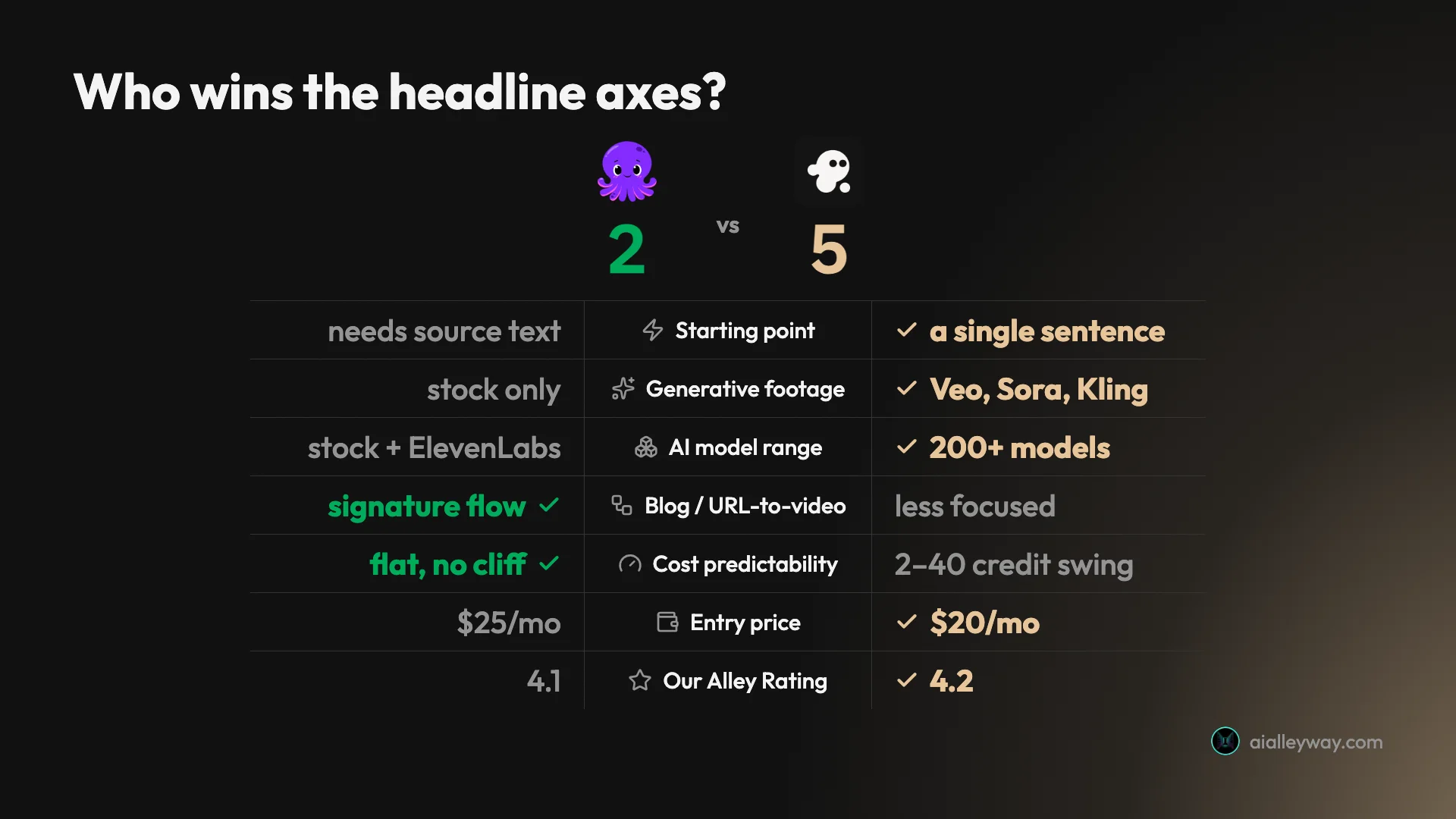
Do not read that headline tally as a rout, though, because the axes it leaves off are ties for a reason. Stock depth, captions, editing surface, and the free tier are genuine draws, and the core use case is an honest “it depends” rather than a win for either side. InVideo takes more of the axes most creators weigh first, which is why it edges the rating, but the two axes Pictory wins, repurposing fidelity and predictable cost, are exactly the ones that decide the tool for a whole category of writers. The rating gap is one tenth of a point for a reason: this is close, and it turns on your job, not on a scoreboard.
Pictory: strengths and gaps
Pictory’s clearest edge is URL-to-video repurposing: no other tool in this lane reads an existing article and keeps its real argument as reliably, and its cost stays predictable because it never touches expensive generative footage.
Where Pictory wins:
- URL-to-video repurposing is its superpower. Paste an article and it reads the page, keeps your real argument, and builds a scene-by-scene video. In my Pictory review it named every tool in one of my roundups and kept the ranking, not just the keywords.
- The cost is predictable. It is stock-only, so there is no premium tier quietly burning 40 credits a clip: a short video runs 16 to 26 credits, roughly a hundred a year on Starter.
- Support carries fewer red flags. InVideo’s support and refunds draw recurring complaints in its user reviews, especially failed generations that still cost credits; Pictory does not show that same pattern.
- Multiple input types — text, URL, audio, slide decks, documents — all route into one editor.
Where Pictory falls short:
- There is no generative footage. It assembles licensed stock, so it cannot produce the original, cinematic clips InVideo’s Veo and Sora tier can.
- The default voice is robotic. The good voices are metered ElevenLabs minutes, gated to paid tiers.
- The free trial paywalls a clean export — you cannot download without the watermark until you pay.
Taken together, Pictory’s profile is narrow but deep. It is the specialist you buy for one workflow it does better than almost anyone, and most of its caveats are the price of that focus rather than signs of a weak tool. If the job in front of you is the job it specializes in, the gaps barely register; if it is not, they add up fast.
InVideo: strengths and gaps
InVideo’s whole case is breadth and speed: it turns one sentence into a finished video and reaches the top generative models from a single $20 workflow, which nothing else in this class matches.
Where InVideo wins:
- It is the fastest one-prompt tool. A single sentence produced a complete captioned, narrated 9:16 video in minutes, with no manual steps. Full detail in my InVideo review.
- It reaches premium generative models — Google’s Veo 3.1, OpenAI’s Sora 2, Kling, and Seedance from one workflow, so you can experiment across the best video models without subscribing to each.
- Natural-language editing — type an instruction like “change the third scene” and Agent One rebuilds it, on top of a full manual timeline.
- Watermark-free 1080p exports on the entry plan, with the option to strip InVideo’s branding too.
Where InVideo falls short:
- The credit economics bite. A premium Veo/Sora clip costs 40 of the Plus plan’s 75 monthly credits, and regenerating charges full price again.
- The free plan cannot export a usable video — it watermarks everything and caps generation.
- Support and refunds draw complaints, especially when a paid generation fails but still deducts credits.
Taken together, InVideo’s profile is the opposite of Pictory’s: broad and powerful, with nearly every caveat pointing at the same place. The credit meter is what turns its range into a running cost you have to manage, and how you feel about that meter is more or less how you will feel about the tool. Get disciplined about it and the capability is remarkable for the price.
Which is cheaper, Pictory or InVideo?
On the sticker, InVideo is the cheaper way in: its Plus plan is $20 a month against Pictory’s $25 Starter, both billed annually, and InVideo’s annual billing trims Plus to about $17. But on both tools the sticker is not the cost that matters, because both meter usage in credits, and that is where they diverge sharply.
Here is what each plan looks like.
| Tier | Pictory | InVideo |
|---|---|---|
| Free | 14-day trial, paywalls clean export | free plan, can’t export usable video |
| Entry paid | $25/mo Starter (annual) | $20/mo Plus |
| Mid | $35/mo Professional | $100/mo Max |
| Top tier | $119/mo Teams | $200/mo Generative |
The credit models are where the real difference lives. Pictory gives Starter 2,400 AI credits a year, and a short video costs 16 to 26 of them, so you get roughly a hundred videos a year. And because it is stock-only, there is no expensive generative tier, so the cost per video barely moves, and the credits roll over month to month.
InVideo gives Plus 75 credits a month, but the cost per video swings enormously with the footage you choose: about 2 credits for stock, around 15 for efficient generative, and 40 for a premium Veo or Sora clip. That means dozens of stock videos a month but fewer than two premium generative ones, and every regeneration charges full price again.
| Credit economics | Pictory (Starter) | InVideo (Plus) |
|---|---|---|
| Credit pool | 2,400 / year | 75 / month |
| Cost per stock video | 16–26 credits | ~2 credits |
| Cost per generative video | not available | 15–40 credits |
| Rough output | ~100 videos/year | ~37 stock or under 2 premium/month |
Put it on a real cadence and the split sharpens. A creator posting two short stock videos a week, roughly a hundred a year, sits comfortably inside either Pictory’s Starter allowance or InVideo’s Plus pool, so at that volume both are cheap and the choice comes down to features, not price.
Swap in premium generative footage and the picture inverts. Those same hundred videos are impossible on InVideo Plus, where 75 monthly credits buy fewer than two Veo or Sora clips, and they are simply unavailable on Pictory at any tier. The moment your work needs generative footage, you are budgeting InVideo’s credits, not comparing sticker prices.
Two smaller cost notes decide the edge cases. Pictory’s credits and quotas roll over month to month, and annual plans get the full year on day one, so if you batch-produce in bursts, nothing is lost at the end of a slow month. If you run dry, Pictory sells add-on packs of credits, Getty stock, and ElevenLabs minutes that do not expire while your plan is active.
InVideo’s higher tiers, Max at $100 and Generative at $200, exist precisely for people who hit the Plus credit ceiling and generate constantly. The credit math that strains a solo creator on Plus is the whole reason those bigger pools are there.
So the honest answer splits. If you make stock-footage videos, InVideo’s Plus plan is both cheaper to start and more generous by volume than Pictory’s Starter. If you want predictable cost with no risk of a single clip eating half your month, Pictory is safer precisely because it cannot spend credits on the expensive stuff. Budget by the footage you actually need, not the headline price.
Which produces higher-quality videos?
Quality is not one thing here, so I split it three ways. InVideo has the higher visual ceiling; Pictory has the stronger voice and the more faithful repurposing; captions are a wash. Here is how each piece breaks down.
The visual ceiling
On raw visual quality, InVideo wins clearly, and it is not close once you turn on its generative tier. Here is Pictory’s signature move first. I pasted the URL of one of my own blog posts and it built this scene-by-scene vertical video, keeping the real argument and verdict from the article.
The footage is competent, on-topic stock under timed captions. It is not cinematic, and it reads as a 2022-era stock-and-caption aesthetic, but the fidelity is the point: it named all four tools from my roundup, kept my ranking, and built a coherent video rather than a slideshow. For repurposing written content, that accuracy matters more than polish.
| Quality dimension | Pictory | InVideo | Winner |
|---|---|---|---|
| Visual ceiling | stock under captions | generative Veo / Sora | InVideo |
| Repurposing fidelity | keeps an article’s argument | generates fresh, less faithful | Pictory |
| Voice | ElevenLabs on paid, cloning | built-in AI voiceover | Pictory |
| Captions & languages | auto, ~29 languages | auto, multilingual | tie |
Now InVideo on its premium generative setting. I gave Agent One a one-line brief and it generated original, cinematic footage using Veo and Sora, rather than pulling stock.
The jump in production value is obvious: warm, shallow-focus shots that look shot rather than assembled. That ceiling is real, and it is something Pictory simply cannot reach, because it has no generative footage at all. The catch is the meter, since that clip cost 40 credits against a stock version’s 2, so the cinematic look is a luxury you ration.
So on visuals the split is clear. If you want the highest ceiling and original footage, InVideo wins outright. If you want an existing article turned into video with its argument intact, Pictory’s repurposing fidelity is the stronger result, and its stock aesthetic is a fair trade for the accuracy.
Voice and narration
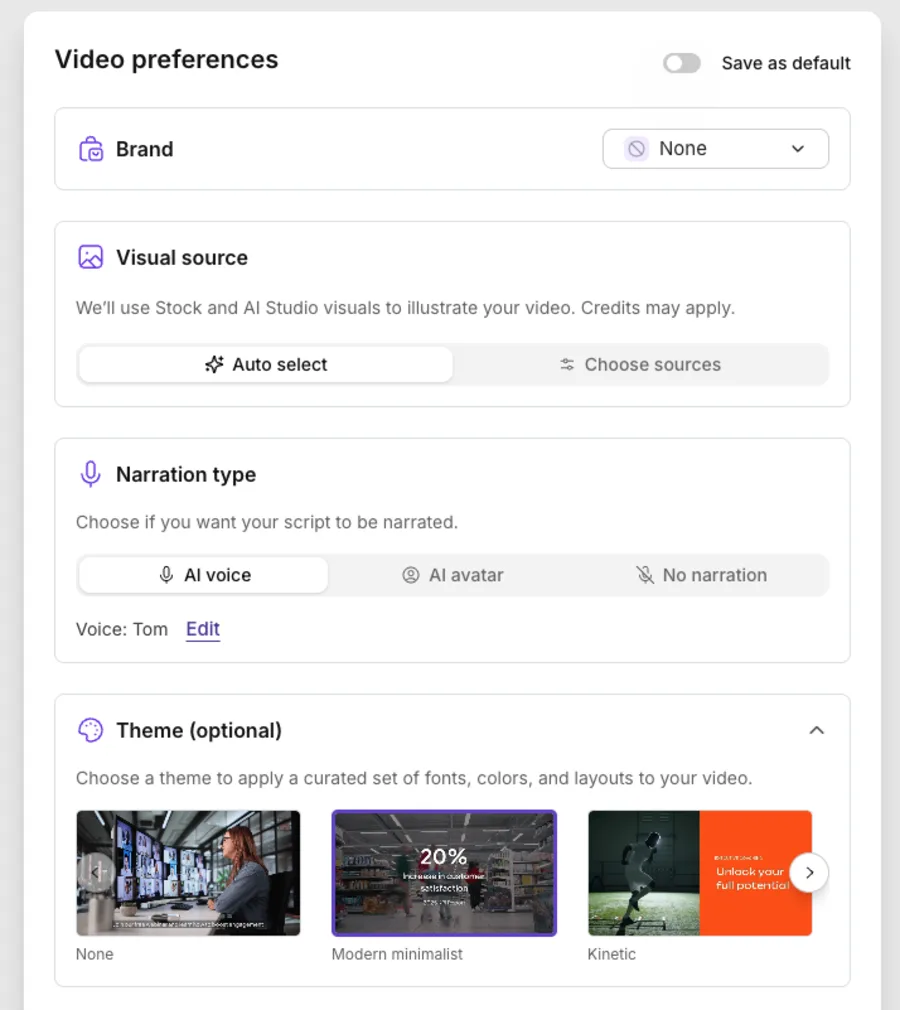
Voice is where Pictory quietly pulls level, because neither of these is a voice-first tool the way Fliki is, but they get their narration from different places. Pictory routes its good voices through ElevenLabs, the studio-grade text-to-speech engine, with 60 minutes a month on Starter and 120 minutes plus voice cloning on Professional. The catch is that those minutes are metered and gated to paid tiers, so the default “Tom” voice you hear on the free trial is flat and robotic, and the human-sounding narration is a rationed, paid resource.
InVideo generates its voiceover in-house as part of the Agent One pass, and in my test it was clear, well-paced, and perfectly usable for a faceless social clip. It is not a library you browse the way Pictory’s ElevenLabs integration is, and there is no dedicated voice-cloning tier, so if a specific, human, ownable voice is central to your channel, Pictory’s ElevenLabs route has the higher ceiling. For a fast draft where any clean narration will do, InVideo’s built-in voice is genuinely fine, and it costs you nothing extra beyond the credits the whole video already spends.
Captions and languages
Both tools auto-generate timed captions, and both do it well: on my demos each one broke the narration into readable on-screen lines, timed to the voiceover, without any manual work. Captions are table stakes on both, and neither embarrassed itself.
On languages the two are close. Pictory’s multilingual voiceover runs through ElevenLabs at roughly 29 languages, which is plenty for most English-first creators who occasionally localize, and InVideo is also multilingual, though I did not benchmark its language count. Call it a wash for most creators. Neither, though, matches Fliki’s 80-plus languages, which remains the reason multilingual creators keep landing on Fliki rather than either of these two.
Which is faster, and easier to work in?
Both are fast, but they start from different places, and that decides the speed winner. InVideo has the lower floor: it needs nothing but a single sentence, and a few minutes later Agent One returns a complete captioned, narrated draft with footage, voiceover, and music assembled. Nothing else in this class turns an idea into a full video that quickly.
Pictory is nearly as fast, but it needs source material first. Give it a script or a blog URL and it returns a draft in about two minutes, which is quick, but the starting point is text you already have rather than a bare idea. If you are beginning from scratch with only a topic in your head, InVideo gets you to a draft with less input.
Editing after the first draft tilts the same way. InVideo’s natural-language editing lets you type “swap the second scene” and have Agent One rebuild it, on top of a full manual timeline. Pictory’s storyboard editor is capable — every scene is independently editable — but it is click-and-panel work rather than plain-English commands. Both are genuinely beginner-friendly, and neither needs a manual, so the learning curve is a tie.
The one caveat on InVideo’s speed is cost, not time: because every regeneration spends credits, a fast edit that the AI misreads is a fast way to burn money, especially on the premium tier. Pictory’s iterations are effectively free within your credit pool. So InVideo is faster to a first draft and faster to edit, as long as you are disciplined about how many times you hit regenerate.
Templates and starting material are the next piece of the workflow, and here InVideo’s breadth shows again. It ships a large template library plus an Explore gallery of finished example videos that reveal the exact prompt behind each one, which is a fast way to learn what the agent can do and to start from a proven format rather than a blank brief. Its iStock integration is frequently called the best stock access at this price point.

Pictory answers with themes, brand kits, and a genuinely deep built-in library of 5 to 18 million Getty and Storyblocks clips, so it rarely leaves a scene with no footage, but its template selection is thinner and its aesthetic more uniform. For raw starting variety, InVideo has the edge; for depth of on-topic stock, Pictory holds its own.
Ease of use is a real tie, and both earn it. Neither tool needs a manual: you pick an input or type a prompt, accept a few smart defaults, and you have a draft in minutes. InVideo is consistently praised for a low learning curve, and Pictory wraps its onboarding in small guided “capabilities” that walk a first-timer through each workflow. If you have never made an AI video before, you will be productive in either one inside a first session.
Where they diverge again is teams. Both keep collaboration behind their upper tiers: Pictory’s $119 Teams plan adds shared workspaces and more brand kits, while InVideo’s Max, Generative, and Elite plans layer on the bigger credit pools and seats that agencies need. Neither is a true multi-editor production suite, so if real-time collaborative editing is central to your work, both are lighter than a dedicated editor like Descript. For a solo creator or a small team handing drafts back and forth, either is enough.
Who should pick Pictory?
- Bloggers and content marketers sitting on a back catalogue of posts. URL-to-video turns an existing article into a social clip in minutes, and it is the single best reason to choose Pictory over InVideo.
- Creators who want predictable costs. Because Pictory is stock-only, there is no 40-credit generative cliff: you know roughly what every video costs, and the credits roll over.
- Course creators and trainers with slide decks and webinar recordings. PPT-to-video and audio-to-video rebuild old material into narrated lessons without re-recording.
- Not for you if you want generative, cinematic footage or the fastest path from a bare idea. Pictory needs source material and can only assemble stock — for original video from a prompt, InVideo is the tool.
The through-line for Pictory is that it rewards people who already produce written content. If you have a blog, a newsletter, a back catalogue of articles, or a shelf of old slide decks, Pictory turns that existing work into video cheaply and predictably, and that is a real, repeatable pipeline rather than a novelty. The less written material you are sitting on, the weaker its core pitch becomes, and the more you should look at a tool built to generate from scratch instead.
Who should pick InVideo?
- Fast, high-volume social creators who want a finished video from one sentence and will mostly publish stock clips, where the per-video cost is trivial and the speed is the whole point.
- Creators who want premium models without juggling tools. Reaching Veo, Sora, Kling, and Seedance inside one $20 workflow beats subscribing to several generators, as long as you treat the premium tier as an occasional splurge.
- Marketers and agencies on the higher plans. The Max, Generative, and Elite tiers exist for people who generate constantly; the credit math that strains a solo creator is the point of the bigger pools.
- Not for you if your core job is faithfully repurposing existing articles, or you need predictable per-video costs. Heavy iterators in particular should go in clear-eyed about the no-discount regeneration.
The through-line for InVideo is versatility, and versatility you will actually use. It suits creators who value speed and range over a fixed monthly cost, who want one workspace that can reach a stock clip today and a Sora render tomorrow, and who can hold the discipline the credit system demands. If your output is unpredictable and varied, InVideo bends to it in a way Pictory’s single-purpose pipeline cannot. If your output is one steady, repeatable job, that flexibility is range you are paying for and not using.
The verdict
InVideo AI edges this one at 4.2 out of 5 against Pictory’s 4.1, and it earns that on breadth and speed. It is the faster tool from a standing start, the only one here that reaches Google’s Veo 3.1, OpenAI’s Sora 2, Kling, and Seedance from a single workflow, and the more versatile all-rounder. If you want one place to draft fast and experiment across the top video models, InVideo is the pick — just budget for the credits, because the premium tier is a luxury you ration and the free plan cannot export anything usable.
Pictory is the sharper tool for one job, and it is a job a lot of people have: turning blog posts and articles into video. Its URL-to-video flow keeps your real argument, its stock-only cost is predictable, and it avoids the support and refund complaints that dog InVideo. It cannot generate original footage and its free trial paywalls the clean download, but for repurposing written content at volume, it is the more focused, more reliable choice. Different jobs, so pick by yours: generative range and speed, go InVideo; article-to-video repurposing on a predictable budget, go Pictory.
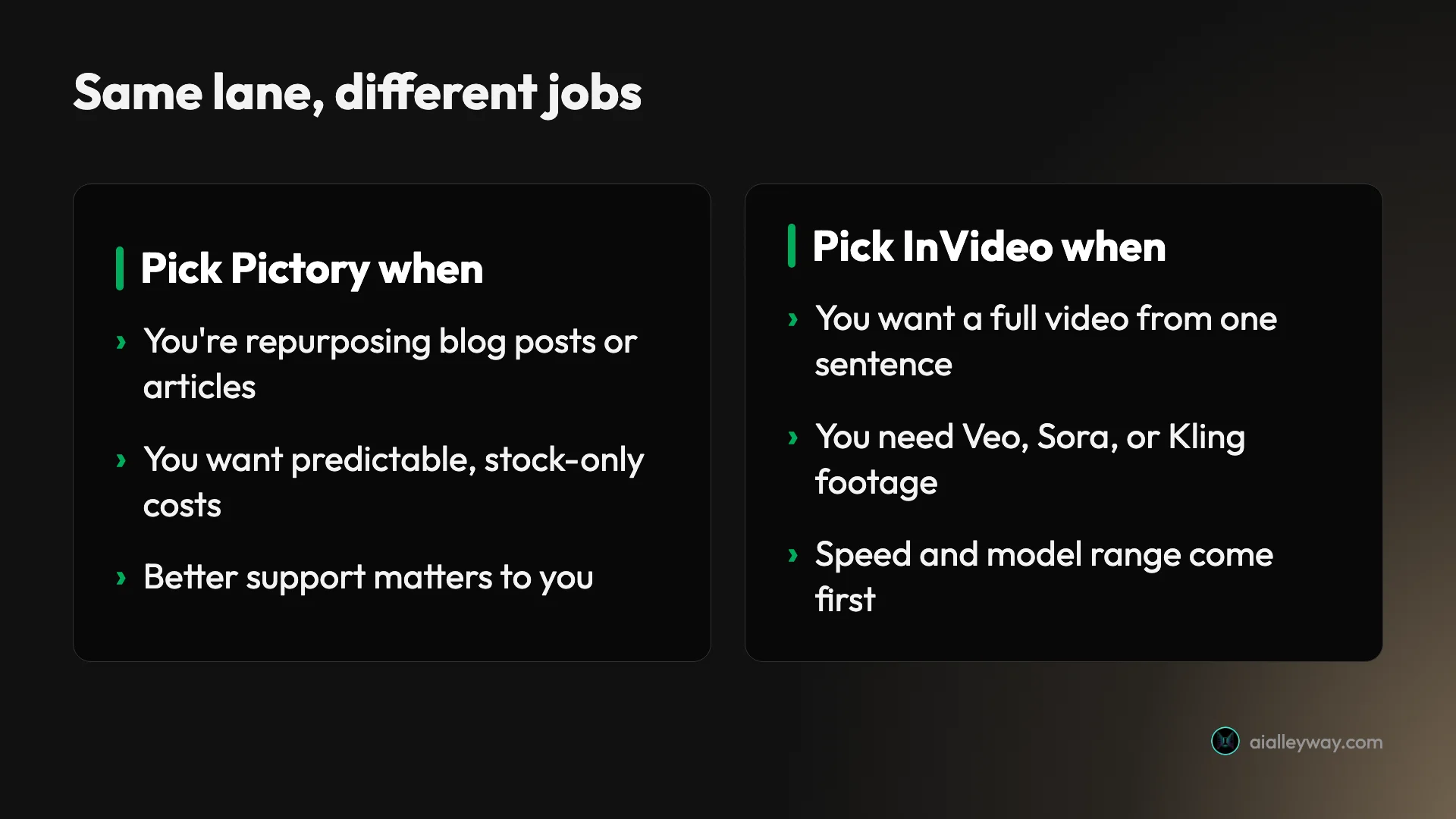
If you want a single question to decide it, ask what you are starting from. If you start most videos from writing you already have, a post, a script, a transcript, Pictory turns that into video faster and cheaper than anything InVideo does, and the predictable cost keeps a repurposing pipeline sane.
If you start from a bare idea and want the tool to invent the video, including footage that looks genuinely shot rather than pulled from stock, InVideo is the one built for that, and no amount of Pictory’s polish closes the generative gap. The rest, the pricing, the voices, the templates, follows from that first fork: get the starting point right and either tool rewards you, get it wrong and you will fight the tool for the whole project.
If neither quite fits — you want the best voices, the most languages, and a free tier that actually exports — read our Pictory vs Fliki comparison, since Fliki is the category’s top pick and the third tool in this lane. Both also appear in our best script-to-video AI tools roundup, ranked against the wider field, and if it is InVideo you are leaving, our InVideo alternatives guide covers the options.
Frequently asked questions
Is InVideo better than Pictory?
On balance yes, which is why I scored InVideo 4.2 against Pictory's 4.1, but they are built for different jobs. InVideo is the faster, more powerful all-rounder: it builds a full captioned video from a single sentence, and it reaches Google's Veo 3.1, OpenAI's Sora 2, Kling, and Seedance from one workflow, which Pictory cannot touch. Pictory has no generative footage at all; it assembles licensed stock around your script.
Where Pictory is genuinely better is one specific job: turning an existing blog post or article into video. Its URL-to-video flow reads the page, keeps your real argument, and builds a clean repurposed clip more reliably than InVideo's. So 'better' depends on the work: InVideo wins on speed, generative range, and model access; Pictory wins on article-to-video repurposing and predictable stock-only cost. For most creators InVideo is the stronger all-rounder; for repurposing written content, Pictory.
Which is cheaper, Pictory or InVideo?
On the sticker, InVideo is cheaper to start: its Plus plan is $20 a month versus Pictory's $25 Starter (both billed annually), and InVideo's annual billing drops Plus to about $17. But the sticker is not the real cost on either tool, because both meter usage in credits. InVideo gives 75 credits a month on Plus, and a video costs about 2 credits on stock footage but 40 on the premium Veo and Sora tier, so a single generative clip eats more than half your month.
Pictory gives 2,400 credits a year on Starter and a short video runs 16 to 26 credits, so you get roughly a hundred videos a year with no 40-credit cliff because it is stock-only. So InVideo is cheaper to start and more generous for stock volume, while Pictory is more predictable because it cannot spend credits on expensive generative footage. Budget by the footage you need, not the monthly price.
What is Pictory better at than InVideo?
Turning written content into video. Pictory's signature feature is URL-to-video: paste a blog post or article and it scans the page, writes a script that keeps your actual points and verdict, and builds a scene-by-scene video around licensed stock. In my testing it pulled the real argument off the page rather than just the keywords, which is genuinely uncommon, and it named every tool in one of my roundups while keeping the ranking.
Beyond that, Pictory's cost is more predictable because it is stock-only, so there is no premium tier quietly burning 40 credits a clip, and it does not attract the support-and-refund complaints that recur in InVideo's reviews. It also handles more input types: audio, slide decks, and documents all route into the same editor. So if your workflow is 'I have a back catalogue of articles and want them as social videos,' Pictory is the more focused, more reliable tool for that exact job, even though InVideo beats it on speed and generative range elsewhere.
Can InVideo turn a blog post into a video like Pictory?
Partly, but it is not what InVideo is built for. InVideo starts from a written prompt and generates a video around it, so you can paste in text or a script and get a finished clip, and it will do a competent job. What it does not do as cleanly is Pictory's specific URL-to-video trick: reading an existing article off its live page, preserving the real argument and verdict, and repurposing it faithfully into a scene-by-scene summary.
InVideo is designed to generate something new from your brief rather than mirror an existing post, so for pure repurposing of written content Pictory is the more accurate and focused tool. Use InVideo when you want to create a fresh video from an idea and possibly reach generative footage; use Pictory when the job is specifically to turn articles and blog posts you already have into video. They overlap, but each is clearly stronger at its own end of that spectrum.
Do Pictory and InVideo have free plans?
Both have a free option, and both paywall the thing you actually want, which is a clean export. Pictory has a 14-day free trial with 50 AI credits that lets you build full videos, but in my test choosing 'Generate without watermark' sent me to the upgrade page, so only the watermarked export was free. InVideo has a permanent free plan, but it watermarks every export, caps your weekly export time, and gives a credit pool a single generation can exhaust, so it cannot produce a usable video either.
So neither free option is a real way to publish: Pictory's is a time-limited trial that holds the clean download hostage, and InVideo's is an interface tour that cannot export anything you would post. To get watermark-free video you are looking at $25 a month on Pictory Starter or $20 a month on InVideo Plus. If a working free tier matters most, Fliki is the tool in this lane that actually exports a free video.
Keep reading
Pictory vs Fliki: I tested both — here's which to pick
Pictory vs Fliki, both tested: Fliki (4.3) wins on voice, price, and a real free tier; Pictory (4.1) wins at turning blog posts into video. Which fits you?
Pictory pricing: the plans, the credits, and the catch
Pictory starts at $25/mo annually, but the trial paywalls clean exports and credits meter every video. The real per-plan cost and the catch, hands-on.
Pictory AI review: fast blog-to-video, real trade-offs
I ran a script and a blog post through Pictory's free trial: watchable videos in minutes, a 4.1/5 verdict, but the clean export is paywalled. Here's the review.
The 5 best Pictory alternatives, ranked by job
The best Pictory alternatives, ranked: Fliki for voice, InVideo for generative video, Lumen5 for blog-to-video, Synthesia for avatars, Descript for editing.