
Granola vs Fireflies: quiet notepad or team brain?
Granola vs Fireflies: Granola is the bot-free notepad for client calls, Fireflies the bot-based team brain for search and CRM. Which one fits your meetings?
Contents
Is Granola or Fireflies better?
Granola and Fireflies are both excellent, and they barely compete, because they are built for opposite jobs. The choice is not which is better; it is which problem you have.
Granola is the quiet notepad. Nothing joins your call, it deletes the audio afterward, and it turns the rough notes you jot into a polished summary. It is built for the individual who takes client calls and wants discretion and note quality. We rate it 4.6 out of 5.
Fireflies is the team’s brain. It sends a bot to record the whole meeting, makes a whole organization’s calls searchable with an AI assistant, and ships conversation analytics and CRM sync. It is built for teams. We rate it 4.4 out of 5.
Here is the one-line split:
- Best for discreet client calls: Granola — bot-free, deletes the audio, the best note quality we have tested.
- Best for team meeting intelligence: Fireflies — records everything, AskFred search across all calls, analytics, CRM.
- Most private: Granola — nothing joins the meeting, and no recording is kept.
The rest of this comparison is the detail: the at-a-glance table, then how they capture, what they cost, and which buyer each one is for.
Granola vs Fireflies at a glance
We have run both tools through our hands-on cluster tests, so the table below is graded from real use rather than spec sheets. Granola scored 4.6 in our review; Fireflies, 4.4. Granola is the 2026 breakout in the category, fresh off a 2025 raise of $125M at a $1.5 billion valuation, and in our testing the hype was mostly earned — its note quality was a step above the bot-based tools, which is why it is our overall pick for discreet, client-facing work despite the narrower platform support.
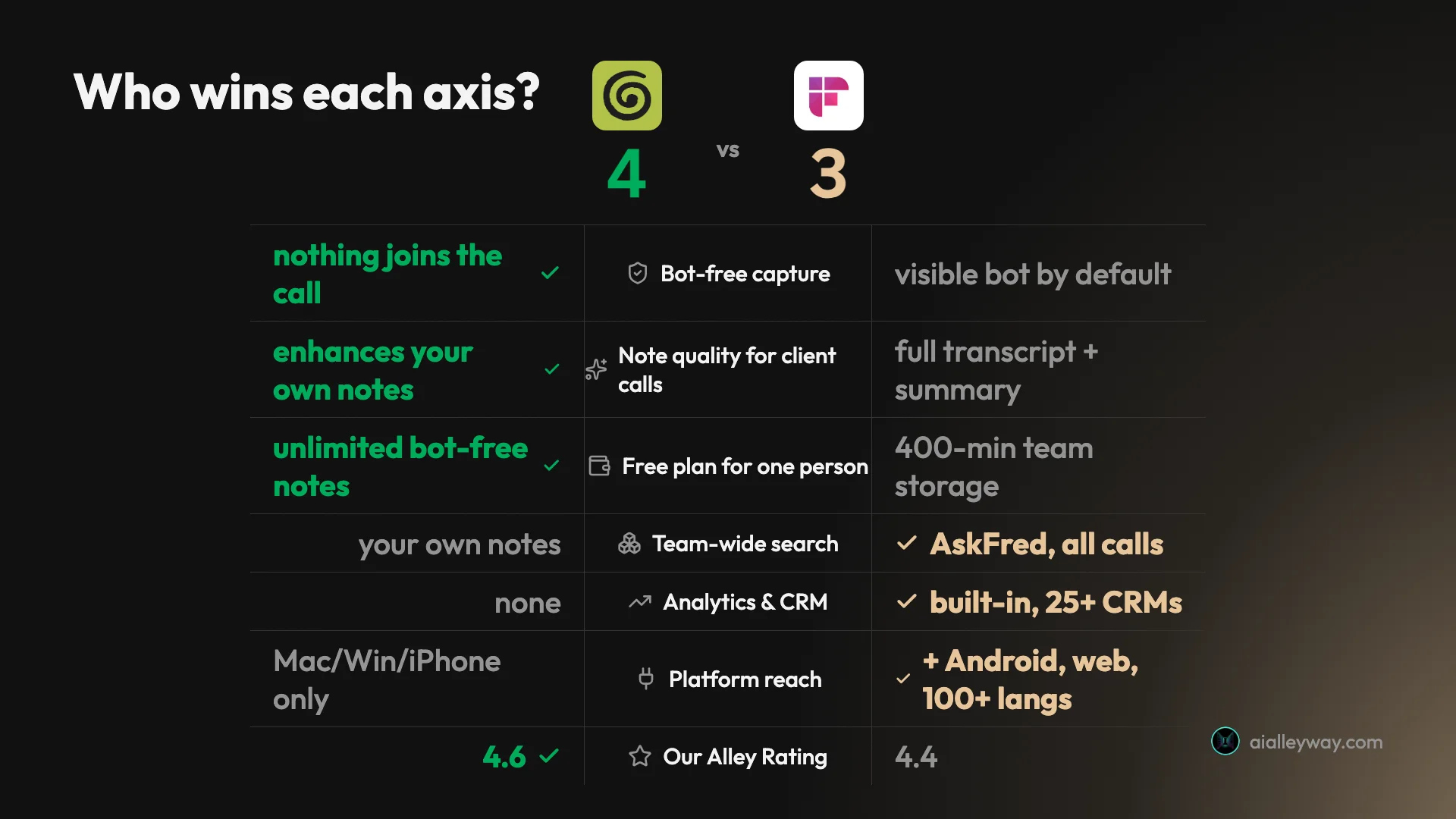
| Axis | Granola | Fireflies | Winner |
|---|---|---|---|
| Built for | The individual on client calls | A whole team’s meeting intelligence | — |
| Capture | Bot-free, on-device, audio deleted | Bot joins the call, full recording kept | Depends |
| Note model | Enhances the notes you jot | Full transcript + auto-summary | Depends |
| Team-wide search | Your own notes | AskFred reasons across all calls | Fireflies |
| Conversation analytics | None | Built-in (Business $19) | Fireflies |
| CRM sync | Slack, Notion, HubSpot (Business) | 25+ CRMs, Slack, Notion (Business) | Fireflies |
| Platform | Mac, Windows, iPhone only | Mac, Windows, web, iOS, Android | Fireflies |
| Languages | Multi-language | 100-plus | Fireflies |
| Free plan | Unlimited bot-free notes, limited history | Unlimited transcription, 400-min storage | Depends |
| Individual paid | Business $14/user | Pro $10/user | Fireflies |
| Our Alley Rating | 4.6 | 4.4 | Granola |
The tally lands close, but read the axes and the split is obvious: Granola owns the quiet, solo, client-facing job, and Fireflies owns everything that scales to a team.
How do Granola and Fireflies capture a meeting?
This is the difference that decides everything else, so start here: the two tools record a meeting in opposite ways, and the rest of the comparison falls out of that one choice.
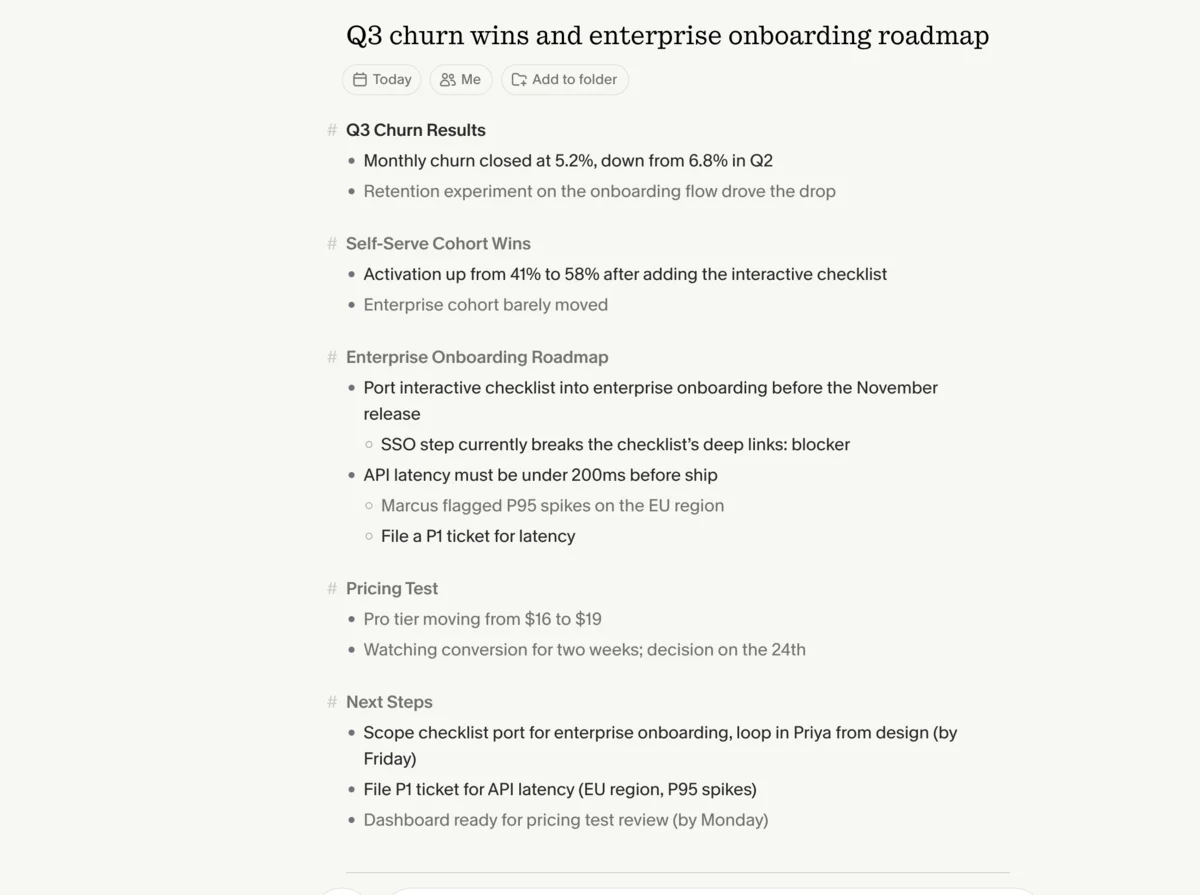
Granola is bot-free. It captures the audio on your own device, so nothing visibly joins the call and the people you are meeting never see a third-party participant. The standout is what it does with your own notes: you jot rough fragments during the call, the way you would on a paper pad, and Granola folds in everything it heard to turn that shorthand into a structured summary. In our test we typed six rough bullets and got back a clean document with names, numbers, and deadlines we never typed but that were said aloud.
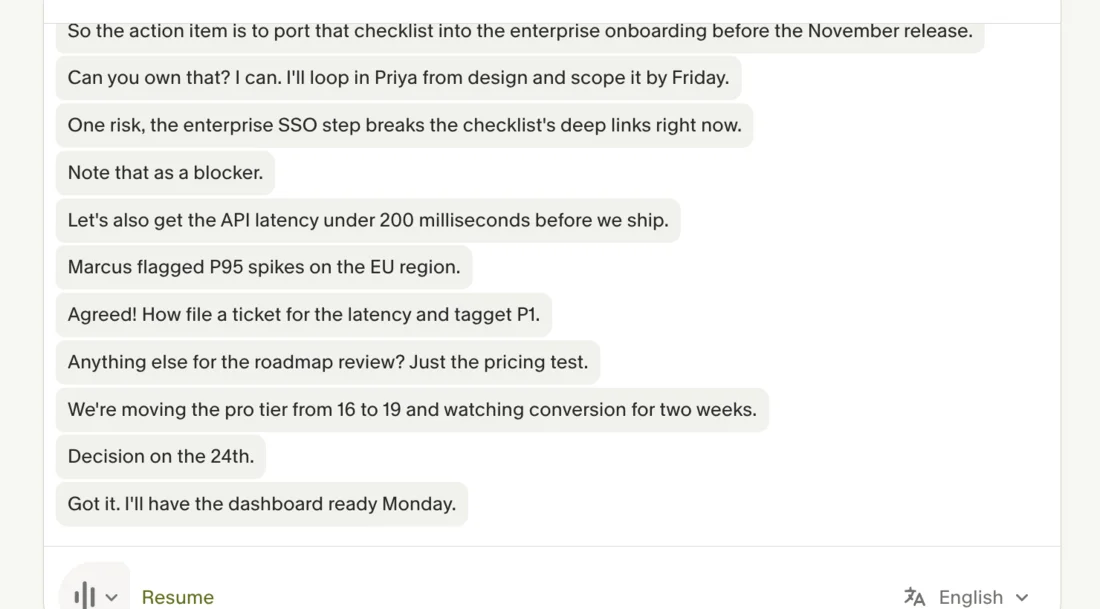
Fireflies works the other way. It sends a notetaker bot into your Zoom, Meet, or Teams call, records the whole thing, and hands you a complete transcript plus an auto-summary you can search, share, and push into a CRM. It is a recorder built to make every call in a company a permanent, searchable asset.
That single fork explains the rest. Granola deletes the audio once it has the text, so there is no playback and no stored recording, which is a privacy feature for client work and a limitation if you wanted to re-watch a call. It also produces a plain transcript without speaker labels, because the notes, not the verbatim record, are the product.
Fireflies keeps the recording, labels speakers, and stores the lot, because for a team the archive is the asset. Neither approach is wrong; they are built for different rooms.
What Granola is for
Granola is the tool to reach for when the notetaker is for you, and especially when you are on calls where a visible bot would be awkward.
Its case rests on two things: discretion and note quality. Because nothing joins the call and the audio is deleted, it is the comfortable choice for client calls, candidate interviews, and any external conversation where a recording bot changes the tone of the room. And in our testing the note quality was the best we have seen from any AI notetaker, precisely because it builds the summary around the points you flagged as important rather than dumping a full transcript on you.
The catches are real and mostly deliberate. Granola runs only on Mac, Windows, and iPhone, with no Android and no web app, which rules it out for a lot of teams. There is no audio playback, export is limited, and the free plan only shows a recent window of your history. It supports multiple languages but does not match Fireflies’ far wider reach. None of that matters for its target user; all of it matters if you need a team platform.
Read the full Granola review for the hands-on detail, or the Granola pricing guide for the plan math.
What Fireflies is for
Fireflies is the tool to reach for when the notetaker has to serve a team, and especially a sales or success team that lives in a CRM.
Its headline feature is AskFred, an AI assistant that answers questions across your whole meeting history, not just one call. When we asked it to summarize a meeting and pull the numbers, it ran a multi-step retrieval, found the right transcript, and built the answer from it. That history-wide reasoning is the thing a single-call notepad cannot do.
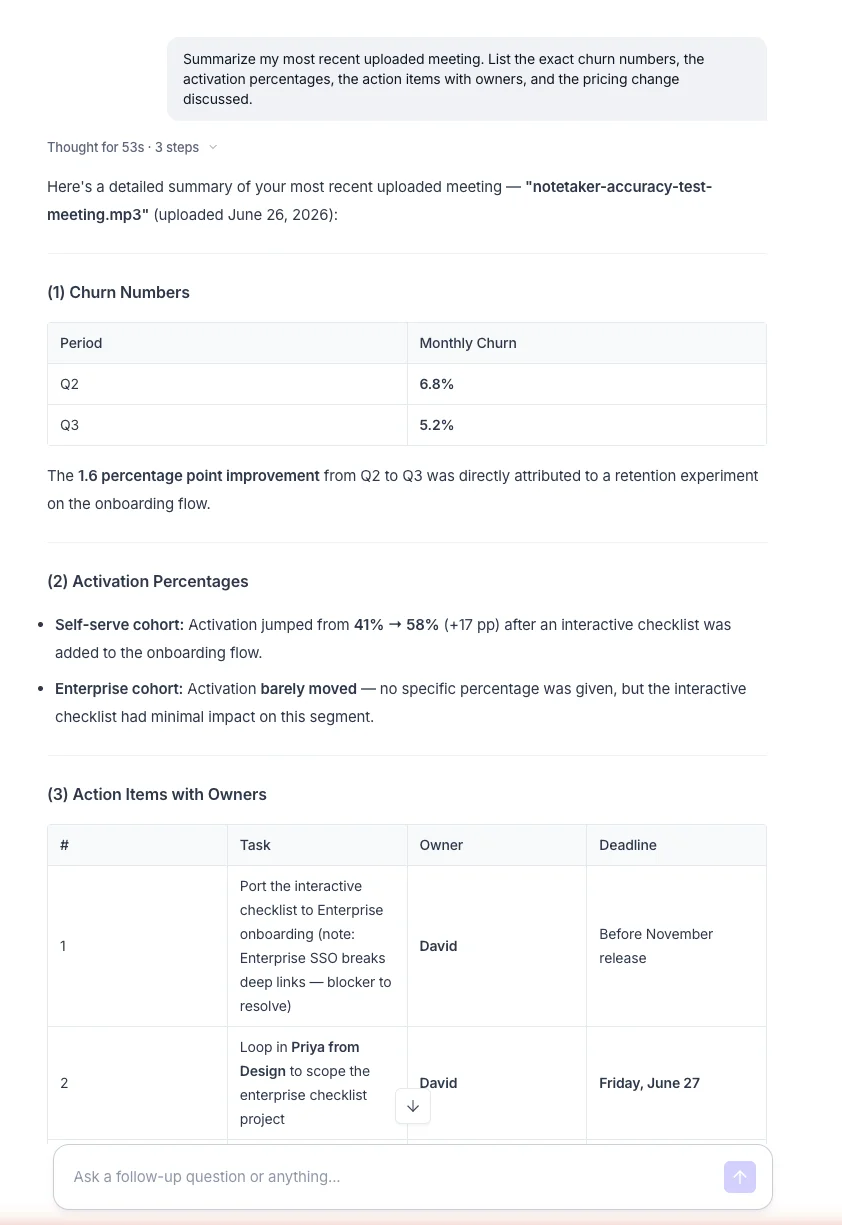
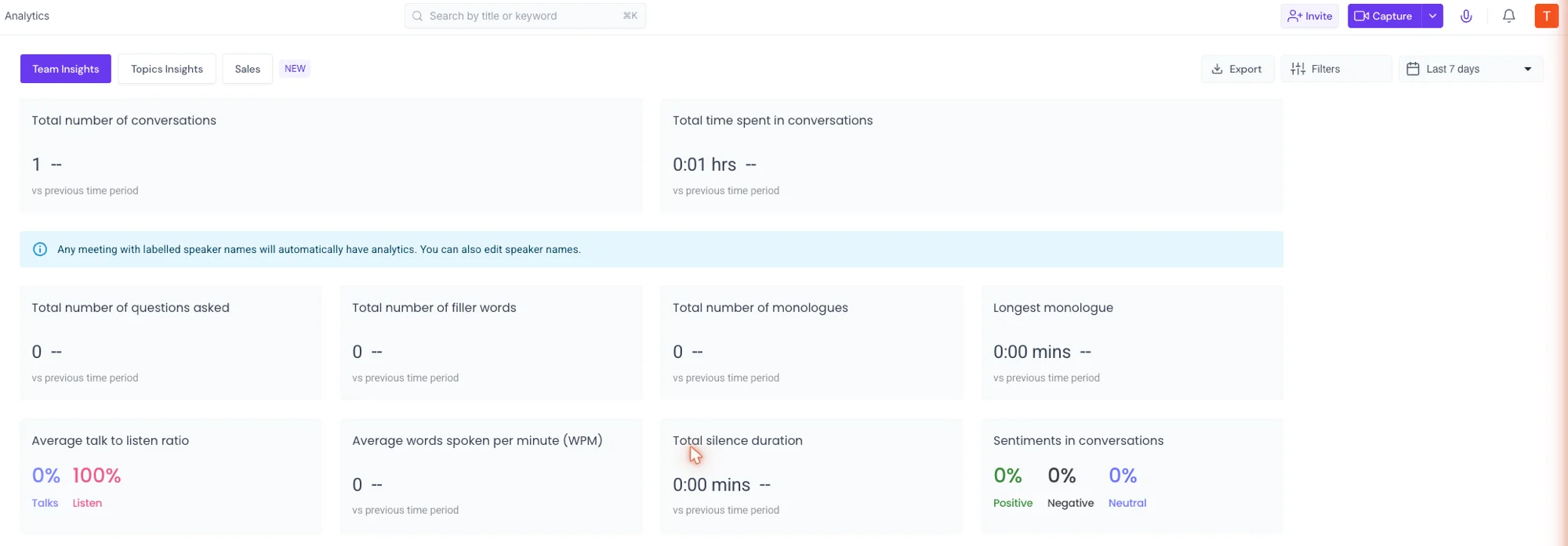
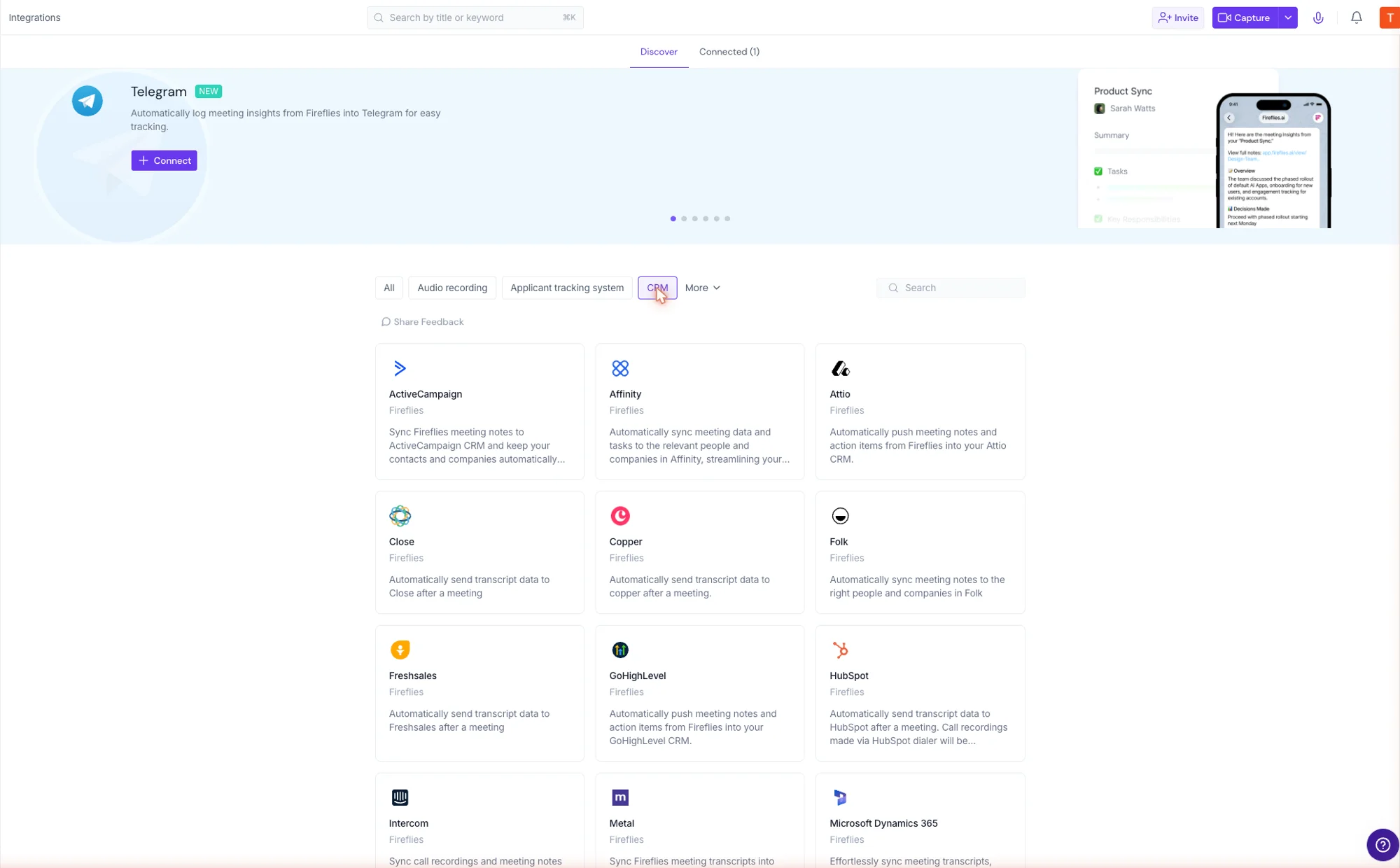
Around that sit the team features: conversation analytics that turn months of calls into talk-time, sentiment, and topic trends; topic trackers that flag every competitor or pricing mention; and an integration layer that pushes notes and action items into 25-plus CRMs, Slack, and Notion automatically. It also records on every platform, including Android and the web, and transcribes in over 100 languages.
The catch is fit, not quality. Almost everything that makes Fireflies powerful is built for a team and wasted on one person, its free plan caps storage at 400 minutes, and it meters AI with credits. For a solo user on client calls, that machinery is overkill and the visible bot is the wrong shape.
It is, though, the best in the category at the job it is actually built for, holding a 4.7 out of 5 across 746 G2 reviews as of mid-2026, in the conversation-intelligence space rather than the personal-notetaker one. That distinction is the whole comparison in a line: Fireflies is a meeting-intelligence platform that happens to take notes, where Granola is a notepad that happens to use AI.
Is Granola or Fireflies cheaper?
Fireflies is cheaper for an individual, at $10 a user for Pro against Granola’s $14 Business, and the value buy for a team that needs CRM and analytics, at $19 against a Granola plan that does not offer them at all. Price is rarely the deciding factor here, though, because the two tools do not really substitute for each other; the numbers just split by scale. All prices below are current as of June 2026; confirm on each tool’s pricing page before you buy.
For an individual, the paid plans are close and Fireflies is a little cheaper. Granola’s paid tier is Business at $14 a user a month, with no separate individual plan, while Fireflies’ first paid tier is Pro at $10 a user a month. So a solo user pays slightly less on Fireflies, but the two prices buy very different products: Granola’s $14 lifts the history cap on a bot-free notepad, while Fireflies’ $10 lifts storage on a recorder.
For a team that needs CRM sync and analytics, Fireflies is the value buy at $19 a user a month, because that Business plan bundles conversation analytics and 25-plus CRM integrations. Granola does not compete on that axis at all; its $14 Business plan is about unlimited history and integrations for notes, not team meeting-intelligence.
| Plan | Granola | Fireflies |
|---|---|---|
| Free | Unlimited bot-free notes, limited history | Unlimited transcription, 400-min storage |
| Individual paid | Business $14/user | Pro $10/user |
| Team + CRM/analytics | Business $14/user (notes-focused) | Business $19/user (intelligence) |
| Top tier | Enterprise $35/user | Enterprise $39/user |
Billing cycle is one more quiet difference. Granola charges the same per-user price whether you pay monthly or yearly, because it publishes no annual discount, so its $14 is simply $14. Fireflies leans the other way, pricing month to month higher, around $18 for Pro and $29 for Business, and reserving the headline $10 and $19 for an annual commitment, roughly a 40 percent gap. So a team that wants to start month to month pays a premium on Fireflies that Granola never charges, while a team ready to commit for a year is rewarded more on Fireflies.
The honest read is that you are not really price-shopping between these two. You are choosing a quiet notepad or a team recorder, and the cost follows the choice rather than driving it.
How accurate are their notes?
Both tools were accurate in our hands-on tests, but they are accurate at different things, because they are doing different things. Granola enhances; Fireflies transcribes.
Granola’s job is to turn your shorthand into a full document. In our test we typed six rough bullets during a quarterly-review call, and Granola handed back a structured summary that included names, numbers, and deadlines we never typed but that were said aloud, folding what it heard into the points we flagged. The output read like notes a sharp colleague would take, not a raw transcript.
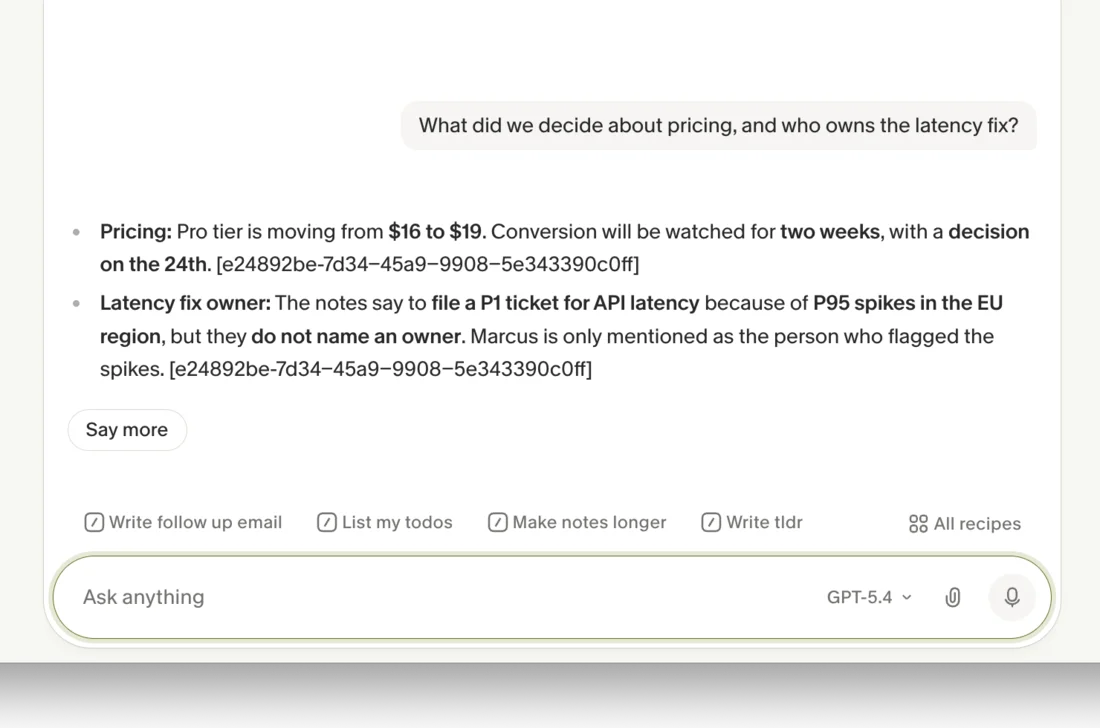
Fireflies’ job is the opposite: capture every word, then summarize it. On the same kind of test meeting its transcript came back near-flawless, it separated both speakers, and its auto-summary caught every churn number, the activation jump, and the pricing change, with the owners attributed correctly. Its only slip in our testing was a punctuation glitch, with zero words dropped.
So the accuracy question splits by what you want. If you want a clean, human-style summary built around the moments that mattered, Granola’s enhancement gave us the highest note quality in our cluster tests. If you want a complete, replayable, verbatim record a team can search, Fireflies’ full transcript is what you need, and Granola deliberately does not keep one. One more practical split: Granola supports multiple languages but does not publish a count, where Fireflies transcribes in over 100 languages, so for multilingual meetings Fireflies is the more reliable choice regardless of the note model.
How do they fit your day?
Day to day the two tools feel completely different, and it comes back to the bot.
Granola sits quietly on your device. You open it, jot notes during the call, and get your summary after, with nothing to configure in the meeting itself. It only starts capturing when you open a meeting or click its notification, not constantly in the background, which is part of the privacy story. The surface is deliberately minimal, which is part of why it suits someone who is back-to-back in calls and does not want to manage a platform. The cost of that simplicity is reach: it runs only on Mac, Windows, and iPhone, with no Android and no web app, export is limited, and there is no audio to replay.
Fireflies is the opposite, a platform you connect to your calendar so its bot auto-joins every scheduled call, with a Chrome extension, desktop and mobile apps, and real-time notes that build during the meeting. Once a call ends everything lands in a shared workspace a team can search, and the integration layer pushes notes into 25-plus CRMs, Slack, and Notion automatically.
The trade-off is surface area. Fireflies puts a notebook, channels, AskFred, analytics, integrations, and admin all in one sidebar, so there is more to learn than Granola’s single clean note. The split is the same one that runs through the whole comparison: Granola optimizes for the individual who wants to get out of the way and take good notes, and Fireflies for the team that wants every call captured, connected, and measured. Match the workflow to which of those you are, and the tool picks itself.
Who should pick Granola?
Granola is the right call when the notetaker is for you and discretion matters.
- The consultant or account manager on client calls. Bot-free capture means nothing joins the meeting, which keeps external calls comfortable, and the note quality is the best we tested.
- Anyone who wants notes without a recording to manage. Granola deletes the audio and builds the summary around what you flagged, so you get a clean document instead of a transcript archive to police.
- The Mac, Windows, or iPhone user who works solo or in a tiny team. As long as you are not on Android or the web and do not need team-wide analytics, Granola’s lighter model fits.
Who should pick Fireflies?
Fireflies is the right call when the notetaker has to serve a team, especially one that runs on a CRM.
- The sales or success org. Cross-meeting search, conversation analytics, and CRM sync on the $19 Business plan are exactly the machine a revenue team buys.
- The team that asks questions across hundreds of calls. AskFred reasons across your whole history, so “what did every prospect say about pricing this quarter” is an answerable question.
- The team split across devices and languages. Fireflies runs on Android and the web where Granola does not, and transcribes in over 100 languages.
See the full Fireflies review for the team-intelligence detail, or the Fireflies pricing guide for the credit-and-storage math.
Final word
If you take client calls and want quiet, high-quality notes with nothing joining the room, choose Granola. If you run a team that needs every call recorded, searchable, and synced to a CRM, choose Fireflies — they solve different problems, and most people know within a sentence which one is theirs. If you are genuinely between the two, a small team that wants good notes without a heavy platform, both have real free plans, so start on each and keep the one whose model fits how you actually meet. For the wider field, see our best AI note taker comparison.
Frequently asked questions
Is Granola or Fireflies better?
Granola is the better pick for individual client calls, and Fireflies is the better pick for team meeting intelligence; they are built for opposite jobs, so the better tool depends on the job. We rate Granola 4.6 out of 5 and Fireflies 4.4, but the fit matters more than the score.
Granola is the better pick for an individual who takes client calls and wants quiet, high-quality notes. Nothing joins the meeting, it deletes the audio afterward, and it turns the rough notes you jot into a polished summary. If discretion and note quality are what you care about, Granola wins.
Fireflies is the better pick for a team that needs every call recorded, searchable, and pushed into a CRM. It sends a bot to capture the whole meeting, its AskFred assistant reasons across your entire history, and it ships conversation analytics. For team-wide meeting intelligence, Fireflies wins. The two barely compete; they solve different problems.
Is Granola or Fireflies more private?
Granola, clearly, and privacy is one of its core design choices. Nothing visibly joins your call, so the people you meet never see a third-party bot in the participant list, which matters for client and candidate calls. It also deletes the meeting audio once it has the text, so there is no recording sitting on a server to play back later.
Fireflies takes the opposite approach by design: it sends a notetaker bot into the call to record the whole thing, because capturing and storing every meeting is the entire point of a team intelligence tool. It has a strong security posture, with SOC 2, GDPR, and a no-training-on-your-data default, but it is a recorder, not a quiet observer.
So for a sensitive external conversation where a visible bot would be awkward, Granola is the safer shape; for a team that wants a permanent searchable archive, Fireflies' recording model is the feature.
Which has the better free plan, Granola or Fireflies?
It depends on whether you are one person or a team. Granola's free Basic plan gives you unlimited bot-free notes and its AI chat at $0, with the catch that it only shows a recent window of your history, so older notes drop behind the $14 Business plan.
Fireflies' free plan gives unlimited transcription, the AskFred assistant, and even API access, but it stores only 400 minutes of recordings for the whole team and meters AI with 20 credits a month. A team that records steadily fills that storage cap in under three weeks.
For a solo user who mostly references recent calls, Granola's free plan goes further day to day. For a small team that wants to trial team-wide transcription and search, Fireflies' free plan shows more of what you would actually pay for. Neither is a permanent home for a heavy user.
Does Granola record the meeting like Fireflies?
No, not in the same way, and the difference is the whole point. Fireflies records the full meeting audio and video, stores it, and gives you a complete transcript you can replay and search, which is what a team archive needs.
Granola captures the audio on your own device to write the notes, then deletes it, so there is no playback and no stored recording. It also leans on the rough notes you type during the call, enhancing your shorthand into a full summary rather than handing you a wall of raw transcript. It does produce a text transcript, but without speaker labels and without saved audio.
So if you need a replayable recording and a verbatim archive of every word, Fireflies is built for that and Granola deliberately is not. If you want clean notes without a recording to manage, Granola's model is the lighter one.
Is Granola or Fireflies cheaper?
For an individual the paid prices are close, and Fireflies is slightly cheaper. Granola's paid plan is Business at $14 a user a month, while Fireflies' first paid tier is Pro at $10 a user a month, so a solo user pays a little less on Fireflies, though the two buy very different things.
For a team that needs CRM sync and analytics, Fireflies is the clear value at $19 a user a month for its Business plan, where Granola's $14 Business plan is built around bot-free notes rather than team intelligence, and does not try to be a conversation-analytics platform at all.
So price is rarely the deciding factor here, because the tools do not really substitute for each other. You pick Granola for quiet notes and Fireflies for team search, and the small price gap is beside the point.
Keep reading
Granola AI review: it took better notes than I did
I fed Granola six rough bullets and a messy call; it returned a clean summary with details I never typed. Why this bot-free notepad earns its hype.
Fireflies AI review: the team brain, not the solo notetaker
I ran a controlled test meeting through Fireflies: a near-flawless transcript, 25+ CRM syncs, and real team analytics. Brilliant for teams, overkill solo.
Best AI note taker: 4 top tools, tested head-to-head
We ran one meeting through Granola, Fathom, Fireflies, and Otter. The best AI note taker depends on whether you take client calls, want it free, or run a team.
Granola pricing: the AI notetaker's free-plan catch
Granola pricing, for the AI notetaker, runs free or $14 a user. Its free plan hides your older notes, and that limited history is the catch that makes you pay.