
Best AI Image Generator: 8 Picks, Two Tested Head to Head
The best AI image generator is ChatGPT for exact briefs and Nano Banana for free, fast images, both tested. Plus Midjourney, Ideogram, FLUX and three more.
Contents
The best AI image generators, in one line each
The best AI image generator for most people is ChatGPT if your pictures must follow a brief exactly, and Nano Banana if you want them fast and free. I tested both prompt for prompt, and they split the wins. The other six below are the right picks for specific jobs, from Midjourney’s look to Stable Diffusion’s control, and I say plainly which ones I have not tested.
- Best overall: ChatGPT Images. The more literal of the two I tested: every element placed, every word spelled. Free to try; Plus is $20.
- Best free: Nano Banana (Gemini). Twice ChatGPT’s speed in my test, and a free tier that never turned me away.
- Best for artistic style: Midjourney. The choice when the look matters most. Paid only, from $10 a month.
- Best for text and logos: Ideogram. The lettering specialist, on version 4.0.
- Best for creative control on a free allowance: Leonardo AI. A menu of models with a daily refill of free tokens.
- Best for design assets: Recraft. Aimed at designers; paid plans add commercial rights.
- Best for developers: FLUX. Pay per picture on an API, from about a cent and a half.
- Best open source: Stable Diffusion. Runs on your own machine, free below $1 million in revenue.
How we chose the best AI image generators
The two tools at the top of this list earned their places in a test, not a reputation contest. On 23 September 2026 I ran the same twelve prompts, word for word, through ChatGPT and Google’s Nano Banana: a seven-part scene with specific counts and positions, three designs with exact text, three photoreal shots, three art styles, an edit, and a rerun in each tool’s slower reasoning mode. Every result was the first image, with nothing rerolled or retouched. The full results are in our Nano Banana vs ChatGPT comparison.
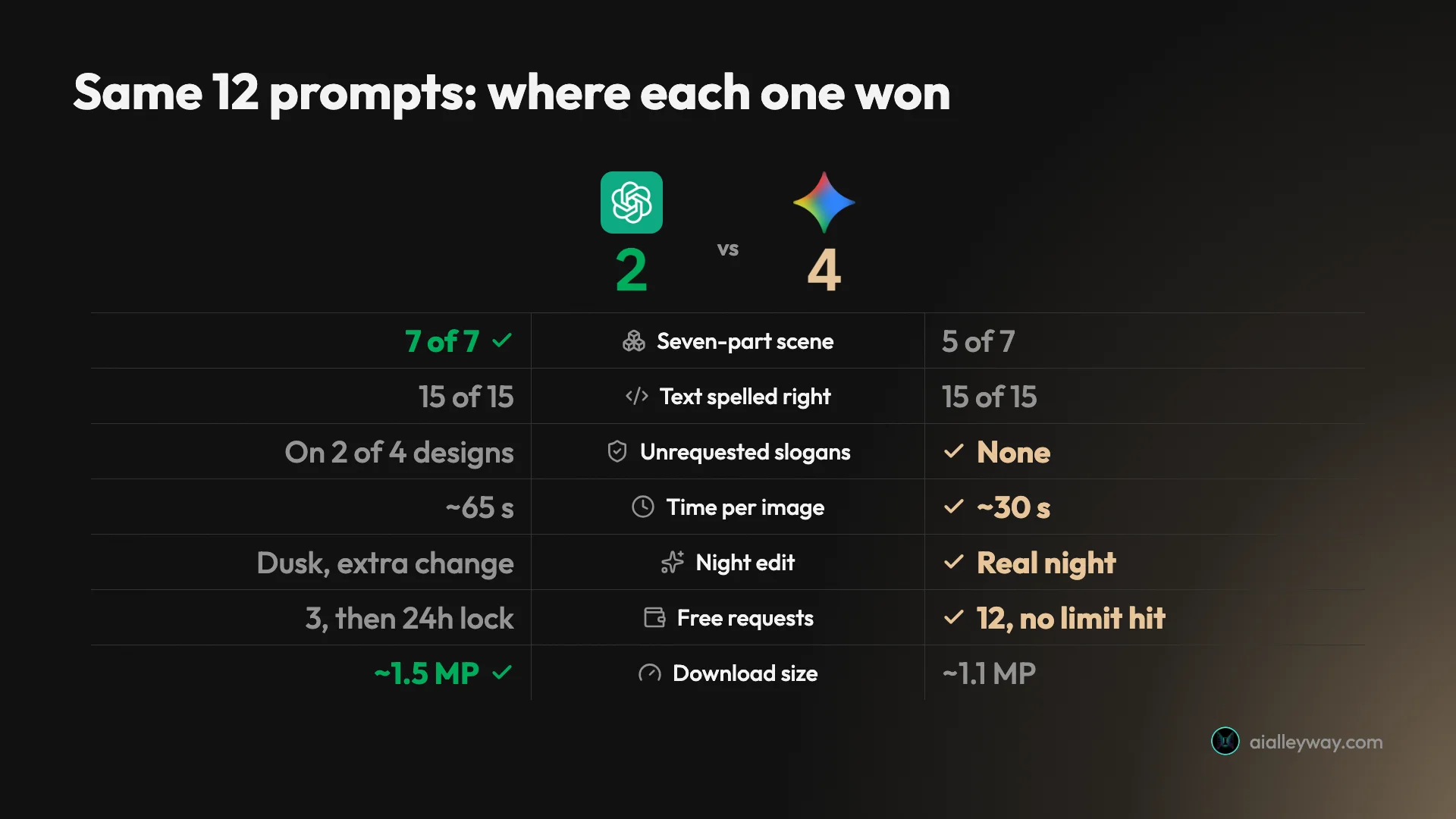
On the seven headline tests the scorecard came out 4 to 2 for Nano Banana, with text a tie. ChatGPT still takes the top spot because its two wins, exact placement and larger files, are the ones client work depends on, and Nano Banana takes best free.
The other six I have not tested. Their sections draw on each vendor’s own pricing pages, documentation and terms, read in September 2026, and our own synthesis reviews where we have one, such as the Midjourney review. Where a claim about image quality belongs to someone else, whether the vendor, Google’s AI Overview or users, I say whose.
Whether you call them AI image generators or the best AI art generators, the criteria were the ones buyers actually weigh: whether the output follows the brief, how it handles text, whether there is a usable free tier, what a paid plan costs, whether your images stay private, and whether you can use them commercially. Each pick had to be the best option for a specific kind of user, not a near-duplicate of another pick.
A few familiar names are missing on purpose. We treat Adobe Firefly and Canva as design suites rather than image generators, so they appear among our design picks instead. Reve, which some top AI image generator lists still recommend, is closing its image service: its help centre set 27 September 2026 as the last day for new creations, with downloads running until 31 October.
AI image generators compared
| Tool | Tested hands-on | Free tier | Cheapest paid route | Private by default | Best for |
|---|---|---|---|---|---|
| ChatGPT Images | Yes | 3 requests a day in my test | Go $8, Plus $20 a month | Yes | Exact briefs and text |
| Nano Banana (Gemini) | Yes | 12 requests, no refusal in my test | Optional Google AI plans | Yes | Free, fast, editing |
| Midjourney | No, plans only | None | $10 a month | No, $60 for Stealth | Artistic style |
| Ideogram | No | Weekly slow credits | $20 a month ($15 yearly) | No on free | Text and logos |
| Leonardo AI | No | 150 fast tokens a day | $12 a month ($10 yearly) | No on free | Creative control |
| Recraft | No | 3 generations per style a day | $10 a month billed yearly | No on free | Design assets |
| FLUX | No | Playground, sign-in required (free credits unconfirmed) | API from $0.014 an image | Not stated | Developers |
| Stable Diffusion | No | Free model under $1M revenue | SD 3.5 API from $0.025 an image | Yes, run locally | Open source |
The pattern is worth stating plainly. The two tools that most people can already open today, ChatGPT and Gemini, are also the only two I have tested hands-on; both proved strong all-rounders, and both are free to try. The paid specialists earn their place by being built around one job the all-rounders are not: Midjourney’s aesthetic tools, Ideogram’s typography focus, Recraft’s vector and design tools, FLUX’s price per image, Stable Diffusion’s control.
What “free” really means on each
Free is the word that does the most work in AI image marketing, and it means different things on each tool here. On ChatGPT it meant three requests before a 24-hour lockout in my test. On Gemini it meant twelve requests with no refusal, but no published image count. On Leonardo, Ideogram and Recraft, free images are public, and on Recraft they are not licensed for commercial use. On FLUX there is a playground behind a sign-in, whose free allowance I could not confirm, and on Stable Diffusion it means the model is free but the hardware is yours.
Midjourney has no free tier at all. Before you build a habit around a free plan, check which of those limits will bite first.
1. ChatGPT Images — best overall
If one image generator has to do everything, this is the one. ChatGPT treats a prompt as a set of instructions to satisfy rather than a mood to interpret, and on my test that literal streak put it ahead of Nano Banana, the one tool I tested against it, on the jobs clients care about.
The model behind it is ChatGPT Images 2.5, which OpenAI released on 8 September 2026. There is no separate app: you describe the picture in a chat, or use the Images page, and ask for changes in plain language.
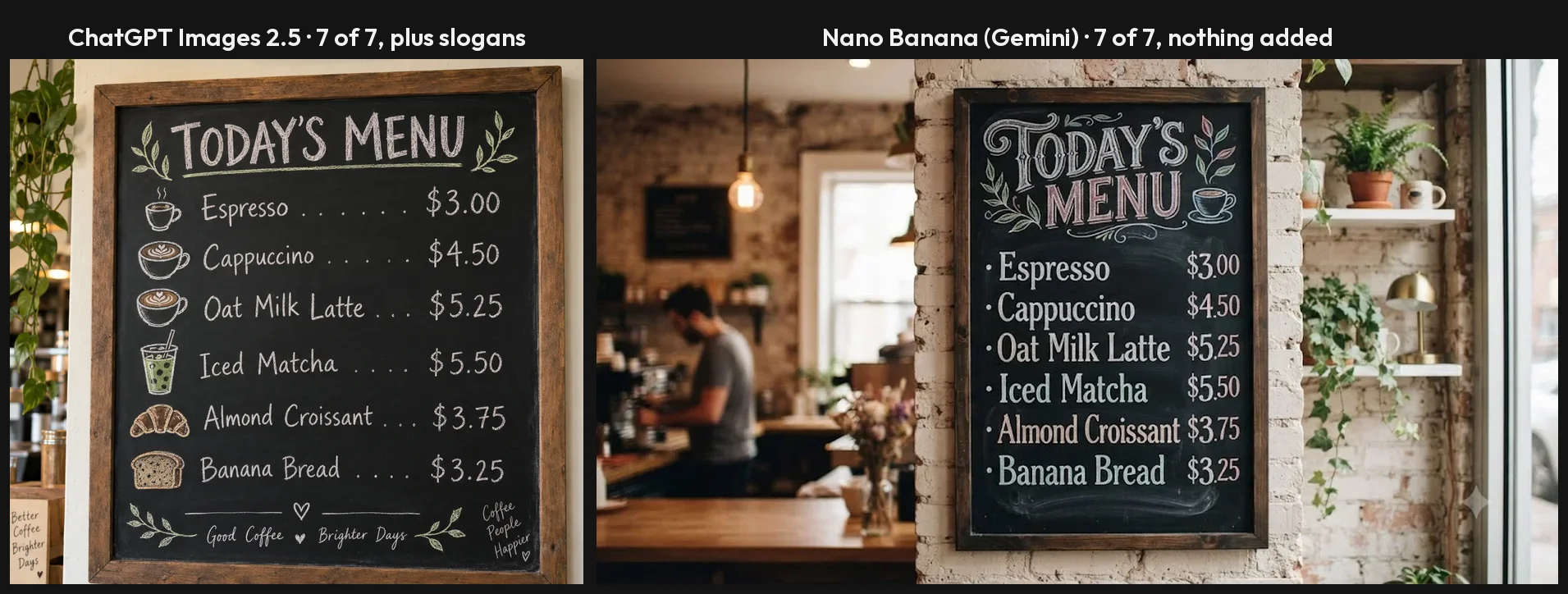
How it did. The crowded-scene prompt listed seven things to get right, from the number of tulips to where the house number sat. ChatGPT got every one on the free plan. Across the test I asked for fifteen separate text strings, among them a menu with six prices, and all fifteen came back letter-perfect. Its hands, faces and product shots showed none of the old giveaways.
What it costs. You can try it free, but my free account ran out after three requests and stayed locked for 24 hours. The $8 Go plan adds more image creation, and the $20 Plus plan comes with an in-app promise of 120 images a day.
Where it slips. Accuracy has a flip side: it fills empty space with copy of its own, adding slogans to two of my designs, the menu and the coffee bag, and one invented line resurfaced in later chats while memory was on. Each image took around a minute. Files came in at roughly 1.5 megapixels, fine on a screen and small for print.
Range beyond the literal. It handled a woodblock print, which it finished with a title cartouche and seal, and a loose watercolour with equal conviction, though a request for low-poly came back smooth. Plus subscribers get a Thinking effort setting that plans a scene before drawing it, at about 90 seconds a picture; on my crowded scene it added polish rather than accuracy, since the quick mode had already scored full marks. Downloads carry C2PA credentials, and OpenAI’s system card says it also embeds an invisible SynthID mark.
Pick it if your images have to say or show exactly what the brief says, as with packaging mock-ups, menus and posters, and you are willing to proofread every word. One untested idea for keeping designs clean is to end the prompt with “no other text”. The full test is in our ChatGPT image generator review.
2. Nano Banana (Gemini) — best free AI image generator
Most people searching for an image generator want one that costs nothing and still produces something worth using. On that brief, Google’s Nano Banana, the image model built into the Gemini app, was the clear winner of the two I tested head to head: my free account ran twelve requests back to back and never hit a wall.
The name now covers several models. Every Gemini plan, including the free one, gets Nano Banana 2, and a slower, pricier Nano Banana Pro sits above it. Google’s AI Overview for “best AI image generator” puts Nano Banana Pro at the top of its list; my results come from the default model.
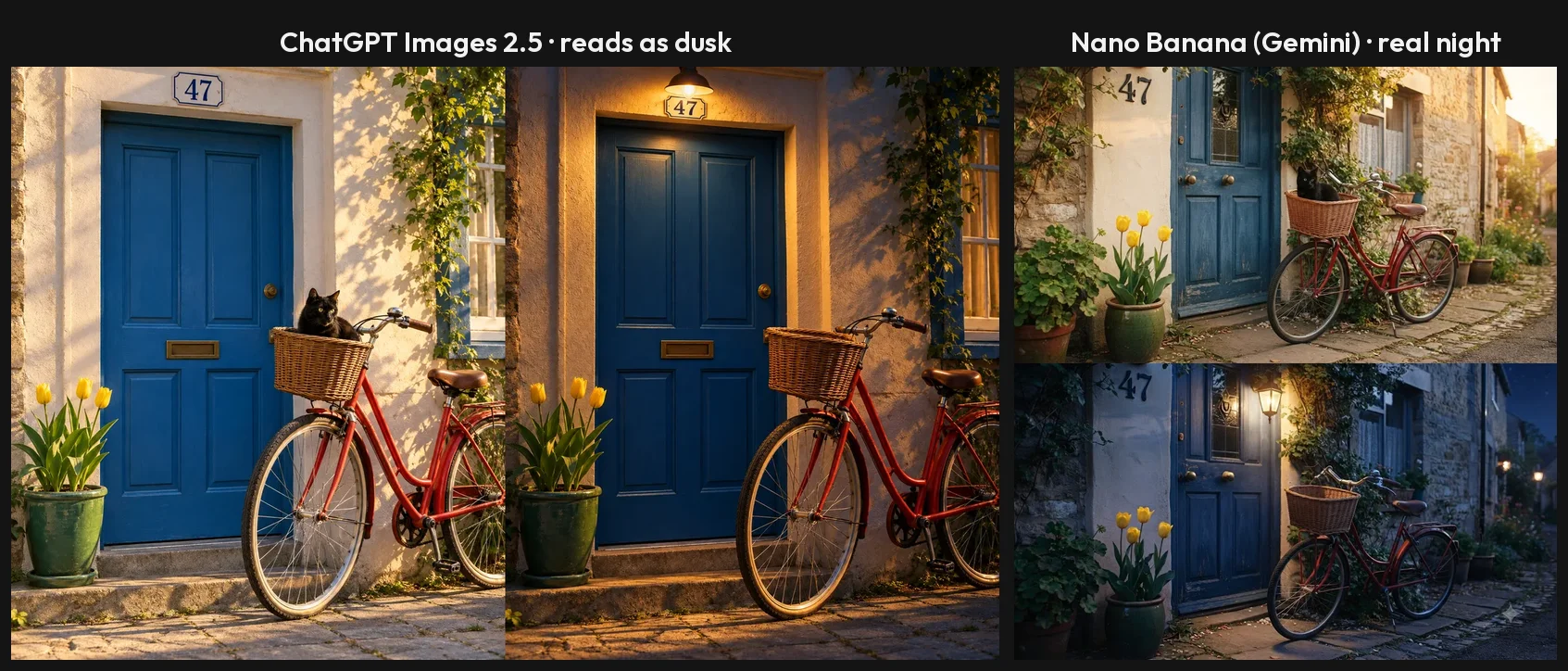
How it did. Speed was the first difference I noticed: most pictures appeared within half a minute and the slowest took under forty seconds, roughly twice ChatGPT’s pace. It spelled all fifteen text strings, like ChatGPT, and left the menu and the coffee bag free of invented slogans. Asked to turn a sunset street into night, it produced a convincing dark sky and a glowing lantern and removed the cat, without touching anything else.
What it costs. Nothing in the app. Google now meters Gemini by compute rather than image count, topping the allowance up every five hours until a weekly limit. Paying for a Google AI plan raises that limit. Developers pay per picture on Google’s API, from $0.0336 to $0.24 depending on model and size.
Where it slips. It is looser with details: the crowded scene came back with four tulips where I asked for three, and the house number on the wrong spot. It signed a Japanese-style print with the name of a real artist, Hiroshige. Free pictures show a small sparkle in the corner, which most accounts can now turn off, and the full-size download measured 1408×768, a little over one megapixel.
Getting more from it. The 3.1 Pro chat mode fixed the tulip count at about 80 seconds a picture, though it still put the 47 beside the door. Say what shape you want, because left to itself it chose a wide frame for eleven of twelve pictures. Its watercolour lighthouse was my favourite image of the whole test, and the full-size file carried C2PA data and Google’s SynthID mark.
Pick it if you want lots of good images for free, or you like to adjust a picture by describing the change. The full test is in our Nano Banana review.
3. Midjourney — best for artistic style
Where ChatGPT and Gemini compete on doing what you asked, Midjourney competes on how the result looks, and that is the reason to pay for it. Google’s AI Overview for “best AI image generator” singles it out as the artistic choice, and the product’s own tools, from moodboards to a personal style profile, all point the same way. I have not tested its output; our Midjourney review is a synthesis of its plans, documentation and user reports.
The default model since 24 July 2026 is V8.2, which Midjourney’s documentation frames as an upgrade to aesthetics, image quality and personalisation.
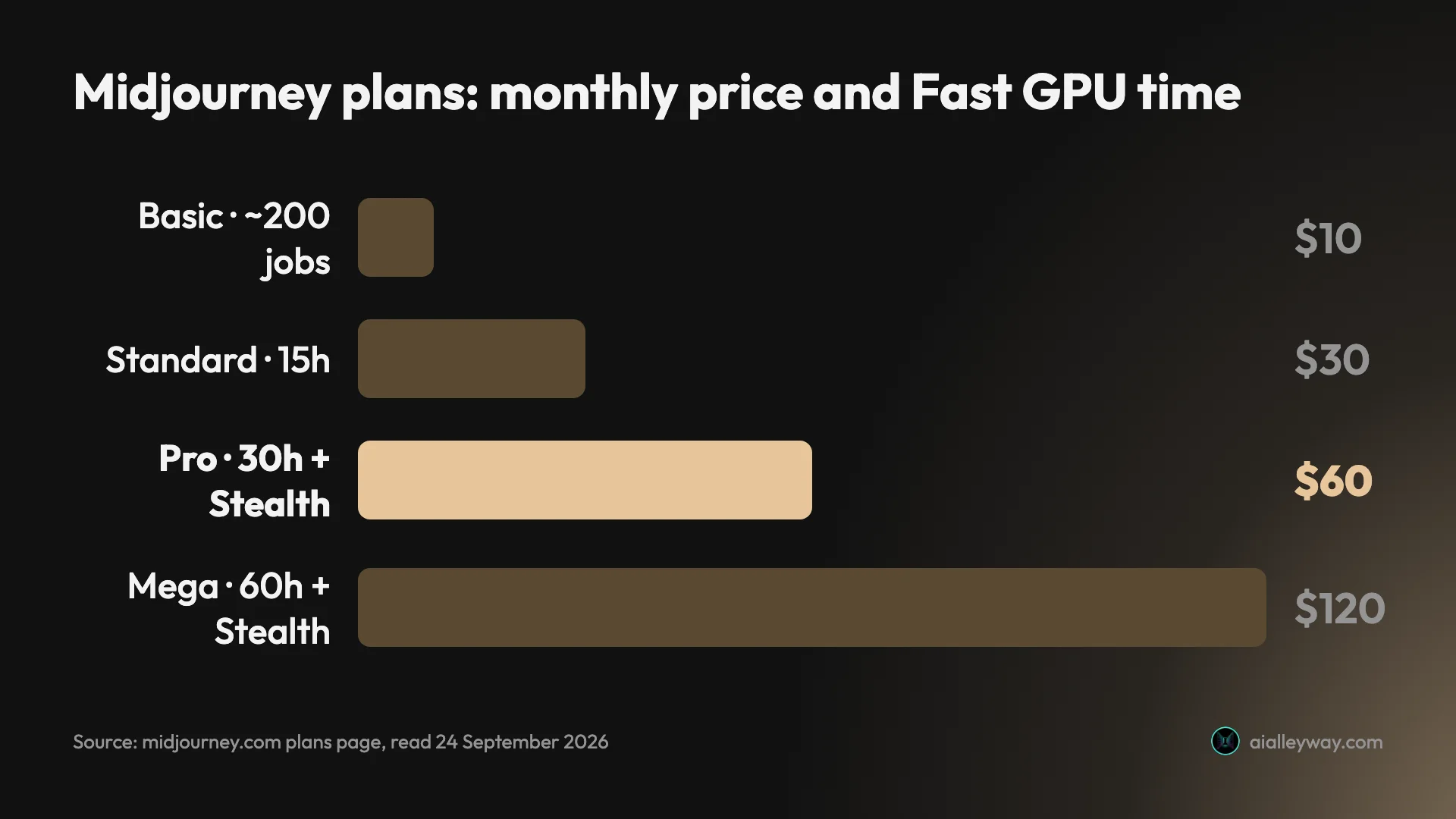
What it costs. Every plan is paid. The $10 Basic plan buys GPU time worth around 200 jobs of four pictures, so about 800 images. At $30, Standard adds a slower Relax queue with no image limit, and at $60, Pro adds Stealth mode to keep your work private. Because the currency is GPU minutes rather than pictures, our Midjourney pricing guide is worth reading before you choose a plan.
Where it slips. Below the $60 plan, everything you create is visible to other members. Businesses earning more than $1 million a year must buy Pro or Mega to own their images. Money back is only on offer if you have used less than 20 minutes of GPU time. And a tool tuned for looks is a risky choice when a brief specifies exact counts or wording.
What V8.2 adds. A new Edit Model, which the documentation says replaces three older tools, Omni Reference, Character Reference and Retexture, can work from up to four reference images and lets you repaint or extend a picture. Browsing the public Explore page, with its visible prompts and settings, is a free way to judge the style before subscribing.
Pick it if your images live or die on atmosphere and style, and a subscription is not a problem.
4. Ideogram — best for text and logos
Getting words right was once the hardest thing for an image model, and Ideogram made its reputation doing it. Google’s AI Overview for “best AI image generator” still lists it as the choice for text and logos. I have not tested it, and the field has moved: in my test both ChatGPT and Nano Banana spelled every one of fifteen strings.
Version 4.0 is current, listed at 2K resolution on the pricing page, and version 3.0 remains available.
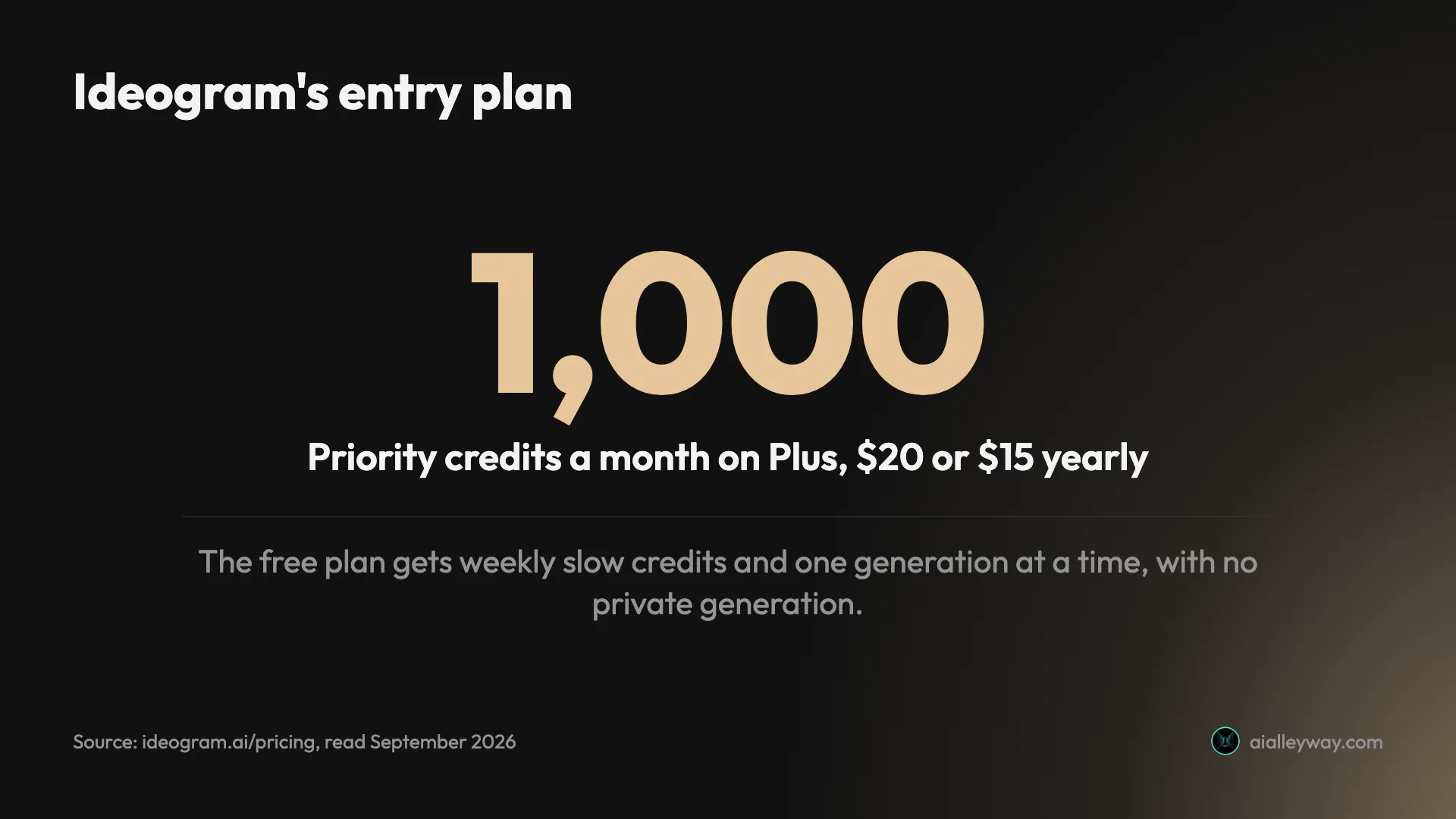
What it costs. Eligible free accounts receive slow credits each week and can run one job at a time. Plus costs $20 a month or $15 on yearly billing, which is $180 a year against $240 paid monthly, and includes 1,000 priority credits, which makes each credit 1.5 cents on the yearly price. Pro costs $60 a month, or $42 on yearly billing.
Rights. Ideogram is unusually direct here: its FAQ says it claims no ownership of your images and lets you use them for anything, commercial work included.
Where it slips. Free pictures cannot be kept private. Credits arrive weekly, which suits the odd project more than daily use. And if the job is an illustration with no lettering, a typography specialist brings less to it.
Where it fits now. With the general tools spelling as reliably as they did in my test, Ideogram’s case rests more on layout and design range than on getting letters right. Keeping 3.0 alongside 4.0 helps anyone with an established look built on the older model.
Pick it if you design posters, social graphics or logo drafts where the lettering carries the image, and you want a tool built around that job rather than a general assistant that also does it. If you already have ChatGPT Plus, try that first, since its text was flawless in my test.
5. Leonardo AI — best for creative control on a free allowance
Leonardo suits people who want to pick the engine as well as the picture. Instead of one model it offers a menu: its own Lucid Origin, Lucid Realism and Phoenix models, FLUX models from Black Forest Labs, and the option to train personal models. I have not tested it.
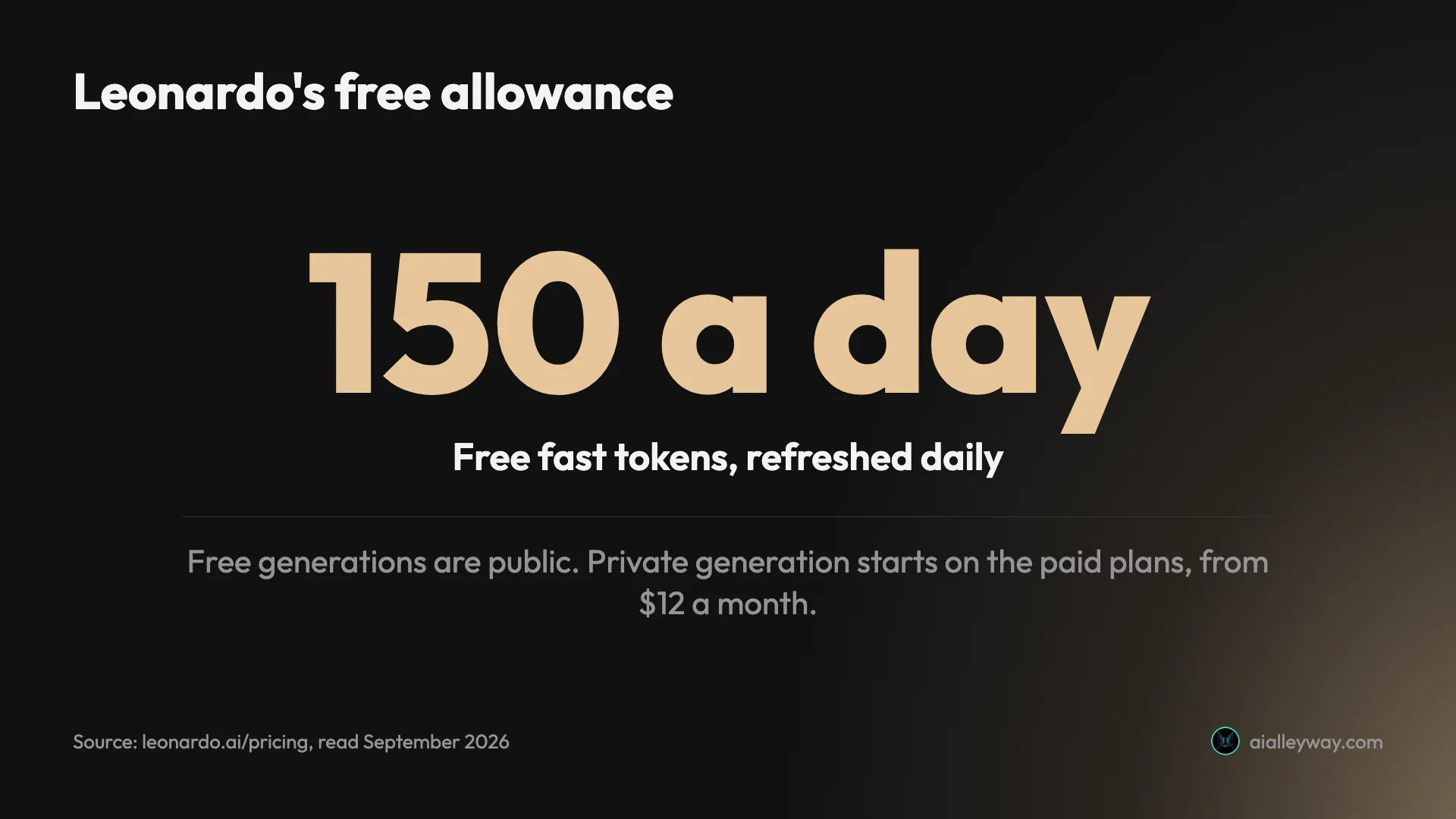
What it costs. The free plan refills 150 fast tokens every day. Essential, at $12 a month or $10 on yearly billing, adds 8,500 tokens and private generation. Premium and Ultimate cost $30 and $60 a month, or $25 and $50 on yearly billing. Because each model and setting spends tokens at its own rate, the number of pictures a plan buys varies.
Privacy and rights. Anything made on the free plan is public. Free users still get a commercial licence, but Leonardo keeps the right to use those images itself. Paying $12 makes your work private, a far lower price than the $60 Midjourney charges for the same.
Where it slips. A token system is harder to plan around than a fixed number of pictures, and choosing the wrong model gives you the wrong result. I cannot say how its output compares with the two tools I tested.
Where it fits. For realistic pictures, its own photography page steers users to Lucid Realism and Lucid Origin, and Google’s AI Overview on realistic photo generators notes its upscaling and refinement tools. That mix of model choice and editing sets it apart from ChatGPT and Gemini, where the model is chosen for you.
Pick it if you want to experiment across models and settings with a free daily allowance. It is also the nearest thing here to a creative studio for anyone leaving Midjourney over price or privacy, and our Midjourney alternatives roundup covers it alongside five other options.
6. Recraft — best for design assets

Recraft is aimed at designers rather than people who want a single striking picture, and its paid plans put several other companies’ models, including Nano Banana, Seedream, GPT Image and FLUX, next to its own. I have not tested it.
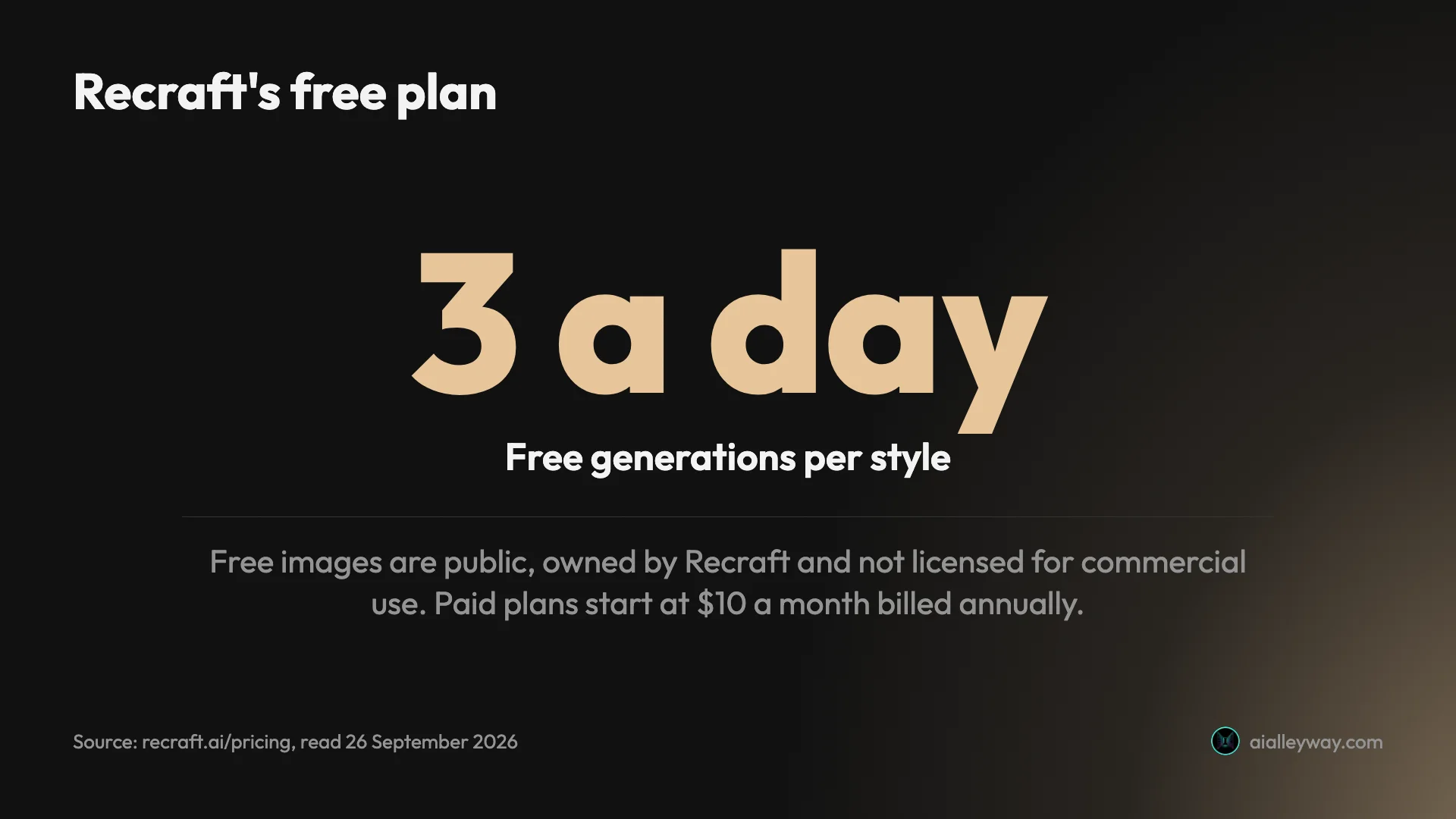
Pricing. Free users get three generations per style a day. Basic costs $10 a month billed annually, $120 a year, with 1,000 credits. Pro is $16 a month billed annually, and Teams $18 a seat. Through its API, Recraft offers its own models from V2 to V4.1.
Rights. This is the part to read carefully. Recraft’s pricing page says free images are public, owned by Recraft and not licensed for commercial use. Paid plans give you full ownership and commercial rights, which you keep after cancelling. So Recraft’s free plan is for trying the tool, not for work.
The catches. The free tier is small and cannot be used commercially. The prices above are billed annually; monthly billing costs $12 for Basic, $20 for Pro and $22 a seat for Teams. And its tools, such as vector generation, custom styles and mockups, are aimed at design work, so someone who just wants one picture from a sentence is paying for features they may not use.
Why the extra models matter. Because paid plans include models such as Nano Banana, GPT Image and FLUX alongside Recraft’s own, a Recraft subscription is partly a way to use several of the models in this guide from one design workspace, with commercial rights attached. Recraft’s pricing page says credit costs vary with the action and the model used, so how far 1,000 credits go depends on what you make.
Keeping your rights after cancelling matters more than it sounds: it means work made on a paid month stays usable for commercial projects even if you stop paying, as it does on Midjourney.
Who it’s for: designers and small brands producing design assets at volume, who want commercial rights and several models under one subscription.
7. FLUX — best for developers
FLUX is less a consumer app than an engine: apps such as Leonardo run it next to their own models, and developers call it directly. For anyone building pictures into a product, it is the model to price first. Google’s AI Overview on realistic photo generators credits it with crisp detail and accurate anatomy. I have not tested it.
Black Forest Labs makes it. The FLUX.2 family is the current one, and its API sells four versions, from the top-end [max] through [pro] and [flex] to the small, fast [klein].
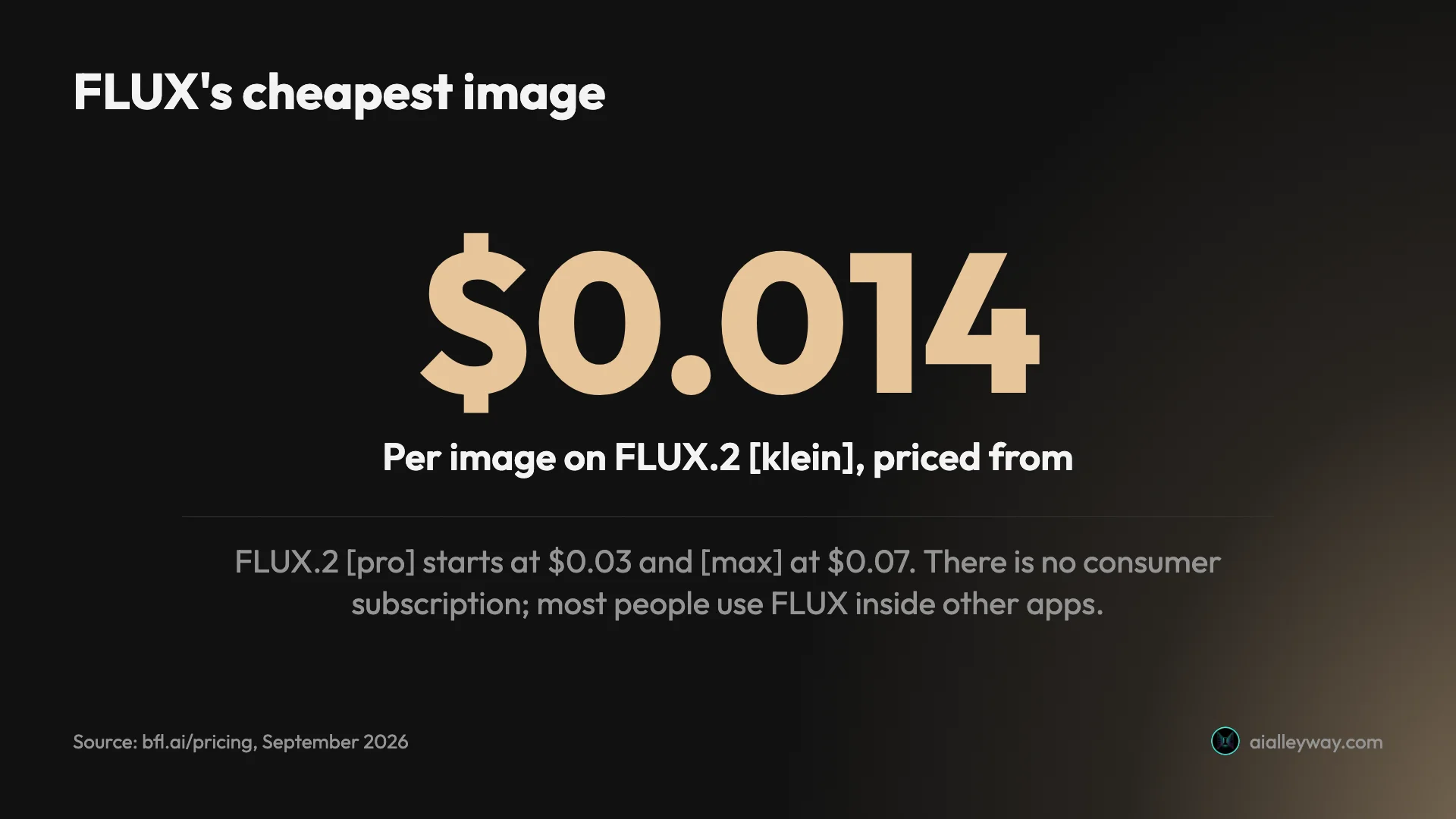
What it costs. There is no monthly plan. You buy credits worth a cent each and pay per picture: [klein] from $0.014, [pro] from $0.03, [flex] from $0.05 and [max] from $0.07, all for a 1-megapixel image. Bigger pictures cost extra, $0.03 per additional megapixel on [max] and $0.05 per megapixel on [flex]. A sign-in playground on the maker’s site lets you try it, and the open-weight models come under separate licences.
Where it slips. Paying per picture makes sense for software, less so for a person making a few images a week, who may be better off reaching FLUX through another app and accepting that app’s prices. Through a third party, you also get whichever FLUX version that service has chosen.
Against Google’s API. FLUX undercuts Google at the bottom of the range, $0.014 for [klein] against $0.0336 for Nano Banana 2 Lite at 1K, and roughly matches it at the top, where [max] from $0.07 sits beside Nano Banana 2’s $0.067. Our guide to the best AI image generator for realistic photos adds Stable Diffusion’s API prices to the comparison.
If you are one person rather than a product, the easy route is an app that already includes FLUX, such as Leonardo, so you never manage API credits yourself.
Pick it if you are building a product and want a published price for every picture, or you already use a service that offers FLUX.
8. Stable Diffusion — best open-source AI image generator
Every other tool in this guide runs on someone else’s servers. Stable Diffusion can run on yours: you download the open model, run it locally and, if you want, train it on your own pictures. I have not tested it.
Stability AI’s latest release is Stable Diffusion 3.5, and years of open development have produced a large ecosystem of fine-tuned variants and add-ons built on these models.
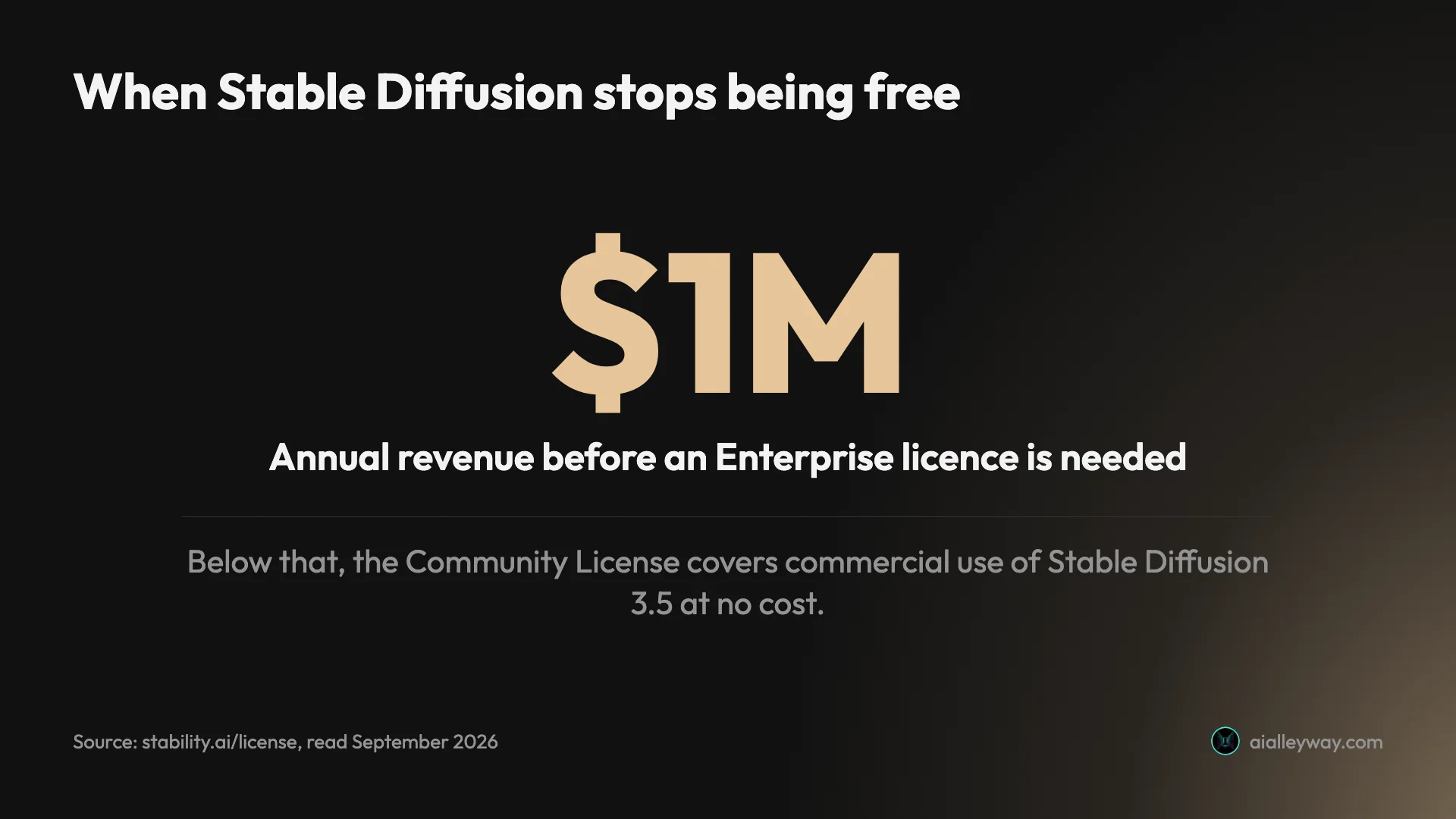
What it costs. Downloading and running it is free under Stability’s Community License, commercial use included, for any organisation with annual revenue under $1 million. Stability also hosts the models on its own API, priced in one-cent credits: 8 for Stable Image Ultra, 6.5 for SD 3.5 Large, 3.5 for Medium and 2.5 for Flash, with the older SDXL 1.0 costing under a credit a picture.
Privacy. Run locally, nothing you make leaves your computer, privacy as strong as it gets in this guide, matched only by running FLUX’s open weights, which matters for unreleased products or confidential client work.
Where it slips. You need a capable graphics card and the patience to set it up, and Stability offers no confirmed consumer app to sign up for; its old pricing page now returns an error. Results swing widely with the model version and settings you pick.
The licence line. The free licence ends at $1 million in yearly revenue, the same point at which Midjourney pushes businesses onto its $60 and $120 plans. Under that line, its models are free for commercial work with no usage limit, provided you run them on your own hardware; among FLUX’s open weights, the small FLUX.2 [klein] 4B is Apache-licensed and similarly free. Stability’s API gives new accounts 25 free credits.
Open models also outlast business decisions. A model saved on your own machine keeps working whatever happens to the company that made it, something no hosted service can promise, as Reve’s shutdown shows.
Pick it if you are technical, want a model trained on your own style, or put privacy ahead of convenience.
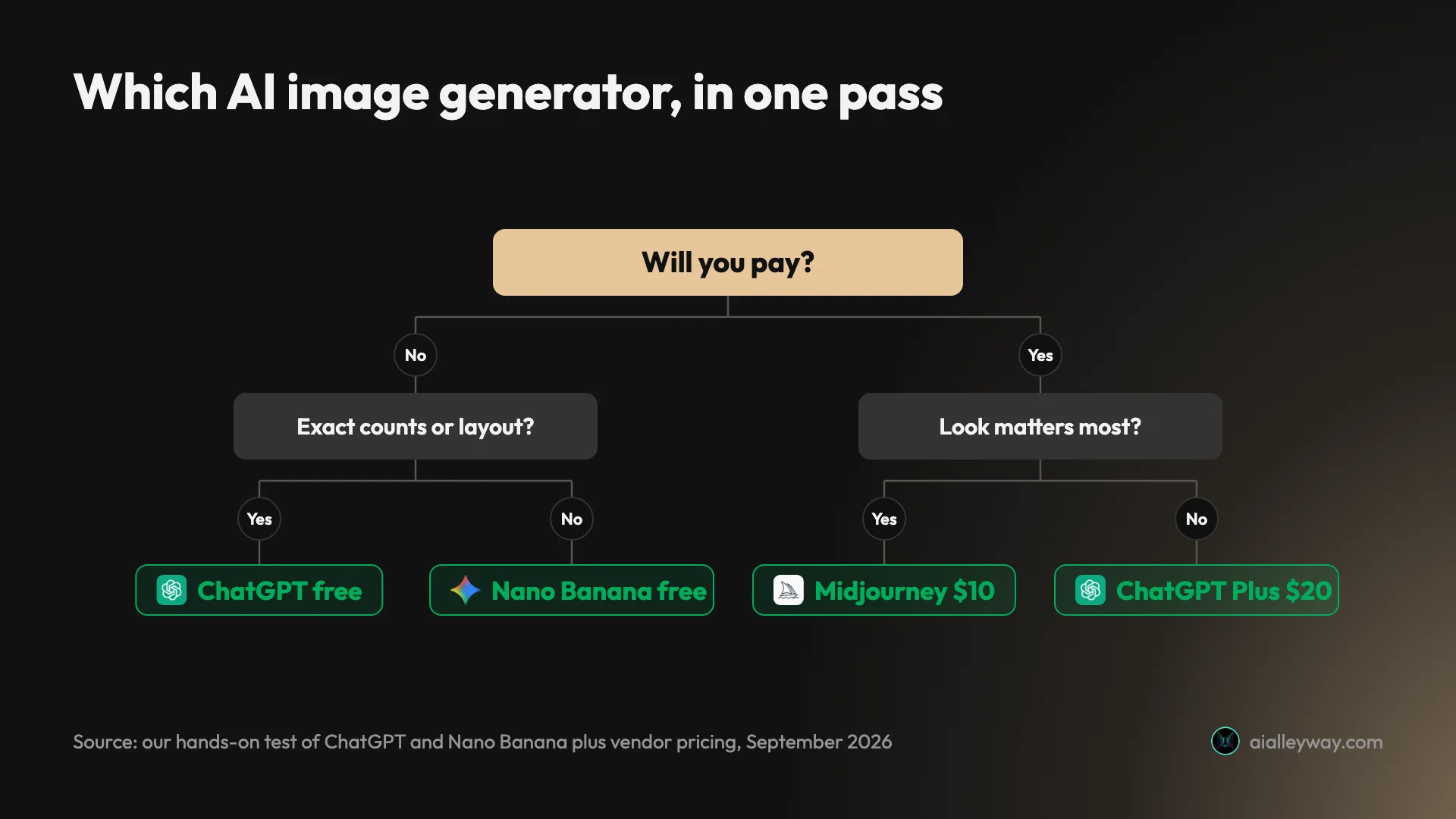
How to pick an AI image generator
Start with what the image is for, then follow the branch.
- If you just want good images for free: Nano Banana in the Gemini app, with ChatGPT’s three free daily requests for the ones that must be exact.
- If the image must follow a brief to the letter: ChatGPT, which got every count, position and word right on my test.
- If your images carry words, such as posters or logos: start with ChatGPT if you already pay for it, and move to Ideogram if you want a tool built around lettering.
- If the look matters more than accuracy: Midjourney, from $10 a month, or $60 if the images must stay private.
- If you need photoreal images: ChatGPT and Nano Banana tied on realism in my test; our guide to the best AI image generator for realistic photos goes deeper.
- If you produce design assets for a brand: Recraft, with commercial rights on its paid plans.
- If you want several models and controls in one place: Leonardo, with 150 free tokens a day.
- If you are building a product: price FLUX and Google’s Nano Banana API side by side; both list a cost for every picture.
- If you want full control and privacy: Stable Diffusion on your own machine.
Whichever you choose, run your own real prompt before paying. Seven of the eight have some free way in, even if it is only a small daily allowance or free API credits; Midjourney has none, though its public Explore page shows what it makes before you pay. Either way, the one that suits your work may not be the one at the top of any list, this one included.
What to check before you pay
Four checks catch most regrets. First, privacy: Leonardo, Ideogram and Recraft make free images public, and Midjourney keeps even paid images public below its $60 Pro plan. Second, commercial terms: read them for your specific plan, especially on Recraft’s free tier and above $1 million in revenue on Midjourney and Stable Diffusion. Third, watermarks: free Gemini images carry a small visible sparkle unless you switch it off where Google offers the toggle, and ChatGPT and Gemini both embed provenance data in their files. Fourth, refunds: Midjourney refunds only accounts that have used less than 20 minutes of GPU time, and its checkout defaults to yearly billing.
Final word
The best AI image generator for most people is one they already have: ChatGPT when the picture must match the brief, Nano Banana in Gemini when you want good pictures quickly and free. Reach for Midjourney, Ideogram, Recraft, FLUX or Stable Diffusion when you need what they specialise in: a look, a typography specialist, design tools, a price per image or full control. None of the eight is best at everything, and the two free all-rounders cover more ground than any single specialist. Our ChatGPT image generator review has the full test behind the top pick.
Frequently asked questions
Is ChatGPT the best AI for image generation?
For following a brief exactly, yes, on my test. ChatGPT Images 2.5 spelled all 15 text strings I asked for across four designs and placed all seven elements of a crowded scene on the first try, which is why it tops our image picks. It also downloads at about 1.5 megapixels and carries no visible watermark.
It is not the best at everything. Google's Nano Banana matched it on text, finished most images in about half the time, added none of the slogans ChatGPT invented, made the better night edit, and ran twelve requests on a free account where ChatGPT Free stopped after three. Google's AI Overview for "best AI image generator" names Nano Banana Pro as the best overall; the default Nano Banana I tested came second only on exact adherence and file size.
Which AI image generator is 100% free?
Several, with very different limits. Google's Nano Banana in the Gemini app is the more generous of the two I tested: twelve image requests on a free account without a refusal, most in about 30 seconds. ChatGPT's free plan runs the same model as its paid plans but stopped me after three requests and locked me out for 24 hours.
Among the tools I read up on rather than tested, Leonardo gives free users 150 fast tokens a day, Recraft allows three free generations per style a day, and Ideogram offers weekly slow credits to eligible accounts. Free images on Leonardo, Recraft and Ideogram are public, and Recraft's free images are not licensed for commercial use. Stable Diffusion's models are free to run yourself under $1 million in revenue. Midjourney has no free tier.
Which AI has the most realistic image generation?
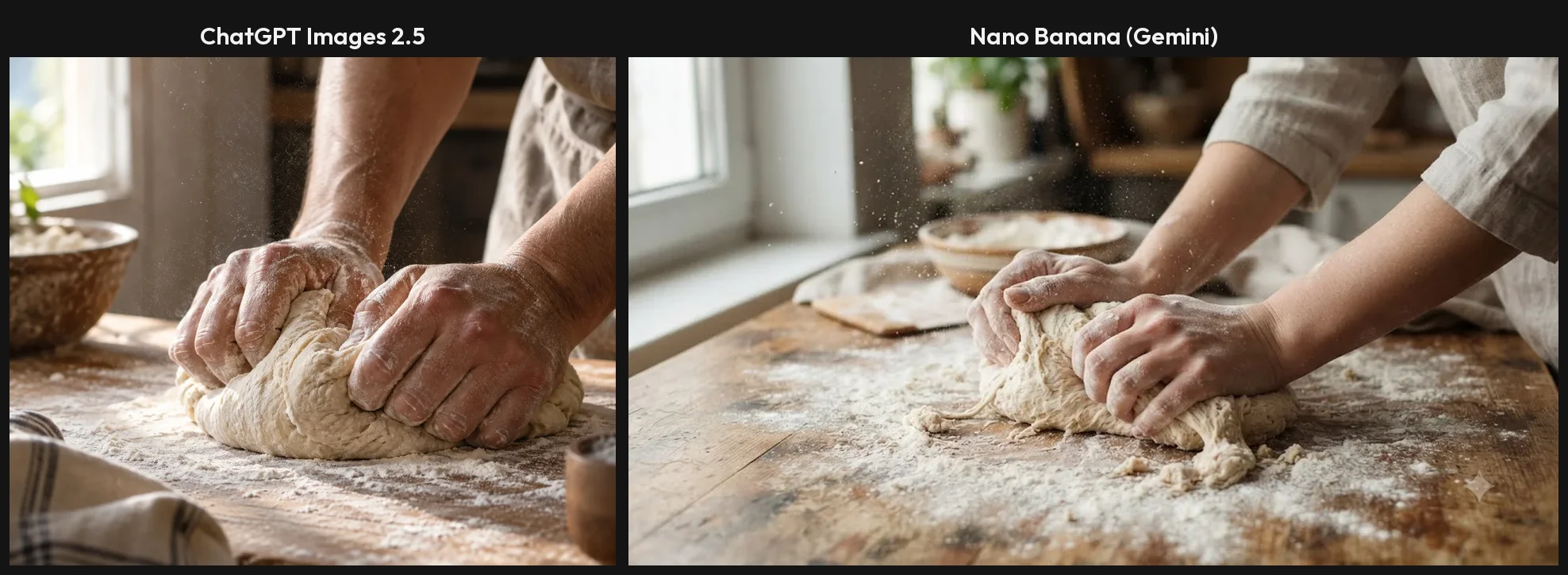
Of the two I have tested, ChatGPT and Nano Banana tied on realism. On a portrait, a product shot and two hands kneading dough, neither made an anatomy or physics error. ChatGPT followed an 85mm lens instruction with a real shallow depth of field and downloads larger files; Nano Banana was about twice as fast and free.
Google's AI Overview for realistic images points to Midjourney for cinematic lighting and FLUX for sharp detail and accurate anatomy, but I have not tested either. Our guide to the best AI image generator for realistic photos covers the three test shots side by side, with prompting tips for photographic results.
What is the best AI image generator for commercial use?
The one whose terms you have read for your plan, because they differ a lot. OpenAI assigns you ownership of ChatGPT's output, and Google says it won't claim ownership of images you make with Gemini. Ideogram's FAQ says it does not claim ownership and allows any use, including commercial. Recraft's paid plans give full ownership and commercial rights, but its free images are owned by Recraft and not licensed for commercial use.
Watch for size rules too. Midjourney requires companies with more than $1 million a year in revenue to be on its $60 Pro or $120 Mega plan, and Stable Diffusion's free Community License covers commercial use only under $1 million. Leonardo gives free users a commercial licence but keeps the right to use their images itself.
What AI is better than ChatGPT for images?
It depends on the job. On my test, Google's Nano Banana, in the Gemini app, beat ChatGPT on several counts: it finished most images in about half the time, spelled the same 15 text strings without adding any slogans, made the more convincing night edit, and gave a free account twelve requests where ChatGPT Free allowed three. For free, fast, everyday images it is the better choice.
ChatGPT stayed ahead on following a crowded brief exactly and on file size, which is why it remains our top pick. For a particular look rather than accuracy, Midjourney is the usual recommendation, and for lettering Ideogram is the specialist, though I have not tested either. Our Nano Banana vs ChatGPT comparison has the full side-by-side.
Keep reading
Nano Banana vs ChatGPT: 12 Prompts, Two Different Winners
Nano Banana vs ChatGPT, tested with the same 12 prompts: ChatGPT follows a brief exactly, Nano Banana is twice as fast and free. Which one to use, and when.
Best AI Image Generator for Realistic Photos: 6 Picks
The best AI image generator for realistic photos: ChatGPT and Nano Banana, tested on portraits, hands and products, plus Midjourney, FLUX, Leonardo and more.
Midjourney Pricing: What $10 to $120 a Month Really Buys
Midjourney pricing runs $10 to $120 a month, $8 to $96 billed yearly. What each plan buys in images, Fast hours and video, plus the refund and expiry traps.
Midjourney Alternatives: 6 Picks, Two Tested Side by Side
The best Midjourney alternatives in 2026: ChatGPT for exact briefs, Nano Banana for free and fast, plus Leonardo, Ideogram, Stable Diffusion and Playground.