
Is Midjourney Free? What a No-Plan Account Can Do
Is Midjourney free? No: a signed-in account without a plan can browse but not create. The one official trial, Meta AI tested, and a free alternative.
Contents
Midjourney is not free. I signed in to midjourney.com on 7 October 2026 with an account that has no plan, and I could look at everything and make nothing: the prompt box read “Subscribe to start creating”, and pressing Enter on a prompt only brought back a sign-up pop-up. Midjourney’s own help page confirms it: “No free trial is currently available in Discord or the midjourney.com website.”
There is one official exception, a limited trial in the niji・journey mobile app, and one popular claim that Meta’s own product does not back up, that Meta AI is secretly free Midjourney: Meta’s image page never mentions Midjourney, and when I asked Meta AI, it said its image was “not Midjourney”. If what you want is Midjourney-style pictures for nothing, Google’s free tools get closer than either, and I tested that too.
| Route | Free? | What you get |
|---|---|---|
| midjourney.com, signed in, no plan | No | Browse Explore and open surveys; no image generation (my test) |
| Discord | No | No free trial, per Midjourney’s help page |
| niji・journey app (iOS, Android) | Limited trial | 20 free generations for new users, anime style (not tested) |
| Meta AI | Free with an account | Its own image tool; it told me “that’s not Midjourney” (my test) |
| Google Flow with Nano Banana Pro | Free account | Cinematic and painterly images (my test) |
No free plan, no website trial: the 2026 answer
No, and it has not been for a while. Midjourney used to offer a free trial, and some guides still describe it. Today its help article titled Free Trials says only: “A limited trial is available on the niji · journey app, available for iOS and Android devices. No free trial is currently available in Discord or the midjourney.com website.”
The cheapest way in is the Basic plan at $10 a month, or $8 a month billed yearly. The plans page describes that as “Limited generations (~200 image jobs / month)”, with a note that “One image job has four images, so 200 jobs is 800 images.” Our Midjourney pricing guide breaks down every plan; the short version is below.
| Plan | Monthly | Billed yearly | What it adds |
|---|---|---|---|
| Basic | $10 | $8 a month | About 200 image jobs a month, SD video |
| Standard | $30 | $24 a month | 15 Fast hours, unlimited Relax images, HD video |
| Pro | $60 | $48 a month | 30 Fast hours, Stealth mode |
| Mega | $120 | $96 a month | 60 Fast hours, 12 Fast video jobs at once |
What a signed-in account without a plan can do
Creating an account costs nothing, so I tested what that account actually opens up. The answer is: the gallery, and not much else.
Opening the Create page brought up a pop-up headed “Explore the frontiers of imagination”, with three selling points and a “Join now” button. The third point gives the game away: “Multiple plans for everyone. Plans start at $10/mo with a 20% discount on yearly plans.” I clicked “Look around a bit”, typed a prompt for a red fox in fresh snow, and pressed Enter. Nothing was generated; the pop-up came straight back.
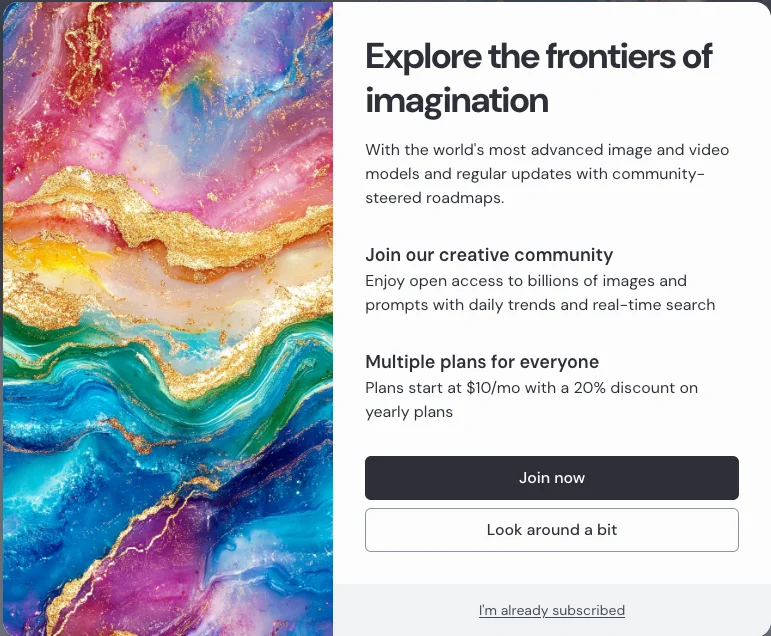
Here is what each part of the site did on that account:
| Page | What happened without a plan |
|---|---|
| Explore | Worked: browse top images, videos and styles from other users |
| Create | Prompt box read “Subscribe to start creating”; nothing generated |
| Edit | A 404 page: “This page has not been /imagine’d yet.” |
| Personalize, Moodboards | Redirected to the “Purchase a subscription” page |
| Organize | Opened, empty: “Your creations will appear here” |
| Tasks | Three research surveys, accessible without a plan |
The Explore feed is genuinely useful for free. Its top bar switches between the day’s top images and the most liked ones, and between three views: Styles, Images and Videos. That is a fast way to see whether Midjourney’s current output suits what you need, whether that is moody photography, illustration, or the short videos every plan can now make. Midjourney’s own FAQ describes the site as open by default, with other members’ prompts and settings visible, so you can also learn how the images you like were written.
What Explore does not show you is your own work, because you have none. The gallery is a shop window, not a sandbox. It shows what the current models can do, and the Organize page’s filters list the model versions in use: 8.2, 8.1, 8, 7, 6, 5 and Niji 7. If you are deciding whether Midjourney’s look is worth $10, an hour in Explore is the best free research you can do. Just do not expect to make anything.
The Tasks page is the only other thing a free account can do. It offered three surveys, a demographic one, a personality one with “200+ personality scores from 181 questions!”, and one on values and beliefs. They are research for Midjourney’s aesthetic work, not a route to free images; nothing on the page offered free Fast hours for completing them, on a free account.
What you pay for: the tools a free account can see but not use
The sidebar on a free account is a menu of everything Midjourney charges for. Under a heading called Aesthetics sit Personalize, Moodboards and Style Creator: the tools that let you train Midjourney on your own taste, collect reference images into a reusable style, and build a style code you can apply to any prompt. On my account, Personalize and Moodboards both went straight to the “Purchase a subscription” page.
Those are the features that make Midjourney different from the free tools further down this page. Nano Banana Pro and ChatGPT can make a striking single image from a prompt; neither gives you a personal style profile that shapes every image you make. If a consistent house style across hundreds of images is the reason you want Midjourney, no free tool replaces that, and you are choosing whether $10 a month is worth it, not looking for a workaround.
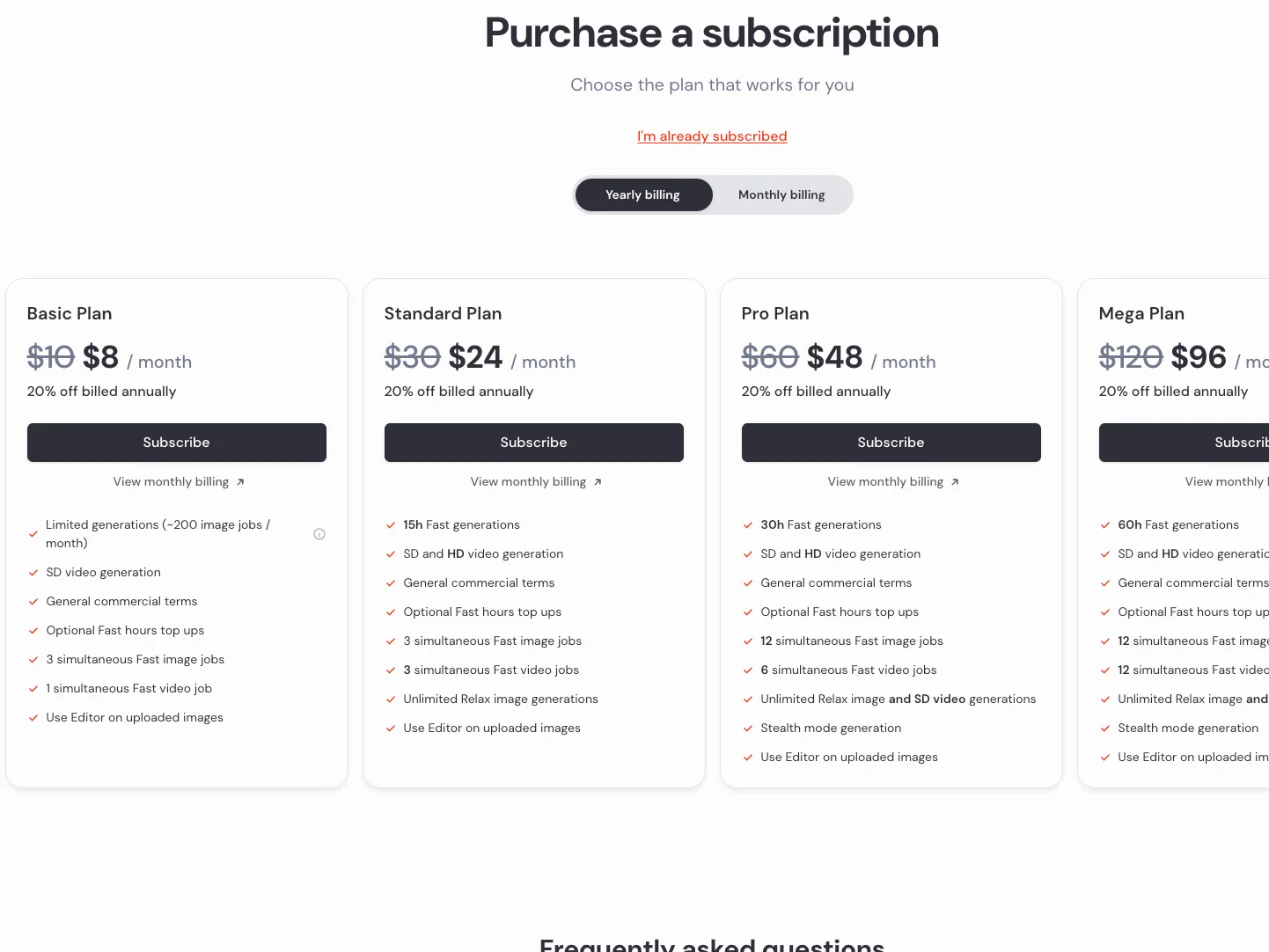
The same goes for video. Every plan includes SD video generation, and Standard and above add HD. A free account can watch other people’s videos in Explore but cannot make one, and Midjourney offers no video trial either.
The one official free trial: niji・journey
The only free Midjourney generation Midjourney itself points to is in a separate app. niji・journey is an anime-style image app built by Midjourney with the studio Spellbrush, and its US App Store listing, published under the developer name Midjourney, says: “Create stunning anime characters for free with 20 free generations.” It carries a 4.4 rating from 579 ratings and a 13+ age rating.
The niji help centre spells out the catch: “The niji・journey free trial is only available for new users who download the app from the official Play Store or App Store. Emulator users cannot access the free trial.” So it is a phone app, a one-time allowance, and an anime style by design.
I did not test the app; I had no phone set up for it. On the official descriptions, it is a fair way to see what Midjourney’s anime model can do, and a poor way to judge Midjourney’s main model, which is built for a much wider range of styles. The App Store lists it as “Free · In-App Purchases”.
Is Meta AI free Midjourney?
This is the claim at the top of Google’s results for “midjourney free”, and it is not as solid as it sounds. On 22 August 2025 Meta announced a partnership with Midjourney to license its technology. As reported by TechCrunch at the time, the licence covers Meta’s “future AI models and products”, and Midjourney’s founder said the company “remains independent with no investors”.
Meta AI does make images for free with an account, and its AI image generator page is titled “Create images for free”. But that page never mentions Midjourney, and it does not say which model it uses.
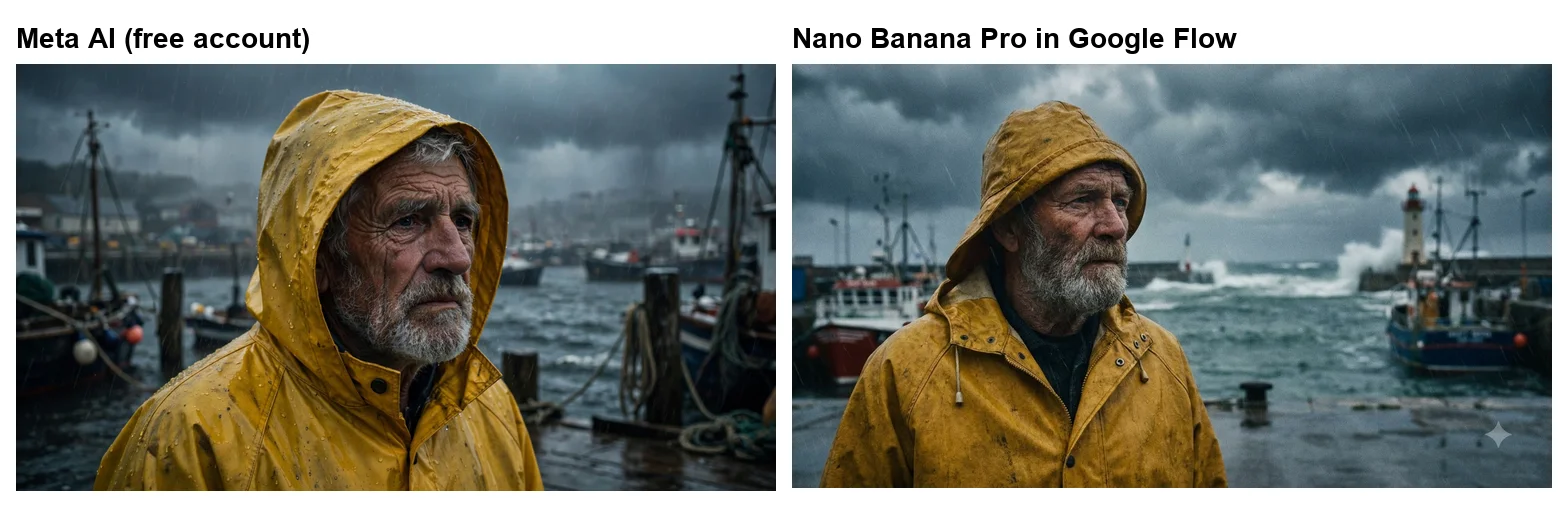
So I tested it. Signed in to meta.ai on a free account on 7 October 2026, I gave it the same fisherman prompt I gave Nano Banana Pro below. One image came back in about 30 seconds, a 2048 by 1152 widescreen picture: a weathered, grey-bearded man in a yellow hooded raincoat beaded with rain, fishing boats and dock posts behind him in a storm. It is a good image, and nothing on it, or on its Download, Share and favourite buttons, says which model drew it.
Then I asked Meta AI directly: “Which image model made that picture? Is it Midjourney?” Its answer was unambiguous: “No — that’s not Midjourney.” It said the picture came from “Meta AI’s own image generation system” and was “not an external service like Midjourney, DALL·E, or Stable Diffusion.”
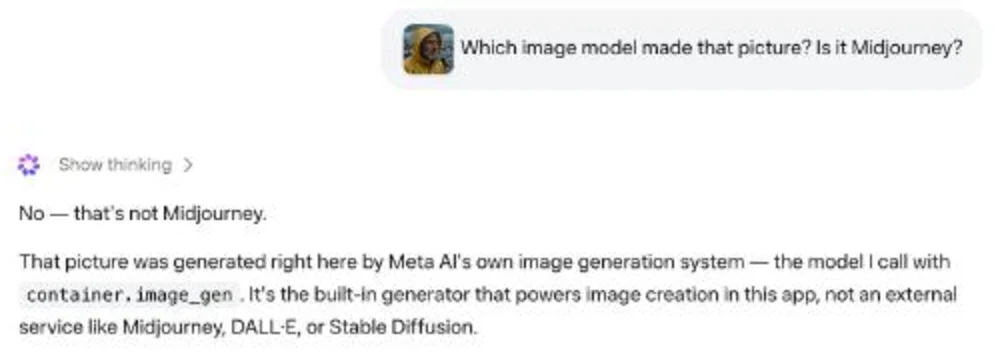
A chatbot describing itself is not an official statement, and Meta’s licence could still shape its models in ways a chat reply would not mention. But it is the answer Meta AI gave me, and it is the opposite of the claim at the top of Google’s results. Use Meta AI as a free image tool in its own right, not as a back door into Midjourney.
Third-party sites that promise free Midjourney
Search for “midjourney free” and you will also find sites with Midjourney in their page titles offering free generation with no sign-up. Midjourney’s help page names one free trial, the niji app, and no partners. So whatever these sites run, you are not using Midjourney’s own service, your images do not land in a Midjourney account, and Midjourney’s terms of service and support do not cover you. I did not test any of them and would not put a prompt or a photo of yourself into one without reading its terms first.
Free alternatives that get closest to Midjourney’s look
If you want the Midjourney look rather than the Midjourney logo, free tools have caught up. I gave Google’s Nano Banana Pro four prompts written the way people prompt Midjourney: a cinematic portrait, an isometric illustration, a painterly surreal scene and a neon city street. I ran them in Google Flow on a free account, where images had cost 0 credits earlier the same day, and all four came back within about two minutes.
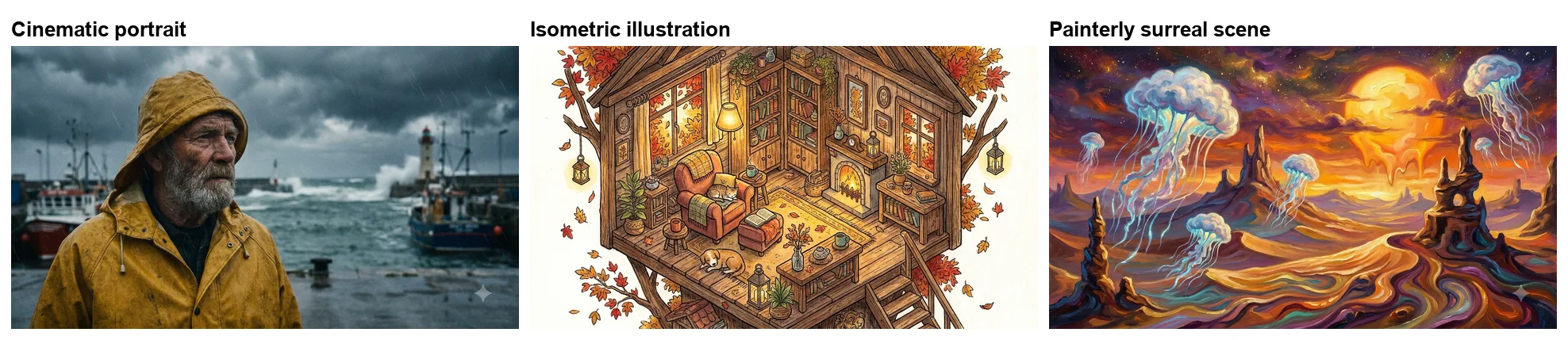
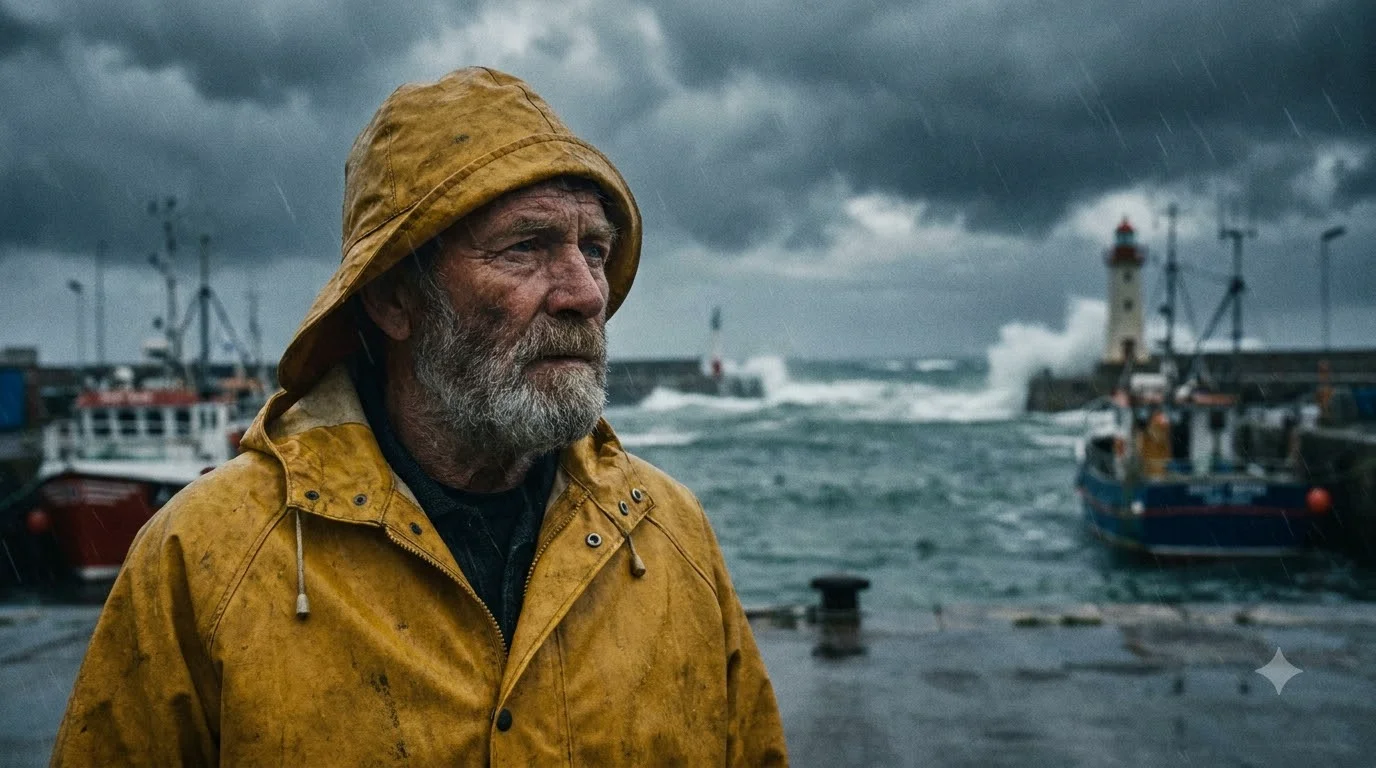
The portrait is the one that would pass for Midjourney. “Cinematic portrait of an old fisherman in a yellow raincoat on a stormy harbour, moody light, 35mm film look” came back as a weathered, bearded man in a mustard hooded raincoat, rain streaking across a harbour with breaking waves, a lighthouse and fishing boats behind him, graded like film.
The isometric treehouse came back as a detailed ink-and-watercolour cutaway, with an armchair, a sleeping cat, a dog on the rug, a fire, bookshelves and autumn leaves drifting past. The surreal desert came back in thick, oil-paint brushwork, with glowing jellyfish over rock spires and a sun melting into the dunes. Both are the kind of stylised image Midjourney is known for.
The neon street was the weakest result, though not for quality: it was convincing, but it painted a real arcade brand’s name onto two of the shop signs alongside invented ones. That is worth knowing if you plan to use a city scene commercially. Our free Nano Banana Pro guide covers where Pro works without a plan.
How I wrote the prompts matters as much as the tool. Midjourney users tend to describe a mood and a medium rather than a scene list, and Nano Banana Pro responded well to the same habit:
- Name the medium. “35mm film look”, “detailed illustration” and “painterly” each produced a clearly different finish: film grain and muted colour, clean ink lines with watercolour, and thick brushwork.
- Describe the light. “Moody light” and “warm lamps” did more for the atmosphere than any adjective about quality.
- Keep it to one sentence. Each of my prompts was a single line, and none of the four needed a second generation.
- Say the shape. I asked for 16:9 in the prompt, and all four came back widescreen.
Other free routes, each with its own limits (our free AI image generator roundup ranks five free tools, three of them run on the same prompts):
| Free tool | Free allowance | Best for |
|---|---|---|
| Google Flow (Nano Banana Pro) | Images at 0 credits in my earlier Flow tests | The closest free match to Midjourney’s quality |
| Gemini app (Nano Banana) | 12 requests with no refusal in our Nano Banana review | Quick everyday images on a phone |
| ChatGPT free | Three image requests, then a 24-hour lock, in our ChatGPT free test | Exact text and edits, in small doses |
| Meta AI | Free with an account; one image, no limit hit (my test) | A quick free image in a chat app |
If you are weighing ChatGPT against Midjourney rather than looking for a free copy, they do different jobs. In our tests ChatGPT spelled all 15 requested text strings correctly and handled image edits on instruction, as our ChatGPT image generator review shows. Midjourney, which we have not run ourselves, is built for a consistent artistic style, with tools ChatGPT does not have.
Our Midjourney alternatives guide covers the paid options too.
Who owns images you make, free or paid
If you do eventually pay, the ownership rules are generous but have one catch. Midjourney’s terms of service say: “You own all Assets You create with the Services to the fullest extent possible under applicable law.” The exception that matters for businesses: a company with more than $1,000,000 a year in revenue “must be subscribed to a ‘Pro’ or ‘Mega’ plan to own Your Assets.”
The other condition is privacy. Images made on Basic and Standard appear in the public Explore feed, which is exactly the gallery free accounts can browse; only Pro and Mega include Stealth mode, which keeps them out. Our Midjourney review covers what that means in practice.
How the free routes compare on what matters
Price is only one axis. The other things people ask about free Midjourney are whether they can use them commercially and how many images they get.
| Midjourney, paid Basic | niji・journey trial | Google Flow (free) | |
|---|---|---|---|
| Cost | $10 a month | Free, once | Free |
| Images | About 800 a month | 20 generations | No limit hit in 4 images; Flow’s 50 daily credits mainly pay for video |
| Ownership | Yours, with a $1M revenue rule | Not tested | Not checked for this post |
| Style range | Full | Anime | Full |
Flow’s credit system is covered in our Google Flow free guide. The table makes the trade plain. Paying Midjourney buys volume, its style tools and its look; the niji trial buys a taste of one style; Flow buys quality at no cost but without Midjourney’s style tools or community. For most people who searched for free Midjourney because they want one good image for a project, Flow is enough. For people who want to make Midjourney a daily tool, the free routes are a preview, not a substitute.
How to try Midjourney’s look without paying
- Browse Explore first. Sign in for free and spend time in the Explore feed. If the images there are not what you want, you have saved $10.
- Try the same prompts in Google Flow. Use Nano Banana Pro on a free account and write prompts the way you would for Midjourney: subject, style, light and lens.
- Use the niji app for anime. If your goal is anime art, the 20 free generations in niji・journey are the official sample.
- Pay for one month if you still want Midjourney. Basic at $10 is the cheapest real test. Our pricing guide explains the refund rules before you commit.
If you decide to pay: making $10 count
If the free routes convince you that you want Midjourney itself, Basic is the cheapest honest test, and the arithmetic is simple. About 200 image jobs a month, at four images a job, is roughly 800 images, which is around 26 images a day over a month. That is plenty for one person deciding whether the tool earns a place in their workflow, and not enough for heavy daily production, where Standard, the cheapest plan with unlimited Relax images, is the better fit.
Two habits stretch Basic further. Settle the prompt in a free tool first, so you spend Midjourney jobs on refining a look rather than discovering one. And use Explore’s prompts as starting points: copying a prompt you liked and changing one part costs a single job and teaches you the model’s language faster than starting from nothing. Our Midjourney review covers whether the results justify the price once you are in.
Mistakes to avoid when looking for free Midjourney
- Expecting a free trial on the website. Midjourney’s Free Trials help page says none is available on the website or Discord.
- Treating Meta AI as Midjourney. Asked directly, Meta AI said its image was “not Midjourney” but its own system.
- Using lookalike sites. Midjourney’s help page names one trial, the niji app, and no partners, so a site with Midjourney in its title is not Midjourney.
- Judging Midjourney by niji alone. The niji app is an anime model, so its free images tell you little about Midjourney’s main style range.
- Forgetting the public gallery. On Basic and Standard, what you make is visible to every other user.
Picking a free route: four situations
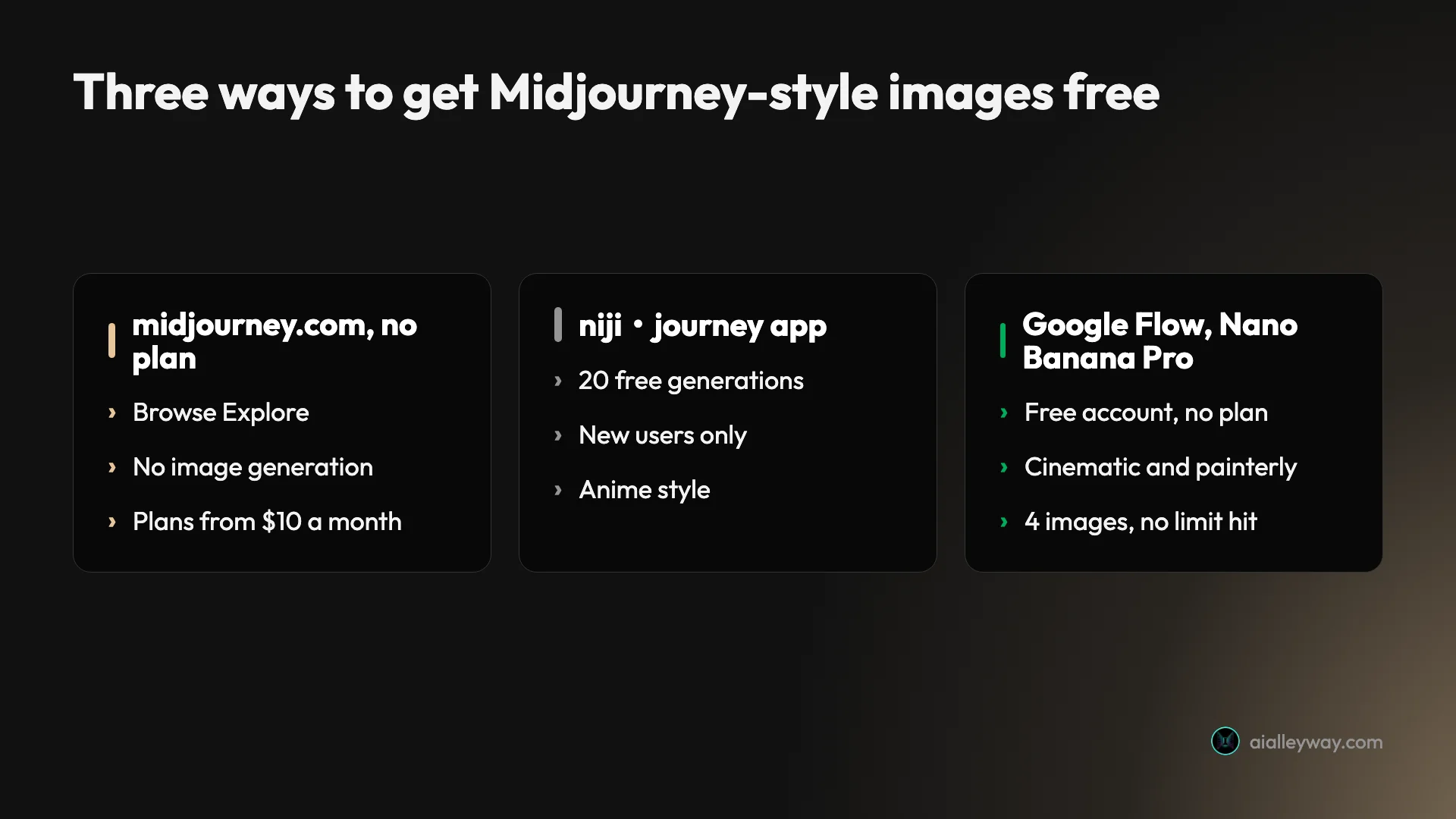
- If you want Midjourney itself: there is no free version. Browse Explore, then pay $10 for Basic.
- If you want anime art: try the niji・journey app’s 20 free generations.
- If you want Midjourney-quality images for free: use Nano Banana Pro in Google Flow. On my prompts it produced the closest results on a free account.
- If you already use Meta’s apps: Meta AI is free and made a good portrait in my test, as Meta’s own tool.
Final word
Midjourney does not give away images on its website or in Discord. A free account is a ticket to the gallery: you can browse every image the community makes, and that is genuinely worth an hour before you spend $10. The only official freebie is 20 anime generations in the niji・journey app, and the popular Meta AI shortcut finds no support in Meta’s own product: its image page never mentions Midjourney, and asked directly, Meta AI said its image came from its own system.
For free images that look like Midjourney’s, the honest answer is a different tool. Nano Banana Pro in Google Flow made a cinematic portrait and two stylised scenes on a free account. Our best AI image generator guide ranks Midjourney against seven other tools.
Frequently asked questions
Is Midjourney free?
No. On 7 October 2026 I signed in to midjourney.com with an account that has no plan. I could browse the public Explore feed, but the prompt box read "Subscribe to start creating" and pressing Enter only brought back a sign-up pop-up. Midjourney's own help page says "No free trial is currently available in Discord or the midjourney.com website." Plans start at $10 a month, or $8 a month billed yearly.
The one official exception is the niji・journey app for iOS and Android, which gives new users 20 free anime-style generations. For free images with a similar look, Nano Banana Pro in Google Flow is the closest I have tested on a free Google account.
Is there a Midjourney free trial?
Only in one place. Midjourney's help page says "A limited trial is available on the niji · journey app, available for iOS and Android devices." niji・journey is the anime-focused app Midjourney makes with Spellbrush, and its App Store listing promises "20 free generations" for new users.
The niji help centre adds that the trial is "only available for new users who download the app from the official Play Store or App Store", and that emulator users cannot get it. I did not test the app.
Can I use Midjourney for free through Meta AI?
Not as far as Meta AI itself says. Meta announced in August 2025 that it would license Midjourney's technology for its future models and products, which is why Meta AI is often described as free Midjourney. But Meta's AI image generator page does not mention Midjourney.
On 7 October 2026 I made an image in Meta AI on a free account and asked which model drew it. The reply: "No — that's not Midjourney," adding that it came from "Meta AI's own image generation system". A chatbot's answer is not an official statement, but it is the answer Meta AI gave me. Meta AI is free with an account and made a good cinematic portrait in my test; treat it as Meta's own tool, not as Midjourney.
What can I do on Midjourney without paying?
On a signed-in account without a plan, I could browse the Explore feed of other people's images, videos and styles, open the Organize page (empty, since I had made nothing) and open Midjourney's research surveys under Tasks. Create, Personalize and Moodboards all led to a subscribe prompt or the plans page, and the Edit page returned a 404.
What is the best free alternative to Midjourney?
For a Midjourney-like look at no cost, Google Flow with Nano Banana Pro is the strongest I have tested. On 7 October 2026 a free Google account made a cinematic harbour portrait, an isometric treehouse illustration and a painterly surreal desert in Flow, each from a single prompt on a free account; Flow images had cost 0 credits on that account earlier the same day, and I did not re-check the balance after these four. ChatGPT's free plan (three requests, then a 24-hour lock, in our test) and the Gemini app are the other free options.
Is ChatGPT or Midjourney better?
It depends on the job. In our tests ChatGPT spelled all 15 requested text strings correctly and edited images on instruction, and its free plan allowed three image requests before a 24-hour lock. Midjourney, which we have not run ourselves, is built for a consistent artistic style across many images, with Personalize, Moodboards and Style Creator to shape its look.
Neither is free in a useful sense for heavy use: ChatGPT Plus is $20 a month and Midjourney Basic $10. For a free Midjourney-like look, Nano Banana Pro in Google Flow got closest in my test.
Is Midjourney worth it?
For people who want a distinctive, consistent style across many images, yes. Basic at $10 a month buys about 200 image jobs, roughly 800 images, or around 26 a day, plus Midjourney's style tools, which no free tool replaces.
For one good image for a project, probably not: Nano Banana Pro in Google Flow made cinematic and painterly images on a free account in my test. Remember that Basic and Standard images are public in the Explore feed. Our Midjourney review covers the quality question in full.
Are there free Midjourney websites?
Several sites put Midjourney in their name and offer free image generation, but they are not Midjourney. Midjourney's help page names only one free trial, the niji・journey app. Treat any other site promising free Midjourney with caution: it is either running a different model or reselling access, and in neither case are you using Midjourney's own service.
Keep reading
Midjourney Pricing: What $10 to $120 a Month Really Buys
Midjourney pricing runs $10 to $120 a month, $8 to $96 billed yearly. What each plan buys in images, Fast hours and video, plus the refund and expiry traps.
Midjourney Review: Is It Worth $10 a Month?
A Midjourney review from its own plans page and docs: no free tier, $10 for about 800 images, and every picture public unless you pay $60 a month.
Midjourney Alternatives: 7 Picks, Two Tested Side by Side
The best Midjourney alternatives in 2026: ChatGPT for exact briefs, Nano Banana for free, plus Leonardo, Ideogram, Stable Diffusion, Playground and Firefly.
Nano Banana Pro Free: Where It Actually Works, Tested
Nano Banana Pro free, tested on a free Google account: it worked in Google Flow at no credit cost, but not in the Gemini app or AI Studio.