
Midjourney Alternatives: 6 Picks, Two Tested Side by Side
The best Midjourney alternatives in 2026: ChatGPT for exact briefs, Nano Banana for free and fast, plus Leonardo, Ideogram, Stable Diffusion and Playground.
Contents
The best Midjourney alternatives, in one line each
The best Midjourney alternative for most people is ChatGPT if your images must follow a brief exactly, and Nano Banana if you want them fast and free; those are the two I have tested side by side. For style control with a daily free allowance look at Leonardo, for type and logos Ideogram, and for open-source control Stable Diffusion.
- Best overall: ChatGPT Images. Spelled 15 of 15 text strings and placed 7 of 7 elements in my test. Free to try, $20 a month on Plus.
- Best free: Nano Banana (Gemini). About 30 seconds an image and twelve free requests with no refusal.
- Best for style control: Leonardo AI. 150 free tokens a day and a stack of models, including its own.
- Best for typography: Ideogram. Built around text in images, with version 4.0 now current.
- Best open source: Stable Diffusion. Free under $1 million in revenue, and it runs on your own machine.
- Best for trying many models: Playground. One free account in front of several models, including ChatGPT’s and Google’s.
How we chose these Midjourney alternatives
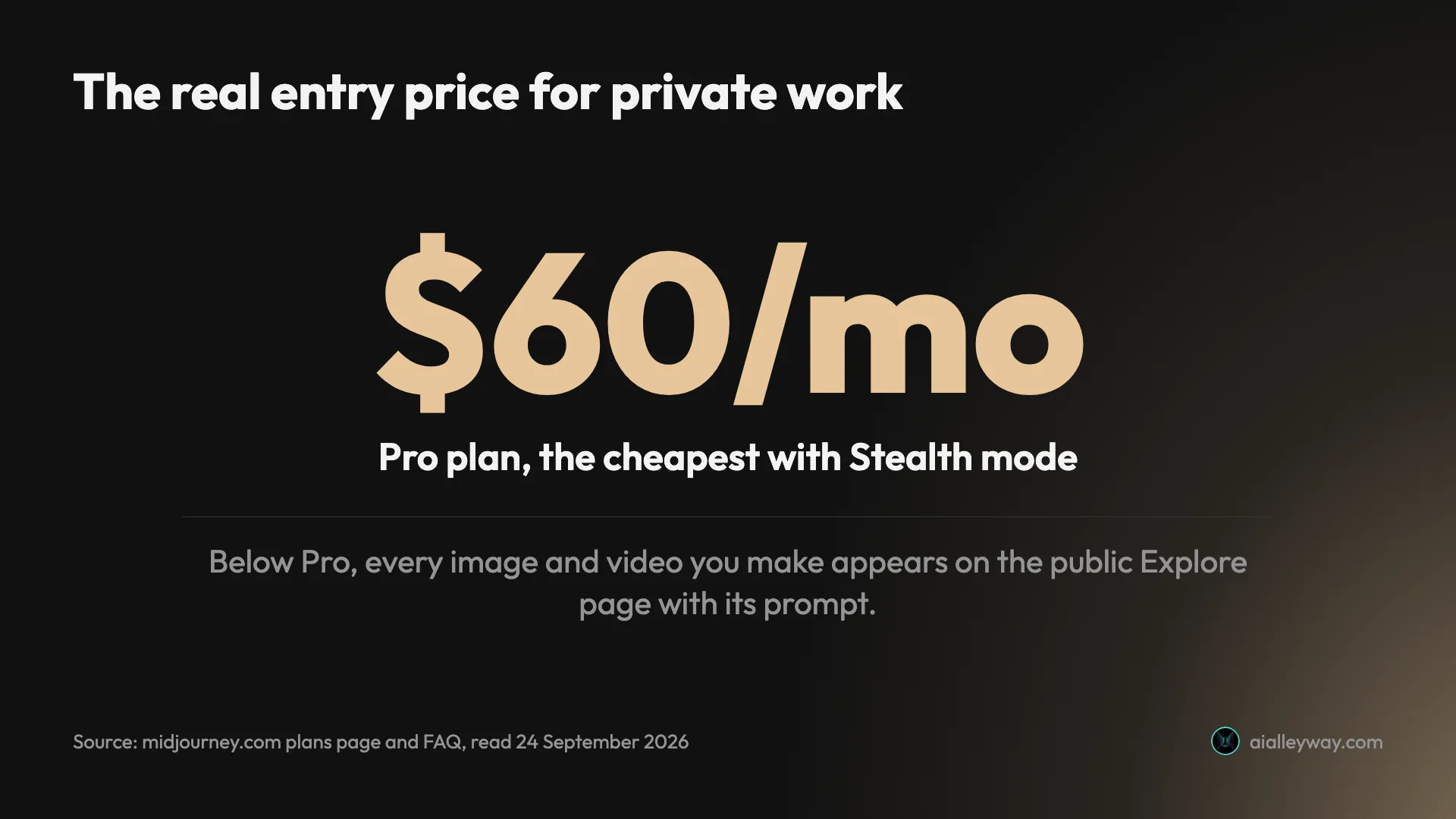
People leave Midjourney for three reasons, and our Midjourney review found all three on its plans page and in its terms, and our Midjourney pricing guide sets out the full rules. There is no free tier: the cheapest plan is $10 a month. Everything you make is public on its Explore page unless you pay $60 for Stealth mode. And companies earning more than $1 million a year must be on the $60 or $120 plans to own their images. A good alternative has to fix at least one of those.
There are also good reasons to stay, and it is worth being honest about them before switching. Midjourney’s flat plans are easy to budget, its Relax mode gives unlimited images from the $30 Standard plan, and its whole product is built around aesthetics, with moodboards, personalisation and a style creator. If none of the three problems above bothers you, it may still be the right tool.
So the criteria were a usable free tier, a clear price, private or at least owned output, and a reason to exist beyond “it also makes pictures”. Each pick below had to be the best option for a specific kind of user. I left out tools that are really video generators and vendor lists padded with lookalikes. Adobe Firefly and Canva, which some lists of apps like Midjourney include, are design suites first, so they sit with our design picks rather than here.
Two of the six, ChatGPT and Nano Banana, I have tested hands-on: the same twelve prompts, word for word, on 23 September 2026, covering composition, text, photorealism, style and editing. The other four I have not tested. Their sections are drawn from each vendor’s own pricing page and terms, read on 24 September 2026, and I say so where it matters. I have not run Midjourney through the same prompts either, so nothing below claims one tool beats Midjourney’s look.
Midjourney alternatives compared
| Tool | Free tier | Cheapest paid plan | Private by default | Current model | Commercial terms | Best for | Tested hands-on |
|---|---|---|---|---|---|---|---|
| Midjourney (for reference) | None | $10/mo | No, $60 for Stealth | V8.2 | Pro or Mega needed over $1M revenue | Style and aesthetics | Plans only |
| ChatGPT Images | 3 requests a day in my test | Go $8, Plus $20 | Yes | ChatGPT Images 2.5 | OpenAI assigns you the output | Exact briefs and text | Yes |
| Nano Banana (Gemini) | 12 requests, no refusal in my test | Free; paid Google AI plans raise limits | Yes | Nano Banana 2 | Google claims no ownership | Speed, editing, free use | Yes |
| Leonardo AI | 150 fast tokens a day | $12/mo ($10 yearly) | No on free, yes on paid | Lucid, Phoenix and others | Licence on free; Leonardo may use free images | Style control, many models | No |
| Ideogram | Weekly slow credits | $20/mo ($15 yearly) | No on free | Ideogram 4.0 | No ownership claimed, any use | Typography, posters, logos | No |
| Stable Diffusion | Free model, under $1M revenue | Enterprise licence above $1M | Yes, runs locally | Stable Diffusion 3.5 | Community License under $1M | Open source, fine-tuning | No |
| Playground | 10 images every 3 hours | $15/mo ($12 yearly) | Not stated | Several, incl. GPT Image 2.5 and Nano Banana | You own your images | Trying several models | No |
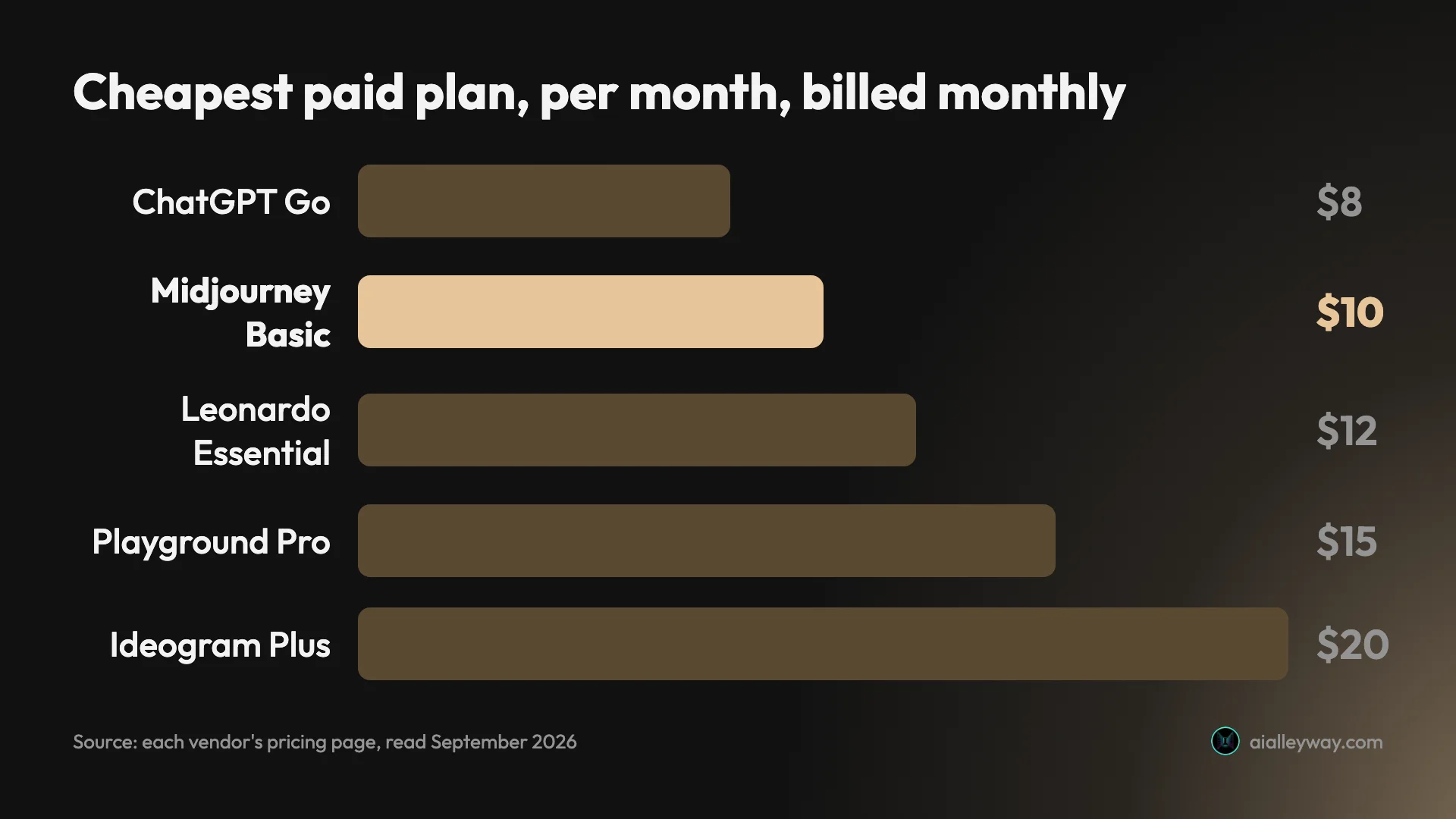
The pattern in that table is the reason to switch. Every alternative has some free way in, where Midjourney has none, three of them keep your images private without paying for a higher plan, and only Stable Diffusion shares Midjourney’s $1 million revenue line. Price alone is not the story: at $8 to $20 a month the paid plans cluster around Midjourney’s $10.
1. ChatGPT Images — best for exact briefs and text in images
ChatGPT is the alternative for people who left Midjourney because it would not do what they asked. Where Midjourney competes on taste, ChatGPT’s image generator reads a prompt like a checklist, and in my test it ticked every box.
It now runs ChatGPT Images 2.5, released on 8 September 2026. Many comparison pages still call OpenAI’s image tool DALL-E, the older model ChatGPT’s own image generation replaced. You ask for an image in any chat, or open the Images page, and edit by replying with what to change.
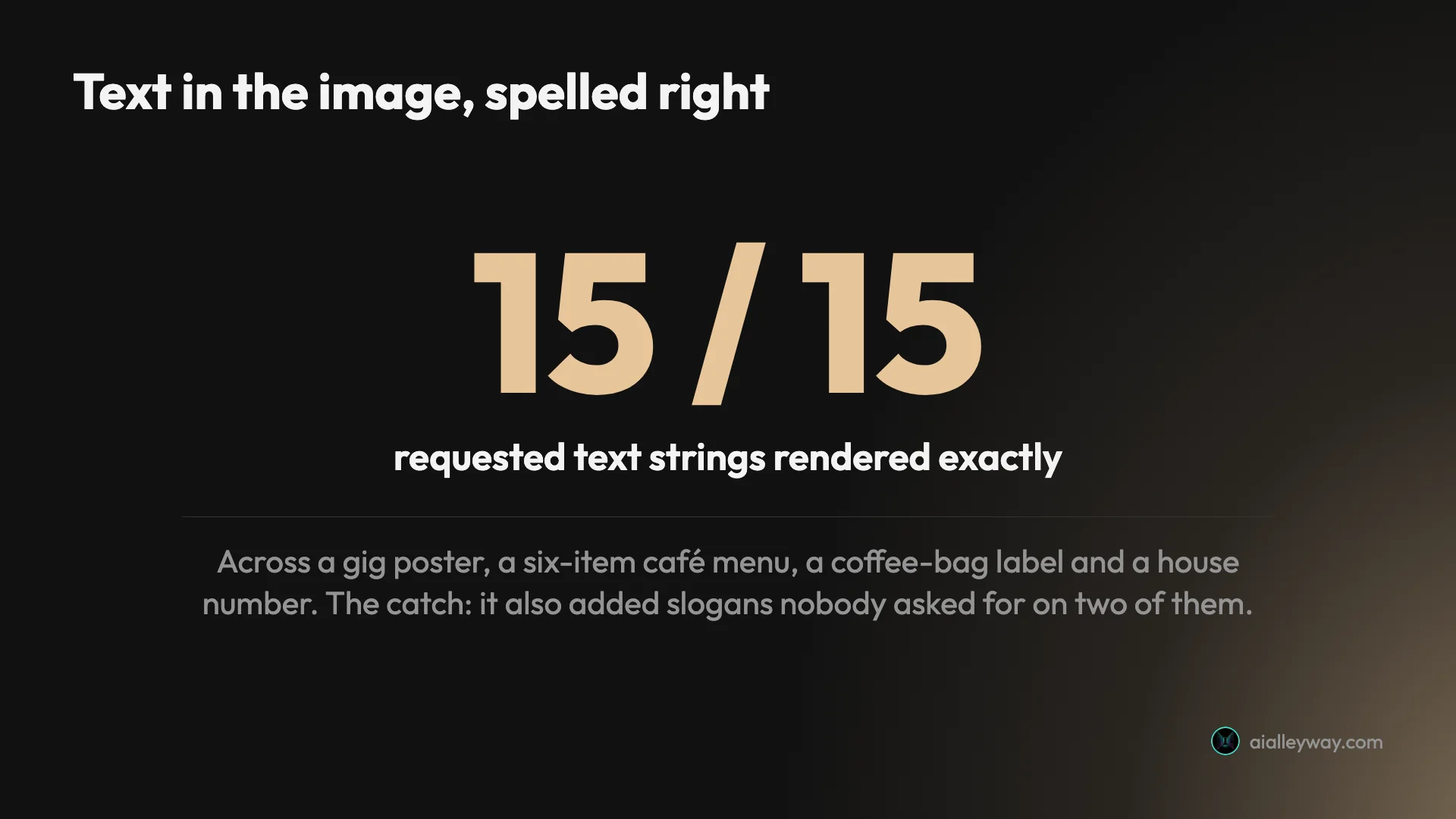
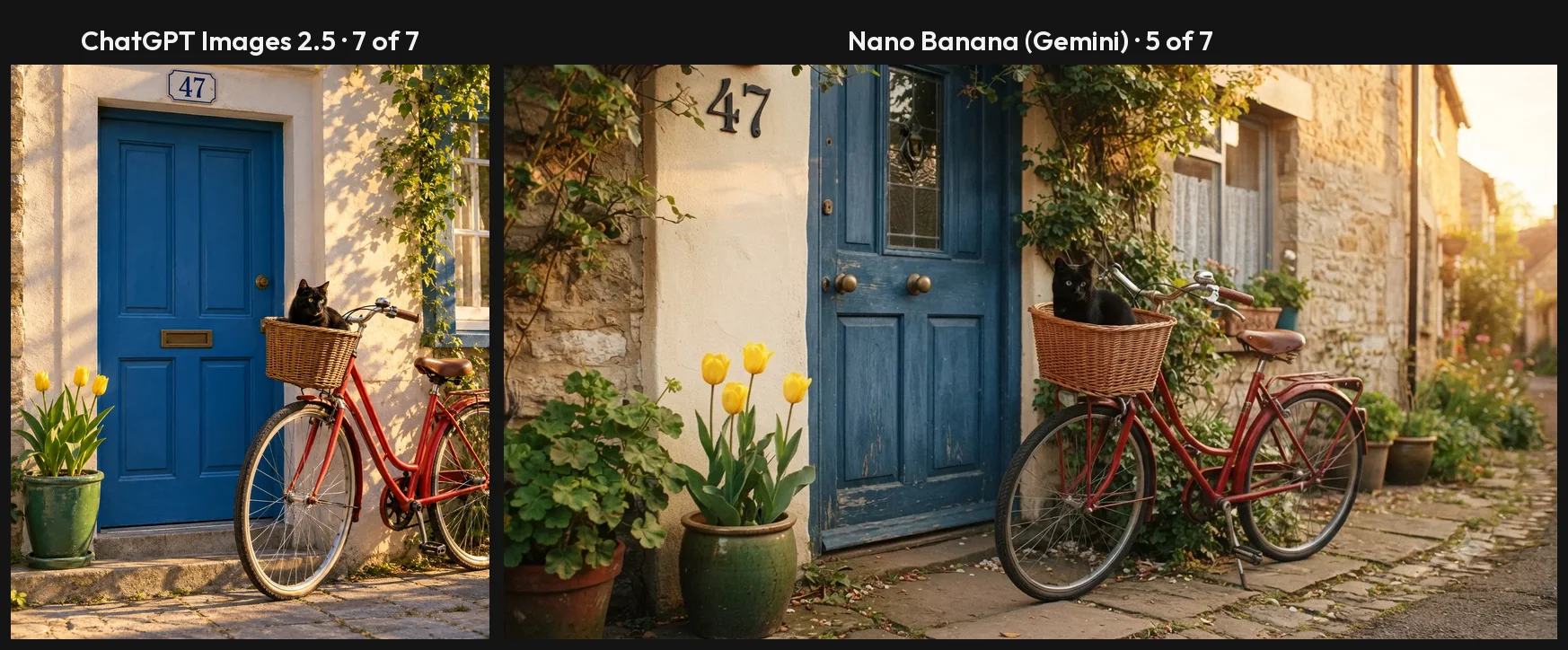
What I found. On a seven-part scene, a red bicycle, a blue door, a black cat in the basket, three yellow tulips, a green pot on the left, the number 47 above the door and sun from the right, it placed all seven on the free plan, first try. Across four text designs it spelled all 15 requested strings, including a six-item price list. Hands, a portrait and a product shot came out with no anatomy or physics errors.
Pricing. Free allows limited image generation; my account was cut off after three requests for a rolling 24 hours. Go is $8 a month and Plus $20, which the app says allows 120 images a day.
The catches. It added slogans nobody asked for to two of my four text designs, and on a memory-enabled account one slogan followed me into later chats. It took about a minute an image. And there is no grid of four variations the way Midjourney gives you; you get one image per request.
Getting a Midjourney look out of it. ChatGPT does style when you name the medium rather than the mood. In my test “wet-on-wet washes and bleeding edges” produced genuine watercolour texture, “85mm at f/1.8” gave a portrait real shallow depth of field, and a ukiyo-e prompt came back with flat colour fields and woodgrain. It was weakest on “low-poly”: the building came out smooth. On Plus, the Thinking effort picker lets it plan a dense scene before drawing, at about 90 seconds an image.
Compared with Midjourney. Your images stay in your chats rather than a public gallery, the free plan lets you try it before paying, and OpenAI’s terms assign you ownership of the output with no revenue threshold.
Who it’s for: marketers, small businesses and anyone making posters, menus or packaging mock-ups who will proofread the result. Our ChatGPT image generator review has the full test.
2. Nano Banana (Gemini) — best free Midjourney alternative
Nano Banana is the answer to Midjourney’s paywall. It is Google’s image model inside the Gemini app, it costs nothing to use there, and on a free account it let me run a twelve-prompt test in one sitting without a single refusal.
Google’s name covers a family: Nano Banana 2 is the default in the app on every plan, with a slower Nano Banana Pro above it. In the app you pick a chat mode rather than a model, and edit by describing the change.
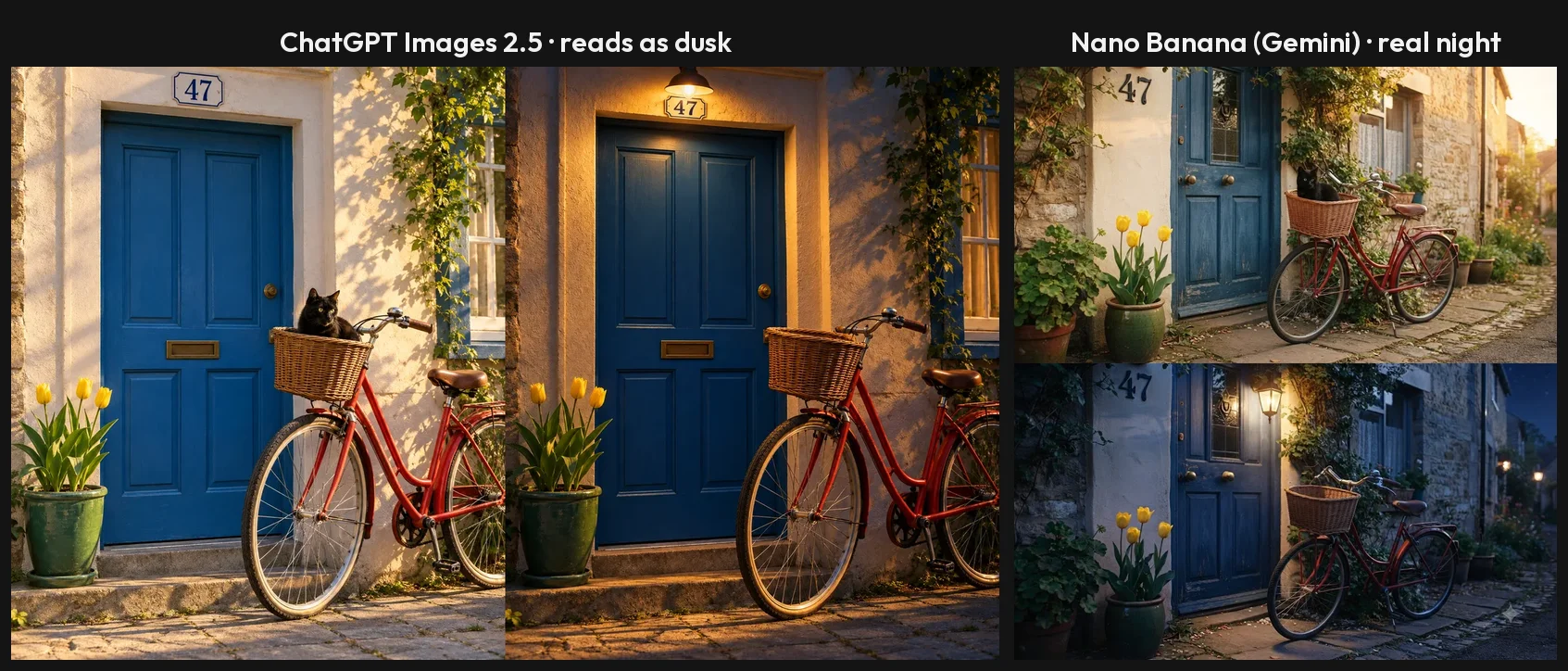
What I found. It was fast: most default-mode images were ready in about 30 seconds and none took over 40, against about a minute for ChatGPT on the same prompts. It matched ChatGPT at 15 of 15 on text and added no slogans to the menu or the coffee bag. Its night edit was the best in the test, a real night sky with a lit lantern and nothing else changed.
It is less literal than ChatGPT. On the seven-part scene it drew four tulips instead of three and put the house number beside the door, and its slower Pro mode fixed only the count. It also signed a woodblock-style print with the name of the real artist Hiroshige.
Pricing. Free in the Gemini app, with compute-based limits that refresh every five hours up to a weekly ceiling. Paid Google AI plans raise the limits. On Google’s API it costs $0.0336 to $0.24 per image.
The catches. Free images carry a small visible sparkle watermark, which most users can switch off in settings since August, the full-size download was only 1408×768, and there is no fixed image count to plan a deadline around.
Getting better results. Three habits fix most of what went wrong in my test. Switch the chat mode to 3.1 Pro when counts matter; it reasoned its way to the right number of tulips. Say where text may and may not go, because it filled empty space with a shop name and a signature. And name the shape you need, since it chose a wide frame for eleven of twelve images on its own.
Compared with Midjourney. It is free where Midjourney is not, your images stay in your Gemini chats, and Google’s terms say it won’t claim ownership of what you generate. What you give up is Midjourney’s style tools, such as moodboards and personalisation.
Who it’s for: anyone who wants a lot of good images without paying, and people who edit by describing the change. Our Nano Banana vs ChatGPT comparison has both sides of the test.
3. Leonardo AI — best for style control on a free daily allowance
Leonardo is the alternative built most like a Midjourney-style studio: a web app built around models, presets and fine control, with a free allowance that refreshes every day. Google’s AI Overview for “midjourney alternatives” names it the best overall Midjourney alternative. I have not tested it.
Its pricing page lists its own models, Lucid Origin, Lucid Realism and Phoenix, alongside FLUX and other third-party models in the same account. That breadth is the pitch: one subscription, several looks, and the controls to steer them.
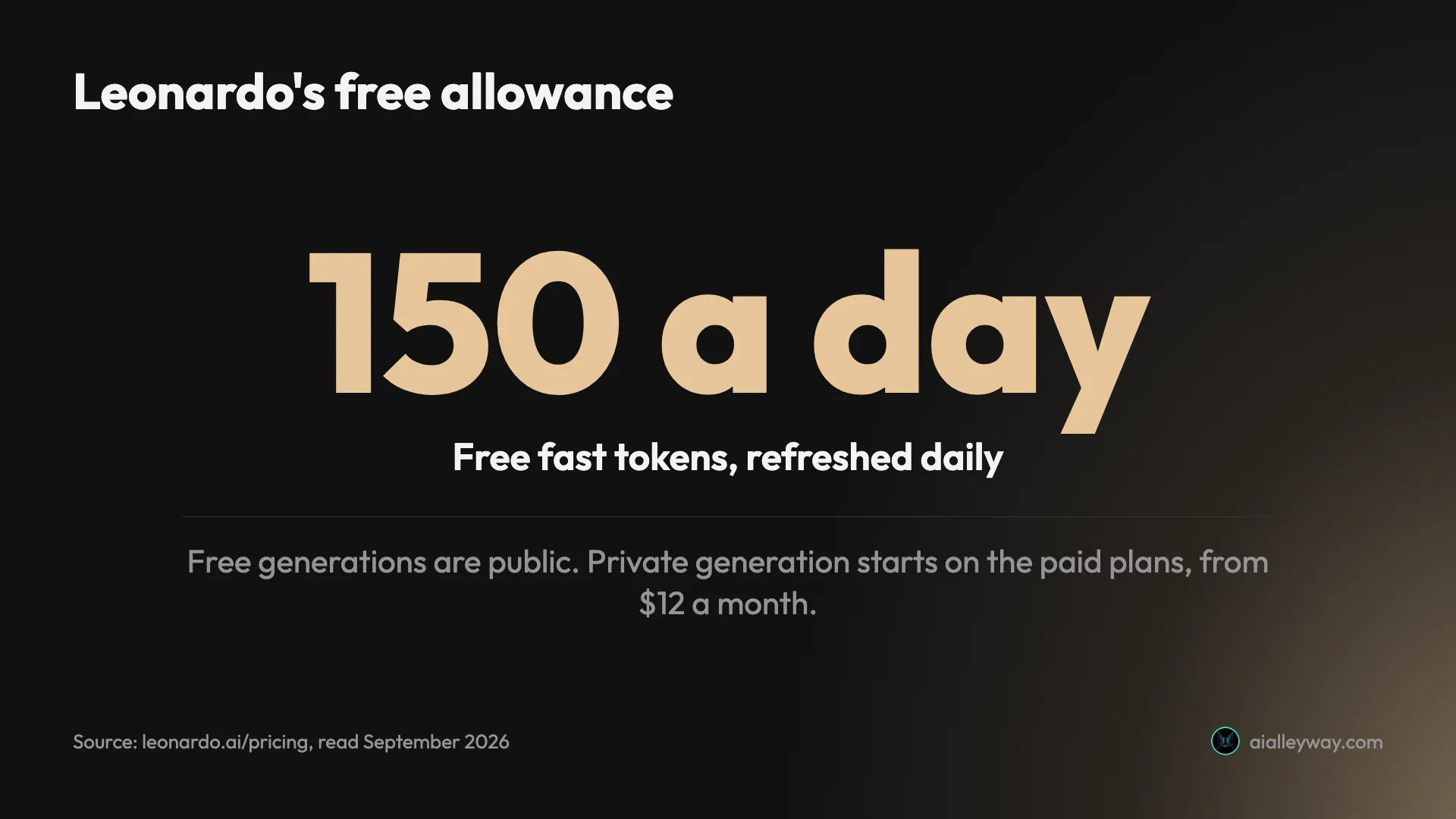
Pricing. Free users get 150 fast tokens a day. Essential costs $12 a month, or $10 billed yearly, with Premium at $30 and Ultimate at $60 billed monthly ($25 and $50 yearly). Tokens are spent per generation, so how far 150 goes depends on the model and settings you choose.
Privacy and rights. This is where Leonardo shares Midjourney’s habit. Free generations are public, and Leonardo’s terms give free users a commercial licence while keeping the right to use their images itself. Private generation is a paid feature. The difference is price: privacy starts at $12 a month here, against $60 on Midjourney.
The catches. A token system is harder to budget than Midjourney’s flat job count, and with several models on offer the quality you get depends on picking the right one. Without a hands-on test I cannot say how its models compare with Midjourney’s on the same prompt.
Compared with Midjourney. Midjourney’s $10 Basic plan buys about 200 image jobs a month, four images each, with no free tier at all. Leonardo starts free, costs $2 more at the entry level, and sells private generation from that entry plan instead of Midjourney’s $60 Pro.
Who it’s for: people who liked Midjourney’s creative control and want a free daily allowance to experiment with, and anyone who needs private images for less than Midjourney’s $60.
4. Ideogram — best for typography, posters and logos
Ideogram has built its name on the one thing image models used to fail at: words. If the reason you are leaving Midjourney is a logo, a poster or a social graphic with a headline, it is the specialist to look at. I have not tested it; ChatGPT’s 15-of-15 result in my test shows how high the bar now is.
Its current model is Ideogram 4.0, which its pricing page lists at 2K resolution, with the older 3.0 still offered. Google’s AI Overview for “midjourney alternatives” names it the pick for typography.
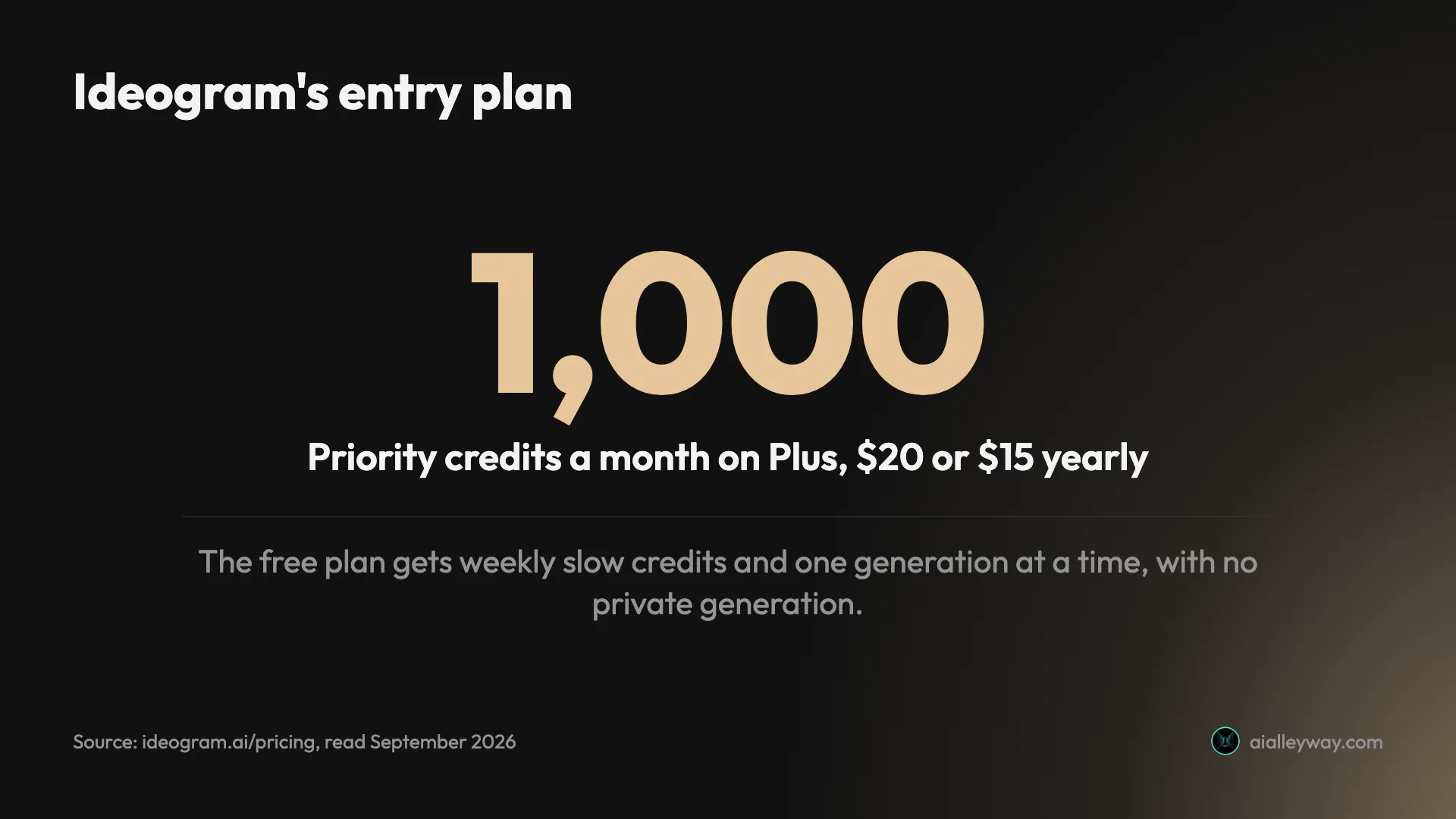
Pricing. Free accounts that qualify get weekly slow credits, one generation at a time. Plus is $20 a month, or $15 billed yearly, with 1,000 priority credits a month. Pro is $60 a month, or $42 billed yearly.
Rights. Ideogram’s terms are the plainest of any tool here. Its FAQ says it does not claim ownership of what you make and that you are free to use your images for any purpose, including commercially. There is no revenue threshold like Midjourney’s.
Which model to use. Ideogram still offers its older 3.0 model next to 4.0, which is useful if you have a style you built on the earlier version. For new work, the pricing page leads with 4.0.
The catches. The free plan has no private generation, so free images are visible, as on Midjourney, and it runs one generation at a time. Weekly rather than daily credits make the free tier better for occasional use than for daily work. And for general illustration, not type, the specialist’s advantage matters less.
Compared with Midjourney. Ideogram’s entry plan costs twice Midjourney’s, $20 against $10 a month, but its ownership terms are simpler, with no revenue threshold, and it has a free tier to test it on first.
Who it’s for: designers and marketers whose images carry words, and small brands mocking up logos and posters. If you already pay for ChatGPT Plus, try its text rendering first; it may be enough.
5. Stable Diffusion — best open-source Midjourney alternative
Stable Diffusion is the alternative for people who want to own the whole pipeline. It is an open model you can download, run on your own computer and fine-tune to a house style with full control, beyond the limited custom-model training some subscriptions offer. I have not tested it.
Stability AI’s current release is the Stable Diffusion 3.5 family, alongside the faster SDXL Turbo. Because the models are open, an ecosystem of third-party apps, plugins and custom-trained versions has grown around them.
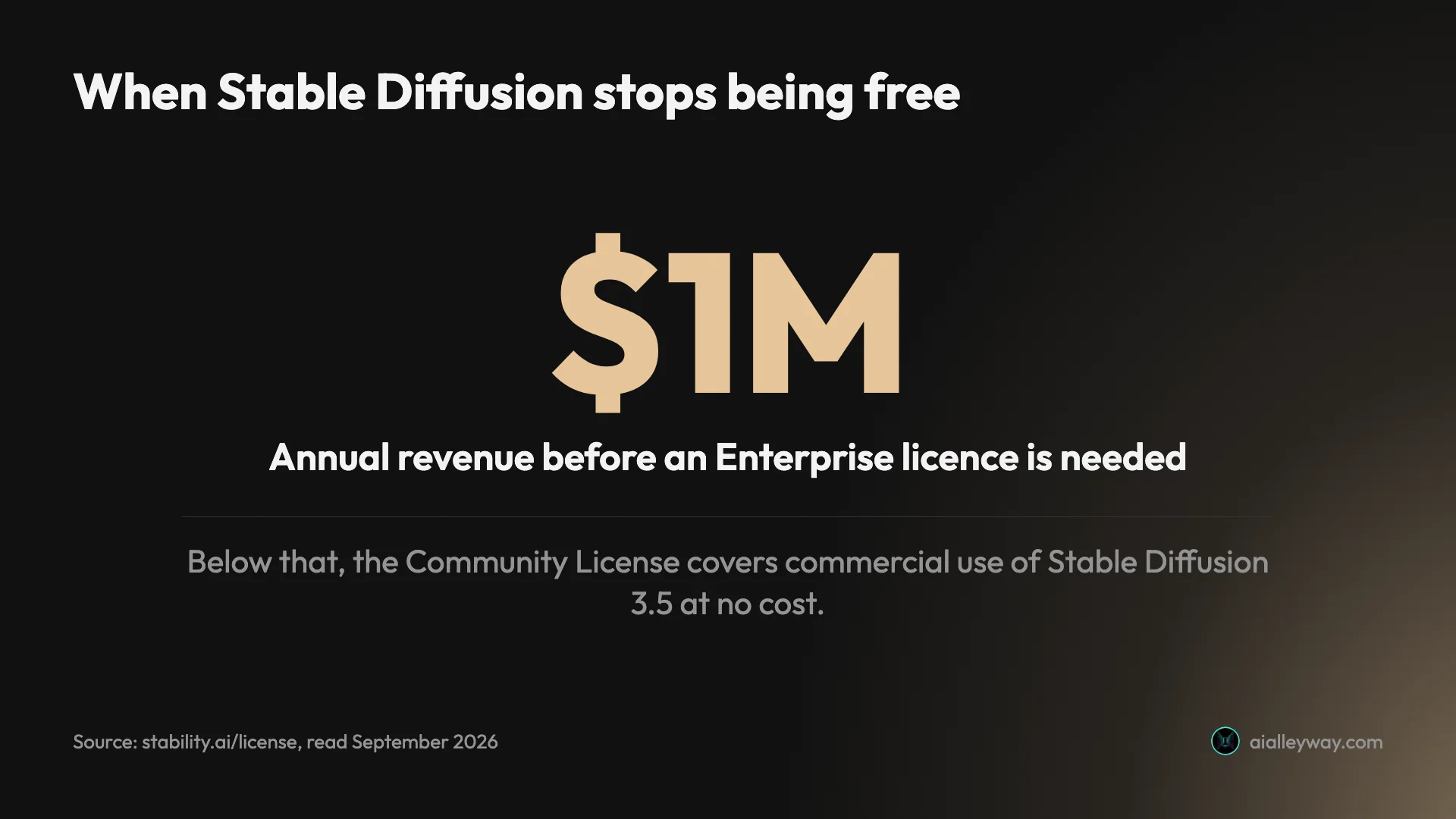
Pricing. The model is free under Stability’s Community License, which covers commercial use for individuals and organisations under $1 million in annual revenue. Above that you need an Enterprise licence. That is the same threshold Midjourney uses to push companies onto its $60 and $120 plans.
Privacy. Run it locally and your images never leave your machine. That is the strongest privacy of any option here, and the opposite of Midjourney’s public-by-default gallery.
The catches. There is no official consumer app to sign up to: Stability’s old pricing page now redirects to a page that returns an error. So the practical routes are running it yourself, which needs a capable graphics card and some setup, using Stability’s own paid Platform API, or using a third-party host: a website or app that runs the model on its own servers and charges you its own prices under its own terms. Stability ships several model sizes, from the full 3.5 models to the faster SDXL Turbo, so what you get depends on which version and settings you pick.
Compared with Midjourney. It is the only option here that keeps every image on your own machine at no cost, and the only one whose model weights you can retrain yourself. It is also the only one you can run on your own hardware.
Who it’s for: technical users, studios that want a fine-tuned house style, and anyone for whom privacy matters more than convenience.
6. Playground — best for trying several models in one place
Playground has changed more than any tool here. It used to be known for its own image model; its site now calls it “the AI design studio for everyone”, and it fronts other companies’ models, including OpenAI’s GPT Image 2.5, Google’s Nano Banana, ByteDance’s Seedream and Meta’s Muse Image, next to its own Playground v3. Its old playground.com address now redirects to playgroundai.com. I have not tested it.
That makes it a sampler. One account lets you try several of the leading models, including OpenAI’s GPT Image 2.5, the model behind ChatGPT Images, and a version of Google’s Nano Banana, without subscribing to each.
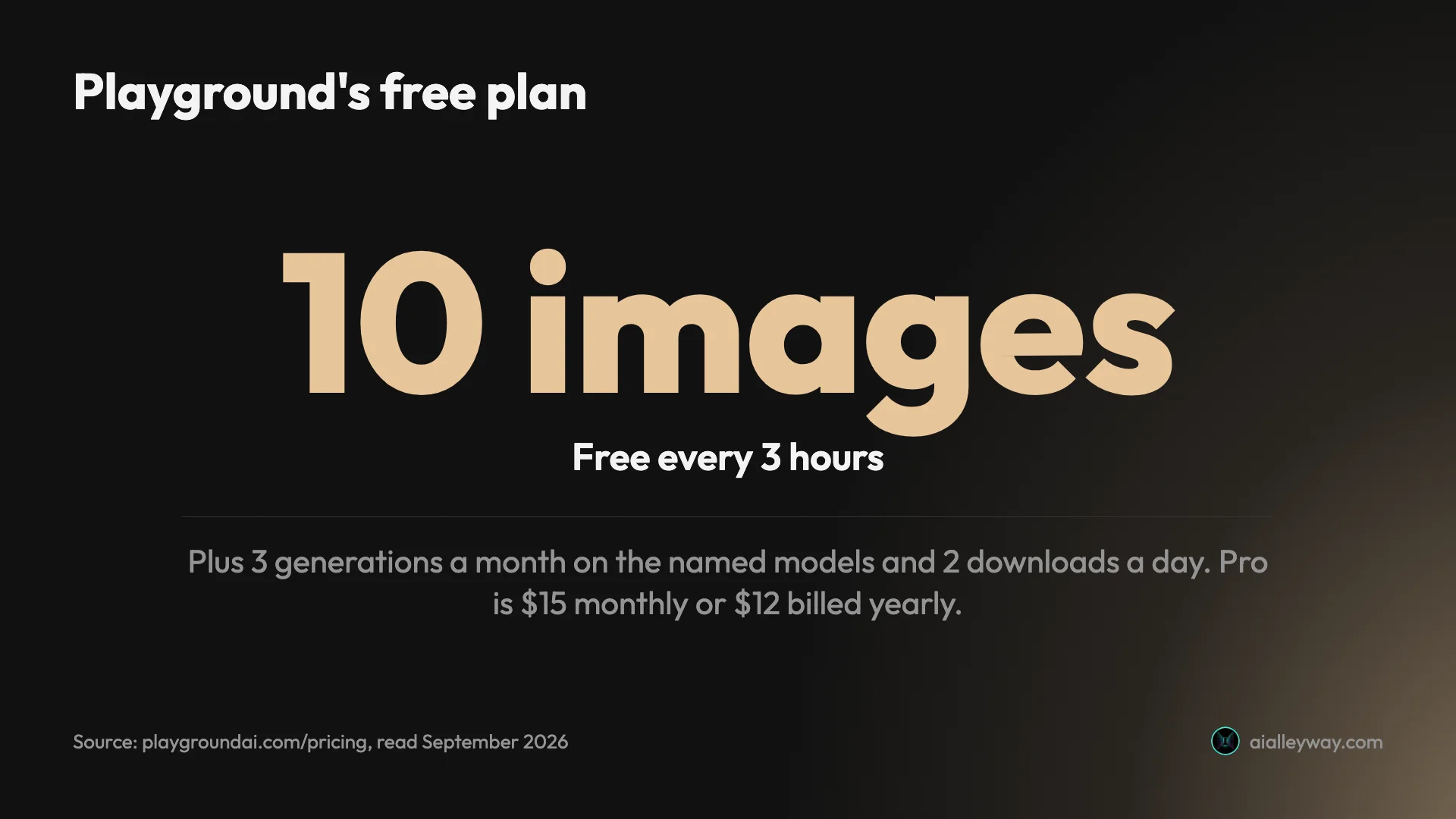
Pricing. Free users get 10 images every three hours, 3 generations a month on the named models and 2 downloads a day. Pro is $15 a month, or $12 billed yearly.
Design tools. Playground’s homepage calls it “the AI design studio for everyone”, so the pitch is making a finished graphic in one place as much as generating an image.
Rights. Playground says you own the images you create, and every plan, free included, lists a worldwide royalty-free licence for commercial use.
The catches. The free tier’s 10 images every three hours sounds generous, but only 3 generations a month go to the named models (Muse Image, Nano Banana, GPT Image 2 and 2.5, Seedream), so it is a poor way to use ChatGPT’s or Google’s models heavily; you can use those directly for less. Two downloads a day is tight if you are producing finished assets.
Compared with Midjourney. Playground has a free tier where Midjourney has none, though its $15 Pro plan costs more than Midjourney’s $10 Basic, and it says you own what you make. It does not offer Midjourney’s own model, so it is a way out of Midjourney rather than a cheaper route into it.
Who it’s for: people deciding which model suits them before committing, and designers who want generation and layout tools in one place.
How to pick a Midjourney alternative
Start from the reason you are leaving Midjourney, then follow the branch.
- If you left because it costs money: start with Nano Banana in the free Gemini app. If you need more than it gives, Leonardo’s 150 daily tokens are the next free stop.
- If you left because it ignores your brief: pick ChatGPT. It placed every element and spelled every word in my test.
- If your images carry words: try ChatGPT first if you already have it, then Ideogram, the typography specialist.
- If you left because everything is public: ChatGPT and Nano Banana keep your images out of any public gallery, Leonardo makes them private from $12 a month, and Stable Diffusion keeps them on your own machine.
- If you are a business over $1 million in revenue: read the terms. Midjourney and Stable Diffusion both change their terms at that line; Ideogram’s FAQ sets no threshold.
- If you want Midjourney’s creative control without its price: Leonardo, for its models and presets, or Stable Diffusion if you are prepared to set it up.
- If you are building images into a product: Google publishes Nano Banana’s API prices per image, from $0.0336 to $0.24, which makes it the easiest to budget; OpenAI prices its image API per token, and Stable Diffusion can be self-hosted at the cost of your own hardware.
- If you cannot decide: Playground puts several of these models behind one free account, or simply try ChatGPT and Nano Banana free with the same prompt and keep the better result.
Whichever you pick, run your own real prompt before paying. All six have some free way in, and that is what the free tiers are for. The one that fits your work is rarely the one that tops a general ranking.
Final word
For most people the best Midjourney alternative is one they already have access to: ChatGPT for images that must follow the brief (our full ChatGPT image generator review has the test), Nano Banana for everything fast and free. Leonardo is the pick if you want Midjourney’s creative-studio approach with a free daily allowance. If you are torn between the top two, our Nano Banana vs ChatGPT comparison puts the same twelve prompts through both, picture by picture. And before you switch for good, our Midjourney review sets out exactly what its $10 plan buys, so you know what you are leaving behind.
Frequently asked questions
Is there a free alternative to Midjourney?
Yes, several, which is the biggest reason to look elsewhere: Midjourney itself has no free tier, and its cheapest plan is $10 a month. The most generous free option I have used is Google's Nano Banana in the Gemini app, which ran twelve image requests on a free account without a refusal. ChatGPT's free plan also makes images, but it stopped me after three requests and locked me out for 24 hours.
Among the tools I read up on rather than tested, Leonardo gives free users 150 fast tokens a day, Playground allows 10 free images every three hours, and Ideogram offers weekly slow credits to eligible free accounts. Stable Diffusion is free to download and run under its Community License, including commercially if your organisation earns under $1 million a year.
What is the closest alternative to Midjourney?
It depends on what you liked about Midjourney. If it was the look, the tools built around style and aesthetic control are Leonardo, which offers its own Lucid and Phoenix models alongside others, and Stable Diffusion, whose open models you can fine-tune to a house style with full control. Google's AI Overview for "midjourney alternatives" names Leonardo the best overall alternative.
If what you want is simply a good image from a sentence, without Midjourney's price or its public-by-default gallery, ChatGPT and Nano Banana are the two I have tested side by side. ChatGPT follows a brief more exactly; Nano Banana is faster and free. Neither imitates Midjourney's signature style, and I have not run Midjourney through the same test, so I cannot say which comes closest in look.
Is Midjourney better than DALL-E?
The question is out of date. DALL-E was OpenAI's image model before ChatGPT's own image generation replaced it, and ChatGPT now runs ChatGPT Images 2.5, released on 8 September 2026. Many comparison pages, and Google's AI Overview for Midjourney alternatives, still call OpenAI's option DALL-E 3.
Against Midjourney, ChatGPT's image generator is built for a different job. In my test it spelled all 15 requested text strings and placed all seven elements of a crowded scene, which is literal accuracy. Midjourney sells itself on taste and style. ChatGPT includes limited image generation on its free plan and more on the $20 Plus plan; Midjourney has no free tier. I have not tested Midjourney's output, so I cannot score the two head to head.
Is Midjourney the best AI image generator?
There is no single best one, because the leaders win different jobs. Midjourney sells itself on look and style, and its reputation rests there. In my own test of the same twelve prompts, ChatGPT was the most literal, placing all seven elements of a crowded scene and spelling all 15 text strings, which is why it tops our image picks. Google's Nano Banana matched it on text, finished in about half the time, and was free to use.
So the best choice depends on what you are making. For exact briefs and text, ChatGPT. For fast, free everyday images and edits, Nano Banana. For style-led work where the look matters more than the letter of the brief, Midjourney remains a strong option, though I have not tested its output side by side.
Can I use Midjourney alternatives for commercial work?
Mostly yes, but the terms differ and some have strings. Ideogram's FAQ says it does not claim ownership of your images and you can use them for any purpose, including commercially. Playground says you own the images you create, and lists a royalty-free commercial licence on every plan, free included. Leonardo gives free users a commercial licence but keeps the right to use their images itself, and free generations are public.
Stable Diffusion's Community License allows commercial use for organisations under $1 million in annual revenue; above that you need an Enterprise licence, the same threshold Midjourney uses for its top plans. OpenAI's terms assign you ownership of ChatGPT output, and Google says it won't claim ownership of Gemini images. Read the terms for your specific plan before client work.
Is there an open-source Midjourney alternative?
Stable Diffusion is the main one. Stability AI publishes the Stable Diffusion 3.5 models, and its Community License lets individuals and organisations under $1 million in annual revenue use them, including commercially, at no cost. You download the model and run it on your own computer, or use it through a third-party app that hosts it.
The trade is effort. There is no official Stability app with a free plan to sign up to: its old pricing page now redirects to a page that returns an error, so the practical routes are running it yourself, which needs a capable graphics card, or paying for Stability's own Platform API or a third-party hosting service with its own prices. For people who want control and privacy and don't mind setup, it is the most flexible option here.
Keep reading
Midjourney Review: Is It Worth $10 a Month?
A Midjourney review from its own plans page and docs: no free tier, $10 for about 800 images, and every picture public unless you pay $60 a month.
Midjourney Pricing: What $10 to $120 a Month Really Buys
Midjourney pricing runs $10 to $120 a month, $8 to $96 billed yearly. What each plan buys in images, Fast hours and video, plus the refund and expiry traps.
Best AI Image Generator for Realistic Photos: 6 Picks
The best AI image generator for realistic photos: ChatGPT and Nano Banana, tested on portraits, hands and products, plus Midjourney, FLUX, Leonardo and more.
Nano Banana vs ChatGPT: 12 Prompts, Two Different Winners
Nano Banana vs ChatGPT, tested with the same 12 prompts: ChatGPT follows a brief exactly, Nano Banana is twice as fast and free. Which one to use, and when.