
Midjourney Review: Is It Worth $10 a Month?
A Midjourney review from its own plans page and docs: no free tier, $10 for about 800 images, and every picture public unless you pay $60 a month.
Contents
Is Midjourney worth it?
Yes, if the look of an image matters more to you than following a brief to the letter: Midjourney’s plans are simple, $10 buys about 800 images a month, and its current V8.2 model is built around aesthetics, style and personalisation. It rates 4.1, a Power Tool, held back by no free tier, images that are public unless you pay $60 a month for Stealth mode, and licensing terms that push larger companies onto the top plans. This is a synthesis review: I read the plans and FAQ from a signed-in account and Midjourney’s own documentation, but did not run generations, so image quality below is described from Midjourney’s claims and user reports.
What does Midjourney do?
Midjourney makes images from text prompts, and it has built its name on how those images look. Where ChatGPT and Google’s Nano Banana compete on following instructions precisely, Midjourney sells itself on taste: lighting, texture, composition and the painterly polish its users know it for.
It started life inside Discord, and for years that was the only way in. It now runs as a full web app at midjourney.com, and signing in with a Google account is enough. The sidebar tells you what the product thinks matters: Explore, Create, Edit and Organize at the top, then a section called Aesthetics with Personalize, Moodboards and a Style Creator, and a Community section with Tasks.
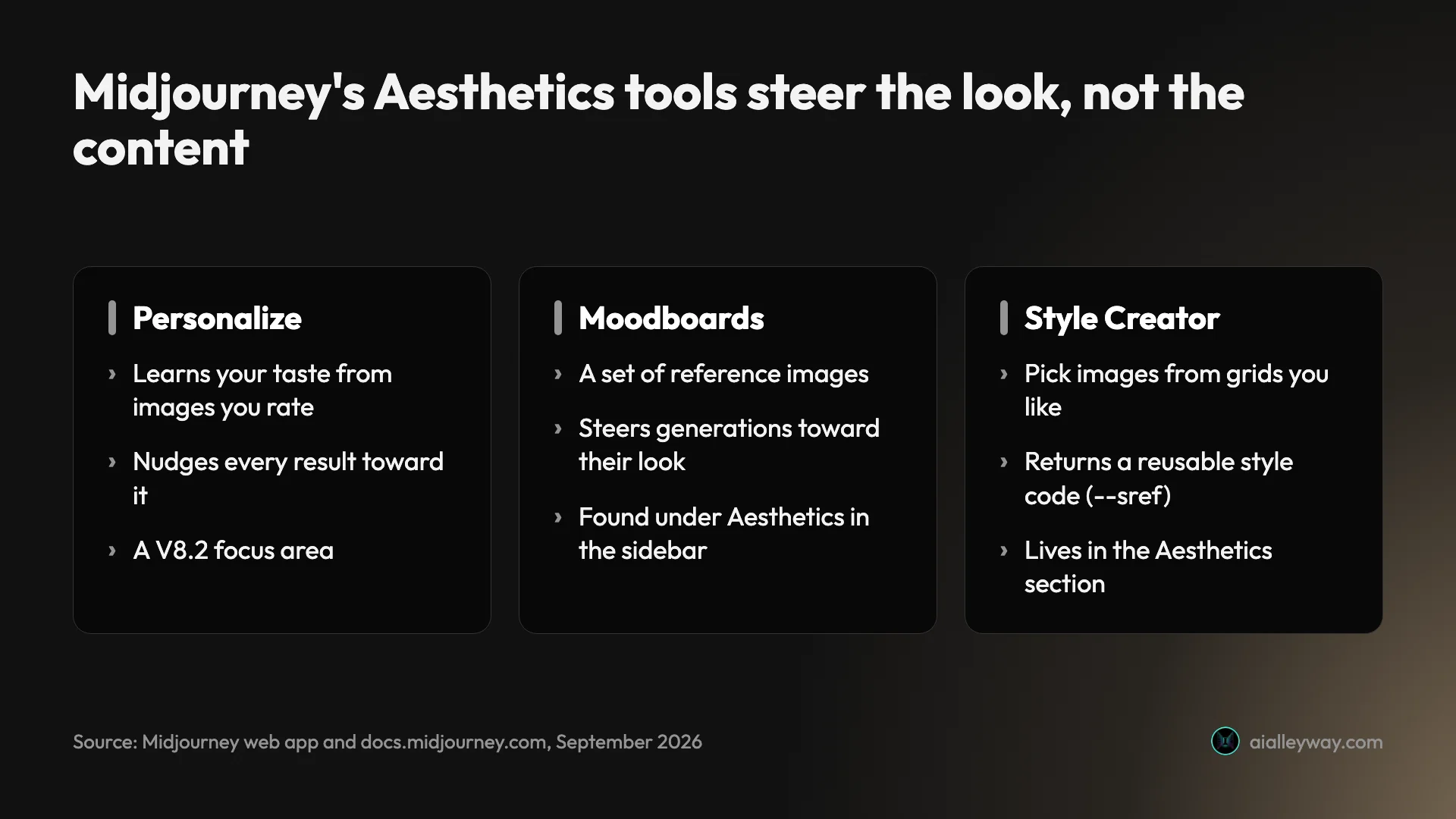
That Aesthetics section is the heart of the pitch. Personalization learns your taste from the images you rate and nudges results toward it. Moodboards let you steer generations with a set of reference images. The Style Creator builds reusable styles.
The current model is V8.2
Midjourney shipped two new default models in six weeks this summer. Its documentation lists V8.2 as the default since 24 July 2026, describing it as an update focused on aesthetics, image quality and Personalization. It replaced V8.1, which had become the default on 11 June.
Midjourney’s own notes on V8.1 claimed it was smarter, more coherent, better at following detailed prompts and better at rendering text than before, with images arriving in about 4 seconds in standard definition and 12 in HD. HD mode, it said, renders at twice the size and four times the resolution of V7.
V8.2 also brought a new Edit Model. According to the docs it replaces three older tools, Omni Reference, Character Reference and Retexture, and lets you generate from up to four reference images. The Editor handles inpainting, changing a selected area, and outpainting, extending the canvas beyond the original frame.
What this review covers, and what it does not
I did not buy a plan for this review. I read Midjourney’s plans page and its FAQ from a signed-in account on 24 September 2026, and I have drawn on Midjourney’s documentation, its update notes, its Terms of Service and public user ratings.
That means everything about price, plans, privacy and licensing below is first-hand or from Midjourney’s own pages. Everything about image quality is Midjourney’s claim or other people’s experience, and I have labelled it that way. Our ChatGPT image generator review and Nano Banana review ran a fixed hands-on test; this one did not.
What does Midjourney cost?
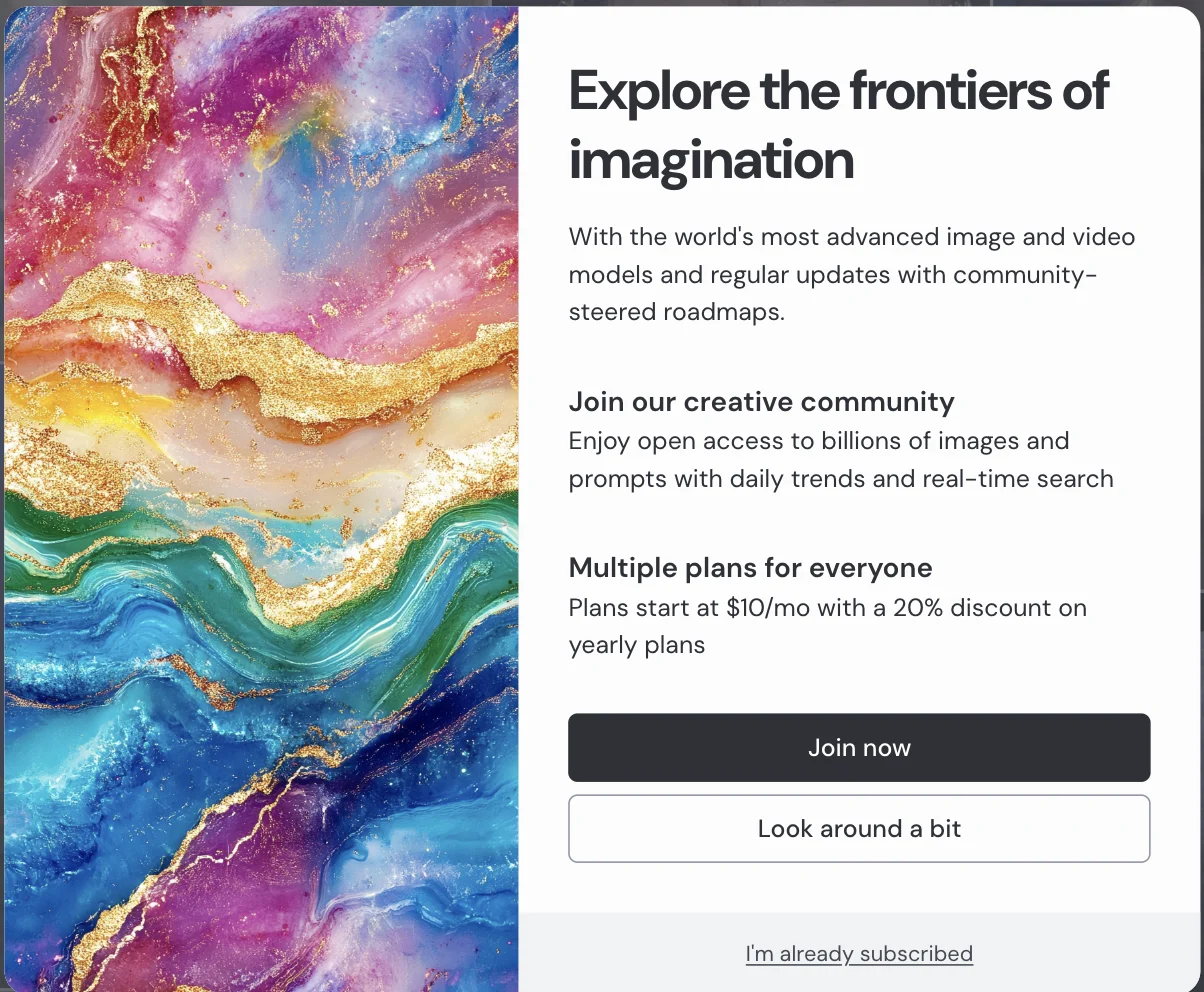
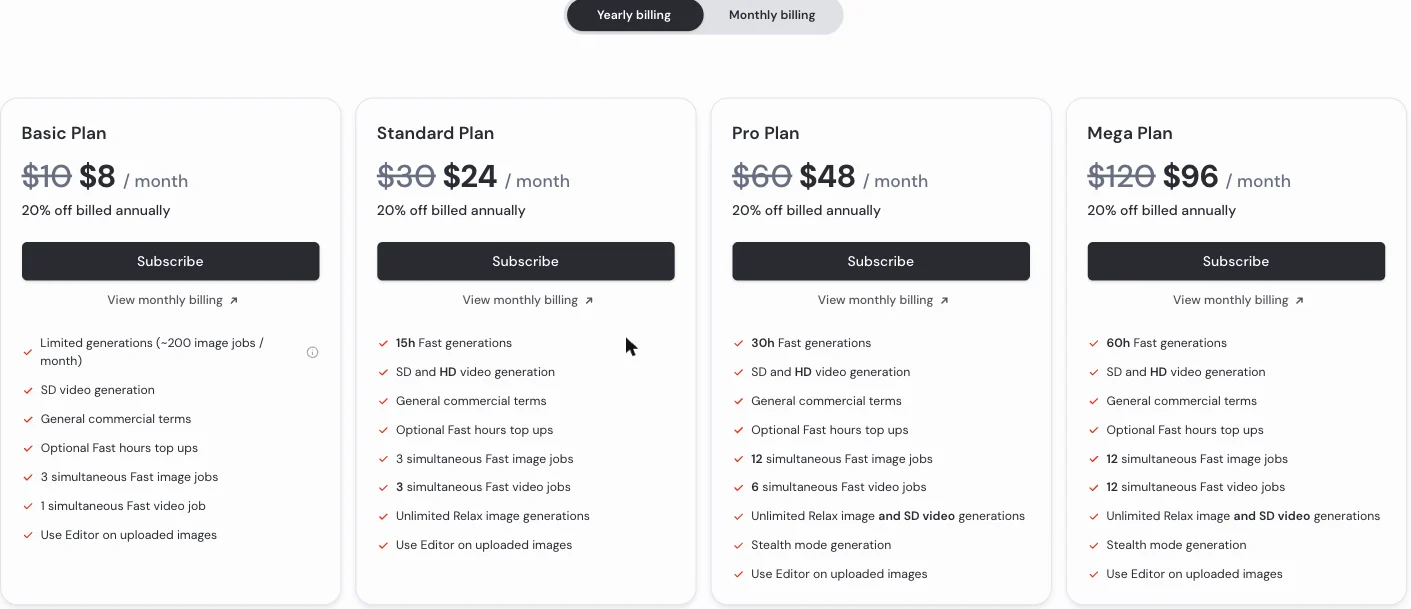
Midjourney costs $10 to $120 a month, or $8 to $96 billed yearly, across four plans, read from its plans page on 24 September 2026. The first thing a signed-in visitor without a plan sees is a panel that leaves no doubt: plans start at $10 a month, with a 20% discount on yearly billing. There is nothing free to fall back on.
The plans page lists four tiers. I read it on 24 September 2026.
| Plan | Monthly | Billed yearly | Fast GPU time | Relax mode | Stealth mode |
|---|---|---|---|---|---|
| Basic | $10 | $8/mo | About 200 image jobs | No | No |
| Standard | $30 | $24/mo | 15 hours | Unlimited images | No |
| Pro | $60 | $48/mo | 30 hours | Unlimited images and SD video | Yes |
| Mega | $120 | $96/mo | 60 hours | Unlimited images and SD video | Yes |
What a plan actually buys
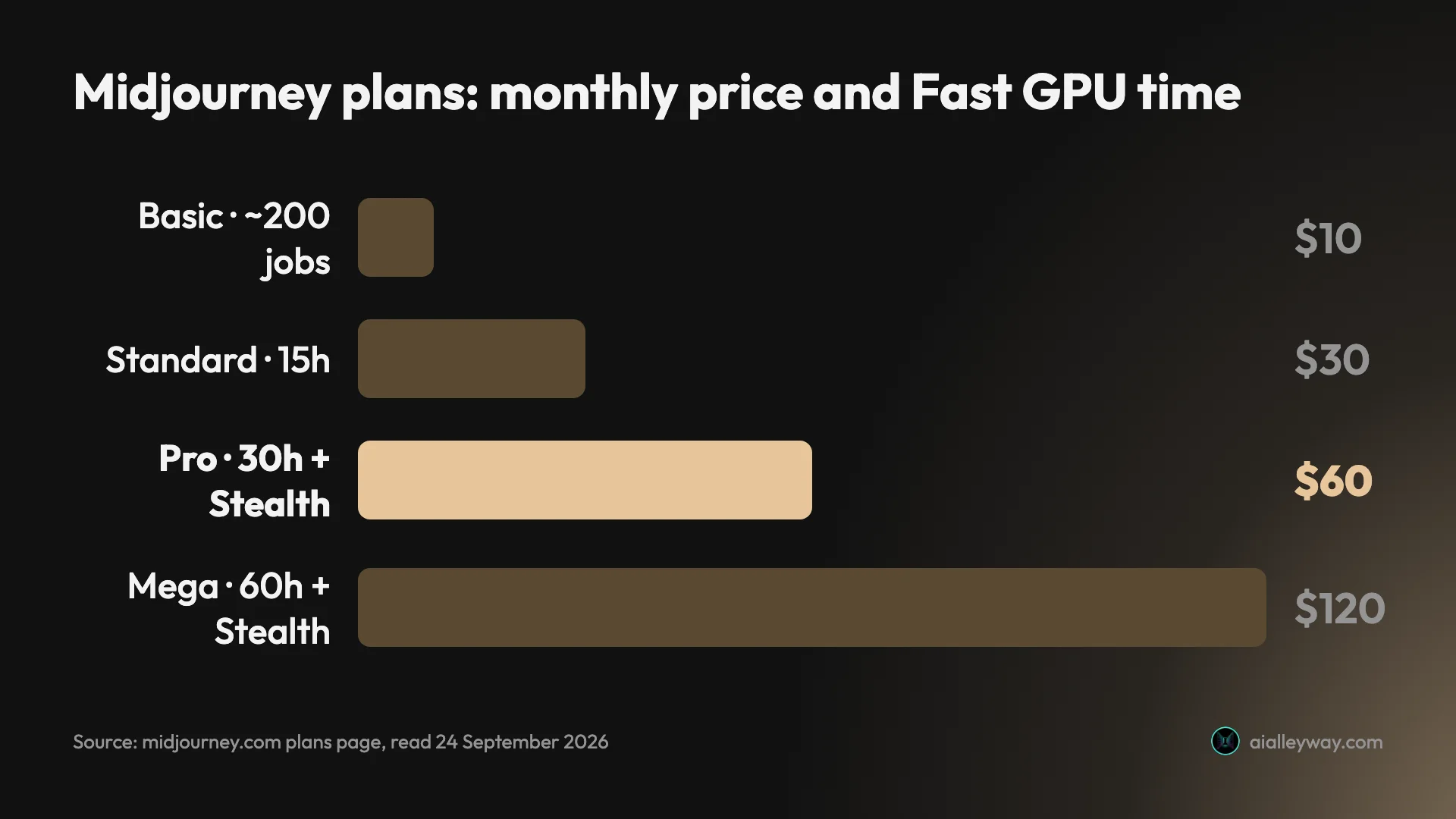
Midjourney sells GPU time, not images: an image job usually uses about one minute of Fast time and returns four images, which is why Basic’s “about 200 image jobs” works out to 800 images. Fast time does not roll over. For the per-job GPU costs, video pricing, refunds and billing traps, see our Midjourney pricing guide.
Relax mode is the real value line
The most important difference between the plans is not Fast hours but Relax mode. From Standard up, Midjourney offers unlimited Relax-mode images, which do not touch your Fast time; they queue for spare GPU capacity instead, with average waits of 0 to 10 minutes according to the FAQ. Relax-mode video is Pro and Mega only.
Basic has no Relax mode at all. So the practical choice for anyone who generates regularly is between $10 for a fixed allowance and $30 for effectively unlimited images at a slower pace. For heavy users, Standard is the plan that changes the economics.
Who is Midjourney for?
- Artists, illustrators and concept designers. Midjourney’s reputation, its sidebar and its V8.2 update all point the same way: style, mood and personal aesthetic are what it is tuned for.
- Anyone building mood boards and visual directions. Moodboards, Personalization and a public Explore page full of prompts make it a strong tool for exploring a look before committing to one.
- Heavy users who can wait. At $30 a month, Standard’s unlimited Relax-mode images are the best value in the lineup if a few minutes’ queue is acceptable.
- Small studios and freelancers under the revenue threshold. Commercial use is allowed on every plan for companies below $1 million in annual revenue.
- Not for private or client work on a budget, or for exact briefs. Everything is public unless you pay $60 for Stealth mode, and Midjourney’s own marketing is about taste, not literal accuracy.
What does Midjourney get right?
Pricing you can understand before you pay
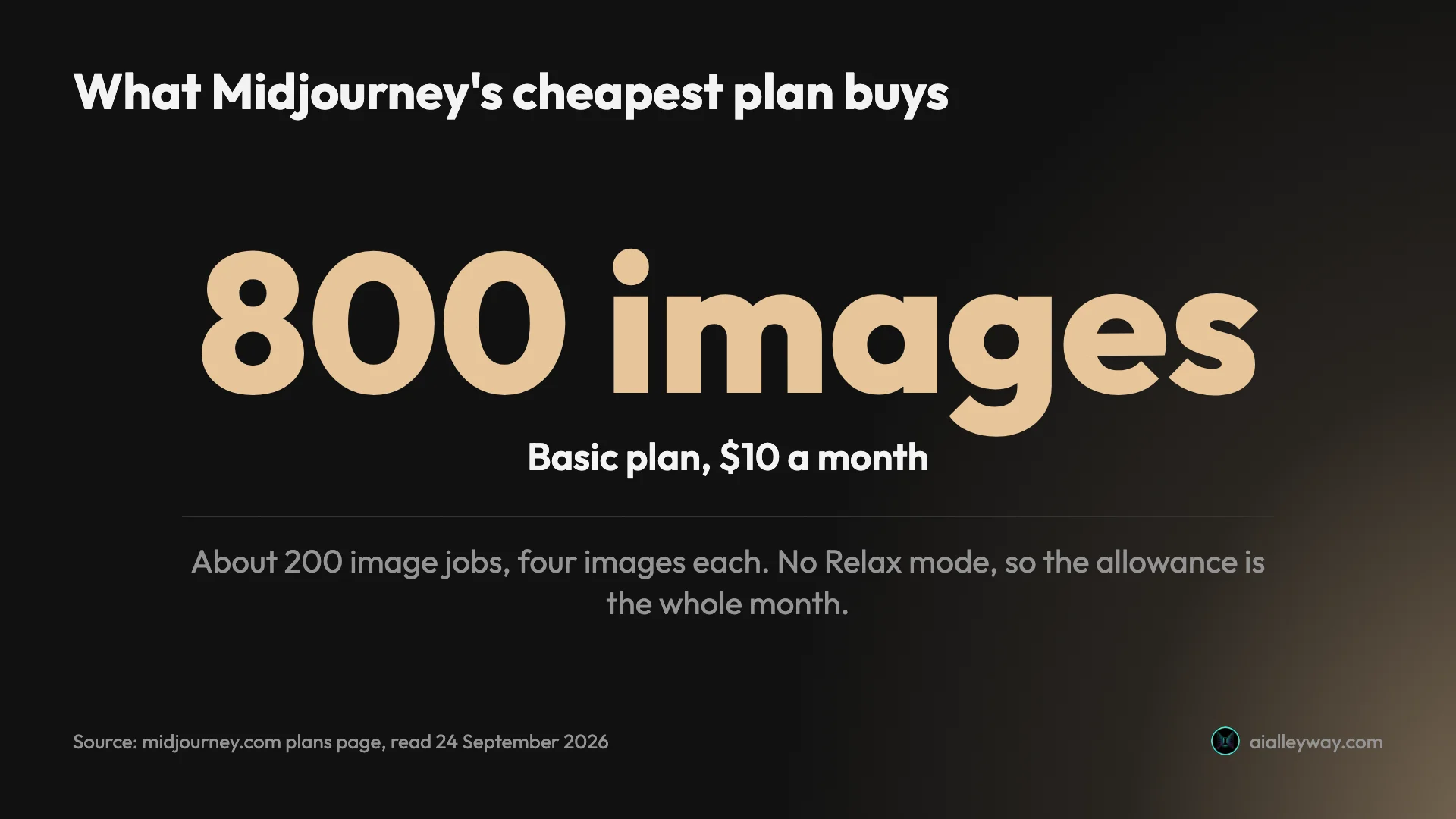
Midjourney’s plans page is one of the clearest in AI imaging. Four tiers, one price each, a flat 20% for yearly billing, and a plain statement of what a job costs in GPU time. The Basic plan even carries a tooltip doing the arithmetic for you: 200 jobs is 800 images.
Compare Adobe Firefly, which sells monthly generative credits, from 2,000 on Standard to 50,000 on Premium, and spends them at different rates depending on the feature and model. Here you know roughly what $10 buys before you type your card number.
Unlimited Relax mode from $30
Unlimited is a word AI companies use carefully, and Midjourney’s version is honest about the trade. Relax mode on Standard and above gives unlimited image generation without spending Fast time, in exchange for a queue. The FAQ puts the average wait at 0 to 10 minutes and says it varies with how much you use it.
For anyone producing volume, that turns Midjourney from a metered service into a flat fee. It is the single strongest value argument the product makes.
A model built around taste
Every recent Midjourney release has leaned into aesthetics. The V8.2 notes in Midjourney’s docs describe an update focused on aesthetics, image quality and Personalization, and the product’s sidebar gives a whole section to Personalize, Moodboards and a Style Creator.
That matches how users describe it. Google’s AI Overview for “midjourney review” summarises the consensus as a cinematic aesthetic with moody lighting and rich textures. I have not tested that myself.
Faster and larger than it used to be
Midjourney’s V8.1 update notes claimed images in about 4 seconds in standard definition and 12 in HD, with HD rendering at four times the resolution of V7. It also claimed better adherence to detailed prompts and better text rendering, areas users have complained about, prompt adherence above all.
Those are the company’s claims, not our measurements. But they are specific, dated and published, and they target a weakness users keep raising, a model that does not always do what it is told.
Editing and references in one model
The V8.2 Edit Model folds three older tools into one. According to the docs it replaces Omni Reference, Character Reference and Retexture, accepts up to four reference images, and powers an Editor that can repaint part of an image or extend it beyond its frame.
Every plan lists “Use Editor on uploaded images”, so even Basic subscribers can bring their own photos in to edit, not just Midjourney’s own generations.
You keep what you make
Midjourney’s FAQ says you own the images and videos you create, even if you cancel, and that cancelling does not delete your images. Cancellation takes effect at the end of the billing cycle, so your plan stays active until then.
That is a cleaner exit than many subscriptions offer, and the Trustpilot reviews Google surfaces for Midjourney single out the cancellation process as straightforward.
Where does Midjourney fall short?
There is no free tier
The paywall appears as soon as you try to do anything beyond browsing, and the cheapest plan is $10.
ChatGPT and Gemini both include image generation on their free plans. Of the three image generators we have reviewed, Midjourney is the only one that asks for money before your first image.
Everything is public unless you pay $60
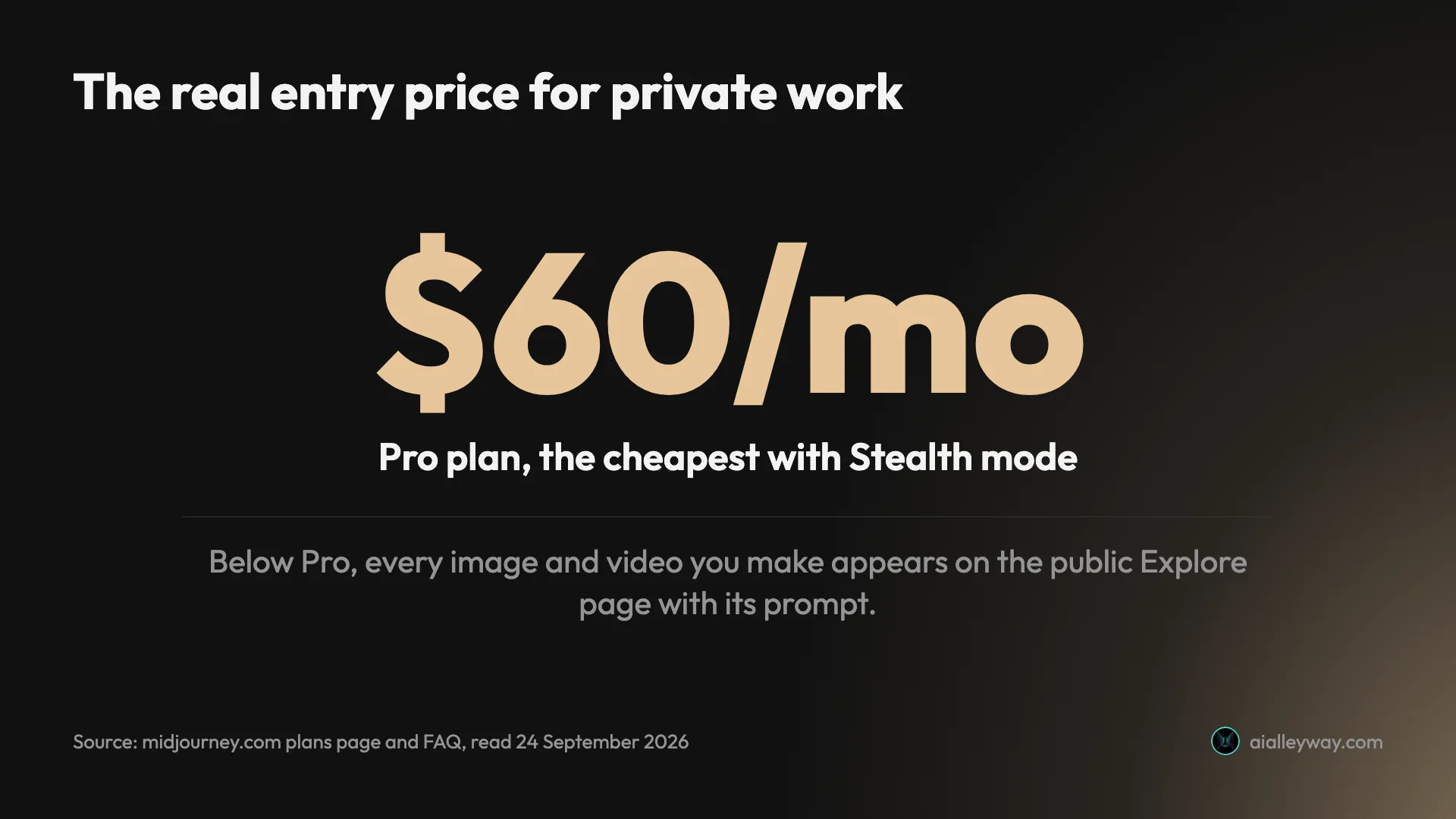
Midjourney calls itself open by default. Its FAQ says every image and video you create can be found on the Explore page, where other members can see the prompt and settings and reuse them.
The way out is Stealth mode, and it starts on the Pro plan at $60 a month, or $48 billed yearly. For client work, unreleased products or anything confidential, the real entry price of Midjourney is six times the advertised one.
Bigger companies must buy the top plans
The Terms of Service add a size condition to ownership. A company, or an employee of a company, with more than $1 million a year in revenue must be on the Pro or Mega plan to own the images it makes.
Combined with the privacy default, that makes the $10 and $30 plans a tool for individuals and small studios. Any company over $1 million in revenue will be on Pro or Mega whether or not it needs the extra GPU time.
Basic has no Relax mode
The $10 plan’s roughly 200 jobs a month are the whole allowance. Relax mode, the feature that makes Midjourney good value, is not available on Basic, so once the Fast time runs out you either buy more or wait for renewal.
For casual users 800 images is plenty. It works out at about seven image jobs a day, which a heavy iteration session can use up in one sitting. Our pricing guide sets out when topping up Basic stops making sense.
Its user ratings are poor
As of 24 September 2026, Midjourney’s Trustpilot page averages 1.6 out of 5 from about 370 reviews. Trustpilot’s own AI summary, based on its 95 most recent reviews, says most reviewers were let down, citing ignored instructions, account bans and unhelpful support, and users in the AI Overview for “midjourney review” point to frustration with support and billing.
Google’s AI Overview does pick out Trustpilot reviewers who found cancelling easy, but that is the only bright spot in Google’s summary.
A copyright case is still running
Disney and Universal sued Midjourney in June 2025, according to court filings reported by Variety, alleging that it trained on their copyrighted characters and lets users reproduce them. The case was still in discovery in July 2026, with Midjourney arguing fair use.
No plan protects you from that dispute. If you use Midjourney commercially, avoid prompting for recognisable characters, logos or brands, and treat anything close to existing IP as a risk.
If Midjourney isn’t right for you
If the lack of a free tier or the public-by-default setting puts you off, these are the alternatives we have tested hands-on.
- ChatGPT Images. The most literal of the image tools we tested, and it spelled every word we asked for. Image generation is on the free plan and in the $20 Plus plan. Our ChatGPT image generator review has the full test.
- Nano Banana (Gemini). Fast, strong at editing, and generous on the free tier, where it took twelve requests without a refusal. Our Nano Banana review covers it, and our Nano Banana vs Midjourney comparison sets the two side by side.
For six options, including Leonardo, Ideogram and open-source Stable Diffusion, see our Midjourney alternatives roundup.
Final word
Midjourney is the image generator people choose for how its pictures look, and its current V8.2 model doubles down on that. Its pricing is one of the clearest in the category: $10 for about 800 images, $30 for unlimited Relax-mode images, and a published exchange rate instead of per-model credit maths.
It stops at 4.1 because the price on the panel is not the price for everyone. There is no free tier, private work starts at $60 a month, and companies over $1 million in revenue must buy Pro or Mega to own what they make. For an individual artist it is an easy recommendation. For client work, or a company over $1 million in revenue, budget for Pro from day one.
The 4.1 rests on that pricing clarity and Midjourney’s reputation for style, not on our own test. Our standard image prompts, run on a paid plan, could move it either way.
Frequently asked questions
Is Midjourney free?
No. Signing in on the web without a plan brings up a panel that says plans start at $10 a month, with a 20% discount on yearly billing, and the plans page offers nothing below that. There is no free tier and no free trial on the plans page I read on 24 September 2026.
What you can do without paying is browse. The Explore page shows other members' images and videos along with their prompts and settings, which is a useful way to see what the model does before you spend anything. Midjourney also lets subscribers earn extra Fast time through its Tasks page, but that is a way to stretch a plan, not a substitute for one.
Is Midjourney worth $10 a month?
For occasional use, yes, if you are happy for your images to be public. Basic's $10 buys about 200 image jobs, or about 800 images, which covers someone making a handful of pictures most days. It has no Relax mode, so once the allowance is gone you buy more time or wait for renewal, and every image appears on Midjourney's public Explore page.
For regular use, the better value is Standard at $30, which adds unlimited Relax-mode images. For client work or a company earning more than $1 million a year, the real entry price is Pro at $60, the cheapest plan with Stealth mode and the one Midjourney's terms require for larger companies. Our Midjourney pricing guide breaks down what every plan buys.
Are Midjourney images private?
Not by default. Midjourney's own FAQ calls it an open-by-default community: every image and video you make can be found on the Explore page, where other members can see the prompt and settings and reuse them in their own work.
The fix is Stealth mode, which hides your creations from other members on the website, and it is only available on the Pro and Mega plans, from $60 a month or $48 billed yearly. For client work, unreleased products or anything under an NDA, that makes Pro the realistic entry point rather than the $10 Basic plan, which is worth factoring in before you subscribe.
Can I use Midjourney images commercially?
Yes, with conditions. Midjourney's FAQ says you own the images and videos you create, even if you cancel, and can use them commercially with a few exceptions set out in its Terms of Service. The most important exception is size-based: a company, or an employee of a company, with more than $1 million a year in revenue must be on the Pro or Mega plan to own its assets.
There is also legal risk that no plan removes. Disney and Universal sued Midjourney in June 2025, according to court filings reported by Variety, alleging that it trained on and reproduces their copyrighted characters, and the case was still in discovery in July 2026. Avoid prompting for recognisable characters or brands in commercial work.
Is Midjourney better than ChatGPT for images?
They are built for different jobs, and we have only tested one of them hands-on. In our ChatGPT image generator review, ChatGPT placed all seven elements of a crowded scene and spelled all fifteen text strings we asked for, which is the job it does best. Midjourney's reputation, and its own marketing, rests on aesthetics and style range rather than literal accuracy, and we have not run the same test on it.
On cost the difference is clear. ChatGPT includes image generation in its free plan, three requests a day in our test, and in its $20 Plus plan. Midjourney has no free tier and its privacy mode starts at $60 a month. Pick ChatGPT for exact briefs and text, Midjourney if the look matters most.
Keep reading
Midjourney Pricing: What $10 to $120 a Month Really Buys
Midjourney pricing runs $10 to $120 a month, $8 to $96 billed yearly. What each plan buys in images, Fast hours and video, plus the refund and expiry traps.
Nano Banana vs Midjourney: Free Precision or Paid Style?
Nano Banana vs Midjourney: Google's model is free, fast and spelled every word right in our test; Midjourney sells style from $10 a month. Which to use.
Midjourney Alternatives: 6 Picks, Two Tested Side by Side
The best Midjourney alternatives in 2026: ChatGPT for exact briefs, Nano Banana for free and fast, plus Leonardo, Ideogram, Stable Diffusion and Playground.
Best AI Image Generator: 8 Picks, Two Tested Head to Head
The best AI image generator is ChatGPT for exact briefs and Nano Banana for free, fast images, both tested. Plus Midjourney, Ideogram, FLUX and three more.