
ChatGPT Plus Image Generation Limit: I Hit the Wall at 155
The ChatGPT Plus image generation limit, tested: 155 images in 101 minutes, then a card locking me out for 24 hours from my first image. Every warning I saw.
Contents
ChatGPT Plus image generation limit: the short answer

The ChatGPT Plus image generation limit is not published, so I measured it. On 3 October 2026, my Plus account made 155 images in 101 minutes before ChatGPT locked image creation with a card reading “You’re out of images”. The card told me to come back at 10:22 the next morning, exactly 24 hours after my first image of the day.
| Question | What I found |
|---|---|
| Images before the limit | 155, from 165 requests |
| Time to reach it | 1 hour 41 minutes |
| When it resets | Card: 24 hours after the first image (10:22 AM); an image worked at 10:29 the next day |
| Warnings before the wall | Short error bursts, one longer pause, a “capabilities reduced” notice |
| What OpenAI publishes | No number; limits “may vary based on system conditions” |
That is more than the 120 a day that ChatGPT’s own free-plan upgrade card advertises for Plus, and far more than the 35 that one Reddit user reported in late September 2026. Your number may differ: OpenAI says Plus limits vary with demand. What follows is exactly what I saw, minute by minute, and what it means for how you plan a day of image work.
What OpenAI says about the Plus image allowance
OpenAI publishes no image number for Plus. Its help page on ChatGPT Plus lists image generation among the plan’s features and then says only that “Plus subscriptions may include usage limits such as message caps, especially during high demand. These limits may vary based on system conditions.”
The Images in ChatGPT help page adds two useful facts. Images are available on every tier, free included. And “Images with thinking”, the setting that plans a complex picture before drawing it, is limited to Plus, Pro and Business. The model behind all of it is ChatGPT Images 2.5, which OpenAI released on 8 September 2026 to replace Images 2.0, so pages that still talk about DALL-E or GPT-4o limits describe an older system.
The only number OpenAI puts in front of users comes from the free plan. When my free account ran out after three requests in September, its card said: “Upgrade to Plus for 120 advanced images per day.”
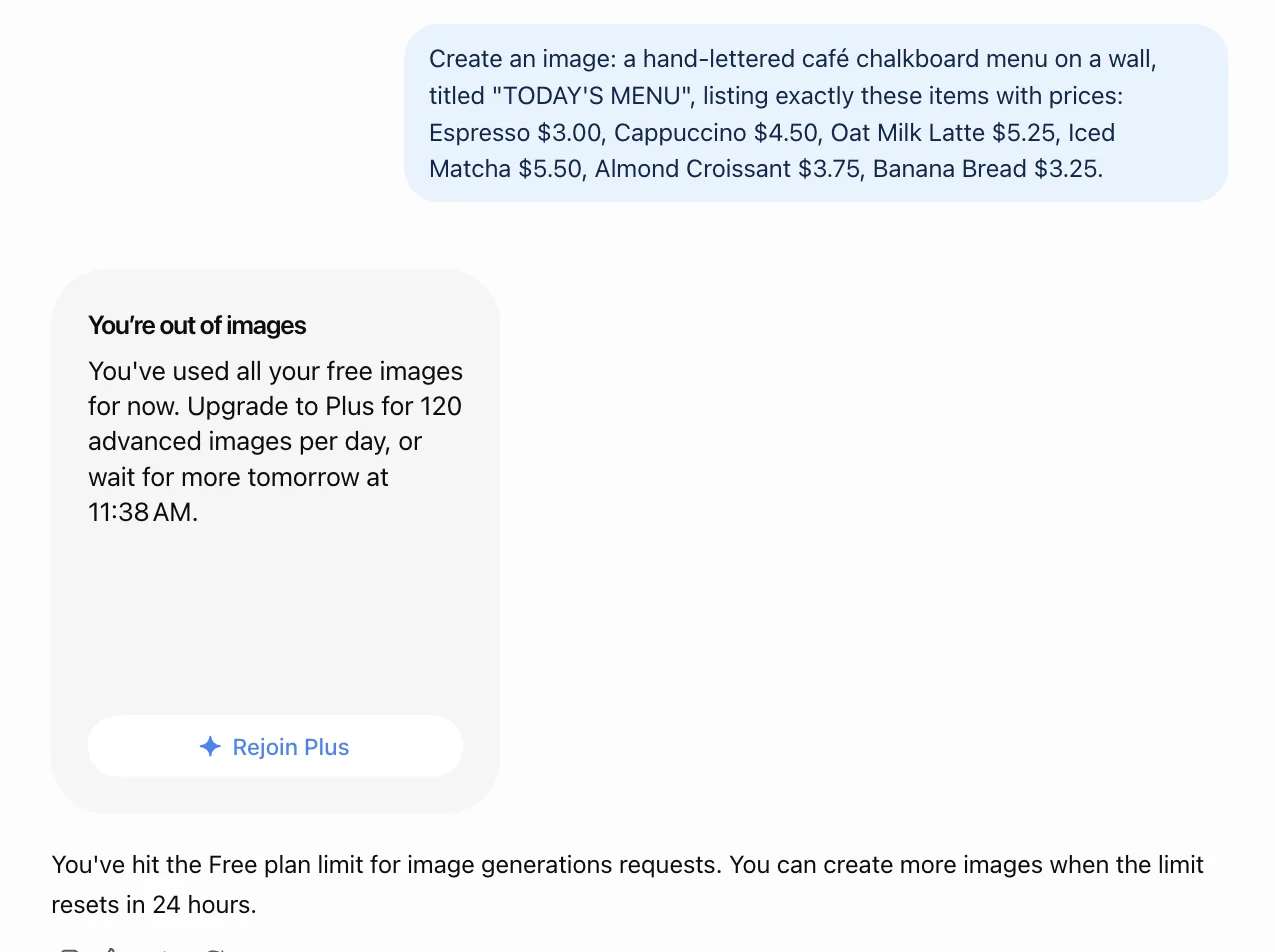
That is a sales line on a free account’s lock screen, not a policy page, but it is the closest thing to an official figure. What I can add from my test is how the limit behaved:
- The card pointed to 24 hours after my first image, not midnight. An image request at 10:29 the next morning worked, so the lock had lifted by then; I did not try before 10:22.
- Four pictures in one message came back as one image. My second request asked for four separate images and got one 2x2 grid.
- Warnings came first. Errors, a pause and a reduced-capabilities notice all came before the real lock.
- The lock is explicit. When it arrived, ChatGPT said so and gave an exact time to come back.
The test: 155 images in 101 minutes
I wanted the real ceiling, so I ran my Plus account until it stopped. Nearly every request asked for a simple picture: “a minimalist flat illustration of a red apple on a plain cream background”, then a teapot, a watering can, a sailboat and so on through a list of everyday objects. Simple prompts kept each image quick to make, which should give the limit its best chance of being generous.
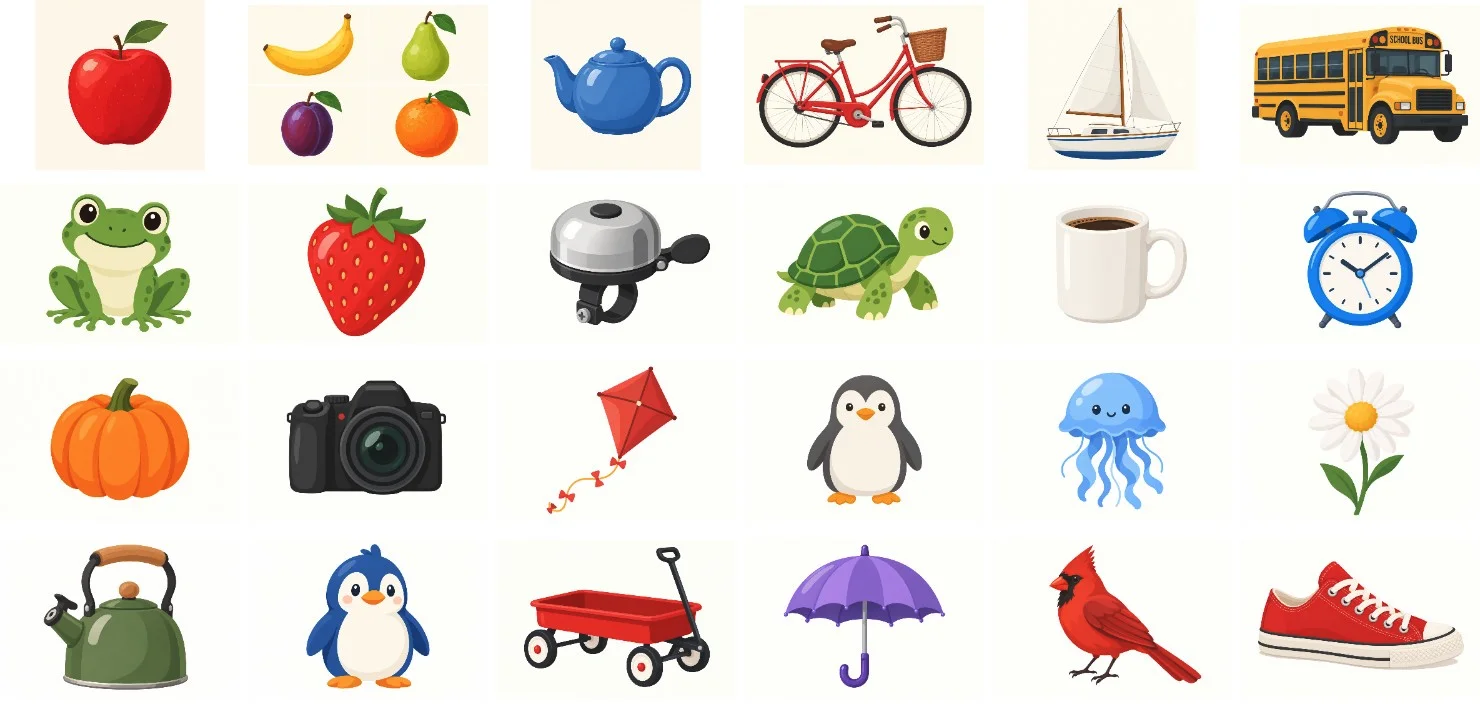
Requests went one at a time: a small script in my browser typed the next prompt as soon as the previous image had finished, so ChatGPT never had two images in flight. Back to back, each simple image took about 22 to 30 seconds. Counting the errors, the pauses and a slow start while I fixed the script, the 155 images averaged about 39 seconds each. The default Instant mode was on throughout. I did not use thinking mode, edits or uploads.
To count accurately I did not rely on the screen. Afterwards I read both conversations’ own records in the browser and walked through every request: 165 requests in all, ten of which got an error reply, one of which returned two images, and the last of which got the lock. That makes 155 images: 117 in the first chat and 38 in the second. Most came out landscape at 1536 by 1024 pixels, and 35 were square at 1254 by 1254.
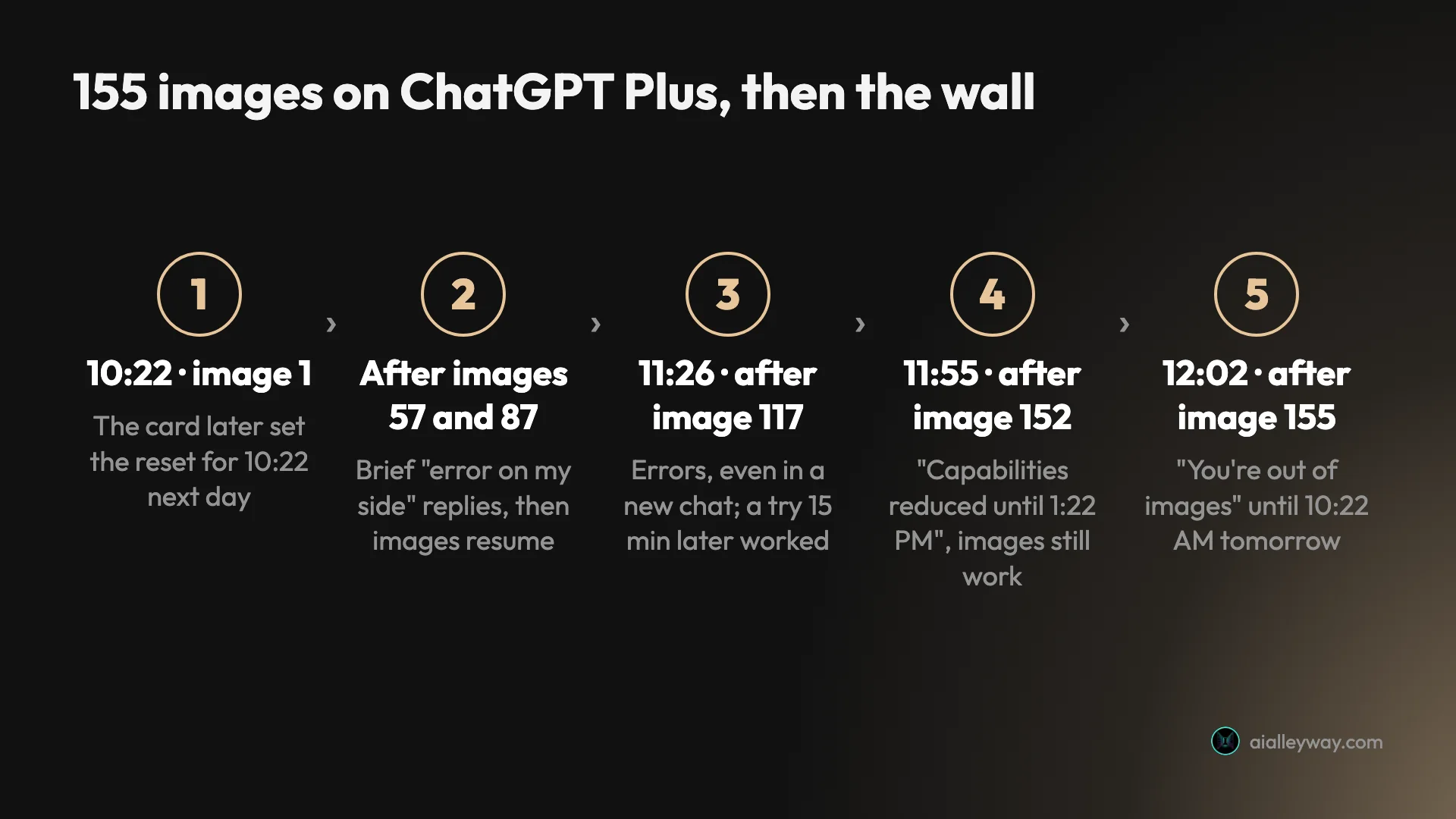
The run was not smooth all the way, and the bumps are the useful part. Here is the sequence, in my local time:
| Time | Images so far | What ChatGPT did |
|---|---|---|
| 10:22 | 1 | First image of the day |
| 10:23 | 2 | Asked for four pictures, got one 2x2 grid; a “Create images faster with Pro” banner appeared |
| 10:56 | 57 | Four error replies in about a minute, then images resumed |
| 11:11 | 87 | Two error replies, then images resumed |
| 11:26 | 117 | Four requests failed, including one in a brand-new chat; the next try, at 11:41, worked |
| 11:55 | 152 | ”Capabilities reduced until 1:22 PM”, images kept working |
| 12:02 | 155 | ”You’re out of images. Try again tomorrow at 10:22 AM” |
The four messages ChatGPT shows on the way
The limit does not arrive as one clean message. ChatGPT gave me four different signals, and only the last one was the actual limit. Knowing which is which saves a lot of guessing.
”Create images faster with Pro”
The first nudge came after my second request, long before any limit: a small banner reading “Create images faster with Pro. Upgrade to Pro and spend less time waiting across your image workflow.” It is an advert. It did not slow anything down, and images continued for another hour and a half.
”I wasn’t able to generate the image due to an error on my side”
This is the confusing one. After image 57, ChatGPT answered four requests in a row with that sentence and no picture. A minute later images were coming again as if nothing had happened. The same thing happened after image 87.
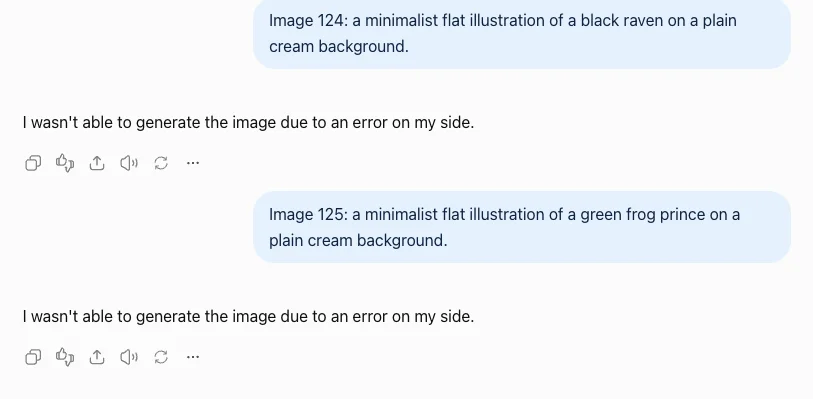
After image 117 it looked more serious. Four requests in a row failed, including the first request in a brand-new chat, so it was not something wrong with one conversation. I stopped sending, and when I tried again 15 minutes later, at 11:41, I got a pear, with no message in between to say anything had changed. It looked like a hard limit, gave no reset time, and was not one.
I cannot tell you what these errors were. They may have been ChatGPT slowing down a fast user, or ordinary capacity problems at a busy moment. What I can say is that each time a pause of up to 15 minutes cleared them, and that the real limit, when it came, said so plainly.
”Capabilities reduced until 1:22 PM”
After image 152, a line appeared under the reply: “Capabilities reduced until 1:22 PM. Responses may have lower quality”, with an Upgrade to Pro button. 1:22 PM was exactly three hours after my first image.
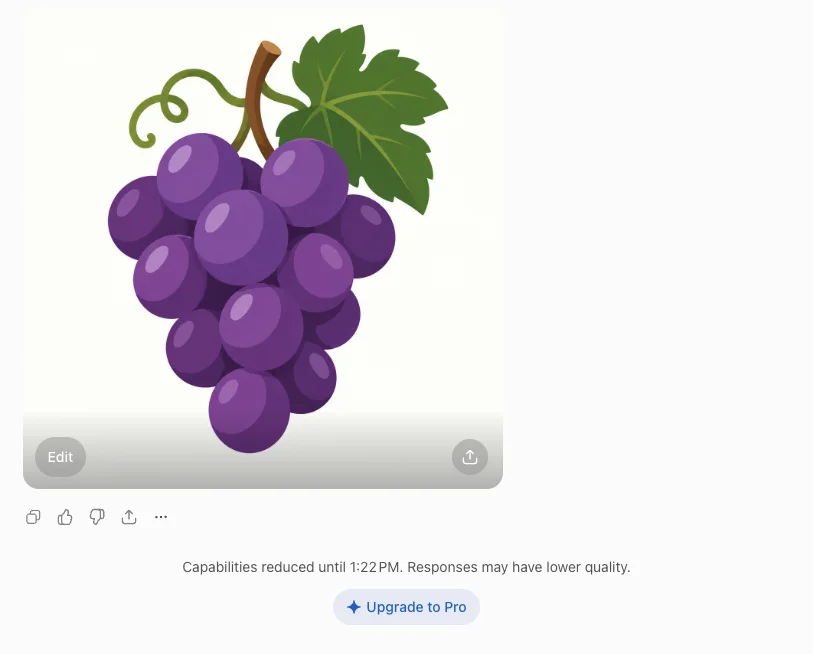
It did not stop images. My next request, a carrot sent about five minutes later, came back normally. The notice talks about responses, so it may mean ChatGPT moved my chats to a lighter model for a while, but OpenAI does not say what is reduced. This three-hour window may be where the widely repeated “50 images every three hours” figure comes from.
”You’re out of images”
Three images later came the real thing: a card reading “You’re out of images. You’re out of image creations for now. Try again tomorrow at 10:22 AM”, with an Upgrade to Pro button. Under it, ChatGPT added: “You’ve hit the Plus plan limit for image generations requests. You can create more images when the limit resets in 22 hours.”
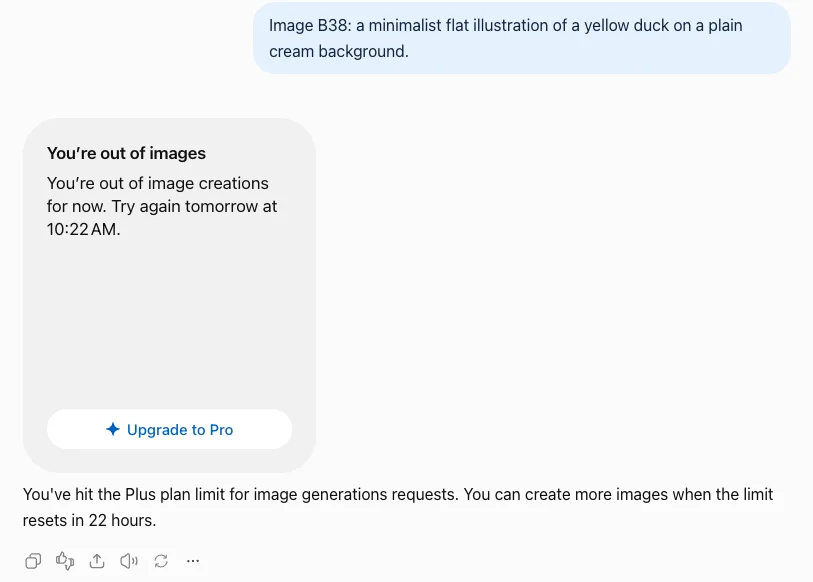
Reset time: the card said 24 hours after your first image
The reset time on the card was 10:22 AM, and my first image had been at 10:22 AM. So the window the card described ran for 24 hours from my first picture, not to midnight or any other fixed hour. The “22 hours” in the text reply is the same deadline counted from when I hit the limit, at 12:02.
The free plan behaved the same way. When my free account ran out in September, my first image had been at 11:37 and the card offered more at 11:38 the next day.
One run cannot show whether each image ages out separately or the whole allowance returns at once. Either way, the practical point holds: if you start early and burn through your allowance by lunchtime, the card sends you to the same time tomorrow morning, not tonight. I checked. At 10:29 on 4 October, seven minutes after the card’s time, I sent one image request in a new chat and ChatGPT made the picture without a warning. I did not try before 10:22, so this shows the lock had lifted by 10:29, not the exact minute it lifted, and one image does not show whether the full allowance came back.
Which ChatGPT limit did you hit?
ChatGPT has several separate limits, and only one of them is the image limit. OpenAI’s free-tier help page says image generation has its own usage limits and that ChatGPT will notify you when you reach one. In my test, that notice was the out-of-images card.
Settings has a Usage page with a five-hour limit and a weekly limit, each with a progress bar, and it is easy to assume those count your images. They do not. When I checked the page about 15 minutes after my image lock, both bars still read 100% left.
The page explains why. Those limits are “Shared across Codex, Work, Workspace Agents, and ChatGPT for Excel. Chat conversations are not included.” Images made in a normal chat do not show up there. The same page offers a one-off “full reset” of the five-hour and weekly limits. Since images are not part of those limits, I would not expect it to bring images back, and I did not use mine to find out.
| What stopped | Where you see it | What it means |
|---|---|---|
| Image creation | A “You’re out of images” card in the chat | The image limit; wait for the time on the card, or switch tools |
| Images, briefly | ”Error on my side” replies | A pause; try again after a few minutes, up to 15 in my test |
| Response quality | ”Capabilities reduced until…” | Not the image limit; images kept working |
| Codex, Work and agents | Settings, Usage bars | A different allowance; chat images are not counted |
| Images from the API | Your API account | Separate rate limits by usage tier |
As far as I could find, ChatGPT shows Plus users no image counter, so the only signals are the ones in the chat itself. If you are running a big batch, keep your own count. Back to back, a simple image took me 22 to 30 seconds, which gives you a rough way to estimate how far through a session you are.
What counts toward the limit
ChatGPT’s text reply calls it a limit on “image generations requests”. The card came after my 155th image and my 165th request, and one run cannot show which of the two the limit counts. Ten of those requests ended in errors with no picture, and one returned two images. OpenAI does not say how either is counted.
What I did see is that asking for “four separate images” of four fruits produced a single image with the four arranged in a 2x2 grid. If you want several variations, asking for them in one message gets you one picture.
Things I did not test on Plus:
- Edits. Not tested on Plus; see the pitfalls below for what happened on the free plan.
- Thinking mode. Images with thinking take longer and may draw on the allowance differently. My test used the default Instant mode only.
- Larger or more complex images. My prompts were deliberately simple. Busy scenes take longer, so in practice you will make fewer images per hour, but the daily count may be the same.
Why everyone reports a different ChatGPT image limit
Search for the ChatGPT image limit and you will find at least four answers, all stated with confidence.
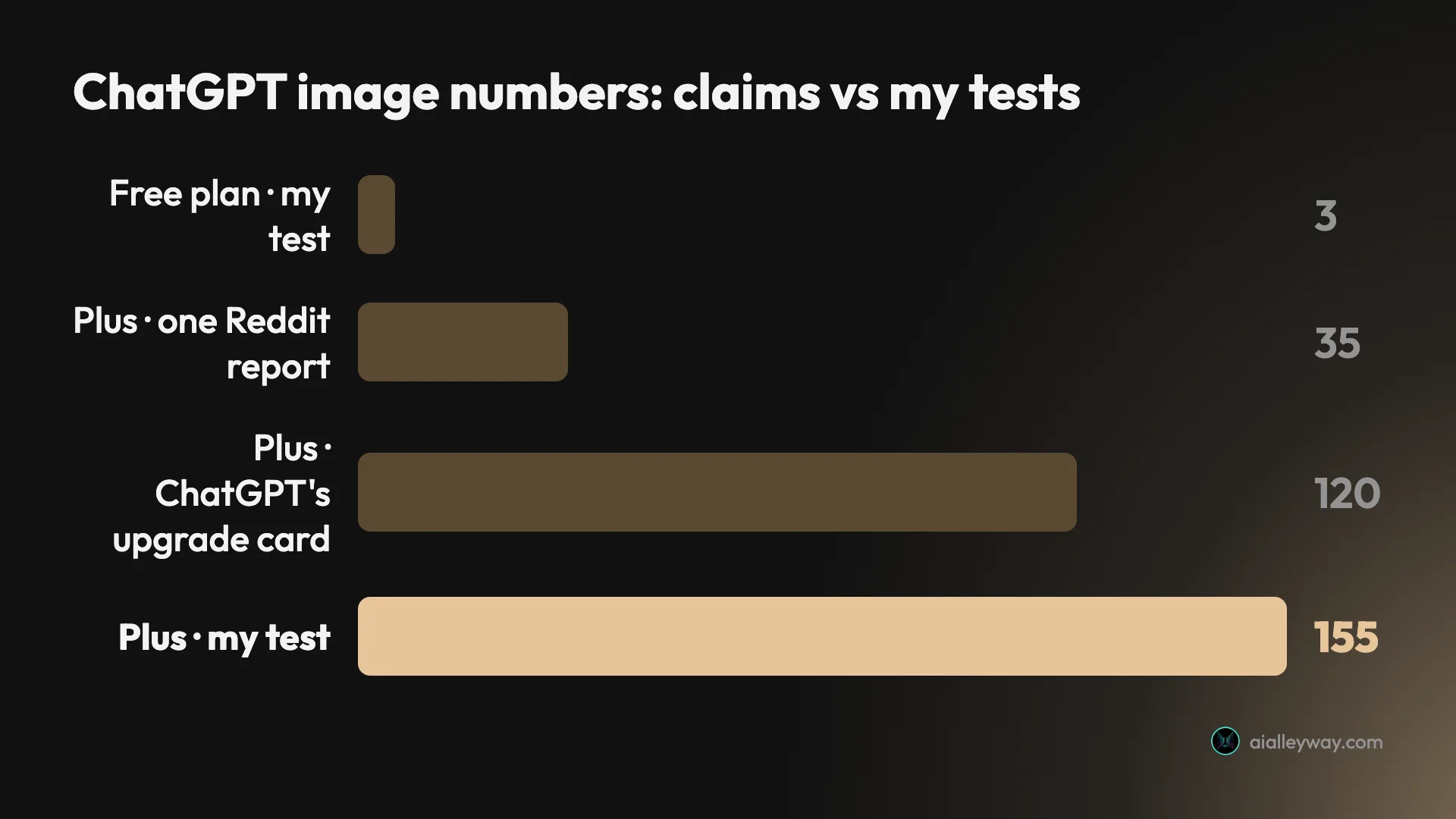
- 120 a day. This is the figure on the free plan’s upgrade card. It reads like a promise of a daily allowance, and my test went past it.
- About 50 every three hours. Google’s AI Overview gives this figure. My three-hour “capabilities reduced” notice is a plausible source, but images kept working through it.
- 35, then a 23-hour lock. A post in r/ChatGPT a few days before my test said: “For the past two days, I have gotten a 23 hour reset window after generating 35 images. I have ChatGPT plus.” Other threads ask whether the Plus image limit was “reduced by half”.
- 155. My own count, on 3 October 2026.
These can all be true at once. OpenAI’s help page says Plus limits “may vary based on system conditions”, which means the allowance can tighten when demand is high and loosen when it is not. A user generating at a peak hour may well hit the wall at 35, and someone running simple images on a quiet morning may get past 150.
So the honest answer is a range, with one measured point in it. Plan on dozens of images a day, not hundreds, and treat anything above 100 as a good day.
What a day’s Plus allowance buys
Even at the low end of the reports, Plus is a lot of images for $20 a month. Some rough sums, assuming you could use the allowance every day:
| If you make | Per day | Per month | Cost per image on Plus |
|---|---|---|---|
| A few images for posts | 5 | 150 | About 13 cents |
| A daily batch for social media | 20 | 600 | About 3 cents |
| The low community report | 35 | 1,050 | About 2 cents |
| My test’s ceiling | 155 | 4,650 | Under half a cent |
Those are best cases. The 155 came from simple illustrations made one after another for an hour and a half. Real work involves complex prompts that take minutes, edits and second attempts, and each of those uses an image too. A designer iterating on one poster might use 20 images to get one keeper.
The other way to think about it is time. Even with each simple image taking under half a minute, 155 images took me 101 minutes once the pauses were counted. Most people will never sit and generate for that long in a day, so the limit you are more likely to meet is the error-and-wait slowdown, not the lock.
Pitfalls when you push the Plus limit
These are the traps that the plan page and the upgrade card do not mention.
The Usage page says 100% left
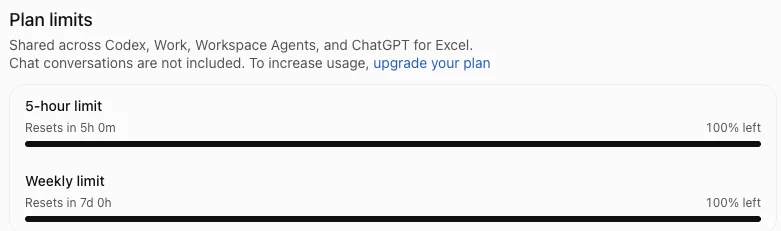
Settings, Usage looks like the place to check your allowance, and after my image lock it still showed both bars full. Its own small print says chat conversations are not included. Do not plan an image session around those bars.
The 120 on the upgrade card is not a floor
The free plan’s card promises “120 advanced images per day” on Plus, but OpenAI’s Plus help page says limits “may vary based on system conditions”. My account went past 120. A Reddit user was stopped at 35. Budget for the low end if a deadline depends on it.
Plan your prompts before you iterate
When my free account ran out in September, one of its three requests had been an edit of an earlier picture. I did not test edits on Plus, but if it works the same way, each round of “make the sky darker” costs as much as a new image. Get the first prompt as complete as you can.
An error reply is not the limit
“I wasn’t able to generate the image due to an error on my side” sounds like a fault. In my test it was a pause that cleared on its own, within a minute twice and within 15 minutes the third time. Wait, then try once, rather than resending the same prompt.
Temporary Chat cannot make images
When I tried ChatGPT’s Temporary Chat on Plus in September, set to ignore memory, it replied that it could not create images in that mode. If image requests suddenly produce text only, check that you are in a normal chat.
Which plan, and when to stop paying
The right plan depends on how many images you actually make, not on the advertised allowance.
| Plan | Price | Images in a day |
|---|---|---|
| Free | $0 | 3 requests in my test |
| Go | $8 a month (US) | OpenAI promises a tenfold rise on free; not tested |
| Plus | $20 a month | 155 in my test; no published number |
| Pro | From $100 a month | ”Unlimited subject to abuse guardrails”, per ChatGPT’s upgrade dialog |
- A few images a week: the free plan, plus a second free tool for overflow. Three a day covers occasional use.
- A handful most days: Go at $8 is the cheapest step up for images alone. OpenAI’s launch post promised it tenfold the free plan’s image creation; if free allows three a day, as it did for me, that would be about 30.
- Image work every day, or you want thinking mode: Plus. Even the low reports leave room for dozens of images a day, and Images with thinking is a Plus feature.
- You hit the Plus lock regularly and it costs you money: Pro is the only ChatGPT plan described as unlimited, at five times the price of Plus. OpenAI’s free-tier help page says upgrading from Free resets the limits; I did not test whether moving from Plus to Pro clears a Plus lock.
- Skip upgrading to Pro if you only hit the Plus limit once in a while. Waiting until the reset time, or switching tools for the afternoon, costs nothing.
Our ChatGPT Plus vs Pro comparison covers what else the bigger plan changes, and our free ChatGPT image generator guide covers the free plan’s three-a-day limit in detail.
Where to make images after the lock
When ChatGPT locks you out, the quickest fix is another image generator for the rest of the day. Two of Google’s are free and good enough to carry on with.
| Option | Cost | What I found |
|---|---|---|
| Gemini app | Free | Default mode faster than ChatGPT on detailed prompts in September |
| Google Flow | 50 free credits a day | Nano Banana Pro images cost my free account no credits |
| OpenAI API | Per token | Same ChatGPT image models; rate limits by usage tier |
The Gemini app makes images free: its default mode uses Nano Banana 2 Lite, and its Pro mode uses Nano Banana 2. On the detailed prompts in our Nano Banana vs ChatGPT test, its default mode was faster than ChatGPT and spelled text just as accurately, though it followed a crowded brief less exactly, 5 of 7 elements against ChatGPT’s 7 of 7. Google Flow, Google’s image and video studio, gave my free account Nano Banana Pro images without spending any of its 50 daily credits. Our Nano Banana Pro free guide shows how to set that up.
If you are building images into a product rather than making them by hand, the ChatGPT limit is the wrong thing to fight. OpenAI sells the same image generation through its API as gpt-image-2.5-flare and gpt-image-2.5-sunburst, priced per token rather than per subscription, and its help centre describes API image rate limits by usage tier rather than a ChatGPT-style daily card. Our ChatGPT image generator review covers the API models.
Neither Google tool is a perfect substitute for a specific ChatGPT look, but for drafts, social images and anything you are still iterating on, they keep you working until the time on your own card.
The final word on the ChatGPT Plus image limit
ChatGPT Plus has an image limit, OpenAI will not tell you what it is, and on 3 October 2026 mine was 155 images. The card sent me away until 24 hours after my first image, and three kinds of warning came before it, none of which was the real thing. Expect your own number to move with demand, plan for dozens of images a day rather than hundreds, and keep a second tool ready for the afternoons when the card appears. Our best AI image generator guide ranks ChatGPT against seven other tools.
Frequently asked questions
How many images can I generate using ChatGPT Plus?
OpenAI does not publish a number. On my Plus account on 3 October 2026, ChatGPT made 155 images in 101 minutes before it showed a card saying I was out of image creations until the next morning.
The free-plan upgrade card advertises 120 images a day on Plus. A Reddit post in late September reported 35 a day, and Google's AI Overview gives about 50 every three hours. OpenAI's Plus help page says limits may vary based on system conditions, so treat 155 as one real result, not a guarantee.
When does the ChatGPT Plus image limit reset?
ChatGPT's card set it 24 hours after the first image of my run. My first image was made at 10:22 in the morning, and the out-of-images card told me to try again tomorrow at 10:22 AM. A text reply under the card said the limit resets in 22 hours, because I hit it at about 12:02.
So the window did not end at midnight. It ran from my first image, the same pattern I saw on the free plan, where the card's reset time was a day and a minute after my first picture. At 10:29 the next morning, seven minutes after the card's time, I asked for one image and got it, so the lock had lifted by then.
Does the ChatGPT Plus image limit reset every three hours?
Not for images in my test. I saw a three-hour notice, but it was a different thing. After 152 images, ChatGPT said "Capabilities reduced until 1:22 PM. Responses may have lower quality", exactly three hours after my first image, and image generation carried on working.
The hard image lock came three images later and pointed to the next morning, 24 hours after my first image. Reports of a three-hour image allowance may describe that reduced-capabilities notice, or an older version of the limits.
How do I bypass the ChatGPT image generation limit?
There is no workaround I found short of waiting, upgrading or switching tools. OpenAI's free-tier help page says a free user who upgrades to Plus, Pro or Business gets the limits reset; whether Plus to Pro does the same, I did not test. ChatGPT's own card offers Pro, which OpenAI describes as unlimited subject to abuse guardrails, from $100 a month.
For most people a second tool is the practical answer. Google's Gemini app makes images free, and Google Flow gave my free account Nano Banana Pro images at no credit cost.
Does ChatGPT have limits on image generation?
Yes, on every plan except possibly Pro. My free account was stopped after three image requests in a day, and my Plus account after 155 images. OpenAI's help pages describe limits without numbers: Plus may include usage limits that vary based on system conditions.
ChatGPT tells you when you reach the limit with a card that gives an exact reset time. Before that, on Plus, you may see short-lived errors that pause images and a reduced-capabilities notice that does not stop them.
Is ChatGPT Plus worth it for image generation?
If you make images most days, yes. At $20 a month, a plan that allowed 155 images in a day is cheap per picture, and Plus adds Images with thinking, which OpenAI limits to Plus, Pro and Business. Even at 20 images a day, that works out to about three cents an image.
If you only need a few images a week, it is harder to justify for images alone. The free plan gave me three a day, and free alternatives such as the Gemini app are more generous.
Do failed images count toward the ChatGPT Plus limit?
I cannot say. The card came after 155 images and 165 requests: ten requests ended in an error reply with no picture, and one request returned two images. One run cannot show whether the limit counts images or requests, and OpenAI does not say.
What I did see: asking for four separate pictures in one message gave me one image with the four arranged in a grid.
Keep reading
ChatGPT Image Generator Free: The Limits, Tested
Is the ChatGPT image generator free? Yes, with an account: my free plan allowed three image requests, then locked for 24 hours. What free gets, and when to pay.
ChatGPT Image Generator Review: Perfect Text, Pushy Slogans
I tested the ChatGPT image generator (Images 2.5) with 12 prompts on Free and Plus. It spelled all 15 text strings right, and added slogans I never asked for.
ChatGPT Plus vs Pro: there are now three prices, not two
ChatGPT Plus costs $20; Pro is $100 or $200. OpenAI publishes the 5x and 20x multipliers but never the base they multiply, and only one tier is a discount.
Nano Banana vs ChatGPT: 12 Prompts, Two Different Winners
Nano Banana vs ChatGPT, tested with the same 12 prompts: ChatGPT follows a brief exactly, Nano Banana is faster and free. Which one to use, and when.