
Best vibe coding tool: 8 tools, one brief, every app used
The best vibe coding tool, measured rather than listed. I gave eight tools one identical six-requirement brief and used every app they built. All eight passed.
Contents
The best vibe coding tools at a glance
Best overall: Lovable. It turned one paragraph into a working app in 109 seconds and got all six requirements right on the first attempt.
Best free: Google Antigravity. Free indefinitely rather than a trial, and one of only two tools here that tested its own work.
Best if you already write code: Claude Code. The best output of the eight, and the one that will least tolerate being treated like a magic box.
I gave eight tools the same brief. Not a feature comparison, not a scrape of their pricing pages — one paragraph containing six numbered requirements, handed over verbatim with no follow-up prompts, and then I used every app that came back.
All eight passed. Every one of them met all six requirements on the first attempt. That result is the most useful thing in this post, because it means the question “which tool is most capable?” has no answer worth arguing about at this size of task. The interesting differences are elsewhere: how long it took, what it cost, what it handed you at the end, and whether anything verified the result.
How I picked: one brief, eight tools
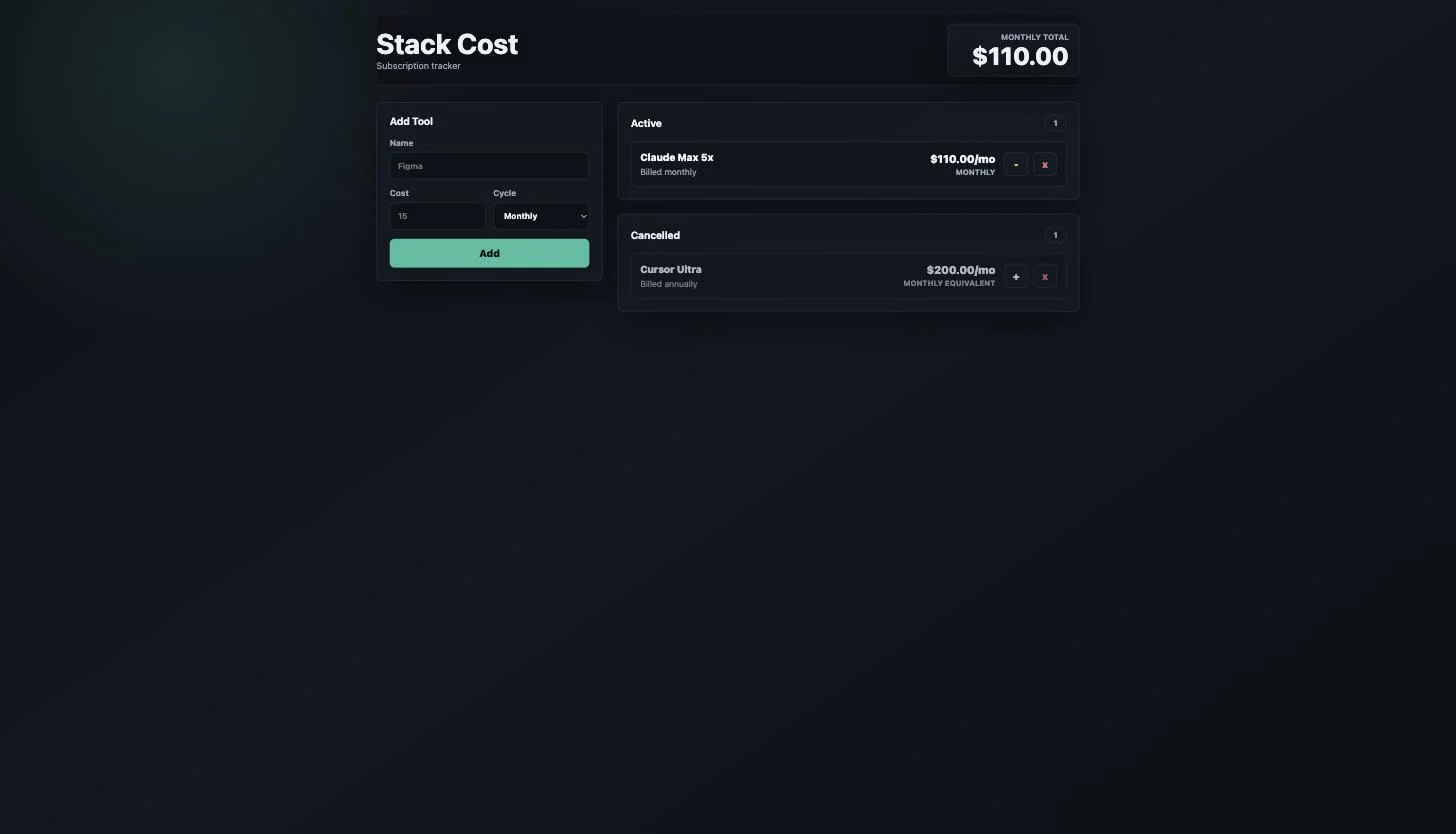
The brief asked for a subscription tracker. Add a tool with a name, cost and billing cycle; show a monthly equivalent for annual plans; keep a running monthly total; let a subscription be cancelled without deleting it; persist across a reload. Six requirements, two of which were written specifically to be fumbled.
The first trap was an annual price of $2,400 that had to be derived to $200.00 a month rather than displayed as typed. The second was a cancelled state that had to leave the running total but stay visible. Both are the kind of thing a tool can appear to satisfy while getting wrong, which is why I checked every app by using it — adding subscriptions, cancelling them, watching the total move, then hard-reloading the page — rather than reading the tool’s own summary of what it had done.
That last point matters more than it sounds. In a parallel test on a different task, one tool’s summary reported six changed files where git showed seven. Grading the transcript instead of the artefact is how most tool comparisons go wrong.
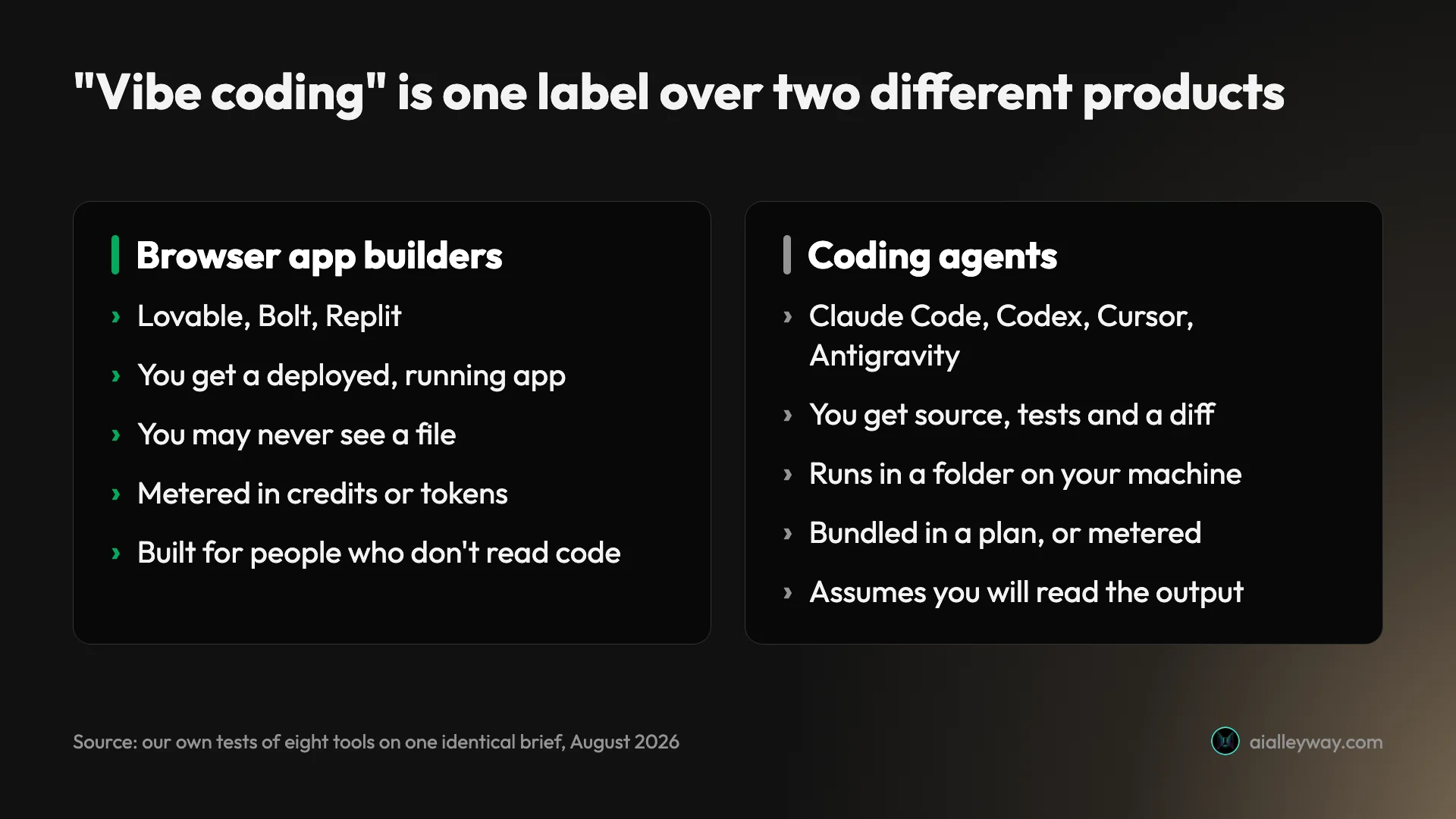
One thing became obvious once all eight results were side by side: “vibe coding” is a single label covering two genuinely different products. Browser builders like Lovable, Bolt and Replit take your prompt and hand back a deployed, running app — you may never see a file. Coding agents like Claude Code, Codex, Cursor and Antigravity work inside a folder on your machine and hand back source, tests and a diff. Google’s own AI summary splits its answer the same way, and most roundups do not.
If you do not write code, the second group will frustrate you regardless of how good it is. That is not a knock on it. It is a different job.
Two things every single tool did are worth more than any individual verdict, because a behaviour eight independent products share is a property of the category rather than a quirk of one vendor.
All eight invented a Restore button. The brief asked for cancellation. It said nothing about undo, nothing about reinstating a cancelled subscription, and nothing about a restore action of any kind. Every tool built one anyway. That is a useful thing to know before you write a spec for one of these: they fill perceived gaps confidently and without flagging it, so the app you receive will contain decisions you never made. On a prototype that is harmless and occasionally welcome. On something a client signs off, it means the spec and the software have quietly diverged and nobody told you.
Six of eight verified nothing. Only Claude Code and Antigravity wrote a test, and both are agent-first developer tools — every product shaped like an assistant wrote code that nothing checked. The apps still worked. But “it worked when I clicked it” is the entire quality guarantee you are getting from three quarters of this category, and that is a very different proposition from the one the marketing implies.
Named here but not tested, and labelled as such throughout: v0, Base44 and Windsurf. They appear repeatedly in competing roundups and I have not put them through this brief, so they get no time, no line count and no verdict from me. I would rather leave a gap than fill it with a guess.
The eight tools compared
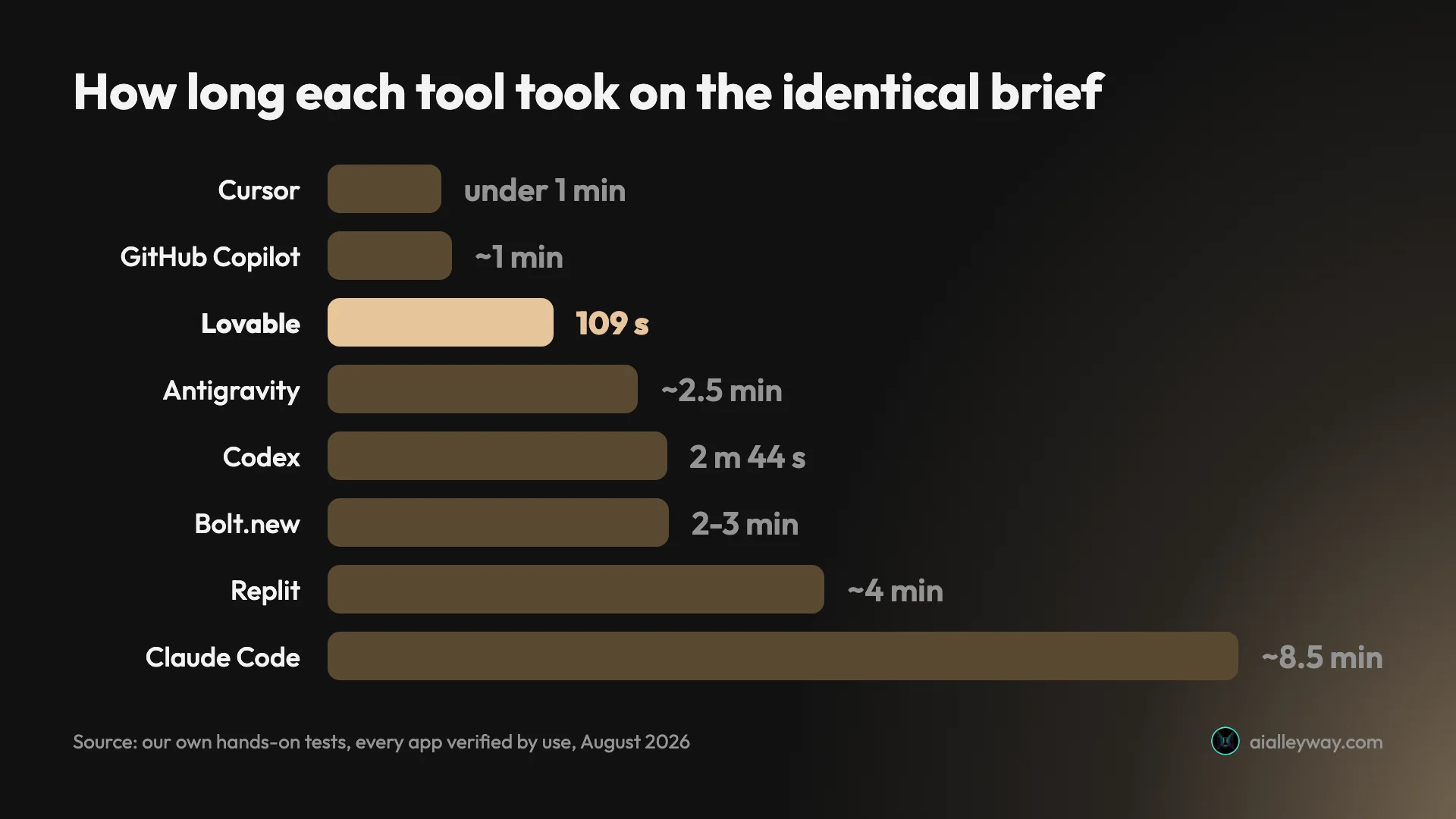
| Tool | Result | Time | Output | Cost of this build | Wrote tests |
|---|---|---|---|---|---|
| Lovable | 6/6 | 109 s | Deployed app | Free tier credits | No |
| Bolt.new | 6/6 | 2–3 min | Deployed app | 100,000 tokens (~25¢) | No |
| Replit | 6/6 | ~4 min | Deployed app | 1 checkpoint = 31% of a day | No |
| Claude Code | 6/6 | ~8.5 min | 1,052 lines + tests | ~$2.56 | Yes — 28 assertions |
| Antigravity | 6/6 | ~2.5 min | 2,894 lines | $0 | Yes — 6 assertions |
| Codex | 6/6 | 2 min 44 s | 585 lines, one file | $0 (bundled) | No |
| Cursor | 6/6 | under 1 min | 581 lines | $0 (free Hobby) | No |
| GitHub Copilot | 6/6 | ~1 min | 468 lines, browser artifact | $0 (free tier) | No |
Two numbers in that table are worth sitting with. Antigravity wrote 2,894 lines for the same six requirements that GitHub Copilot satisfied in 468 — about six times the code for an identical result. And of eight tools, exactly two wrote a single test.
Neither of those is visible from a pricing page, and neither shows up in a feature comparison, which is why I think this table is worth more than the rankings underneath it. The line-count spread in particular has no relationship to quality: the shortest answer and the longest answer both passed all six requirements, so the extra 2,426 lines bought nothing measurable. They were features nobody asked for — a currency switcher, a command palette, import and export — and every one of them is code somebody now owns.
The cost column tells a similar story. Four tools did this for nothing, and the most expensive one charged $2.56 for a result no better on the brief’s own terms than the free ones. It was better code, with tests to prove it. But if you are building a prototype you will throw away in a fortnight, you are paying a real premium for a quality signal you will never collect on.
1. Lovable — best overall for vibe coding

Lovable is what people picture when they say vibe coding: a text box, a paragraph of English, and a working app on a URL a minute and a half later.
It finished in 109 seconds, the fastest of any browser builder here, on the free tier with no card. All six requirements passed on the first attempt with no follow-ups. Both traps were handled properly — the $2,400 annual plan rendered as a derived $200.00/mo with the annual figure kept as context beneath it, and the cancelled subscription dropped out of the total while staying visible in its own section.
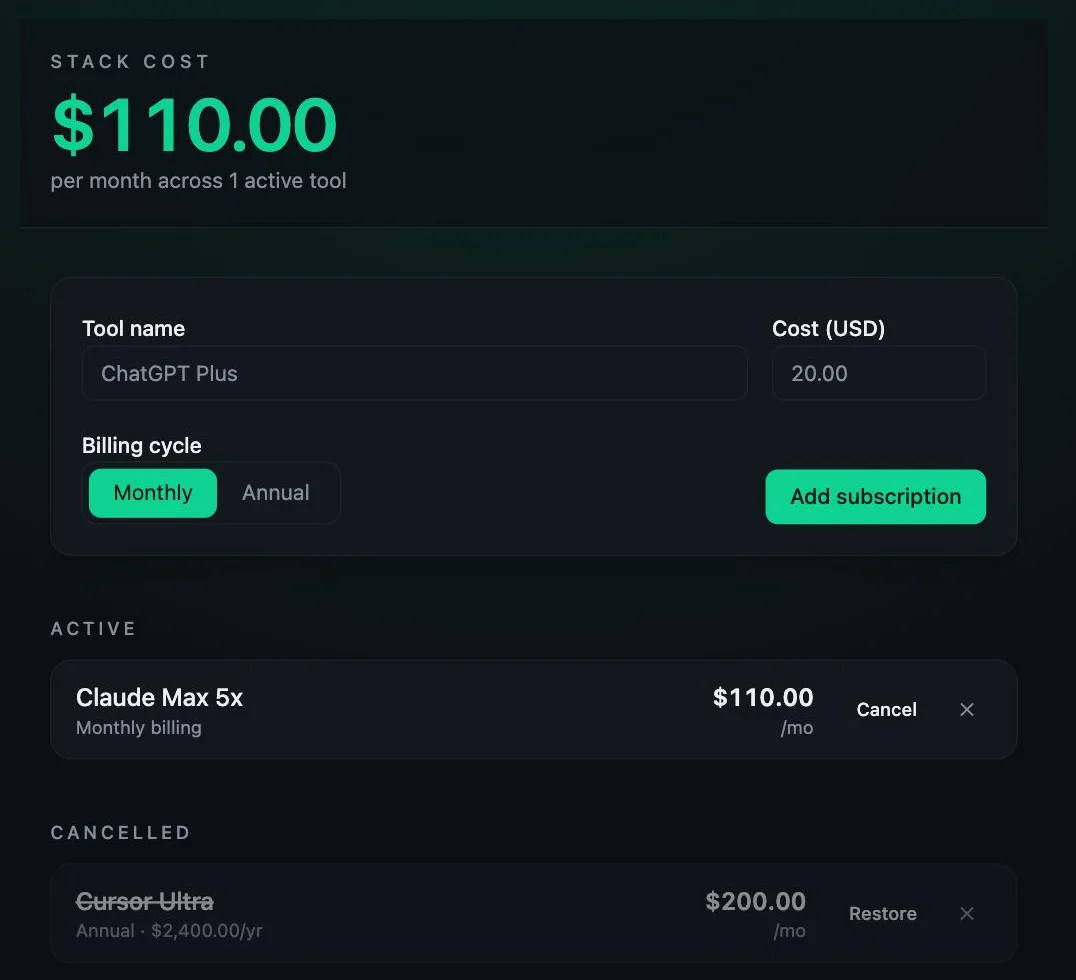
I checked the storage layer too, because that is where these tools usually cheat. Lovable stored the raw annual figure with the billing cycle under a namespaced key and computed the monthly equivalent at render time. That is the correct model — the alternative, storing $200 and forgetting it came from $2,400, quietly loses information you need later. Replit made the same choice. Not every tool did.
Pricing: Free with 5 build credits a day, Pro $25 a month for 100 credits, Business $50. The free tier is genuinely usable for a project or two and genuinely not usable for iterating, since planning messages cost a credit as well.
The catch: it wrote no tests, and like all eight it invented a Restore button nobody asked for. You are trusting the output because it looks right, not because anything verified it.
Who it is for: anyone who wants an app rather than a codebase. If you cannot read the source, this is the one that will least often require you to.
Our full Lovable review has the complete build trace and the credit arithmetic.
2. Bolt.new — best for speed with the fullest output

Bolt gave the most complete answer to the hardest part of the brief, and it is the only tool here whose exact cost I can state to the token.
It finished in two to three minutes, 6/6 on the first attempt, on the free plan with no card. Where it pulled ahead was the annual-pricing trap: it rendered the $2,400 plan as both “Annual · $2,400/yr” and a highlighted “$200/mo” badge — the fullest treatment of the three browser builders, and the one that loses the least information for the reader.
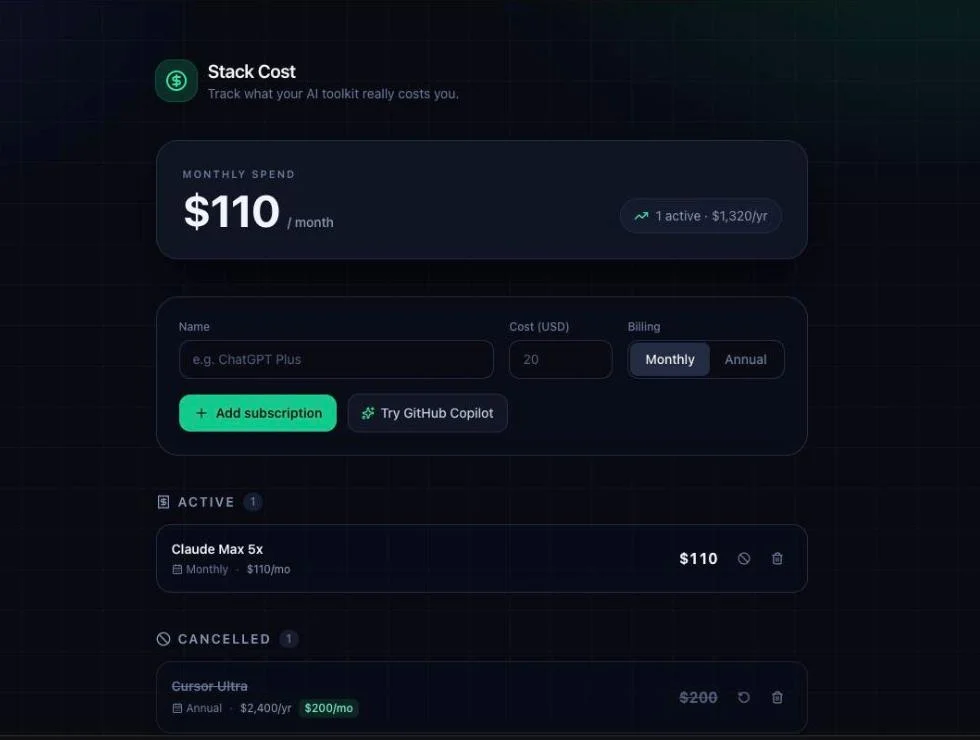
The cost is the part nobody else reports. The build consumed 100,000 tokens, corroborated two ways on Bolt’s own Subscription and Tokens page: the monthly balance moved from 1M to 900K, and the daily line read 200k of 300k with this build as the only activity. That works out to roughly 25 cents — the cheapest measured cost of any tool here that charges at all, and about a tenth of what the same app cost through Claude Code.
Pricing: free plan with 1M monthly tokens and a 300,000 daily cap, paid tiers above that.
The catch: Bolt has notably poor public reviews for a product that performed this well in a controlled test, which is a gap worth knowing about before you commit money — our review digs into where that gap comes from.
Who it is for: people who want the speed of a browser builder but also want to know what each build actually cost them.
Our full Bolt.new review covers the token accounting and the reviews problem.
3. Replit — best for going straight to something hosted

Replit is the one that hands you a running, hosted thing rather than a project you then have to deploy, and it is also the clearest warning about free tiers in this category.
Given the identical brief on defaults — Economy model, Plan mode off — it met all six requirements on the first attempt in about four minutes by its own counter. The app was correct when I used it: the total went to $310.00, fell to $110.00 on cancel, the annual plan showed a derived $200.00/mo, and the state survived a reload. Like Lovable, it stored the raw annual figure and computed the monthly equivalent at render.
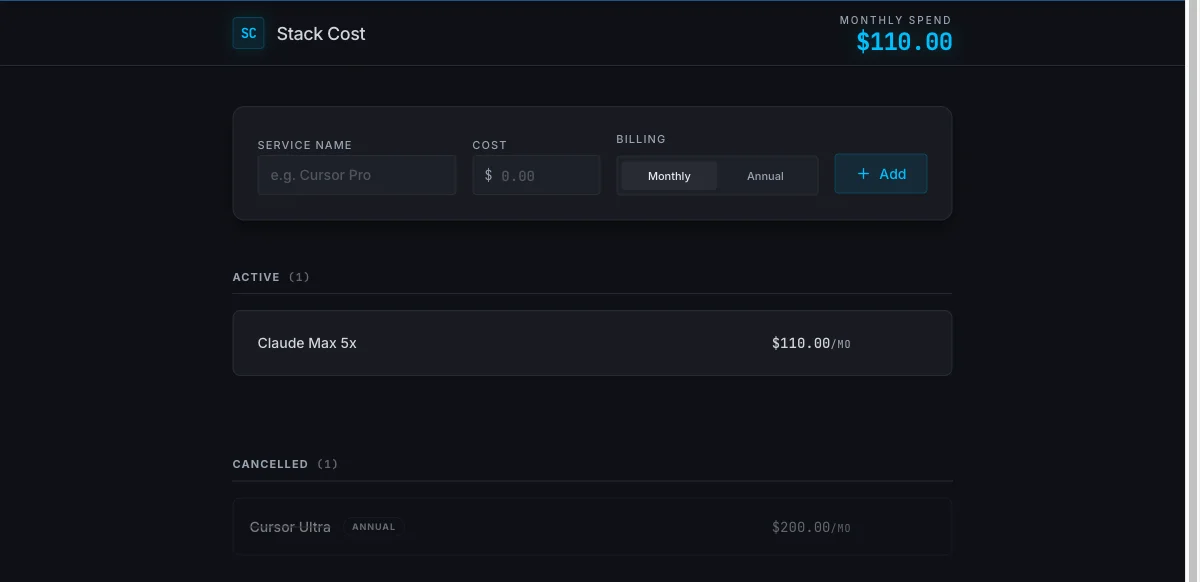
Then the bill. That single build was one checkpoint, and one checkpoint took the free plan’s Agent credits from 0% to 31% used. Three more builds and the day’s allowance is gone, though it refreshes tomorrow. Worse, the free tier will not show you a number: the percentage bar is the entire financial interface, and the usage page is gated behind “You must have an active subscription to view your own usage.”
The billing unit is the checkpoint, and charges apply even when no code changes — including Plan mode answers. Lovable meters planning too, at a flat credit per message, so neither product gives you a free place to think.
Pricing: Starter free with daily Agent credits, Core $20 a month ($18 billed annually), Pro $100 ($90), Enterprise custom.
Who it is for: people who want hosting and a database included and will be paying for it. Treat the free tier as a demo, not a plan.
Our full Replit review has the checkpoint mechanics in detail.
4. Claude Code — best if you already write code

Claude Code produced the best work of the eight and is the worst fit for vibe coding, and both of those are the same fact.
Given the one-shot brief with no follow-ups, it wrote zero files. Instead it opened with “Question 1 of ~3” and ran a clarifying interview, then produced a two-part design document. Eight exchanges before a single line of code existed. Nothing blocked it — it chose to ask. Every other tool started writing immediately.
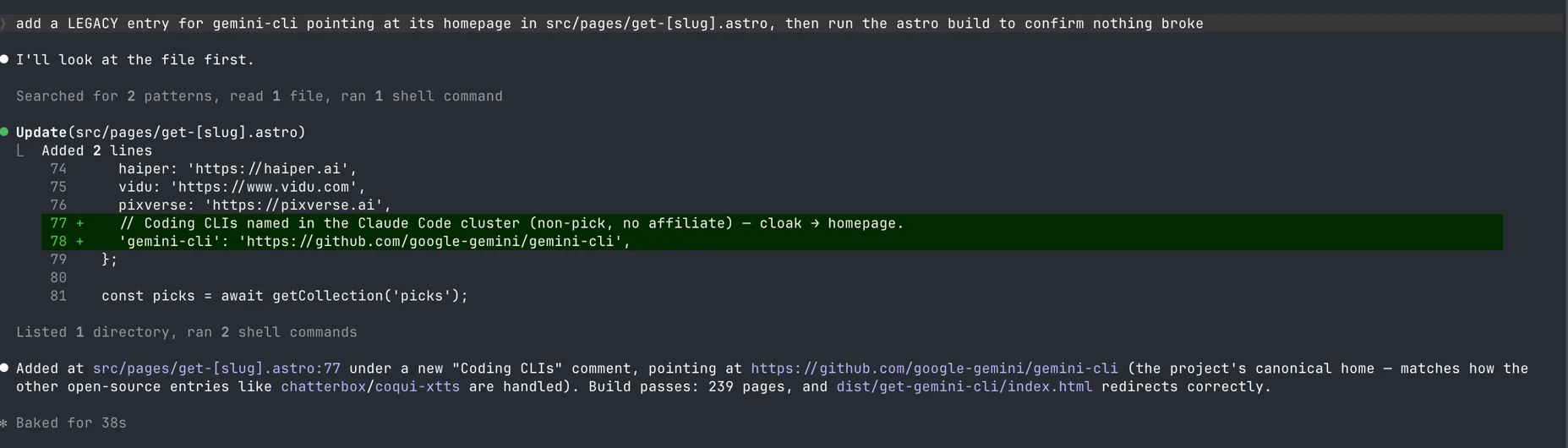
When it did build, the output was the best here by some distance: 1,052 lines plus a 74-line test file carrying 28 assertions covering corrupt JSON, non-array payloads, storage that throws on read, negative input and float precision. I ran them: 28 passed, 0 failed. Told to handle money correctly, it chose integer cents unprompted, volunteering that 9.99 + 19.99 in floats gives 29.979999999999997.
It was also the slowest at about eight and a half minutes, and the most expensive at roughly $2.56 in metered API billing — the dearest of all eight for an identical result.
Pricing: no free tier at all. Claude Pro $20 a month ($200 a year), Max 5x $100, Max 20x $200. On a subscription the marginal cost of one more build is effectively zero, which changes that $2.56 considerably.
Who it is for: people who will read the diff. If you want to type a paragraph and receive an app, the interview will feel like an obstacle rather than diligence.
Our Claude Code review covers what $110 a month actually buys.
5. Google Antigravity — best free option

Antigravity is the only tool here that is free indefinitely, includes frontier models, and checked its own work. That combination does not exist anywhere else on this list.
It planned before it built. Twenty seconds in it produced an implementation plan and then stopped, waiting for approval — a gate, but a fast one. Total wall clock was about two and a half minutes including my reading time, and it met all six requirements. Then it did the thing almost nothing does: it wrote a test file, ran it under Node, and recorded six assertions covering annual-to-monthly conversion, quarterly and weekly normalisation, the running total, cancellation and a storage round-trip. I checked each against the shipped app and they held.
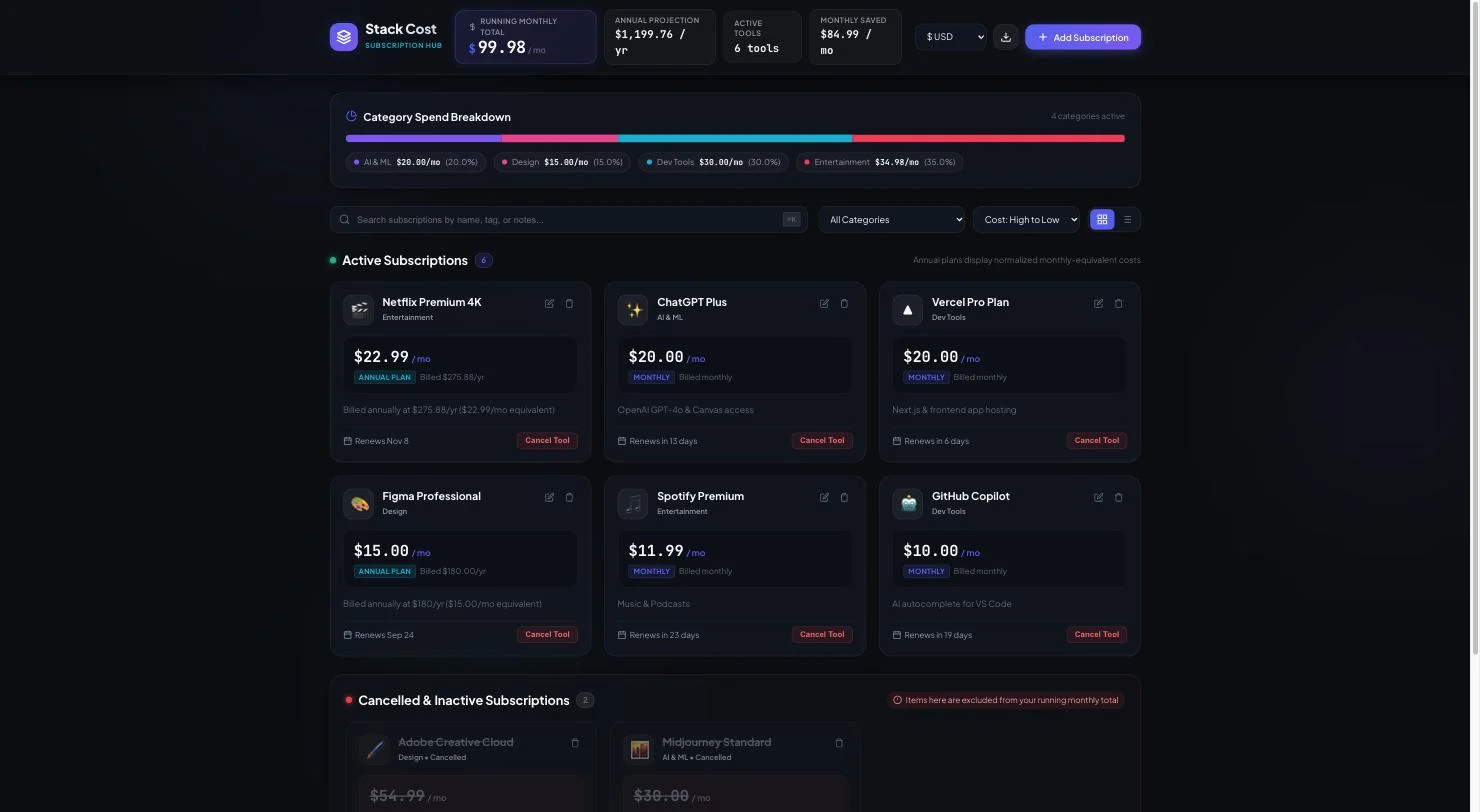
The problem is volume. It wrote 2,894 lines across three files for six requirements — a like-for-like count of project code, since its test file lives outside the project folder. Unasked, it added a six-currency switcher, a category spend breakdown, a command-palette search, grid and table views, and JSON import and export. On a prototype that is free polish. On something you intend to maintain, it is a great deal more code to read than anyone asked for.
Pricing: $0 indefinitely, no card, with Claude and Gemini models on the free tier. Paid access comes via Google One AI plans from $4.99 a month, and the free tier’s rate limits refresh weekly against five-hourly on paid — which is the real argument for the cheapest paid tier.
Who it is for: anyone who wants to spend nothing and still have something verify the result.
Our Google Antigravity review has the full build trace.
6. OpenAI Codex — best unattended run

Codex was the most self-sufficient tool in the test. It took the brief, ran for 2 minutes 44 seconds without asking me anything, produced 585 lines in a single file, and then verified its own syntax before handing back.
It also volunteered something none of the others did — that the folder was not a git repository, so it had no git status to report. Small, but it is the behaviour of a tool that knows what it does not know.
It wrote no tests, which puts it in the majority here. And on a harder task it showed both its range and its risk: asked to rename a field, it changed 33 references across 7 files in one run with no corrective prompt, verified against git. On that same task it also edited the project’s rules file without asking, deleting the line that made its own change wrong, because everything inside the workspace is ungated by default.
Pricing: no separate subscription — it comes with a ChatGPT plan, and it completed this brief on the free tier.
Who it is for: people who want to hand over a task and come back. Just gate your rules files.
Our OpenAI Codex review covers the ungated-edit problem.
7. Cursor — best for working in an existing codebase

Cursor was the fastest tool in the entire test — under a minute to a complete, correct 581-line app, on the free Hobby tier, which is better than most write-ups suggest.
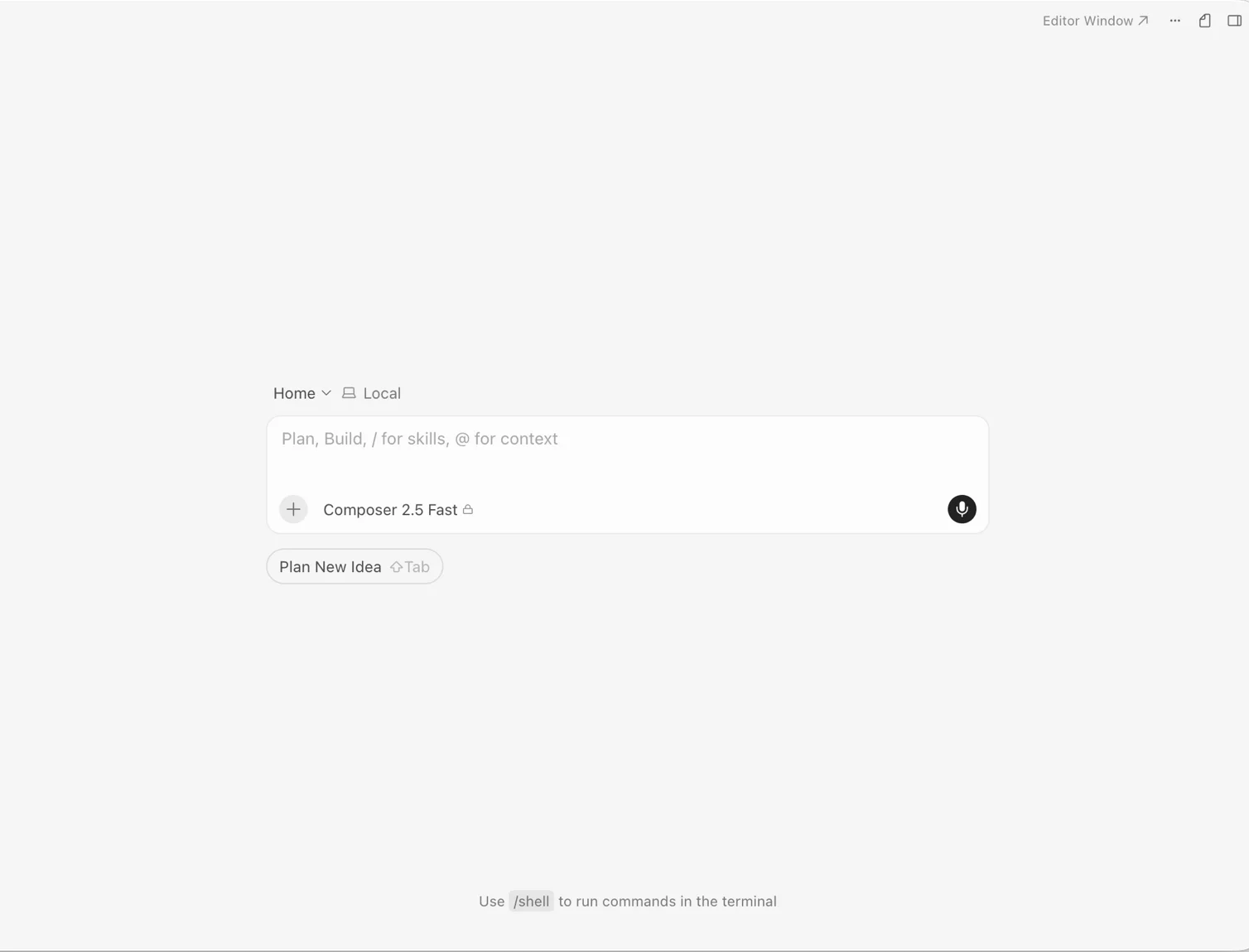
But raw speed on a greenfield brief is not what Cursor is for, and ranking it on that would be misleading. It is an editor you live in, and its value shows up on a codebase that already exists — which is exactly the scenario this brief does not test. I paid for it for eleven months before cancelling, and the reason was cost rather than capability: metered usage in arrears turned a $20 plan into considerably more than $20 across that period.
Pricing: Hobby free, Pro $20, Pro+ $60, Ultra $200 a month, 20% off yearly, plus metered usage on top. The free tier excludes frontier models, MCPs and cloud agents.
Who it is for: developers who want an AI-native editor rather than an app generator. If you are here for vibe coding specifically, the browser builders above will suit you better.
Our Cursor review has the eleven months of invoices.
8. GitHub Copilot — best for the leanest result

Copilot produced the smallest complete answer of all eight: 468 lines in one self-contained file, in about a minute, on the free tier. Against Antigravity’s 2,894 lines for the identical requirements, that restraint is a feature rather than a shortfall.
One structural warning. Copilot handed back a browser artifact, not files on disk — every other tool wrote a folder, and this output had to be extracted before it would run. For vibe coding specifically that is a real friction point.
Pricing: Free $0 with 2,000 completions a month, Pro $10 with $15 of credits, Pro+ $39 with $70, Max $100 with $200. See our GitHub Copilot pricing guide for what a credit actually buys.
I am deliberately not giving Copilot a rating. One controlled build is not a review, and this test did not touch its actual product — sub-second inline completion inside an editor.
How to pick
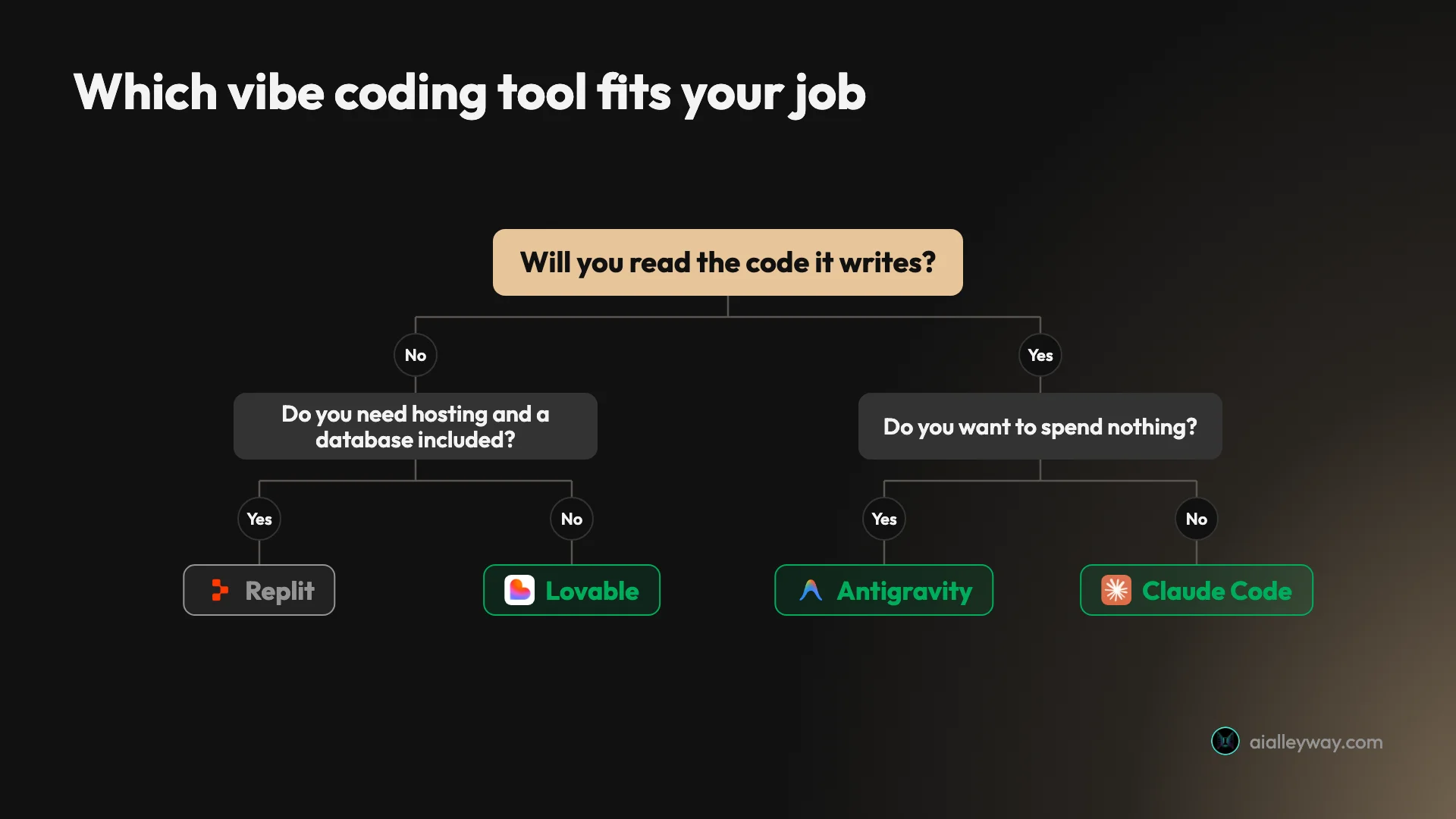
- You do not write code and want an app on a URL → Lovable. Fastest to a correct result, and the least likely to hand you something you cannot interpret.
- You want to know exactly what each build cost → Bolt. It is the only one that let me state a build’s cost to the token.
- You need hosting and a database included → Replit, on a paid plan. Its free tier is a demo, not a plan.
- You want to spend nothing, indefinitely → Antigravity. Free is free here, and it tests its own work.
- You read diffs and care about the code → Claude Code. Best output of the eight, and it will interview you first.
- You want to hand over a task and walk away → Codex.
- You work in an existing codebase all day → Cursor, or see our best AI for coding roundup, which ranks these tools for people who write code rather than prompts.
The split that actually matters is the first one. Decide whether you want an app or a codebase, because that choice eliminates half this list before any feature comparison starts.
Final word
Every tool here passed. That is the finding, and it is worth more than any ranking: on a small, well-specified build, eight products from eight different companies all got it right on the first attempt, including four that cost nothing.
So stop shopping for capability and start shopping for fit. The spread that matters is not quality, it is $0 to $2.56 for an identical result, 109 seconds to eight and a half minutes, 468 lines to 2,894, and two out of eight bothering to verify anything. Pick the tool whose shape matches your job — and if you are not going to read the code, prefer the ones that at least check it themselves.
For most people asking this question, that is Lovable.
Where to go deeper
This page ranks the field on one build. These answer the questions that follow it:
The full reviews. Lovable, Bolt, Replit, Claude Code, Antigravity, Codex and Cursor, each with the complete build trace behind the numbers above.
What they cost once you are past the free tier. Lovable pricing, Replit pricing, Claude Code pricing, Cursor pricing, Codex pricing, Antigravity pricing and GitHub Copilot pricing. The credit models differ more than the sticker prices do.
Head to head. Lovable vs Replit for the builders; Claude Code vs Cursor, Codex vs Claude Code, Cursor vs Codex and Claude Code vs Codex vs Cursor for the agents; Antigravity vs Claude Code and Antigravity vs Cursor for the free one against the paid ones; Claude Code vs Copilot and Copilot vs Codex now that $10 of Copilot bundles both.
If you are already paying for one. Lovable alternatives, Replit alternatives, Claude Code alternatives, Cursor alternatives and GitHub Copilot alternatives.
Narrower rankings. The best AI app builder covers the five prompt-to-app tools on their own terms; the best AI for coding does the same for the seven that work on a real repository. If you have picked Claude Code, Claude Code tips and the eight skills I kept out of 162 are where the throughput is.
Frequently asked questions
What is the best vibe coding tool?
Lovable, for the thing most people mean by vibe coding — describing an app in plain language and getting a working one back. It built my six-requirement app in 109 seconds on the free tier, met every requirement on the first attempt, and needed no follow-up prompts.
But the honest answer is that capability did not separate these tools at all. All eight I tested passed all six requirements on the first try. What separated them was speed, cost, what they hand you at the end, and whether anything checked the work. Pick on those, because on raw ability to build a small app from a prompt, the choice barely matters.
What is the best free vibe coding tool?
Google Antigravity, and it is not close. Its free tier is free indefinitely rather than a trial with a clock, it includes Claude and Gemini models, and it built my entire app without a card. It was also one of only two tools out of eight that wrote and ran its own tests.
The browser builders all have free tiers that work but drain fast, and that is the difference worth understanding. My single Replit build consumed 31% of a day's free credits in one go, and that grant refreshes daily. Lovable's free tier is five build credits a day. Bolt's build cost 100,000 tokens against a 300,000 daily allowance. They are free to try, not free to iterate on.
Is vibe coding good enough for real apps?
For prototypes and internal tools, yes, on the evidence of this test. Every app worked when I used it rather than reading the tool's summary of itself, the totals were right, the derived monthly figures were right, and the state survived a reload.
For anything you intend to maintain, the concern is not correctness but volume and verification. Antigravity wrote 2,894 lines for six requirements where GitHub Copilot wrote 468, and only two of eight tools wrote a single test. Code nobody checked, in quantities nobody asked for, is the actual risk — not whether the app runs on day one.
What is the difference between vibe coding tools and AI coding assistants?
They do two different jobs, and the search results for this topic blend them together in a way that misleads people. Browser app builders like Lovable, Bolt and Replit take a prompt and hand back a deployed, running app — you may never see a file. Coding agents like Claude Code, Codex and Cursor work inside a repository on your machine and hand back files, commits and a diff.
If you do not write code, the second group will frustrate you. Claude Code refused to build anything from my one-shot brief and ran a three-question interview first, which is excellent engineering behaviour and exactly wrong for vibe coding. Choose the group before you choose the tool.
How much do vibe coding tools cost to actually use?
The identical result cost between nothing and $2.56 depending on which tool produced it, which is the widest spread I found in this test.
Antigravity, Cursor's free Hobby tier and Copilot's free tier all completed the brief for $0. Bolt's build consumed 100,000 tokens, about 25 cents. Replit's consumed one checkpoint, which took its free plan from 0% to 31% used. Claude Code cost about $2.56 at metered API rates — the most expensive by a wide margin, though close to meaningless if you are on a subscription, where the marginal cost of one more build is zero.
Keep reading
Bolt.new alternatives: 8 tools, 7 took the same brief
The best Bolt.new alternatives, ranked by a measured build rather than a feature table. Seven tools took one identical brief. Here is what each build cost.
Best AI app builder: 5 tools, one brief, every app used
The best AI app builder, measured. I gave five builders one brief and used every app. All five passed — what separated them was the cost of the second build.
Replit alternatives: 8 picks, and what a real build cost
Eight Replit alternatives ranked by job. I ran one identical prompt on three: Bolt built it for $0.25, Lovable $0.30, Replit would not say what it cost.
Lovable vs Replit: same prompt, same six requirements, two bills
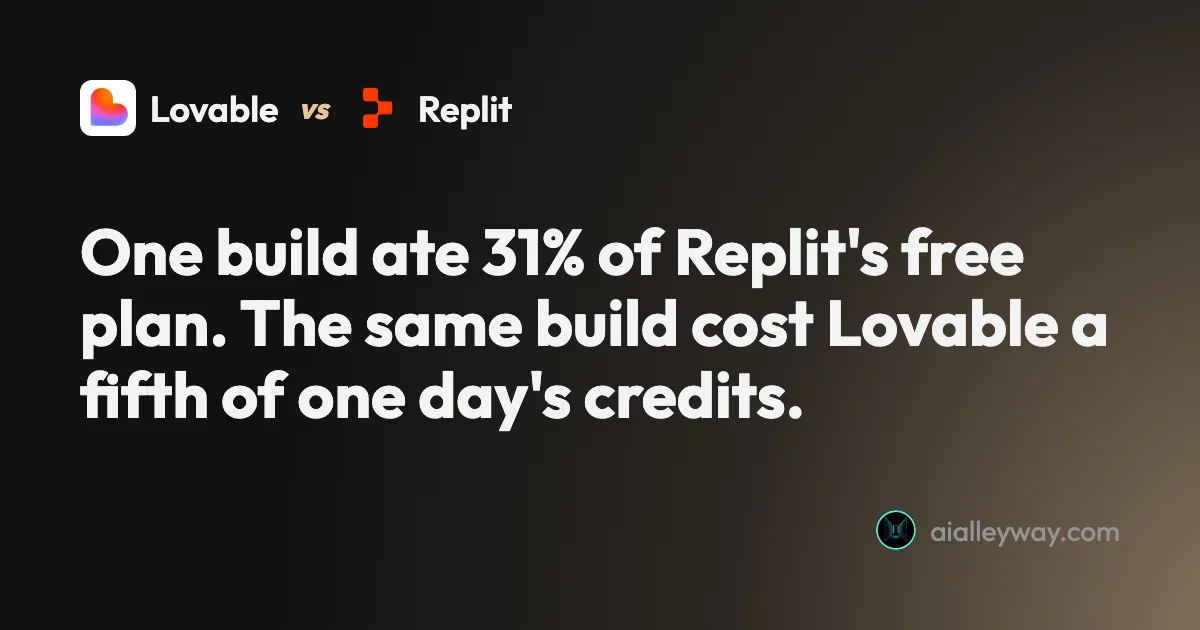
Lovable vs Replit on one identical brief. Both hit 6 of 6 — Lovable in 109 seconds, Replit in four minutes and 31% of a day's credits. The cost model decides.