
Claude Code tips: what eight months of daily use taught me
Claude Code tips from running a production pipeline on it daily for eight months, plus a controlled build test. The habits that changed my output.
Contents
The tip that matters more than the rest
I have run this site’s editorial pipeline on Claude Code daily for about eight months. Then, for a comparison, I gave it a deliberately one-shot brief — six numbered requirements, one message, no follow-ups — and timed it against six other tools.
It refused to build.

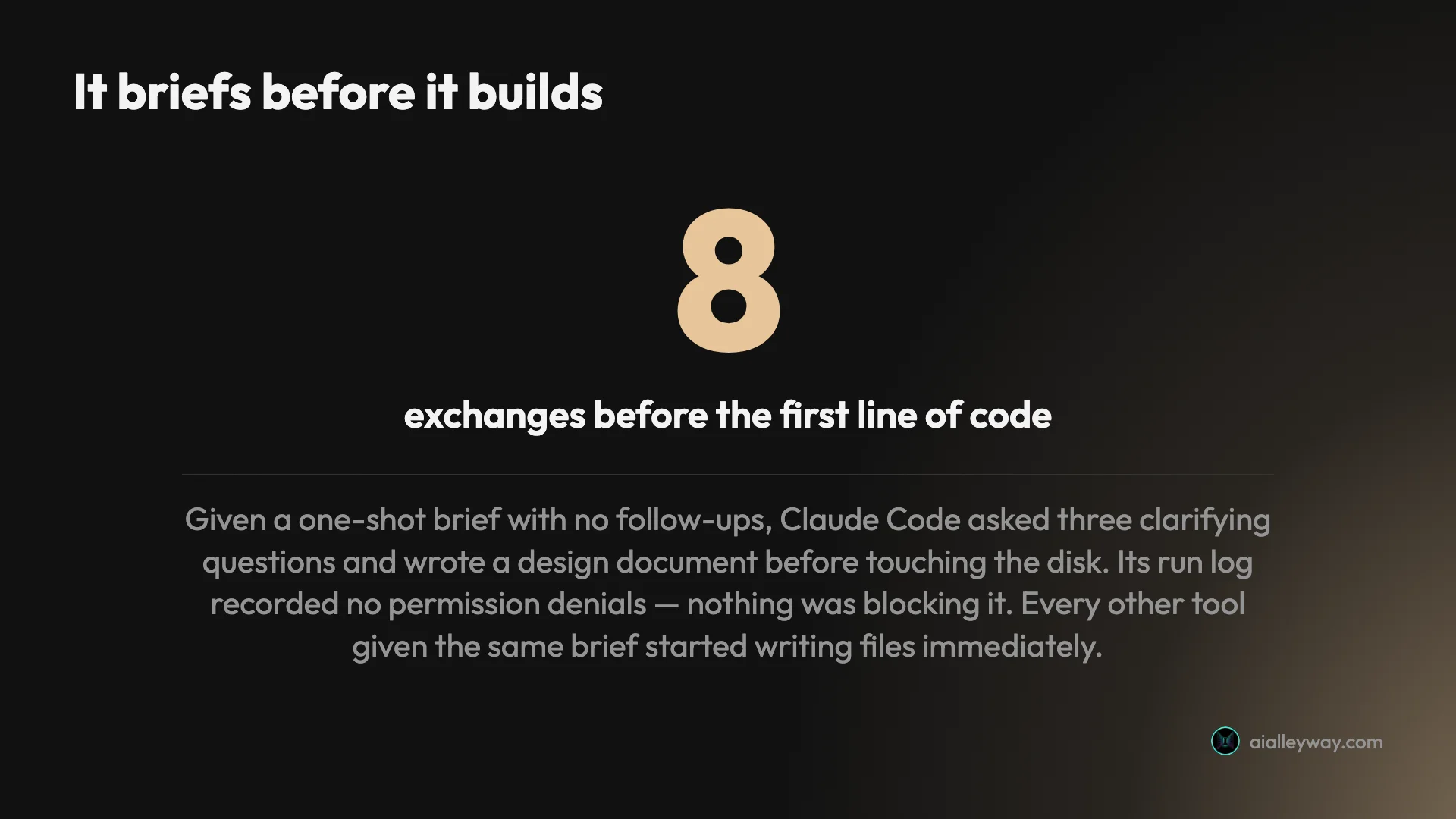
Not because anything blocked it; the run log recorded no permission denials. It replied with “Question 1 of ~3: What shape should the deliverable take?”, offering three options and a recommendation. Then a second question about scope, a third about behaviour, then a two-part design document. Eight exchanges passed before a single line of code existed. Every other tool I gave that brief started writing files immediately.
That is the whole tip, and everything below follows from it: Claude Code is not a code generator. It is something you brief. Fighting that produces friction. Leaning into it produces the best output of any tool I have measured.
Write the brief, not the request
The practical version of the above: the interview is a symptom of an underspecified prompt. Specificity is the off switch.
Say what shape the output takes. Its first question to me was whether I wanted a single self-contained file, a React app with a build step, or vanilla TypeScript. That question dies if the prompt says “one self-contained index.html, no build step.”
Say what is out of scope. It expands to fill an unstated spec. On my brief it added cancel, restore and delete without being asked. That was reasonable, and if I had wanted only cancel, saying so would have taken four words.
State the constraint, not the task. “Handle money correctly” produced better output than any instruction about rounding would have. Left to itself it stored currency as integer cents, explaining unprompted that summing 9.99 and 19.99 as floats produces 29.979999999999997. It reached for the right model because the constraint was clear, not because I specified the implementation.
And if you genuinely want it to just go, say so. After several turns of design discussion, the instruction “Build it.” produced finished code in one turn. The interview is a default, not a requirement.
Make it verify, then verify it anyway
Claude Code was one of only two tools out of seven that wrote and ran its own tests. That is worth using deliberately.
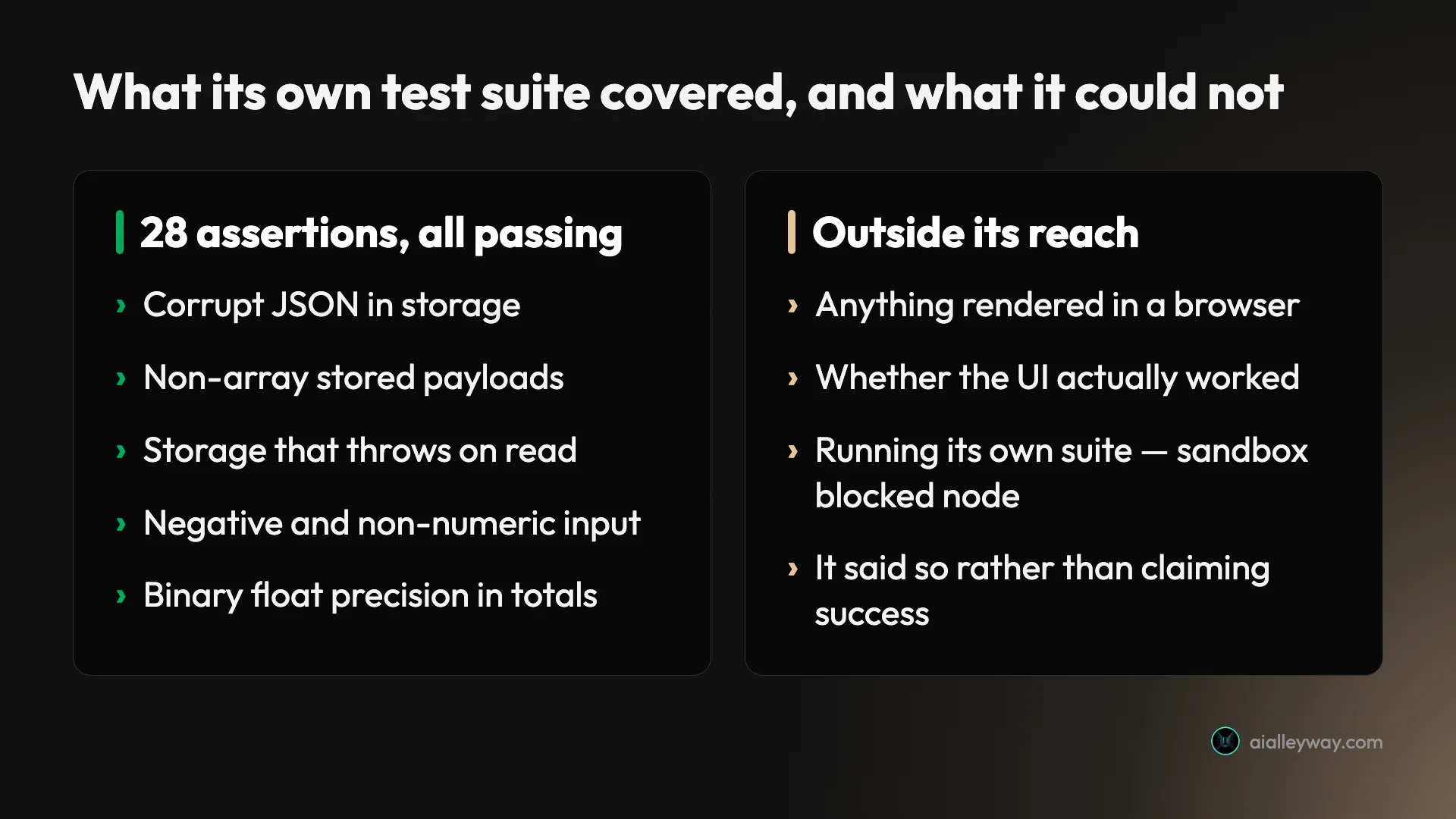
On the controlled build it produced a 74-line test file alongside the 978-line app: 28 assertions covering corrupt JSON in storage, non-array payloads, a storage API that throws on read, negative and non-numeric inputs, and binary float precision. I ran it myself and got 28 passed, 0 failed.
| What it verified | What it could not |
|---|---|
| Corrupt JSON in storage | Anything in a browser |
| Non-array stored payloads | Whether the UI rendered |
| Storage that throws on read | Its own test run — sandbox blocked node |
| Negative and non-numeric input | The app end to end |
| Float precision in totals |
Two habits come out of that table.
Ask for the tests explicitly on anything with logic in it. It will write them well when asked and will not always volunteer them.
Read the last message, not the first. Its closing line was “Built, but not yet verified — I couldn’t execute anything,” because its sandbox blocked Node. It told me exactly what it had not done. That honesty is only useful if you read it, and the temptation after a long run is to skim to the file list.
Never grade the transcript
The single most expensive habit in working with any of these tools is trusting the summary instead of the work.
In a parallel test on a different tool, the closing summary reported six changed files where git showed seven. The work was right; the account of the work was not. That was OpenAI Codex rather than Claude Code, and I am naming it precisely because the lesson generalises and the attribution should not get sloppy.
The fix costs seconds. git diff after a run. Run the tests rather than reading that tests were written. Open the file. Every finding I have published about how these tools behave came from checking output against disk, and that protocol has caught things no transcript would have surfaced — including one case where I nearly published a bug that turned out to be an artifact of how I was measuring, not of the code.
Give it a project memory
The setup step that pays back fastest is a project instructions file at the repo root, and the mistake is treating it as documentation.
It is not a README. It is the set of things you are tired of repeating: the conventions that are not obvious from the code, the commands that are easy to get wrong, the gotchas that have already cost you an afternoon. Ours records things like which environment variable name is correct when two plausible ones exist, and which of two copies of a directory is the live one.
Three rules that made ours actually work:
Write down the traps, not the structure. It can read the structure. It cannot know that the deploy script must re-declare its bindings or the deploy silently strips them.
Record decisions with their reason. “Use X, not Y” is followed. “Use X, not Y, because Y fails silently when Z” is understood, and generalises to cases you did not write down.
Prune it. A stale instruction is worse than a missing one, because it will be followed confidently. When a rule stops being true, delete it the same day.
Encode your standards as checks, not instructions
This is the tip I would give someone who has already read every other tips list, and it came out of getting it wrong repeatedly.
Instructions in a project file are followed well. They are not followed reliably, and the failure is silent — you find out weeks later that a rule was quietly skipped on a busy run. Anything you actually care about should be a script that fails, not a sentence that asks.
We publish long articles here, and the house style has rules: no banned filler verbs, no unquoted exclamation marks, a cap on em-dashes per paragraph, a minimum density of tables and images so a section never becomes a wall of text. For months those lived as prose in an instructions file, and they were mostly respected. Mostly.
Then they became a linter. Now the rules are a Python script with an exit code, and Claude Code runs it and fixes what it reports before anything ships. The difference is not that the model got better at following rules — it is that “mostly” stopped being an available outcome.
| House rule | As an instruction | As a check |
|---|---|---|
| No filler verbs | Mostly followed | Fails the build, names the word |
| Em-dash cap per paragraph | Drifts on long runs | Counts them, reports the line |
| Every long section needs a visual | Forgotten under pressure | Blocks until one exists |
| Ratio claims must be recomputable | Never occurred to me | Recomputes from the page |
The most recent addition makes the point. A published article claimed a cost ratio of “roughly seven times” where the real figure was 8.53, because the number had been copied from an earlier note and never recomputed. Every existing check passed, because the article faithfully matched the note. The fix was not an instruction to be careful with arithmetic. It was a rule that extracts every multiplier claim, pools the numbers on the page, and fails if no pair of them produces the claimed ratio.
The general form: when you catch yourself writing an instruction that begins “always remember to”, you have found something that should be a test. The tool is good at running checks and honest about their results. It is a much better executor of a rule than a rememberer of one.
Build a skill for anything you do twice
Related, and the thing that changed my throughput most.
A one-off task is a conversation. A task you will repeat is a set of steps, decisions and gotchas that you will otherwise re-explain every time — and re-explain slightly differently, which is how output drifts. Claude Code supports packaging those into skills it can invoke, and the moment to write one is the second time you find yourself giving the same briefing.
Three of ours do most of the work. One turns keyword research into a prioritised backlog. One takes a backlog row and produces a finished, schema-valid article with its assets and its blocking quality gates. One handles everything after publishing.
| Skill | What it owns |
|---|---|
| Content planning | Keyword research to a prioritised backlog, with real difficulty data |
| Writing | A backlog row to a finished, schema-valid post plus assets and blocking gates |
| Distribution | Everything after publish, including the backlink tracker |
What makes them worth the effort is not the automation. It is that they are where the hard-won knowledge lives. Our writing skill knows that a particular vendor’s pricing page returns stale numbers unless it is read in a rendered browser with the billing toggle switched both ways, because we got that wrong three times. It knows the word-count target is computed from surviving competitors rather than guessed. None of that survives in a conversation; all of it survives in a skill.
You do not have to write every one yourself. Anthropic and a lot of other people publish packs, and the eight I kept out of 162 installed is the shortlist that survived actual use — with what a skills marketplace actually is if you want to judge one before adding it.
Two things I would do differently from the start. Write the skill after the second time, not the fifth — the intervening repetitions are where drift creeps in. And put the failures in it, not just the happy path. The most valuable lines in ours are the ones that say “this looks right and is not”, because those are the mistakes that repeat.
Run it headless when you want numbers
The most underused part of the tool is that it does not need the interactive terminal.
A single non-interactive query runs with the print flag. Add JSON output and you get back structured metadata: duration_ms, num_turns, total_cost_usd, and whether the run errored. A continue flag resumes the most recent conversation in the same directory, so a multi-step session can be scripted.
That matters for two reasons.
It makes the tool measurable. Every timing and cost figure I have published for Claude Code came from that JSON rather than a stopwatch — the 394-second build turn, the 19 internal turns, the ~$2.56. You cannot improve what you are guessing at.
It makes the tool composable. Once a task is a command rather than a conversation, it can go in a script, a hook or a scheduled job. The interactive session is the place to figure out what the task is; headless is where it belongs afterwards.
One caveat worth knowing before you script anything: the sandbox blocks execution and network access by default, which is why it could not run its own tests in my build. Plan for the permission mode you actually need rather than discovering it mid-run.
Watch what it costs, if you are metered
This is the part people get wrong in both directions.
My controlled build cost about $2.56 — the most expensive of seven tools given the same brief, more than eight times the dearest hosted builder. Read alone, that number makes Claude Code look extravagant.
It is also close to meaningless for how the tool is actually bought. That figure came from metered API billing. On a subscription — $20 a month for Claude Pro, $100 for Max 5x, $200 for Max 20x — the marginal cost of one more build is zero. There is no free tier, so the floor is $20 and the ceiling is whatever plan you are on.
The practical rule: if you are seeing per-task dollar costs, check which billing you are on, because for daily work you probably want the flat plan and the certainty that comes with it. Full detail in the pricing breakdown.
Mistakes I made
I read the summary instead of the diff. For longer than I would like. It is the cheapest habit to fix and the one that catches the most.
I under-specified and then blamed the interview. The questions it asks are the ones I would otherwise answer by rejecting a first draft. Answering them up front is faster than the round trip, and I resisted that for months.
I let the instructions file rot. Rules that were true in March were being followed confidently in June. A wrong instruction is followed with the same diligence as a right one.
I measured a rendering bug from a backgrounded browser tab. Animation frames do not fire in a backgrounded tab, so a value that was computed correctly read as zero every time I sampled it. I spent several rounds documenting a bug that did not exist. If a result contradicts what you can see on screen, distrust the instrument before the code.
Is it worth it?
Briefly, because this is a tips page rather than a review.
Claude Code rates 4.7 here, the highest of the seven coding tools I have measured, and it earns that on output quality rather than speed or price. It was the slowest of the seven at roughly eight and a half minutes, and the most expensive at metered rates. It also produced the best code: just over a third of the lines of the most verbose tool, a money model that will still reconcile in a year, and a test suite more than four times the size of the only other tool that wrote one.
If your work is throwaway prototypes, that trade is bad. If you are maintaining what gets built, it is the whole argument. See is Claude Code worth it for the full verdict, and best AI for coding for how it sits against the rest.
The final word
Most tips lists for this tool are lists of flags and slash commands. Those are useful and they are not where the gains are.
The gain is in a change of posture. Claude Code is the only tool I have tested that will stop and interrogate a vague request rather than confidently guessing, and once you stop experiencing that as friction, the obvious move is to give it something worth interrogating. Write the brief. Say what is out of scope. Ask for the tests. Then check the diff, because the one thing no model reliably gets right is its own account of what it just did.
Everything else on this page is a detail hanging off that.
Frequently asked questions
What is the most useful Claude Code tip?
Stop treating it as a code generator and start treating it as something you brief. The single biggest change in my output came from writing the constraints down before asking for anything, because the tool is unusually good at following a specification and unusually willing to invent one when you do not supply it.
The evidence for this is in its own behaviour. When I gave it a deliberately one-shot brief with no follow-ups, it refused to write a single file until it had asked three clarifying questions and produced a design document. Every other tool I gave that brief started typing immediately. That is not a quirk to work around; it is the thing to lean into.
How do I stop Claude Code asking so many questions?
Answer the questions it would have asked, in the prompt. It interviews when a brief is underspecified, so specificity is the off switch. Say what shape the deliverable takes, what is in scope, and what you do not want, and the interview mostly disappears.
If you genuinely want it to proceed on its own judgement, tell it to. A plain instruction to build it and choose sensible defaults works. In my test it produced code within one turn of that instruction after several turns of design discussion, so the interview is a default rather than a requirement.
Does Claude Code check its own work?
More than almost anything else, but not automatically and not completely. On a controlled build it wrote a 74-line test file alongside the app, containing 28 assertions covering corrupt storage, non-array payloads, storage that throws on read, negative inputs and binary float precision. I ran that suite myself and it returned 28 passed, 0 failed.
The important caveat is that it could not run the tests itself — its sandbox blocked execution — and it said so rather than claiming success. That is the pattern worth relying on: it will usually tell you what it has not verified, so read the closing message rather than skimming it.
How much does Claude Code cost to run?
It depends entirely on whether you are on a subscription or metered API billing, and the difference is large. My controlled build cost about $2.56 at metered API rates, which was the most expensive of seven tools I gave the same brief.
On a subscription that same build costs nothing marginal. Claude Code arrives with a Claude plan at $20 a month for Pro, $100 for Max 5x and $200 for Max 20x, and there is no free tier at all. If you are seeing per-task costs like mine, you are on API billing and should probably not be.
Can you run Claude Code without the interactive terminal?
Yes, and it is the most underused feature. The print flag runs a single non-interactive query, and adding JSON output returns structured metadata including the duration in milliseconds, the number of turns and the total cost in dollars for that invocation.
That makes it scriptable and, more usefully, measurable. Every timing and cost figure I quote for Claude Code came from that output rather than a stopwatch. A continue flag resumes the most recent conversation in the same directory, so you can drive a multi-step session from a script.
What is the biggest mistake people make with Claude Code?
Grading the transcript instead of the work. The tool writes a confident summary of what it did, and that summary is not always accurate — in a related test on a different tool, the summary reported six changed files where git showed seven.
The habit that fixes it costs about ten seconds: check the diff, run the tests, or look at the file. Everything I have published about how these tools behave came from checking output against disk rather than reading what the tool said about itself, and that protocol has caught things a transcript never would.
Keep reading

Claude skills marketplace: what it is and which to add
A Claude skills marketplace is just a git repo with a manifest. Anthropic's official one lists 291 plugins; 23 say Anthropic wrote them. How to read one.
Claude Code vs Codex vs Cursor: one brief, three results
Claude Code vs Codex vs Cursor, measured. I gave all three the same brief and used every app they built. All three passed — here is what separated them.
Claude Code vs Copilot: $10 now buys you both
Claude Code vs Copilot, both measured on one identical brief. Copilot Pro at $10 now bundles Claude Code access, which changes the question entirely.
Claude Code vs Cursor: I paid for both for a year
Claude Code vs Cursor, decided on invoices rather than vibes. They have converged on capability. Three axes still separate them, and only one decided it for me.