
Claude skills marketplace: what it is and which to add
A Claude skills marketplace is just a git repo with a manifest. Anthropic's official one lists 291 plugins; 23 say Anthropic wrote them. How to read one.
Contents
What a Claude skills marketplace actually is

A Claude skills marketplace is a git repository with a manifest file at .claude-plugin/marketplace.json. No hosted store, no accounts, no payments. The manifest lists what is on offer and where each item lives. For a git source Claude Code clones the repository to read it; point it at a hosted manifest URL instead and there is no clone at all.
Anthropic runs three of them, and they are not interchangeable:
| Marketplace | Identifier | How you get it | What the bar is |
|---|---|---|---|
| Official | claude-plugins-official | Added automatically on first run | Curated by Anthropic, at its discretion |
| Community | claude-community | You add it by hand | Automated validation and safety screening |
| Demo | claude-code-plugins | You add it by hand | Examples, to show what the system can do |
The one everybody means by “the marketplace” is the first. The thing worth knowing before you trust it is in the next section.
How do you add a Claude skills marketplace?
It is deliberately two steps. /plugin marketplace add owner/repo registers a catalogue and installs nothing. /plugin install name@marketplace-name then installs one thing from it.
That gap is the useful part. Between the two commands you have the manifest on disk, and for a git source the whole repository with it, which is the only moment anyone hands you a complete list of what you are about to trust.
The manifest is plain JSON, and every entry declares where its code comes from. That source field is the whole security story, because it tells you who wrote the code:
{ "name": "code-simplifier", "source": "./plugins/code-simplifier"}{ "name": "figma", "source": { "source": "url", "url": "https://github.com/figma/mcp-server-guide.git", "sha": "ae7e5e5f80da20f1dd7445e0c6ae5ac58a5b0bce" }}A string means the code lives in the marketplace’s own repository. An object means it lives in somebody else’s, and the sha pins which commit of it you get.
Objects come in two variants of their own, so there are three shapes in total: 153 entries use "source": "url" for a whole repository, and 85 use "source": "git-subdir" to pull one directory out of a larger one. The distinction matters less than it looks, because every one of the 238 carries a 40-character sha either way.
Treat any SHA you read as a snapshot. The figma pin above is the value on the day this was written; an earlier draft of this post quoted the pin it replaced, because the entry was re-pinned while the piece was being written. That is the system working as intended rather than a fault. Once you can read that difference, the official catalogue tells a story most people have not heard.
What is actually inside Anthropic’s official marketplace?
I fetched the manifest on 2 September 2026 and counted it.
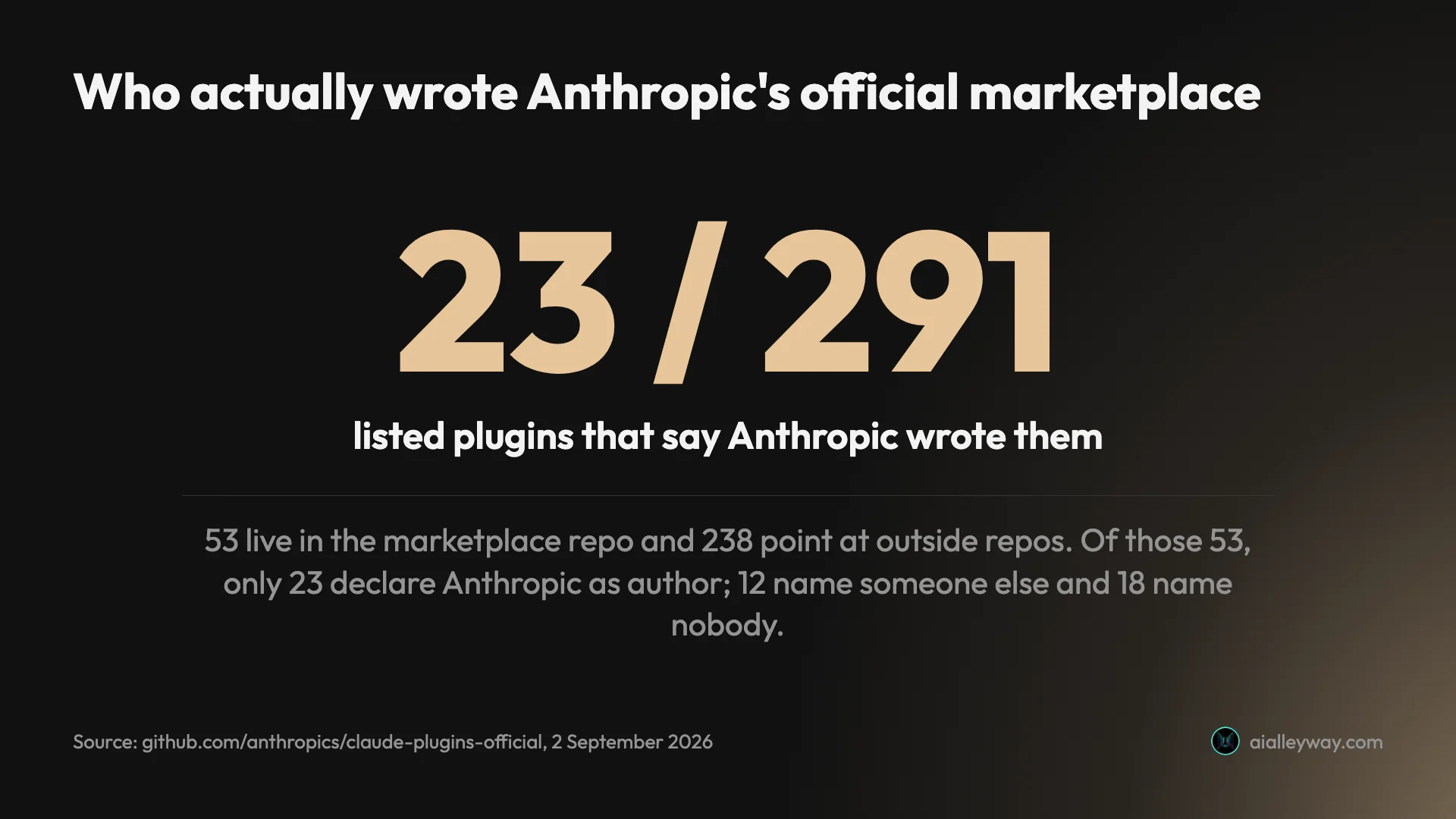
291 plugins are listed. 53 live in the marketplace repository itself. The other 238 are pointers at repositories owned by 182 other organisations — Stripe, AWS, Microsoft, Shopify, Figma, Cloudflare, MongoDB, Vercel and a long tail of others.
That is 81.8% of the catalogue hosted somewhere other than the company whose name is on it. And the in-repo 53 are not a clean counterweight, because living in the repository is not the same as being written by Anthropic. Reading each entry’s plugin.json, 23 declare Anthropic as the author. Twelve declare somebody else — GitHub, GitLab, Google, Microsoft, HashiCorp, Linear, Asana, Upstash, Laravel, Greptile, Oraios, and one individual contributor. The remaining eighteen, mostly the language-server plugins, declare no author at all.
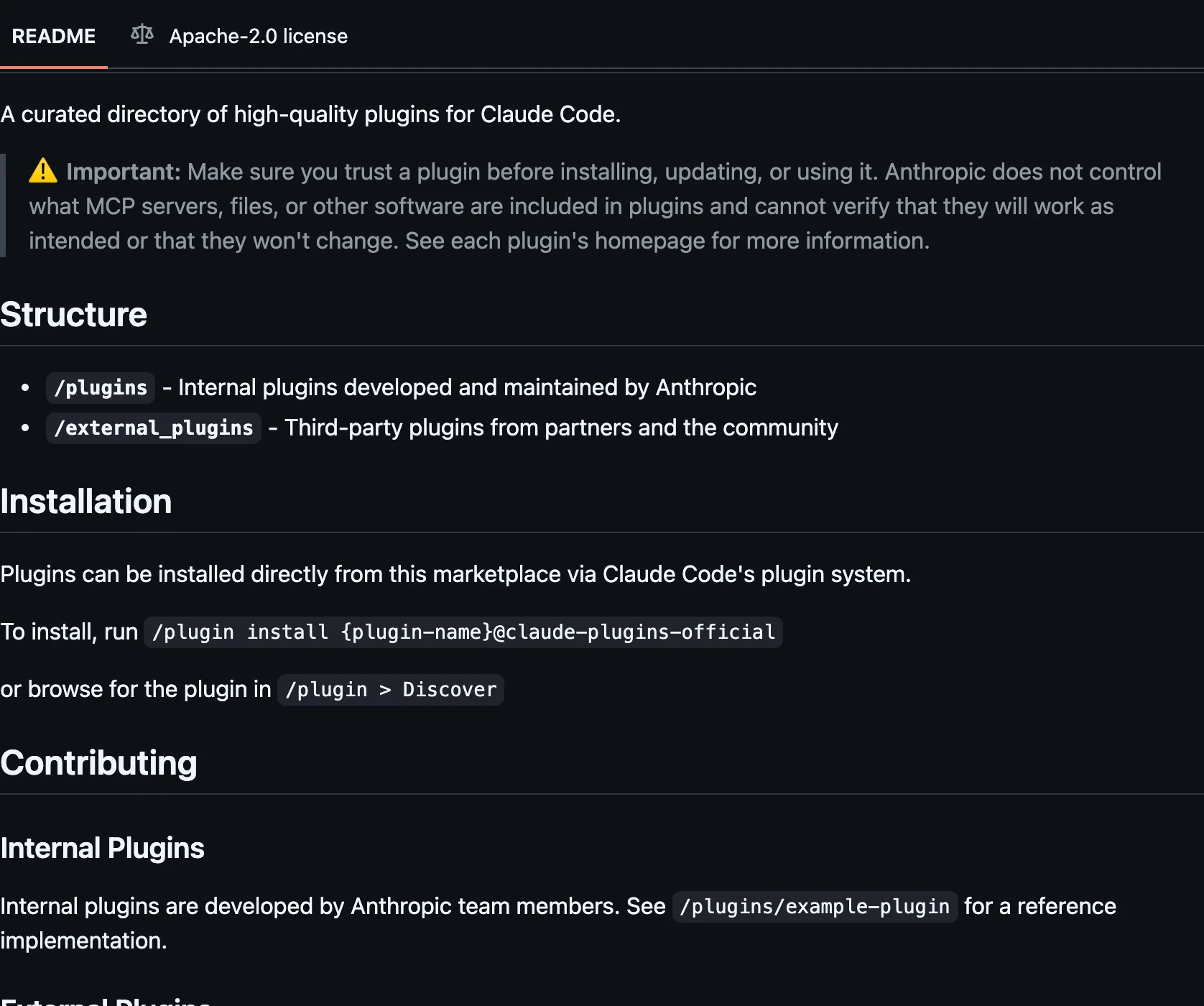
So the honest headline is not 53 against 238. It is that out of 291 listed plugins, 23 say Anthropic wrote them. Anthropic says so plainly in its own documentation, which describes the marketplace as curated “at Anthropic’s discretion” and warns, in the plugin documentation, that it “doesn’t control what MCP servers, files, or other software are included in plugins and can’t verify that they work as intended.” What nobody had done is count it.
Here is the part that cuts the other way, and it is the reason this is not the scandal it first sounds like: all 238 external entries are pinned to a specific commit. Not a branch, not a tag, not “latest” — a 40-character SHA. Zero of them float.
So when you install Stripe’s plugin from Anthropic’s marketplace, you get the exact commit that was reviewed when it was listed. The vendor cannot change what you receive by pushing to their main branch. That is a meaningfully stronger guarantee than the average npm install, and it is invisible unless you read the manifest.
Two smaller findings from the same count: 168 of the 238 external entries declare an author, so 70 do not; and the most-represented third-party org is gemini-cli-extensions with 14 plugins, ahead of awslabs with 9.
What do Anthropic’s own 53 plugins cover?
Anthropic’s documentation groups the catalogue into five categories. They are a useful map rather than a partition: counted against the manifest they account for roughly half the 53, and the remainder are one-off tools like skill-creator, hookify, receipts and math-olympiad that sit outside any of the five.
Code intelligence
Language-server plugins — pyright-lsp, typescript-lsp, rust-analyzer-lsp, gopls-lsp among them — that switch on Claude Code’s built-in LSP tool. The documented table lists eleven; the manifest actually carries twelve first-party ones, because ruby-lsp ships without appearing in the table. Install one and Claude gets two things it otherwise lacks: diagnostics reported back after every edit, so a type error it introduces is caught in the same turn, and real code navigation instead of grep. The catch is that the plugin configures the language server but does not install it; you need the binary on your PATH yourself, a setup step how to use Claude Code covers, and Executable not found in $PATH in the Errors tab means you skipped that step.
| Language | Plugin | Binary you install yourself |
|---|---|---|
| Python | pyright-lsp | pyright-langserver |
| TypeScript | typescript-lsp | typescript-language-server |
| Rust | rust-analyzer-lsp | rust-analyzer |
| Go | gopls-lsp | gopls |
| Java | jdtls-lsp | jdtls |
| C/C++ | clangd-lsp | clangd |
| C# | csharp-lsp | csharp-ls |
| Kotlin | kotlin-lsp | kotlin-language-server |
| Lua | lua-lsp | lua-language-server |
| PHP | php-lsp | intelephense |
| Swift | swift-lsp | sourcekit-lsp |
Worth knowing before you install one on a big repository: rust-analyzer and pyright are memory-hungry, and the documented remedy is to disable the plugin and fall back to Claude’s own search rather than to tune the server.
External integrations
Pre-configured MCP servers for the services people actually wire up. Twelve familiar names, and essentially none of them are Anthropic’s code, which is worth being exact about because the manifest makes it look otherwise.
Five of them are in-repo entries: github, gitlab, asana, linear and firebase. A source-shape count files those with the 53. But they sit in a directory the repository itself calls external_plugins/, and their plugin.json files name GitHub, GitLab, Asana, Linear and Google as the authors.
The other seven are ordinary external pointers at the vendor’s own repository: atlassian, notion, vercel, supabase, slack, sentry and figma. One of those is not quite what it looks like either, since supabase resolves to a community org rather than the company.
The difference between the two groups is where the pointer lives, not who wrote the code. It is the previous section in miniature.
Security review
security-guidance reviews each change Claude makes for common vulnerabilities and tells it to fix what it finds in the same session, rather than leaving you to catch it at review time.
Development workflows
commit-commands for git flows, pr-review-toolkit for review agents, agent-sdk-dev for building on the Agent SDK, and plugin-dev if you intend to publish your own.
Output styles
explanatory-output-style and learning-output-style change how Claude talks to you rather than what it can do. Cheap, and the fastest way to see that a plugin need not add a tool to be worth installing.
What is the difference between the official and community marketplaces?
The community marketplace is the one most people conflate with the official one. It lives at anthropics/claude-plugins-community, you have to add it yourself, and its plugins install with a different suffix:
/plugin marketplace add anthropics/claude-plugins-community/plugin install <plugin-name>@claude-community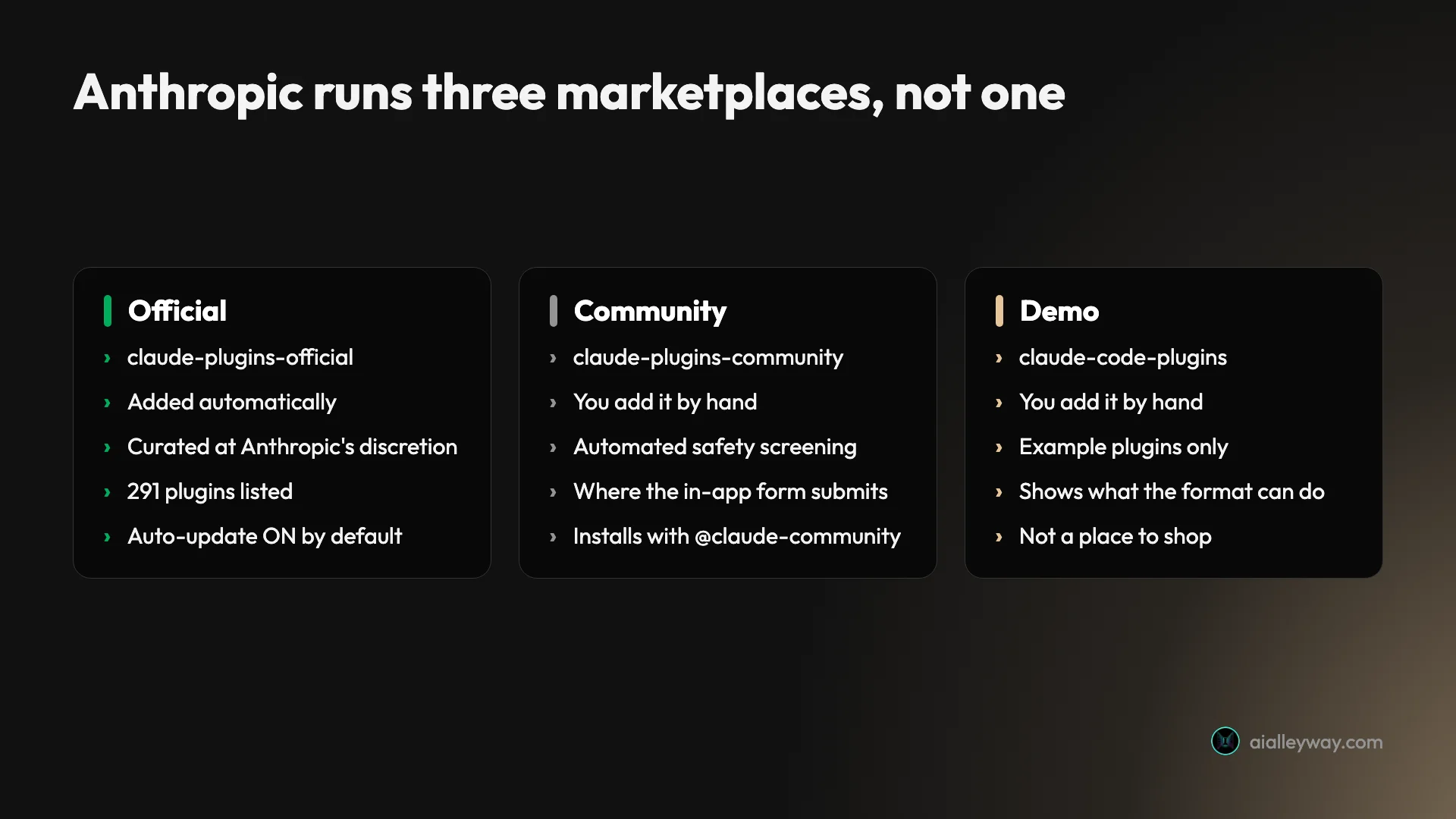
Its bar is automated rather than editorial: plugins there have “passed Anthropic’s automated validation and safety screening”, and like the official catalogue each one is pinned to a commit. If you submit a plugin through the in-app form, this is where it goes — not the official list.
The demo marketplace, claude-code-plugins, comes from the anthropics/claude-code repository and exists to show what the plugin system can do. Useful for learning the mechanics, not a place to shop.
Everything else is somebody’s repository. That is not a warning by itself, since the best pack I use is exactly that, but it does mean the curation is yours.
Where can a Claude plugin marketplace point?
A Claude plugin marketplace can live almost anywhere. /plugin marketplace add accepts four kinds of source, and the differences matter more than the docs’ brevity suggests.
A GitHub repository, in owner/repo shorthand. This is the common case and the one every tutorial shows.
Any git URL, including GitLab, Bitbucket, Azure DevOps and self-hosted servers. Three real traps live here. Include the https:// prefix or recent Claude Code versions reject the address as a malformed owner/repo. For hosts other than github.com and gitlab.com, append .git so Claude Code clones the repository instead of treating the URL as a link to a raw manifest file. That includes self-managed GitLab servers, which do not get the exemption their hosted namesake does. And for Azure DevOps, do the opposite and omit the suffix, because a /_git/ path with .git appended fails to clone. You can also pin a branch or tag by appending # and the ref.
A local path, either a directory containing .claude-plugin/marketplace.json or a direct path to the file. This is how you test a marketplace before publishing it, and it is the fastest way to understand the format.
A remote URL pointing straight at a hosted marketplace.json. It works, with the caveat that plugins declaring relative paths break, because there is no cloned repository for those paths to be relative to.
/plugin marketplace add anthropics/claude-code/plugin marketplace add https://gitlab.com/company/plugins.git#v1.0.0/plugin marketplace add ./my-marketplace/plugin marketplace listThat flexibility is a feature for teams and a risk everywhere else. “Add this marketplace” from an unfamiliar source deserves the scepticism you would give “run this shell script”, because the two end up in the same place.
Installing, scoping and reloading
Installing asks you one question worth thinking about: scope. User scope installs it for you across every project. Project scope writes it into the repository’s .claude/settings.json, so every collaborator gets it. Local scope keeps it to you in this repository only. Teams get a fourth, managed scope, pushed by an administrator and not modifiable.
Getting this wrong is the difference between a personal preference and a decision you made on behalf of everyone who clones the repo, and unlike what Claude Code itself costs, nothing bills you for the mistake. Project scope is the right call for a linter plugin the team depends on, and the wrong one for an output style you happen to like.
After the install, read the summary. Plugin is now active. means it loaded. Run /reload-plugins to activate. means it did not, either because activating it would invalidate the prompt cache or because the activation attempt failed. If the reload itself warns about the cache, rerunning it with --force is what pushes it through.
Plugin skills are namespaced by the plugin, which is easy to forget when a command does not appear where you expect it:
/plugin install commit-commands@claude-code-plugins/reload-plugins/commit-commands:commitReloading is not free. Newly loaded components announce themselves in appended content, and a plugin providing MCP servers whose tools are not deferred invalidates the cache outright, which means the next request re-reads the whole conversation.
Publishing your own
The barrier to publishing a Claude skills marketplace is lower than the word implies. A repository, a .claude-plugin/marketplace.json listing your plugins, and a push. That is the entire ceremony, which is why 182 organisations already appear inside Anthropic’s catalogue and why a marketplace of one plugin is a perfectly normal thing to publish.
For a team, the better pattern is not to make people add it by hand. Put the catalogue in the project’s own settings so it arrives with the repository:
{ "extraKnownMarketplaces": { "my-team-tools": { "source": { "source": "github", "repo": "your-org/claude-plugins" } } }}Once a teammate trusts the folder, Claude Code adds the marketplace without prompting again. Note the deliberate gap in recent versions: adding the marketplace does not auto-install plugins that come from an external source, so a plugin the project enables but hosts elsewhere waits until each person installs it. Administrators can also allowlist or restrict which marketplaces people may add at all, which is the control most organisations actually want before they let this system loose.
If you are publishing outward rather than inward, the in-app submission form routes to the community catalogue. The official list is not something you apply to.
The eight marketplaces on this machine
Configured here, straight out of known_marketplaces.json:
| Marketplace | Repository | Last refreshed | Plugins I run from it |
|---|---|---|---|
superpowers-marketplace | obra/superpowers-marketplace | 16 Mar 2026 | 0 |
career-helper | Zal4DW/career-helper | 25 Apr 2026 | 1 |
claude-code-settings | feiskyer/claude-code-settings | 2 May 2026 | 1 |
marketingskills | coreyhaines31/marketingskills | 28 May 2026 | 1 |
agricidaniel-blog | AgriciDaniel/claude-blog | 5 Jun 2026 | 1 |
caveman | JuliusBrussee/caveman | 13 Aug 2026 | 1 |
claude-plugins-official | anthropics/claude-plugins-official | 2 Sep 2026 | 6 |
claude-code-plugins | anthropics/claude-code | 2 Sep 2026 | 0 |
Worth saying what that middle column is not. known_marketplaces.json records no date of first use, only a lastUpdated stamp, so these are refresh times rather than add times. For most rows the two coincide, because you add a catalogue and install from it in the same minute. For marketingskills they do not: the plugin from it was installed on 2 May, so that catalogue existed here at least twenty-six days before the date above.
Only claude-plugins-official arrives on its own. The other seven were all added by hand, including the demo catalogue, whose position at the bottom makes it look automatic. Five of those seven carry exactly one plugin each and two carry none, which is the normal shape of this: you rarely add a catalogue to browse it, you add it because someone pointed you at one specific thing inside it.
Then there is the first row, which is the honest embarrassment in this table. I added superpowers-marketplace in March, and nothing has ever been installed from it. The Superpowers I actually run installs from claude-plugins-official, whose entry for it points back at the same obra/superpowers repository. Two routes to one plugin; I use the other one.
I will not pretend to remember which came first — the two timestamps are eighteen seconds apart and my config does not record a migration. What the data does say is blunter. That catalogue is still listed and still on disk, and its lastUpdated stamp has not moved since 16 March, because third-party marketplaces do not auto-update by default. So it is not even being refreshed. It is just sitting there.
That is the failure mode this whole guide is arguing against, caught in my own setup. Adding a catalogue is cheap enough that you forget you did it, and nothing prompts you to remove one that has quietly stopped earning its place.
Which of those plugins earn their keep, and what each costs you in context, is a separate question I answered by measuring it. This guide is about where they come from.
How do you read a marketplace before you trust it?
Plugins “can execute arbitrary code on your machine with your user privileges”, in Anthropic’s words. The two-step add-then-install design gives you a window to look. Four things worth doing in it:
Read the manifest, not the README. The README is marketing. .claude-plugin/marketplace.json is the contract, and it tells you whether each plugin is the maintainer’s own code or a pointer at a stranger’s repo.
Check whether external entries are pinned. A sha means you get a reviewed commit. A branch name means you get whatever that repo holds the day you install. Anthropic’s catalogues pin everything; a hobby marketplace usually does not.
Leave auto-update off for third-party catalogues. It already is by default, and that default is correct. Auto-update on someone else’s marketplace means accepting their next publish without review.
Look at the context cost before you install. The /plugin panel now shows a per-plugin context estimate, which is the number I had to compute with a script when I audited my own install. Claude Code surfacing it natively is the single most useful change to the plugin UI this year.
Count it yourself
The composition figures above are not special access. Any marketplace’s manifest is a public file, and the same short command works on any repository that has one:
REPO=anthropics/claude-plugins-officialcurl -s "https://raw.githubusercontent.com/$REPO/main/.claude-plugin/marketplace.json" \ | jq '{listed: (.plugins|length), own: ([.plugins[]|select(.source|type=="string")]|length), third: ([.plugins[]|select(.source|type=="object")]|length), unpinned: ([.plugins[]|select(.source|type=="object")|select(.source.sha==null)]|length)}'Point it at a marketplace someone has just asked you to add. The number worth looking at is the last one. unpinned: 0 means every third-party entry is frozen at a reviewed commit. Anything above zero means those entries track a moving branch, and what you install next month is whatever that maintainer decided in the meantime.
Swap main for the repository’s default branch if it uses something else, and note that a marketplace can legitimately be all first-party, in which case third is zero and the pinning question does not arise.
What should you watch out for?
Removing a marketplace uninstalls its plugins. /plugin marketplace remove takes everything you installed from that catalogue with it. If you added a repo for one plugin and later installed a second from the same place, both go. /plugin marketplace list first.
“Official” is a curation claim, not an authorship claim. 238 of 291 listed plugins are third-party. Reading the badge as “Anthropic built this” is the single most common misunderstanding of the whole system.
The in-app submission form does not put you on the official list. It routes to the community catalogue. Inclusion in the official one is at Anthropic’s discretion and there is no queue you can join.
Unused plugins keep costing you. The Installed tab groups plugins you have not used in at least two weeks across ten or more sessions. They still load their descriptions into context every session, which is real money on a long run.
A marketplace can point anywhere. Local paths, remote URLs, any git host. That flexibility is what makes team marketplaces work, and it is also why “add this marketplace” from an untrusted source deserves the same scepticism as “run this shell script”.
A plugin can answer to two different names. The name in the marketplace entry is not required to match the name in the plugin’s own plugin.json. Current versions accept either name in /plugin enable and /plugin disable, so this only bites on older ones. The documentation notes that before Claude Code v2.1.195 a plugin whose two names differ would report already disabled and stay stubbornly enabled. If a plugin refuses to turn off, check which name you are using and check your version before assuming the plugin is broken.
The commands behind the three most common recoveries, in the order you should try them:
/plugin marketplace list # what am I actually subscribed to/plugin list --enabled # what is switched on right now/plugin disable name@marketplace-name # stop one plugin, keep the catalogue/plugin marketplace remove marketplace-name # removes the catalogue AND its pluginsrm -rf ~/.claude/plugins/cache # last resort; restart and reinstall afterWhen skills simply do not appear, clear the cache. The documented fix is rm -rf ~/.claude/plugins/cache, then restart and reinstall. It is more drastic than it looks, which is why the documented instruction says to reinstall afterwards: ~/.claude/plugins/cache holds the installed plugin payloads themselves, not the catalogue clones, which live under marketplaces/. Every plugin on this machine has its installPath under that cache directory. Clearing it is the documented first move when skills do not appear, but treat it as a reinstall rather than a refresh.
Which one should you add?
- If you have just installed Claude Code: nothing. The official marketplace is already there and 291 plugins is more than enough to start.
- If you want a specific plugin someone recommended: add only the marketplace that carries it, install the one plugin, and leave the rest of the catalogue alone.
- If you are evaluating third-party packs: add the community marketplace before random repositories. Automated screening plus a pinned commit is a better floor than a stranger’s
mainbranch. - If you are setting up a team: put
extraKnownMarketplacesin the project’s.claude/settings.jsonso everyone gets the same catalogue, and read Anthropic’s managed-marketplace restrictions before you let people add their own. - If a plugin you added a catalogue for later joins the official list: remove the original. Two routes to the same plugin means one of them is dead weight, and it will not tell you.
- Skip the demo marketplace unless you are building a plugin. It exists to illustrate the format, and adding it just puts example plugins in your Discover tab.
Final word
The mental model that makes all of this legible is that a Claude skills marketplace is a list of pointers, not a vault. Anthropic’s official list is a good one, carefully pinned, and four-fifths of it was written by other people. Once you know that, the right instinct is not to avoid marketplaces but to read the manifest before you add one, and to keep the number you have added small.
If you have not picked which plugins to install yet, start with the packs that earned their context cost, and if you are still deciding whether the terminal is worth paying for at all, the Claude Code review answers that first.
And if you are still choosing the tool underneath the skills, the best AI for coding ranks Claude Code against six rivals on one identical build.
Frequently asked questions
What is a Claude skills marketplace?
It is a git repository with a manifest file at .claude-plugin/marketplace.json that lists what is available and where each item lives. There is no hosted service, no accounts and no store.
That is the whole mechanism. Adding a marketplace registers the catalogue, which for a git source means cloning the repository and reading the manifest; installing a plugin from it then fetches whatever that manifest points at. A remote-URL marketplace is the exception, since there is no repository to clone. Because a catalogue is just a repo, anyone can publish one in an afternoon, which is why there are so many and why they vary so much in quality.
The practical consequence is that a marketplace is a list of pointers rather than a vault of vetted software. What you are trusting when you add one is the judgement of whoever maintains that list, plus every repository the list points at.
Is the Anthropic Claude skills marketplace official, and is it safe?
It is official in the sense that Anthropic curates it and decides what gets listed. It is not a guarantee that Anthropic wrote or audited the code, and those are very different claims.
I counted the catalogue on 2 September 2026: 291 plugins listed, of which 53 come from Anthropic's own repository and 238 point at repositories owned by 182 other organisations, from Stripe and AWS to Figma and Shopify. Even the familiar integrations are split. Of the twelve most-recognised names, five are Anthropic's and seven belong to the vendor. Anthropic's own documentation says as much, warning that it does not control what is inside plugins and cannot verify they work as intended.
The real protection is quieter and better than most people realise: all 238 external entries are pinned to a specific commit, so you get the commit Anthropic reviewed rather than whatever that third party pushed this morning.
How do I add a Claude Code plugin marketplace?
Use /plugin marketplace add with a GitHub owner/repo shorthand, a full git URL, a local path, or a URL pointing straight at a hosted manifest. Those four source kinds behave slightly differently, and the git-URL one carries real traps around when to include a .git suffix.
The official Anthropic marketplace is added for you the first time you start Claude Code interactively, so most people never run the command for that one. Every other catalogue, including Anthropic's own community and demo ones, you add by hand. Running /plugin then opens a panel whose Discover tab lists what became available.
Adding a marketplace installs nothing on its own. It is a two-step system by design: register the catalogue, then install individual plugins with /plugin install name@marketplace-name. That gap is the point at which you can read what you just subscribed to.
What is the difference between the official and community Claude marketplaces?
They are two separate catalogues with different bars, different install identifiers and different ways of getting them. Conflating them is the most common mistake people make with this system.
The official one is curated at Anthropic's discretion, is added automatically on first run, and installs plugins with the claude-plugins-official suffix. The community one lives at anthropics/claude-plugins-community, has to be added by hand, and holds third-party plugins that have passed automated validation and safety screening rather than editorial curation. Its plugins install with claude-community, which is a different string from the repository name and trips people up.
There is a third, easy to mistake for the others: anthropics/claude-code is a demo marketplace of example plugins showing what the system can do. Submitting a plugin through the in-app form sends it to the community catalogue, never the official one.
Do Claude marketplaces update themselves?
The official ones do. Third-party ones do not, unless you turn it on, and you can see the difference in your own config rather than taking it on trust.
Auto-update is enabled by default for claude-plugins-official and most other official Anthropic marketplaces, and disabled by default for third-party and local development marketplaces. Claude Code checks after your session starts with a random delay of up to ten minutes, so the session you are in keeps the versions it launched with. On this machine the effect is stark: the two Anthropic catalogues refreshed the day I wrote this, while a third-party one I added in March still carries its March stamp.
That default is worth understanding rather than changing blindly. Auto-update on someone else's marketplace means you accept whatever its maintainer publishes next, without review. For anything outside Anthropic's own catalogues, off is the safer setting and it is already the default.
How do I remove a Claude marketplace I no longer want?
Run /plugin marketplace remove followed by the marketplace name, but read the warning before you do, because the command reaches further than people expect.
Removing a marketplace uninstalls every plugin you installed from it. That is usually what you want, and occasionally a nasty surprise if you added a catalogue for one plugin and forgot that a second one came from the same place. Running /plugin marketplace list first shows what you actually have configured, which is worth doing because most people have more catalogues than they remember adding.
If you only want to stop a single plugin without losing the catalogue, disable or uninstall that plugin instead. The Installed tab also flags plugins you have not used in at least two weeks across ten or more sessions, which is the fastest way to find what is costing you context without earning it.
Keep reading
Claude Code vs Codex vs Cursor: one brief, three results
Claude Code vs Codex vs Cursor, measured. I gave all three the same brief and used every app they built. All three passed — here is what separated them.
Claude Code vs Copilot: $10 now buys you both
Claude Code vs Copilot, both measured on one identical brief. Copilot Pro at $10 now bundles Claude Code access, which changes the question entirely.
Claude Code tips: what eight months of daily use taught me
Claude Code tips from running a production pipeline on it daily for eight months, plus a controlled build test. The habits that changed my output.
Claude Code vs Cursor: I paid for both for a year
Claude Code vs Cursor, decided on invoices rather than vibes. They have converged on capability. Three axes still separate them, and only one decided it for me.