
Grammarly humanizer: I tested it, and it rewrote my facts
I ran three Claude texts through Grammarly's free humanizer and Humanizer agent, then two AI detectors. What it changed, what it scored, the limits.
Contents
The verdict: a rewriter, not a disguise
It rewrites quickly and for free, but it does not keep your meaning, and every rewrite needs checking.
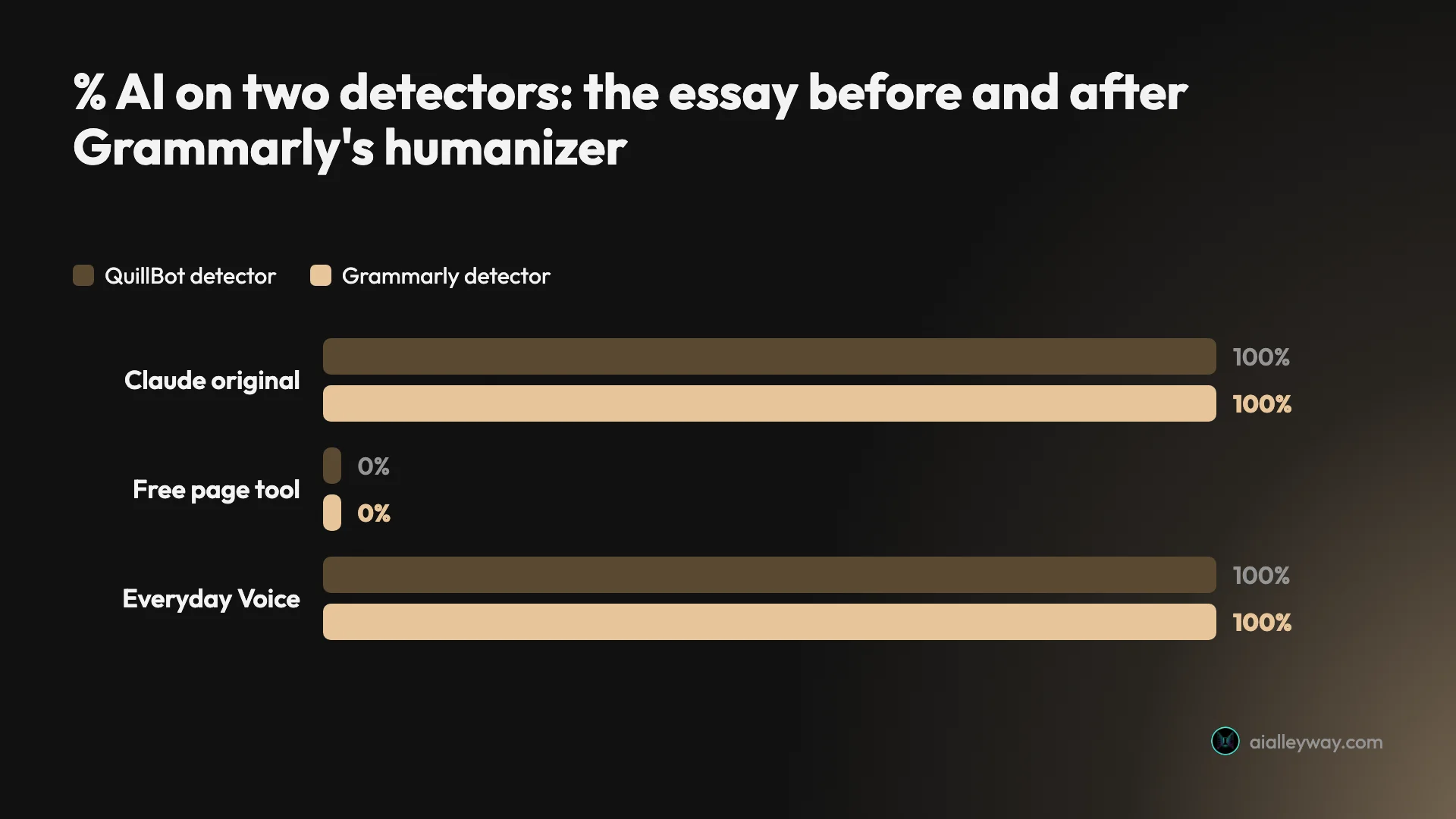
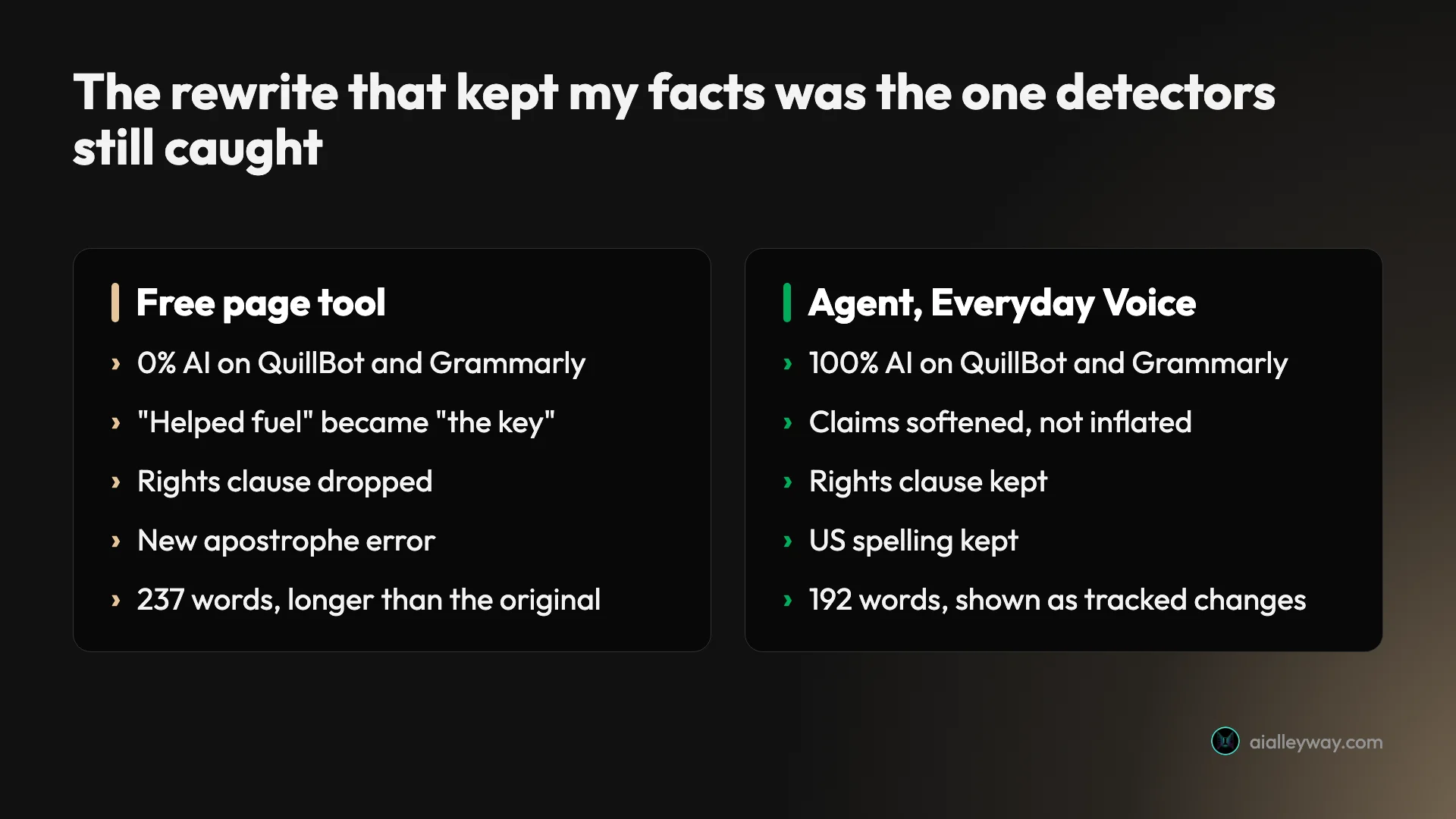
I gave the free Grammarly humanizer three paragraphs written by Claude, the same three I used for my Grammarly AI detector test. Then I ran the results back through QuillBot’s free AI detector and Grammarly’s own. The free page tool took a Claude essay that both detectors had scored 100% AI down to 0% on each. It got there by changing what the essay said.

| Version of the Claude essay | QuillBot detector | Grammarly detector | What happened to the meaning |
|---|---|---|---|
| Original (before) | 100% AI | 100% AI | Source text |
| Free humanizer page | 0% AI | 0% AI | Claims inflated, one clause dropped |
| Agent, The Naturalist voice | 0% AI | Not scanned | Claims inflated, same clause dropped |
| Agent, The Everyday Voice | 100% AI | 100% AI | Meaning kept, simpler wording |
Grammarly’s own detector agreed with QuillBot on both versions I could scan. The pattern held across everything I ran: the outputs that got past the detectors were the ones that drifted furthest from the original. The one that stayed faithful still read as AI on both.
Two ways in: the humanizer page and the agent
There are two ways in, and they behave differently.
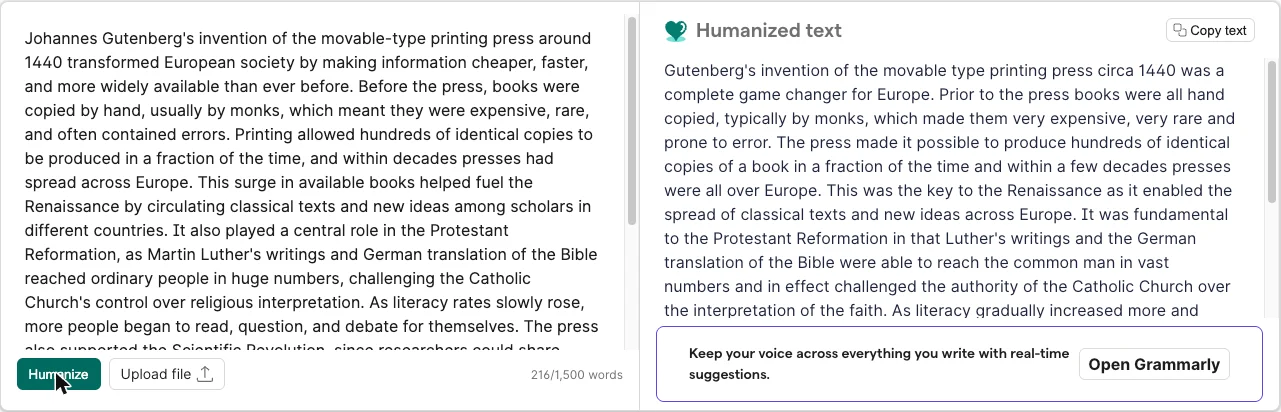
The free humanizer page, the Grammarly AI humanizer on Grammarly’s website, is a single box. You paste up to 1,500 words (the counter reads “216/1,500 words” for my essay), click Humanize, and a rewrite appears on the right in about ten seconds. There is no tone setting, no voice and no way to see which words changed. Grammarly says it works in six languages: English, Spanish, French, German, Portuguese and Italian.
The Humanizer agent sits in the right-hand rail of Grammarly’s docs editor, where “Start writing” on the humanizer page sends you. Grammarly’s Humanizer user guide says it is available on Free, Plus and Pro accounts. It offers five preset voices and a Create a voice option that takes a writing sample of 200 words or more and learns your style from it. The agent shows its rewrite as tracked changes, with Accept and Dismiss buttons.
Underneath both is the same idea. Grammarly’s FAQ says the humanizer “uses advanced AI (Natural Language Processing) to analyze text and rewrite it in a human-like way without changing the original meaning.” That last clause is the one my test kept tripping over.
What I fed it, and how I scored the results
I wanted a test where I knew the right answer before I started, so I reused the texts from my detector tests.
- The essay: 216 words on why the printing press mattered, written by Claude. Grammarly’s detector and QuillBot’s both scored it 100% AI in October.
- The explainer: 219 words on how a sourdough starter works, written by Claude. Grammarly scored it 75% AI, QuillBot 100%.
- The casual post: 207 words, a first-person story about missing the last train, written by Claude. Grammarly scored it 100% AI. QuillBot missed it completely, at 0%.
On 27 October I ran all three through the free humanizer page on my free Grammarly account, then ran the essay through two voices of the Humanizer agent. Every output went into QuillBot’s free AI detector, model v7.1.0. Grammarly’s own detector allows only two scans a day on a free account, so I spent those on two versions of the essay.
I saved every output word for word, and I read each one against its source line by line. That second step turned out to matter more than the scores.
What the humanizer changed in my text
The free page tool did not just reword. It changed claims, and it did it in all three texts.
The essay got bolder than its sources
| Claude’s original | After the free humanizer |
|---|---|
| helped fuel the Renaissance | was the key to the Renaissance |
| supported the Scientific Revolution | the essential enabler of the Scientific Revolution |
| reached ordinary people | reach the common man |
| laying groundwork for later movements demanding rights and representation | (dropped) |
| for centuries afterward | for the rest of the age |
| each other’s work | each others’ work |
Read the left column and you have a careful paragraph. Read the right and you have a confident one that a history teacher would mark down. “Helped fuel” became “the key”, and a whole clause about rights and representation disappeared. It also introduced an apostrophe error that was not in the original, and it dropped the commas after introductory phrases (“Prior to the press books were all hand copied”).
The output was 237 words against 216 in, so it was not even shorter.
The explainer switched to British English
The sourdough explainer came back as “colonised”, “flavour” and “stabilise”, although the original was written in American English and nothing on the page asks which you want. QuillBot noticed: its language box switched itself to English (UK) for that text.
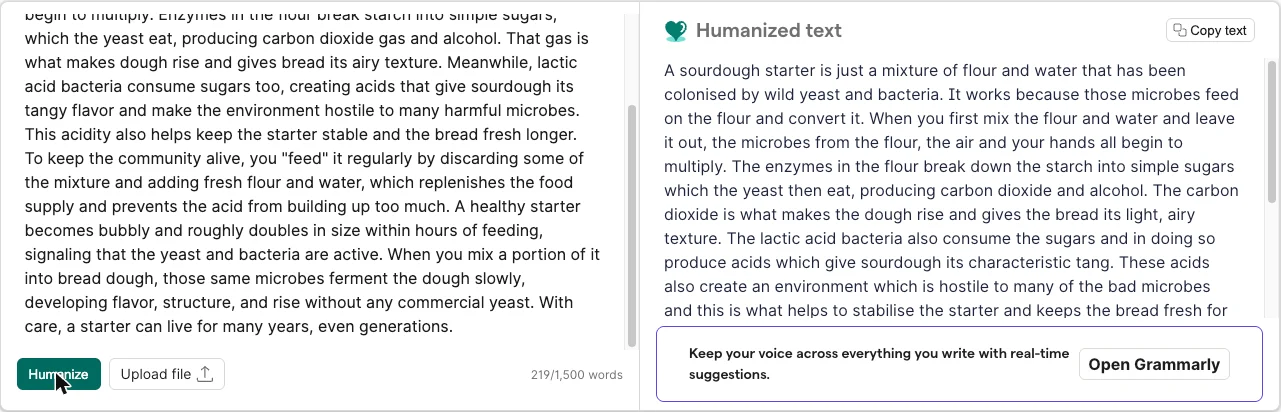
It also dropped “signaling that the yeast and bacteria are active” and padded the rest (“without the need for commercial yeast at all”, “quite bubbly”). The output grew from 219 to 254 words.
The personal story broke its own plot
This is the change that would embarrass you. Claude’s story has the narrator chatting to a stranger “before his ride showed up”, and then: “He offered me a lift, but I’d already called a cab.”
The humanizer changed the first part to “until his train came”. So now a man waiting for a train offers the narrator a lift. It also turned “guy” into “bloke”, “11:52” into “11.52” and “weirdly cheerful” into “in a rather odd state of cheer”. It is a different voice, a British one, and it is no longer quite the same story.
Did it get past the AI detectors?
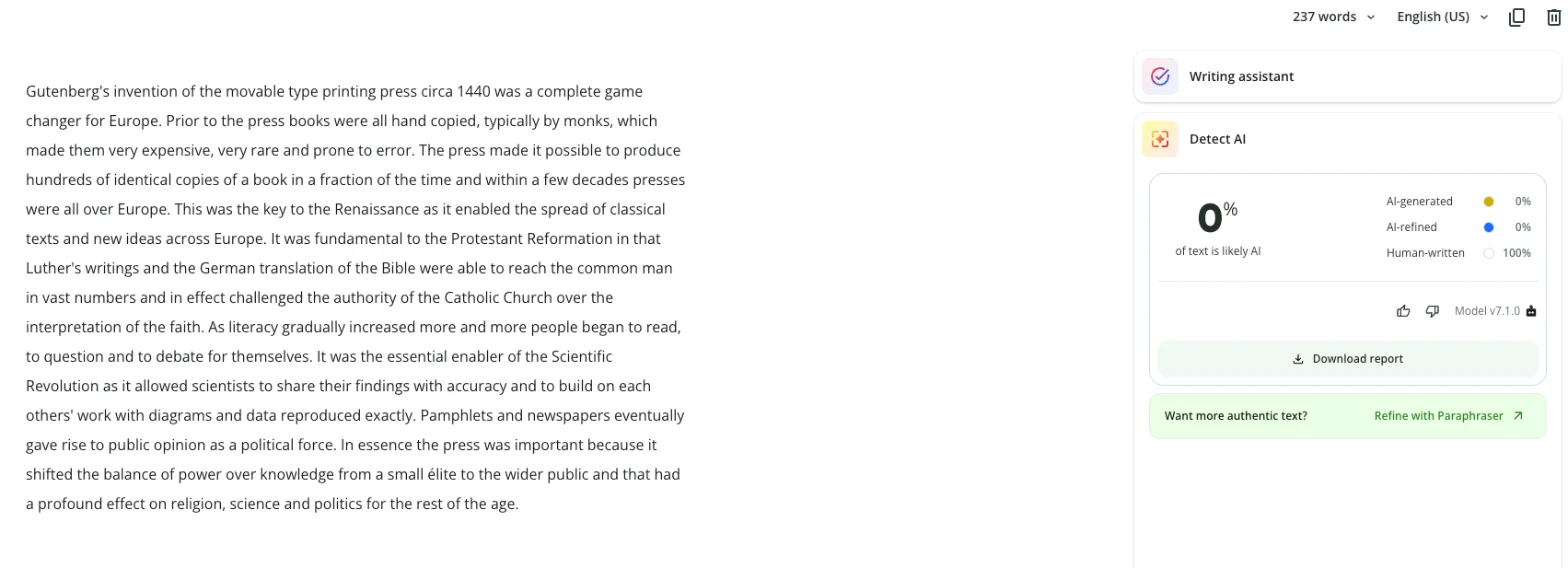
On QuillBot, mostly yes. On Grammarly’s own detector, the essay split exactly the same way: the page-tool version fell from 100% to 0%, and the Everyday Voice version stayed at 100%.
| Text | Version | QuillBot before | QuillBot after | Grammarly before | Grammarly after |
|---|---|---|---|---|---|
| Essay | Free page tool | 100% | 0% | 100% | 0% |
| Essay | Agent, The Naturalist | 100% | 0% | 100% | Not scanned |
| Essay | Agent, The Everyday Voice | 100% | 100% | 100% | 100% |
| Explainer | Free page tool | 100% | 0% | 75% | Not scanned |
| Casual post | Free page tool | 0% | 0% | 100% | Not scanned |
I scanned the page-tool essay on QuillBot twice, and it read 0% both times.
The interesting row is the Everyday Voice. That rewrite was the best of the lot as writing: shorter, plainer and faithful to the original, down to the clause about rights and representation that the other two versions dropped. QuillBot still called it 100% AI-generated, with “neutral tone” and “predictable structure” as the reasons.
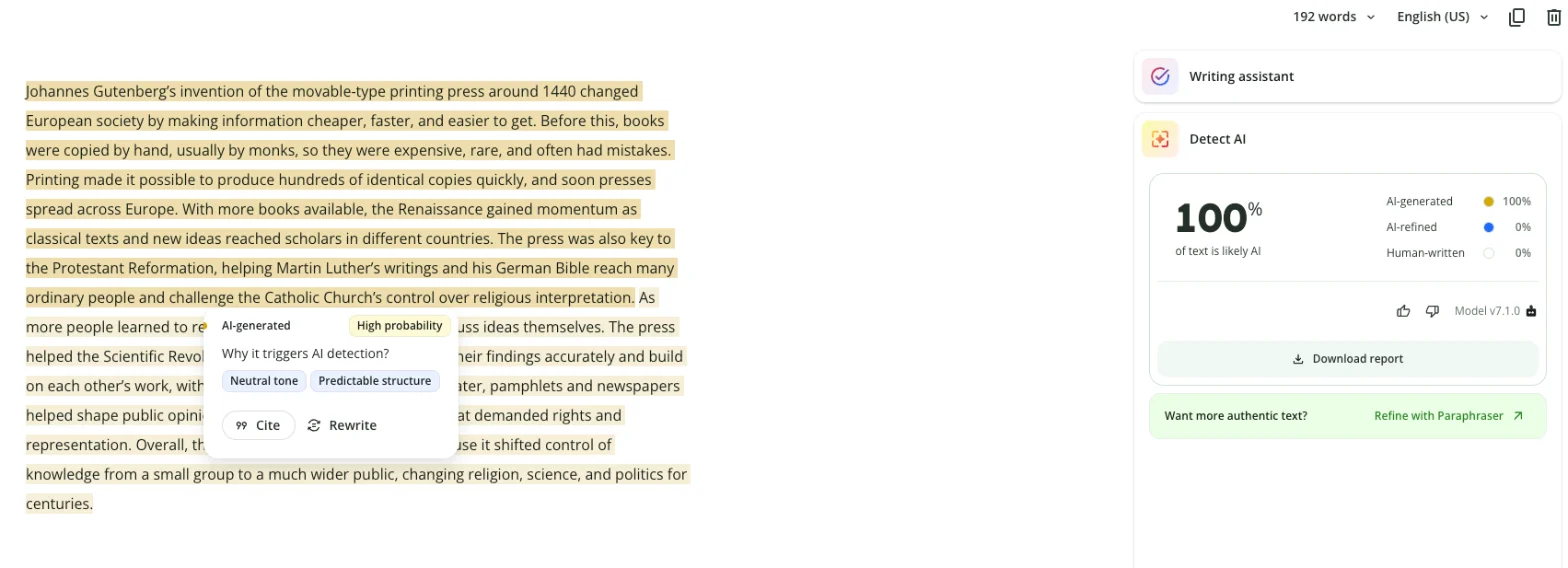
Grammarly’s own detector gave the same split
Grammarly’s free AI detector allows two scans in a rolling 24 hours, so I could not run every version through it. I spent both scans on the two essays that mattered most: the page-tool rewrite and the Everyday Voice rewrite.
The page-tool essay scored 0%, with “No AI text patterns found” at 100%. The Everyday Voice essay scored 100%, with “Resembles AI text” at 100%. No partial scores and no middle ground. Grammarly’s humanizer fooled Grammarly’s detector with the version that changed the facts, and not with the version that kept them.
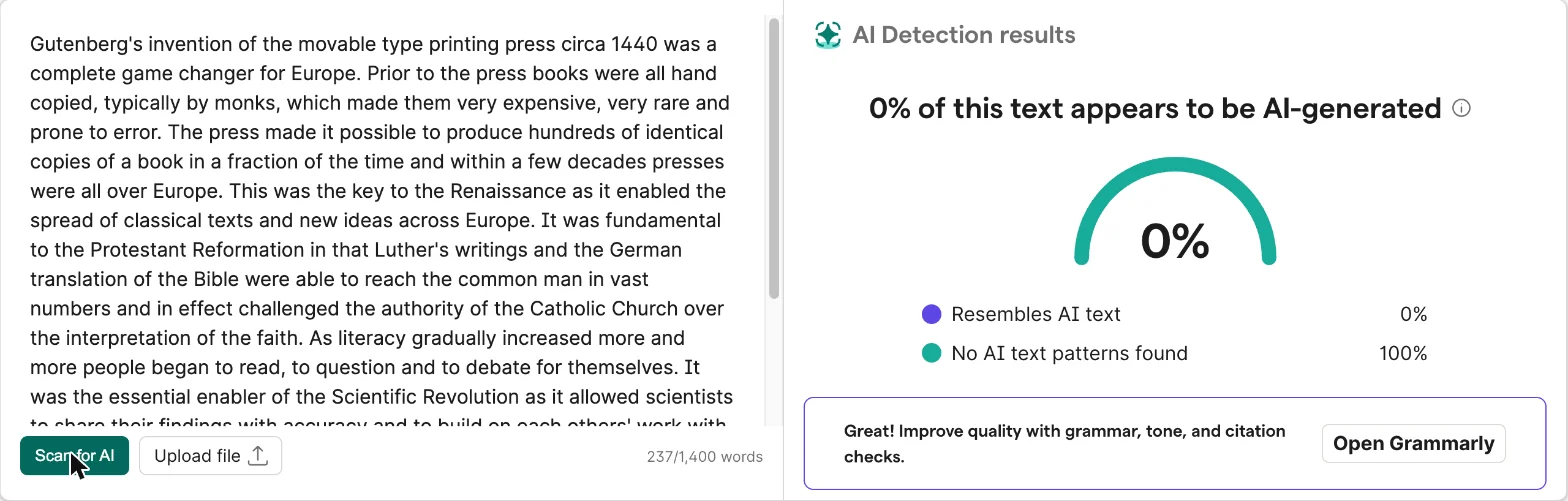
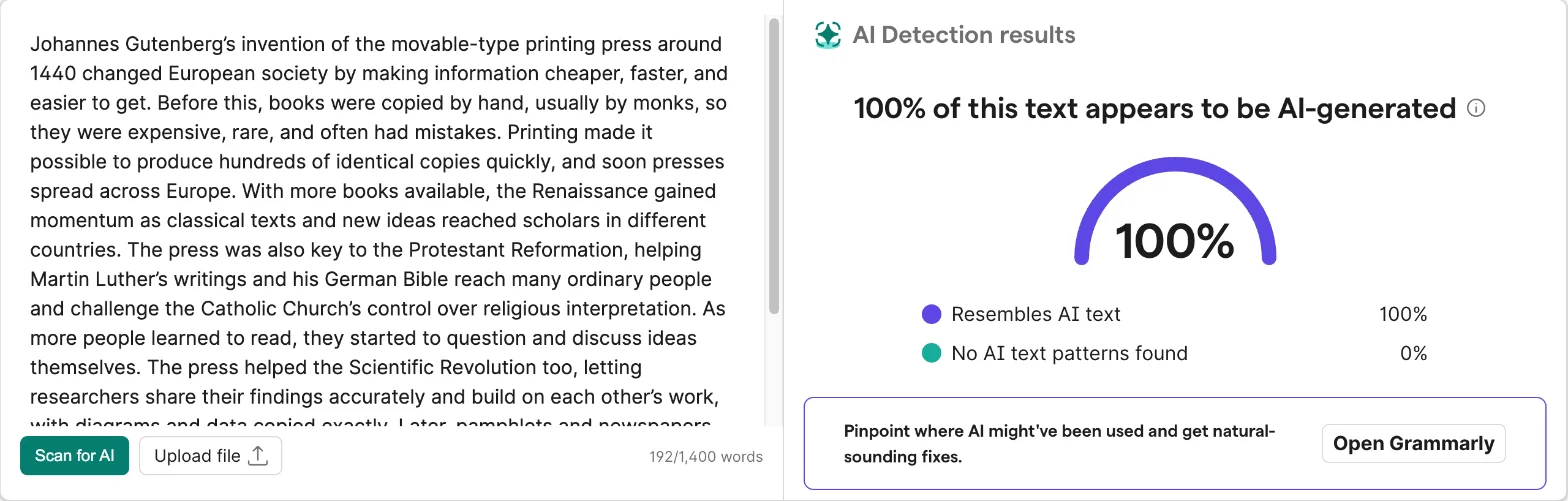
That agreement is worth more than either score on its own. On the original texts the two detectors disagreed about the casual post, so I expected them to split here too. They did not. Both rewarded the same structural changes and both caught the same faithful rewrite.
What the 0% versions had in common
The scores made more sense once I measured the texts instead of just reading them.
I counted the words in every sentence of each essay version, and the commas. Grammarly’s own explainer on AI detectors lists “burstiness”, meaning how much sentence length and style vary, among the common signals detectors look for. Turnitin’s FAQ says its model is not explicitly programmed to measure it, so treat it as a rough lens rather than the mechanism. My four essays fit it neatly anyway.
| Essay version | Words | Average sentence | Spread (SD) | Longest sentence | Commas | QuillBot |
|---|---|---|---|---|---|---|
| Claude original | 216 | 24.0 words | 5.0 | 34 words | 21 | 100% AI |
| Free page tool | 237 | 26.3 words | 10.2 | 44 words | 5 | 0% AI |
| The Naturalist | 241 | 26.8 words | 8.7 | 41 words | 4 | 0% AI |
| The Everyday Voice | 192 | 21.3 words | 5.0 | 30 words | 19 | 100% AI |
The two versions that scored 0% roughly doubled the spread of their sentence lengths, and they did it by building very long sentences, up to 44 words, while stripping out most of the commas. The Everyday Voice kept exactly the original’s spread and nearly all of its commas, and it kept the 100% score too.
That is four texts, so it is a pattern rather than proof, and I can’t see inside either detector. But it explains the trade-off I kept running into. The changes that moved the score were structural: longer run-on sentences with fewer commas. Those are also the changes that made the essay harder to read and easier to get wrong, because a 44-word sentence with no commas is where “ordinary people” quietly becomes “the common man”.
The explainer showed a smaller version of the same move: commas fell from 17 to 7 and the longest sentence grew from 35 to 38 words. The casual post, which already had a wide spread at 8.7, barely changed shape.
So in my small test, the price of a 0% on both detectors was a less accurate essay. The version that kept the facts kept the AI score too. Five rewrites and two detectors are not a study, and another detector might rank them differently. But if you are hoping for a rewrite that is both faithful and invisible, this test did not produce one.
The Humanizer agent and its five voices
The agent is the more interesting half of Grammarly’s humanizer, and it is easy to miss.
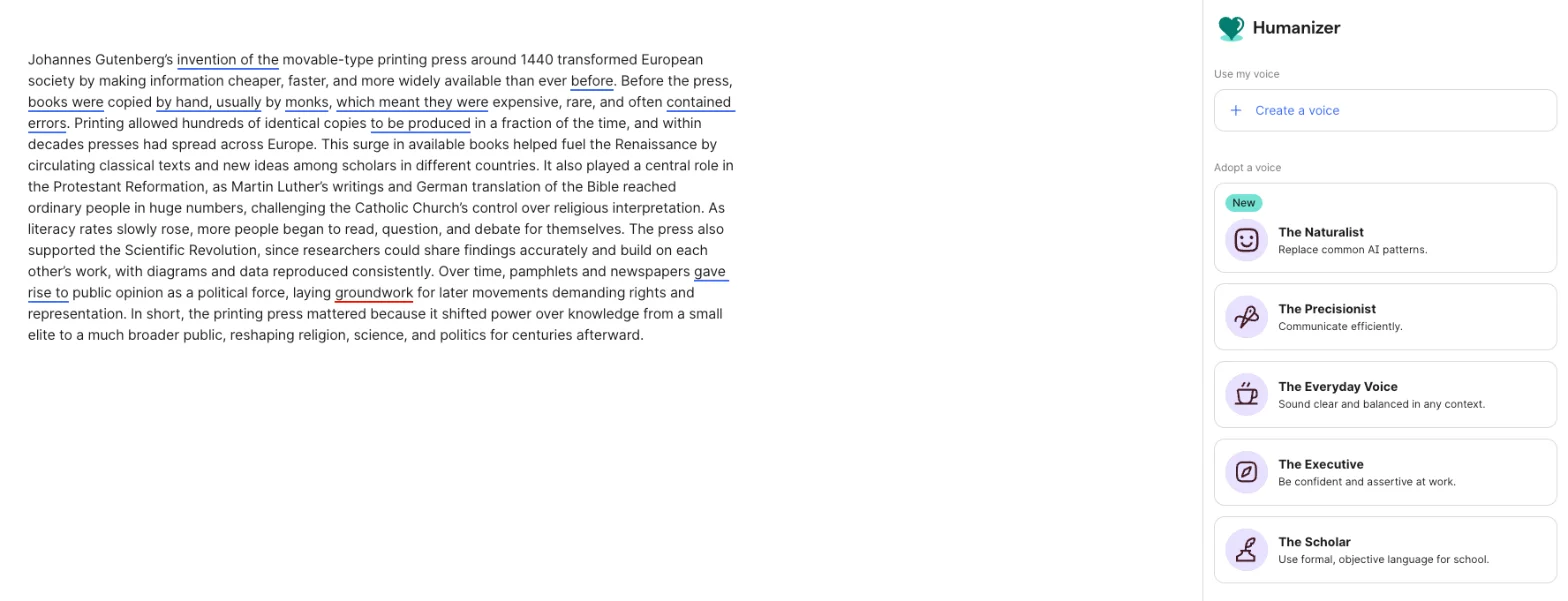
Open a document in Grammarly’s docs editor, click the heart icon in the right-hand rail, and the Humanizer panel lists five voices:
- The Naturalist (marked New): “Replace common AI patterns.”
- The Precisionist: “Communicate efficiently.”
- The Everyday Voice: “Sound clear and balanced in any context.”
- The Executive: “Be confident and assertive at work.”
- The Scholar: “Use formal, objective language for school.”
Above them is Create a voice, and below them a box where you can describe a voice in your own words.
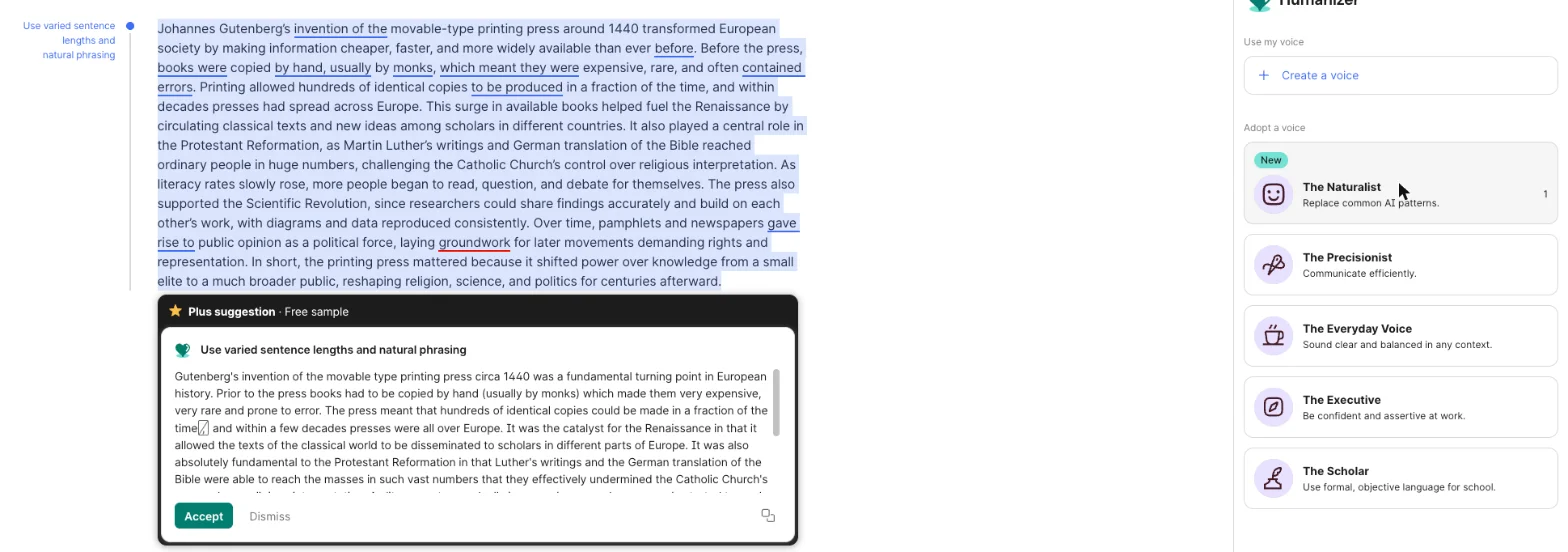
I tried two. The Naturalist, the voice built to “replace common AI patterns”, produced a rewrite very like the page tool’s: “the catalyst for the Renaissance”, “the bedrock of the Scientific Revolution”, the rights clause gone again, and an odd ending, “for the rest of the centuries”. It scored 0% on QuillBot.
The Everyday Voice went the other way. Its margin note said “Simplify language and shorten”, and it did: 192 words, American spelling kept, claims softened rather than inflated (“the Renaissance gained momentum”). Because it arrives as tracked changes, you can see every insertion and deletion before you accept anything. That alone makes the agent better than the page for anyone who cares what their text says.
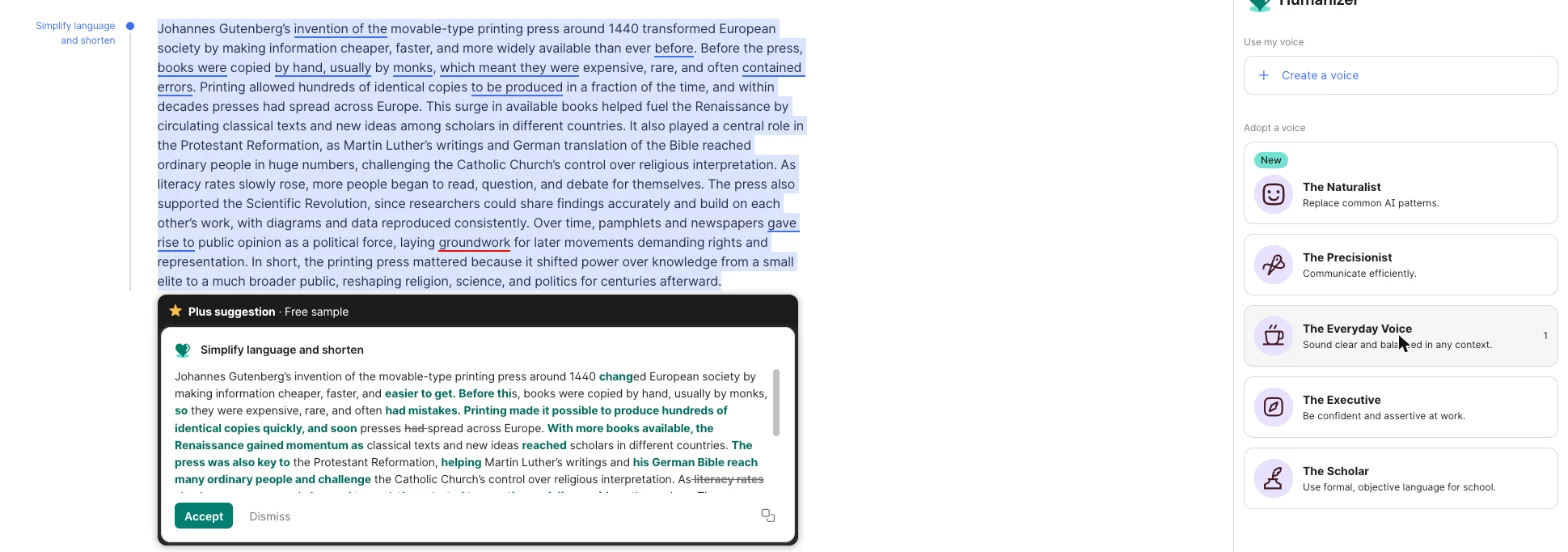
Both cards carried the same header: “Plus suggestion · Free sample”. On a free account the voices give you a taste rather than the full tool. I did not accept either, so the document still held the original.
Is Grammarly’s humanizer free? The limits
Partly. Here is what my free account got on 27 October 2026.
| Free account | Grammarly Pro | |
|---|---|---|
| Humanizer page | Up to 1,500 words a run; 3 runs before the daily-limit pop-up | The full Humanizer, per Grammarly’s FAQ |
| Humanizer agent voices | Open, but rewrites labelled “Plus suggestion · Free sample” | Included |
| Custom voice from your writing | Listed in the panel; Grammarly’s FAQ says free accounts can create one (not tested) | Included |
| Price | $0 | $12 a month billed annually, or $30 month to month |
The daily limit arrived right after my third page-tool rewrite. The output still appeared, then a pop-up said: “You’ve reached your daily free limit. Start your free trial today to get full access to Grammarly.” It offered “Try Grammarly Pro for free” and “Stay on Free plan”. I closed it with the X.
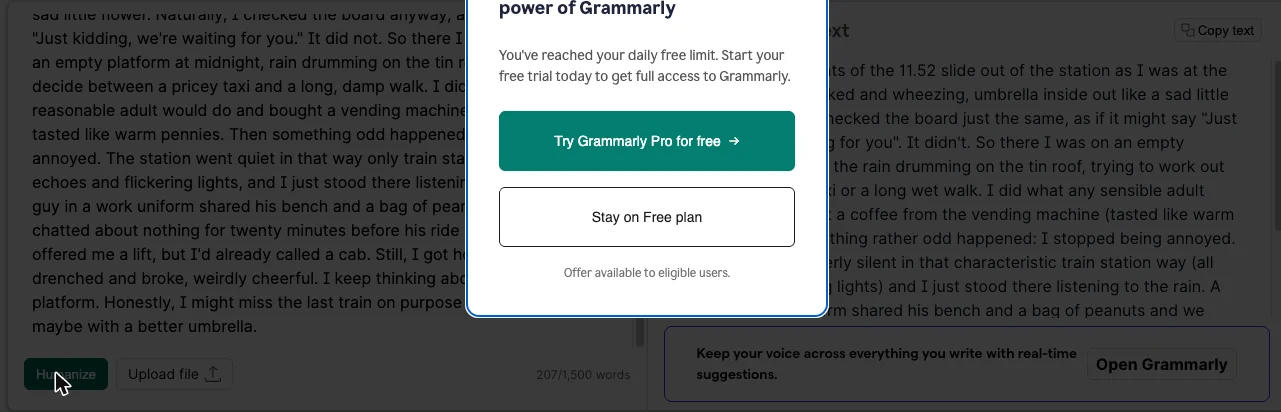
Grammarly does not publish the number, so treat three as what one free account saw on one day, not as a promise. The Grammarly pricing guide covers what Pro costs in full, including the student discount.
How to use the Grammarly humanizer without wrecking your text
If you are going to use it, use it like an editor’s suggestion, not a finished draft.
- Use the agent, not the page, when the text matters. Open a Grammarly doc, paste your draft and pick a voice from the Humanizer panel. Tracked changes show you exactly what moved.
- Pick the voice for the job. The Everyday Voice kept my meaning best. The Naturalist rewrote the most and inflated the most.
- Check every claim against your original. Look for upgraded verbs (“helped” becoming “was the key”), dropped clauses and changed facts. These are the edits a reader or a marker will catch.
- Check spelling and dialect. If you write American English, watch for -ise endings, “flavour” and times written as 11.52.
- Do not read a detector score as permission. A 0% on one detector told me nothing about the essay’s accuracy, and the faithful version still scored 100%.
- If AI use has to be disclosed where you are, disclose it. A humanizer does not change the rules you are writing under.
A worked example: fixing one sentence
Here is what step 3 looks like on a real sentence from my test. This is Claude’s original line about the Renaissance:
This surge in available books helped fuel the Renaissance by circulating classical texts and new ideas among scholars in different countries.
And this is what the free page tool returned:
This was the key to the Renaissance as it enabled the spread of classical texts and new ideas across Europe.
Two things moved. “Helped fuel” became “the key”, which turns one cause among many into the cause. And “scholars in different countries” became “across Europe”, which drops who was reading. Neither change is a grammar fix. Both are claims a marker could challenge.
The repair is to put the original claim back and keep any wording you actually prefer. For example:
More books meant classical texts and new ideas could move between scholars in different countries, and that helped fuel the Renaissance.
That version keeps “helped fuel” and keeps the scholars. It is my edit, written to show the method, and I did not run it through a detector, so I can’t tell you how it scores. The point is the order of work: restore the facts first, then worry about style.
Do the same for anything the humanizer dropped. My essay lost a whole clause, “laying groundwork for later movements demanding rights and representation”, and no detector score will tell you that is missing. Only a line-by-line read against the original will.
Six things to watch
| Watch for | What I saw | How to catch it |
|---|---|---|
| Meaning drift | “helped fuel” became “the key” | Read it against the original |
| Dialect switch | colonised, flavour, 11.52 | Spellcheck in your dialect |
| New errors | “each others’ work” | Proofread the output |
| Detector disagreement | 0% on QuillBot, 100% on Grammarly for the casual post | Never trust one score |
| Grammarly’s own stance | “not intended to bypass AI detectors” | Read the FAQ |
| Turnitin | Generative edits likely flagged | Check your school’s rules |
It changes meaning while promising not to
Grammarly’s FAQ says the humanizer rewrites text “without changing the original meaning”. In my test the page tool changed meaning in all three texts, from inflated history claims to a plot hole. The promise and the output do not match.
It may switch your dialect
Two of the three page-tool outputs came back with British spelling or British phrasing, from American originals. Nothing on the page lets you choose. If your teacher, client or style guide expects US English, that is extra editing.
It can add errors
The essay picked up “each others’ work”, an apostrophe mistake Claude had not made, and lost the commas after its introductory phrases. A tool sold for polish should not lower the grammar of the text it polishes, least of all from Grammarly.
Detectors disagree with each other
QuillBot missed the casual post entirely before any humanizing, at 0%, while Grammarly had scored it 100% AI. The two detectors already disagreed on the originals, so a single score after humanizing tells you very little. My QuillBot detector test has the full side-by-side, and Grammarly vs QuillBot compares the two tools beyond detection.
Grammarly says it is not for bypassing detectors
Its FAQ is direct: “This tool is not intended to bypass AI detectors.” It recommends acknowledging AI assistance in academic or professional work. That is worth knowing before you build a workflow around it.
Turnitin expects generative edits to be flagged
Turnitin’s AI writing detection FAQ, updated in October 2026, separates Grammarly’s grammar fixes, which it says are in most cases not flagged, from its generative features such as paraphrasing, which it says will likely be flagged. A humanizer is a generative feature. I did not test Turnitin, so I can’t tell you what it would score these outputs.
Who should use Grammarly’s humanizer?
- Use the agent if you have an AI-assisted draft for work or a blog and want it plainer. The Everyday Voice with tracked changes is a decent editing pass you can check line by line.
- Use the free page if you want a quick alternative phrasing to borrow from, not to paste wholesale.
- Look elsewhere if your writing has to be accurate to the word, such as history, science or anything with facts and dates. Every page-tool output I read needed fixing.
- Skip it if your goal is to hide AI use from a school or employer that asks you to disclose it. The faithful rewrite did not hide it from QuillBot, the unfaithful ones changed your facts, and Grammarly itself says that is not what the tool is for.
Other options if it doesn’t suit you
- Grammarly’s own Paraphraser. It sits next to the Humanizer in the same docs rail, with six styles including one called Humanize. My Grammarly review covers it alongside the rest of the free account.
- QuillBot. QuillBot sells its own humanizer and paraphraser alongside the detector I used here. I later ran the same essay through its free humanizer: it takes 100 words a run and stopped me after three usable runs, and my QuillBot humanizer test has the results. The QuillBot review covers the paraphraser and the rest of the free plan.
- Editing it yourself. The changes that made my texts read more human, such as varied sentence length, a specific detail and a real opinion, are things you can add in ten minutes. You keep your facts.
For the wider field, the best AI writing tools guide compares the writing assistants I have tested, and Grammarly alternatives covers six alternatives I ran against Grammarly.
Final word
Grammarly’s humanizer is a quick, free rewriter that does not reliably keep your meaning, and the page version gives you no way to see what it changed.
The test made one thing clear. The rewrites that got past QuillBot were the least accurate ones. The rewrite that kept every fact, the agent’s Everyday Voice, still scored 100% AI on both QuillBot and Grammarly’s own detector. If you use it, use the agent, read the tracked changes, and treat the result as a draft you still own.
Frequently asked questions
Is Grammarly's humanizer free?
The page version is. Grammarly's AI humanizer page takes up to 1,500 words at a time and returns a rewrite in about ten seconds. On my free account in October 2026 it gave me three rewrites; the third came back and was followed by a pop-up saying I had reached my daily free limit.
The Humanizer agent inside Grammarly's docs editor also opened on the free account, with five preset voices. Both voices I tried came back labelled as a Plus suggestion and a free sample, so the full agent is part of the paid plan. Grammarly Pro costs $12 a month billed annually or $30 month to month.
Does Grammarly's humanizer bypass AI detectors?
Sometimes, and not in the way you would want. In my test, the free page tool took a Claude essay that QuillBot's free detector and Grammarly's own both scored 100% AI down to 0% on each. The same essay rewritten by the agent's Everyday Voice, which kept the meaning, still scored 100% on both.
The versions that slipped past the detectors were also the ones that changed the most: inflated claims, a dropped clause and, in one case, a switch to British spelling. Grammarly's own page says the tool is not intended to bypass AI detectors.
Does the Grammarly humanizer change the meaning of your text?
It did in my test. On a 216-word Claude essay about the printing press, the free page tool turned helped fuel the Renaissance into the key to the Renaissance, called the press the essential enabler of the Scientific Revolution and dropped a whole clause about later movements for rights and representation.
On a short personal story, it changed before his ride showed up to until his train came, one sentence before the same man offers the narrator a lift. Read every output against your original before you keep it.
Is using an AI humanizer cheating?
It depends on the rules you are writing under. Grammarly's own FAQ says that where AI use is restricted or has to be disclosed, using a humanizer to disguise it may be considered unethical and could count as cheating or plagiarism.
Turnitin's FAQ, updated in October 2026, also says content made with Grammarly's generative features is likely to be flagged. If your school or employer asks you to disclose AI use, a humanizer does not change that.
What is the difference between Grammarly's humanizer page and the Humanizer agent?
The page is a single box: paste up to 1,500 words, click Humanize and copy the result. There are no settings. The agent lives in the right-hand rail of Grammarly's docs editor and offers five preset voices, from The Naturalist to The Scholar, plus a Create a voice option that learns from a sample of 200 words or more of your writing.
The agent shows its rewrite as tracked changes you can accept or dismiss, which makes it much easier to see what moved. In my test the agent's Everyday Voice also changed far less of the meaning than the page tool did.
Keep reading
Grammarly AI detector: I tested it, and the #1 claim is stale
Grammarly's free AI detector, tested on human and AI text: what it caught, what it missed, the two-scan daily cap, and why its RAID #1 claim is out of date.
QuillBot humanizer: free, 100 words at a time, and it broke my logic
I ran a Claude essay through QuillBot's free AI humanizer and its own detector. The 100-word cap, the daily limit, what it changed, and an 11% that hid a 45%.
QuillBot AI detector: 6 of 7 right, and the miss that matters
QuillBot AI detector tested on seven texts: it cleared every human one and caught formal AI, then scored a casual Claude story 100% human.
Grammarly review: a near-perfect checker with a pushy AI
A Grammarly review from 23 planted errors: the free plan caught all 23, but one AI rewrite added a claim I never made. Prices, privacy and verdict.
Best AI writing tools: one to draft, one to check
The best AI writing tools, tested on one email brief and 23 planted errors. Claude drafted best, Grammarly checked best, and Gemini changed a promise.