
The 5 best InVideo AI alternatives, ranked by job
InVideo alternatives ranked: Fliki from $8 for voice and a free tier, Runway for generative footage, Pictory for blog-to-video, plus avatar and editing picks.
Contents
The best InVideo AI alternatives at a glance
InVideo AI is the most powerful tool in the script-to-video lane: it builds a full video from one prompt and reaches Google’s Veo 3.1 and OpenAI’s Sora 2 from a single workflow. But that power comes with the thing people most often leave it over, the credits, plus a free plan that cannot export and support that draws complaints. Different frustrations send creators to different tools.
So there is no single “best InVideo alternative.” There is a best one for each job InVideo was doing. Here is the short version.
| Your reason for leaving InVideo | Best alternative |
|---|---|
| Lower, more predictable cost + a real free tier | Fliki |
| Generative footage without the credit cliff | Runway |
| Turning blog posts into video | Pictory |
| A presenter or avatar reading your script | Synthesia |
| Editing your own footage, not generating | Descript |
We tested Fliki, InVideo, Pictory, and Descript hands-on; Runway and Synthesia are assessed from their pricing and positioning, not first-hand, and we say so in each section.
Why look for an InVideo AI alternative?
Almost nobody searches for an InVideo alternative because InVideo is broken. They search because one specific thing about it, usually the cost, is quietly eating into every video they make, and they have decided to stop working around it. So the useful question is not “what is better than InVideo” in the abstract. It is “which of InVideo’s weaknesses is the one blocking me.” Get that right and the choice below is almost automatic.
Every honest InVideo review, including ours, lands on the same three caveats, and each one is a reason a particular creator switches.
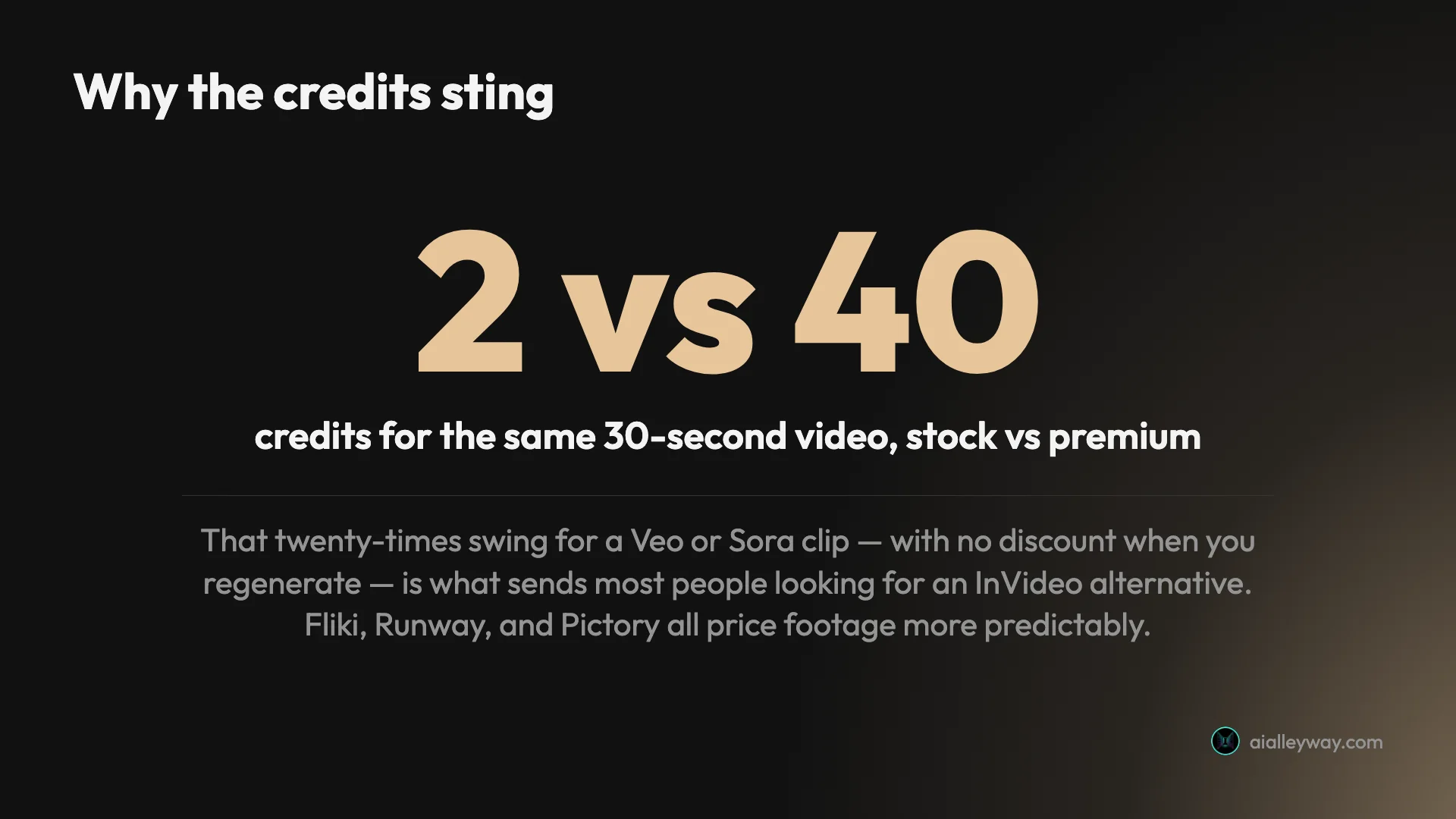
The credits are the real price. A stock-footage video costs about 2 credits, but a premium Veo or Sora clip costs 40 of the $20 Plus plan’s 75 monthly credits, and there is no discount for regenerating. This is the loudest complaint in InVideo’s user reviews, where people describe paying for clips they never finished.
In money terms, a stock-first creator pays about 50 cents a video while a premium-generative one pays closer to $11 a clip on the identical plan, and once you add the retries a generative prompt usually needs, a single finished premium clip can cost more than the whole monthly plan. So generative work gets expensive fast, and the bill is hard to predict.
The free plan cannot make a usable video. InVideo’s free tier watermarks every export, caps your weekly export time, and gives a credit pool a single generation can exhaust. It is an interface tour, not a way to try the product properly, so you are paying before you can really evaluate it.
Support and refunds draw complaints. InVideo’s softer Trustpilot score tracks a recurring theme of slow support and friction getting credits back after a failed generation. It is not universal, but if a 40-credit render goes wrong, the path to a refund is not smooth.
None of this makes InVideo a bad tool. It is the most capable all-rounder in its lane, just one with a specific weakness: cost predictability. Which alternative you want depends on what you were using InVideo for. Here are the five best, ranked by how many creators each fits.
| Tool | Best for | Starts at | Free tier |
|---|---|---|---|
| InVideo (the baseline) | prompt-to-video, generative range | $20/mo | can’t export usable video |
| Fliki | voice-first, budget, a real free tier | $8/mo | yes, exports watermarked |
| Runway | generating original footage | $12/mo | 125 one-time credits |
| Pictory | blog/article-to-video | $25/mo | trial paywalls export |
| Synthesia | avatar / talking-head video | $18/mo | 10 min watermarked |
| Descript | editing your own footage | $24/mo | 60 min watermarked |
1. Fliki — best InVideo alternative for voice and value

If InVideo’s cost or its useless free plan sent you looking, Fliki is the alternative to try first. It does the same core job, turning a script into a captioned, narrated video, but it fixes exactly the things InVideo gets wrong on price. We scored it 4.3 out of 5 in our hands-on Fliki review, our highest rating in this lane, and our Fliki vs InVideo breakdown puts the two side by side.
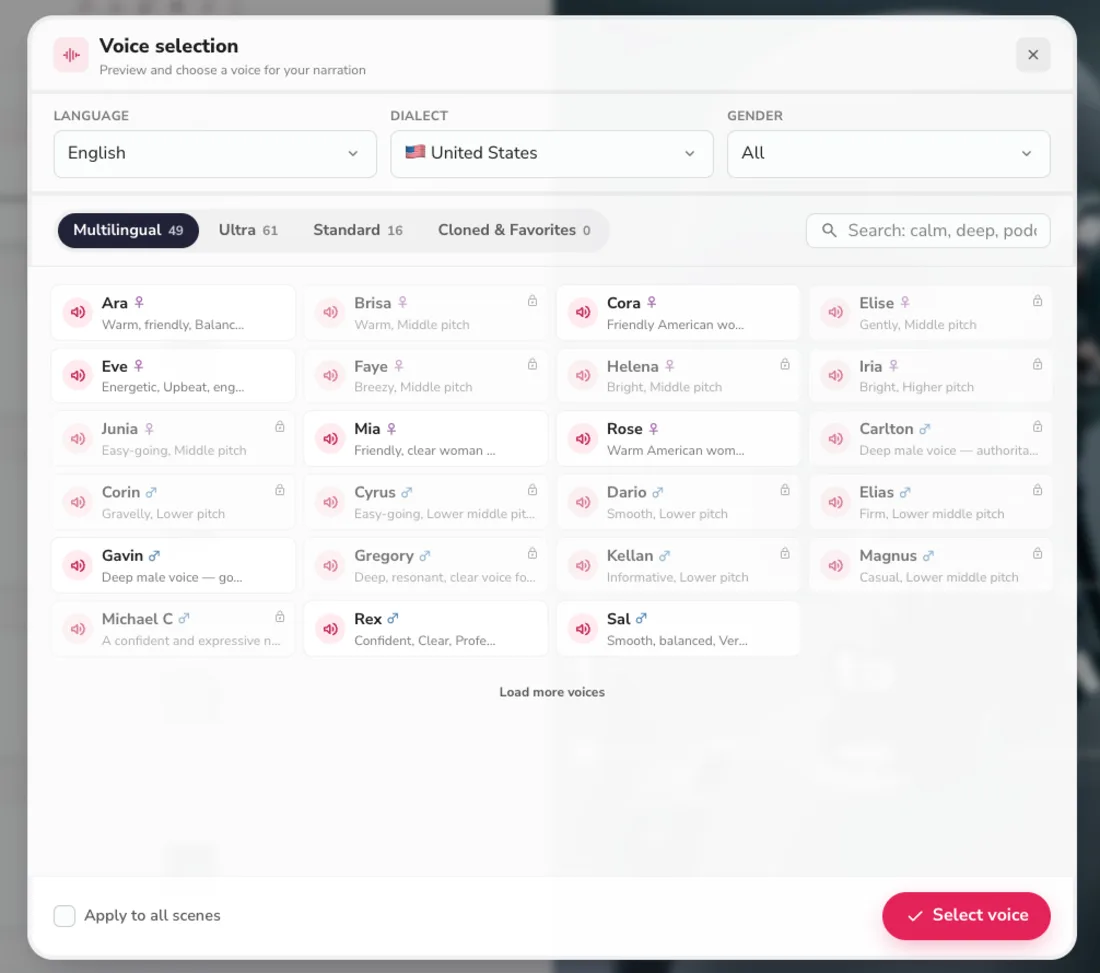
The headline difference is predictability. Fliki starts at $8 a month against InVideo’s $20, and its credits do not swing wildly by footage type, so you are not budgeting for a 40-credit surprise every time you want a good clip. Its voice library is also the deepest in the category, 2,000+ AI voices across 80+ languages, which outclasses InVideo’s in-house narration.
Crucially, Fliki’s free plan actually exports a finished (watermarked, 720p) video, where InVideo’s free tier cannot produce one at all. That makes it a genuine test drive: you can confirm Fliki fits before paying a cent, which is exactly the evaluation InVideo denies you.
There is a multilingual angle too. Fliki carries native-sounding voices across 80-plus languages and translates a finished video into other languages in a few clicks, so a single script becomes a stack of localized clips. For a creator publishing beyond English, that is a capability InVideo does not match at anywhere near the price. The trade is generative range: Fliki has no Veo or Sora footage, so if that was the reason you used InVideo, you want Runway below instead. But if voice, value, and a working free tier are what you are after, Fliki is the most direct fix.
Pricing: Free (exports a watermarked 720p clip); Basic $8/mo; Standard $28/mo; Premium $88/mo. Annual billing plus its promo roughly halves those.
Best for: cost-conscious, voice-first creators who left InVideo over its credits and its free-plan wall.
2. Runway — best InVideo alternative for generative footage

If the generative Veo and Sora footage was the whole reason you used InVideo, Runway is the alternative that gives you more of it, more directly. Where InVideo reaches generation through a 40-credit-per-clip pricing model, Runway is a dedicated generative video engine: producing original, cinematic footage from a prompt is its entire product, not a premium add-on. We have not tested Runway hands-on, so this is a synthesis read from its pricing page and reputation.
The pitch is generation without the assembler’s markup. Runway runs its own frontier video models, its entry plan is $12 a month, and its credits translate more transparently into seconds of footage than InVideo’s do.
| Runway at a glance | |
|---|---|
| Core job | generative video from a prompt |
| Free tier | 125 one-time credits, watermarked |
| Paid from | $12/mo (Standard, ~52s of video) |
| Weakness | not a full narrated-video pipeline |
In practice, the way most people use Runway reframes the whole InVideo question. Rather than replacing InVideo outright, they use a cheaper backbone, a Fliki or a Pictory, for the narrated structure, and reach for Runway only for the few hero shots that genuinely need to look generated. That splits the spend: cheap assembly for the bulk of the video, dedicated generation for the moments that matter, instead of InVideo’s one-size-fits-all 40-credit charge on every premium clip.
The trade is that Runway does not assemble a full narrated, captioned video for you the way InVideo does; it produces the shots, and you build the video around them. Generative video is also inherently credit-hungry on any platform. But for the specific job of generating original footage without InVideo’s credit cliff, Runway is the sharper, more focused tool.
Pricing: Free (125 one-time credits, watermarked); Standard $12/mo; Pro $28/mo; Max $76/mo (billed annually).
Best for: creators who used InVideo for its generative footage and want a dedicated model without the per-clip credit markup.
3. Pictory — best InVideo alternative for blog-to-video

If you were mostly using InVideo to turn written content into video rather than to generate footage, Pictory does that specific job more cleanly and more predictably. We scored it 4.1 out of 5 in our Pictory review, and our Pictory vs InVideo comparison weighs them directly. Its signature feature is URL-to-video: paste a blog post and it reads the page, keeps your real argument, and builds a scene-by-scene video around licensed stock.
The relevant advantage over InVideo is cost predictability. Pictory is stock-only, so there is no generative tier quietly burning 40 credits a clip: a short video runs 16 to 26 credits, roughly a hundred a year on Starter, and the cost per video barely moves. Its 5-to-18-million-clip Getty and Storyblocks library is also deeper than InVideo’s stock.
In our testing the repurposing fidelity was the standout. Pointed at one of our own published roundups, Pictory built a scene-by-scene vertical video in about two minutes that named every tool and kept our actual ranking, rather than hallucinating or paraphrasing the headline. A few scenes needed a one-click B-roll swap, so the “zero-editing” pitch is really light-editing, but the argument came through intact, which is exactly the job InVideo’s prompt-first flow is clumsier at.
The trade is that Pictory cannot generate original footage at all, so it is the wrong swap if generative range was your reason for using InVideo. Its default voice is robotic too, and its free trial paywalls a clean export. But for repurposing articles into video on a predictable budget, it is the more focused choice.
Pricing: Starter $25/mo, Professional $35/mo, Teams $119/mo (billed annually; monthly is $29/$59/$199). 14-day trial, no permanent free plan.
Best for: creators repurposing blog posts and articles into video who want predictable, stock-only costs.
4. Synthesia — best InVideo alternative for avatar video

Synthesia solves a job InVideo does not really do: putting a realistic presenter on screen to deliver your script. Instead of assembling stock or generating footage, it produces a talking-head avatar that speaks your text in 160+ languages, which is why it dominates corporate training and explainer video. We have not tested Synthesia hands-on; this is a synthesis read from its pricing page and category reputation.
That makes it less a direct InVideo replacement and more an answer to a different question: what if the video needs a human face rather than generated B-roll? For onboarding, product walkthroughs, and internal comms, an avatar reading a script is often more effective, and Synthesia is the category standard, with custom avatars of yourself on higher tiers.
| Synthesia at a glance | |
|---|---|
| Core job | avatar / talking-head video |
| Free tier | 10 min/mo, watermarked, 9 avatars |
| Paid from | $18/mo (billed annually) |
| Weakness | narrow scope, pricier at volume |
The reason to reach for it despite the price is the fidelity of delivery. A named presenter speaking your exact script, in the viewer’s language, lands differently than generated B-roll under a voiceover, especially for anything instructional, and on higher tiers you can create a custom avatar of yourself so a course or product update has a consistent host without anyone filming. That is a capability neither InVideo nor the other tools here offer.
The trade is price and scope. Its free plan gives 10 minutes of watermarked avatar video a month; Starter is $18 a month billed annually and Creator jumps to $64. It is a narrow tool, brilliant at talking-head video and not built for the prompt-to-video montages InVideo makes, so it is a switch only if a presenter is what your videos actually need.
Pricing: Free (10 min/mo, watermarked); Starter $18/mo annual; Creator $64/mo annual; Enterprise custom.
Best for: training, e-learning, and explainer creators who want a presenter delivering the script.
5. Descript — best InVideo alternative for editing your own footage

Descript is the alternative for people who realized they do not want to generate video at all, they want to record and edit their own. It is a different kind of tool: you edit video by editing a transcript, deleting words to cut the footage, which makes it the pick when you are filming yourself rather than prompting an AI. We scored it 4.0 out of 5 in our Descript review.
Where InVideo generates, Descript polishes: transcript editing, filler-word removal, studio-sound cleanup, an AI assistant, and voice cloning via Overdub. For a creator who was using InVideo to fake a produced video but would rather just record and edit real footage, it is a genuine step up in control, and there are no per-clip generation credits to burn.
In our test the transcript workflow was the real payoff: cutting a sentence in the text cut it from the video, and removing every filler word was a find-and-delete rather than a timeline scrub. That turns editing from a specialist skill into something a writer can do, which is the whole reason a script-first creator would pick it over a generator. It is a different mental model from InVideo: you are shaping footage you own rather than prompting for footage you rent, and for a lot of creators that is the more sustainable habit.
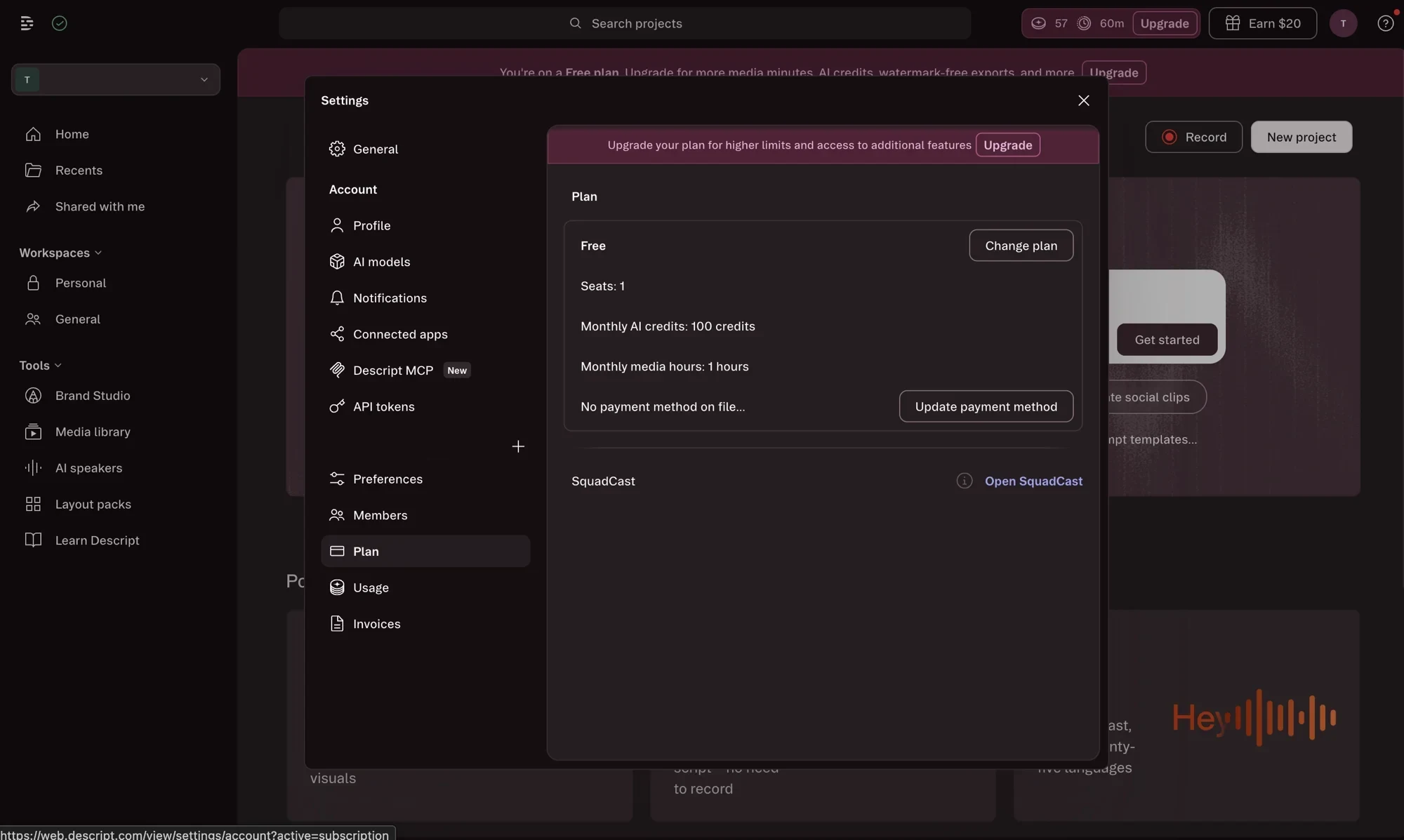
The knock, from our testing, is Descript’s own AI-credit system: heavy AI users hit a wall and top-ups are only on higher plans. Its free plan gives 60 media minutes and 100 AI credits with a watermark, enough to judge the editor. It is the least InVideo-like tool here, and that is the point: pick it when the answer to your InVideo frustration is “I should just film and edit it myself.”
Pricing: Free (60 media min/mo, watermarked); Hobbyist $24/mo; Creator $35/mo; Business $65/mo. Annual billing cuts roughly 30%.
Best for: creators who want to record and edit their own footage rather than generate it from a prompt.
How to pick your InVideo alternative
The mistake most people make is shopping for the “best” alternative in the abstract and ending up with something that does not fix their actual problem, a generative engine when they only wanted cheaper voice-led video, or a cheap assembler when they genuinely needed the generation InVideo did well. The tools above do genuinely different jobs, so the right one falls out of a single question: what were you actually using InVideo for?
- Cheap, predictable, voice-led video with a real free tier → Fliki. The most direct fix for InVideo’s cost and free-plan problems.
- The generative Veo and Sora footage, without the credit cliff → Runway. A dedicated generation engine at a lower entry price.
- Turning blog posts and articles into video → Pictory. Predictable stock-only cost, no 40-credit surprises.
- A presenter or avatar delivering the script → Synthesia. The avatar standard for training and explainers.
- Editing footage you filmed yourself → Descript. Transcript-based editing, no generation credits.
The through-line is that the credit economics are what most people are really leaving, so the cheapest and most predictable options, Fliki and Pictory, are where the bulk of switchers land. Runway is the exception that proves it: people move to Runway not to save money but because they wanted the generation InVideo gated behind credits, and they would rather buy it directly.
And one honest note: if none of InVideo’s frustrations actually blocks your work, the best move may be to stay. InVideo is still the most powerful all-rounder in this lane, and switching tools has its own cost. The alternatives win when a specific weakness of InVideo’s, usually the credit economics, is getting in the way of the work you do most.
The verdict
There is no universal best InVideo alternative, only the best one for the job InVideo was doing for you. For most creators that is Fliki, our highest-rated pick in this lane, because it fixes InVideo’s two biggest weaknesses, the unpredictable credits and the useless free plan, while costing less. If it was specifically the generative footage you valued, Runway gives you that more directly and without the per-clip markup.
A note on how we rank these: our scores come from testing the tools on one consistent, volume-weighted yardstick, not from affiliate payouts. Fliki, Pictory, and Descript we tested hands-on; Runway and Synthesia we assessed from their pricing and positioning, and we flag that in each section rather than dressing synthesis up as first-hand testing. Fliki tops the list because it is the most direct fix for the cost-and-free-tier problems that send most people looking, not because it happens to be one we earn from.
But if you read this far and realized your issue with InVideo is minor, it is worth remembering that InVideo remains the most capable prompt-to-video tool going, as we found in our full InVideo review and its pricing breakdown. Switching tools carries its own cost in relearning a workflow, so switch when a real gap is blocking real work. For the wider field, our best script-to-video AI tools roundup ranks every option here, InVideo included.
Frequently asked questions
What is the best InVideo AI alternative?
For most creators, Fliki, our highest-rated tool in this lane at 4.3 out of 5. It fixes the two things people most often leave InVideo over: the cost and the free plan. Fliki starts at $8 a month against InVideo's $20, its credits do not swing from 2 to 40 depending on footage, and its free tier actually exports a finished (watermarked) video where InVideo's cannot produce one at all.
That said, the best alternative depends on what you were using InVideo for. If it was the generative Veo and Sora footage, Runway gives you dedicated generation without InVideo's credit cliff; if it was turning blog posts into video, Pictory is cleaner; if you want a presenter on camera, Synthesia; and if you would rather edit your own footage than generate it, Descript. There is no single winner, only the best fit for the job InVideo was doing for you.
Is there a cheaper alternative to InVideo AI?
Yes, several, and price is the most common reason people switch. Fliki starts at $8 a month, less than half InVideo's $20 Plus plan, and crucially its cost is predictable because it does not charge 40 credits for a premium clip the way InVideo does. Runway's entry plan is $12 a month, and Pictory, while $25 to start, meters stock-only so there is no generative credit cliff.
The deeper saving is not the sticker but the credit model. InVideo's real cost comes from generative footage burning credits fast, with no discount for regenerating, so a few premium clips can blow past the monthly plan. The alternatives here either avoid generative pricing entirely (Fliki, Pictory) or meter it more transparently (Runway). If InVideo's bill surprised you, the fix is usually a tool that does not price footage by the frontier model behind it.
What is the best free alternative to InVideo AI?
Fliki, because unlike InVideo's free plan it actually exports a usable video. InVideo's free tier watermarks everything, caps your weekly export time, and gives too few credits to generate anything you can post, so it is an interface tour rather than a free tool. Fliki's free plan produces a finished, watermarked 720p clip you could publish in a pinch, which is a genuinely better first run.
Runway's free plan gives 125 one-time credits to generate a few watermarked clips, and Descript's free tier includes 60 media minutes for editing your own footage. None of these removes its watermark for free, and all cap output, so they are for evaluation rather than ongoing publishing. But if a working free tier is your deciding factor, Fliki is the clearest pick, with Runway a close second for anyone who specifically wants to test generative footage before paying.
What is the best alternative to InVideo for generative video?
Runway, because it is a dedicated generative video model rather than an assembler that reaches generation through credits. Where InVideo charges 40 credits to tap Veo or Sora for a single premium clip, Runway generates original footage as its whole product, with its own frontier models, at a $12 entry price and a clearer credit-to-seconds rate. If the generative footage was the reason you used InVideo, Runway gives you more of it, more directly.
The trade is that Runway does not assemble a full narrated, captioned video for you the way InVideo does; it produces the shots, and you build the video around them. So many creators use it alongside a script-to-video tool rather than as a drop-in replacement. But for the specific job of generating original, cinematic footage without InVideo's credit cliff, Runway is the sharper tool, and it is what InVideo's own premium tier is reaching for under the hood.
Why do people look for an InVideo AI alternative?
Three reasons come up repeatedly, and all three surfaced in our hands-on testing. First and loudest is the credits: a stock clip costs about 2 credits but a premium Veo or Sora clip costs 40 of the Plus plan's 75 monthly credits, with no discount for regenerating, so generative work gets expensive fast and the bill is hard to predict. Second, the free plan cannot export a usable video, so you cannot properly evaluate InVideo before paying.
Third, support and refunds draw complaints, especially when a paid generation fails but still deducts credits. None of these makes InVideo a bad tool, it is the most powerful all-rounder in its lane, but each sends a particular creator looking: cost-conscious creators to Fliki or Pictory, generative-first creators to Runway, and so on. The alternative you want depends on which of InVideo's frustrations is the one blocking your work.
Keep reading

InVideo AI pricing: what a video actually costs
InVideo AI starts at $20/mo, but credits decide everything: a stock clip costs 2, a Veo or Sora clip 40. The real per-plan cost, and the credit trap.
InVideo AI review: the fastest prompt-to-video, at a price
I ran one script through InVideo AI three ways. It's the fastest, broadest AI video tool I've tested, but the credits bite hard. My hands-on 4.2/5 verdict.
The best script-to-video AI tools, by job
The best script-to-video AI tools ranked by job: Fliki wins overall, InVideo for generative footage, Pictory for blog-to-video, plus avatar and editing picks.
The 5 best Pictory alternatives, ranked by job
The best Pictory alternatives, ranked: Fliki for voice, InVideo for generative video, Lumen5 for blog-to-video, Synthesia for avatars, Descript for editing.