
Fliki vs InVideo: I tested both — voice or visuals?
Fliki vs InVideo, both tested hands-on: Fliki (4.3) wins on voice, languages, price, and a free tier; InVideo (4.2) wins on generative visuals and speed.
Contents
Fliki vs InVideo: the short verdict
I tested both of these script-to-video tools hands-on, and the choice between them comes down to one question: does the voice carry your videos, or does the picture? Fliki is the voice-first, multilingual, budget pick with a free tier that actually exports; InVideo is the more powerful all-rounder that generates a whole video from one sentence and can reach cinematic footage. Fliki edges InVideo in our ratings on the strength of its voice, price, and free tier, but InVideo’s visual ceiling is genuinely higher.
| Verdict | |
|---|---|
| Best for voice & languages | Fliki: 2,000+ voices, 80+ languages |
| Best for generative visuals | InVideo: Veo, Sora, Kling from one prompt |
| Best value / best free tier | Fliki: $8/mo and a free tier that exports |
| Best overall (our rating) | Fliki 4.3 vs InVideo 4.2 |
Neither is really trying to be the other. Fliki spends its quality budget on the narration and wraps simple visuals around it; InVideo spends its on the footage and generates the voiceover in-house. If your job is turning existing blog posts into video instead, Pictory is the third tool in this lane.
The full comparison at a glance
| Axis | Fliki | InVideo | Winner |
|---|---|---|---|
| Core use case | voice-first social, multilingual | one-prompt generation, all-rounder | depends |
| AI voice library | 2,000+ voices, ultra-realistic | built-in AI voiceover | Fliki |
| Languages | 80+ languages, 100+ dialects | multilingual | Fliki |
| Voice cloning | Standard and Premium | none | Fliki |
| Generative footage | none (AI images + stock) | Veo 3.1, Sora 2, Kling, Seedance | InVideo |
| AI model range | voice-focused | 200+ models | InVideo |
| Visual ceiling | basic AI images / stock | cinematic generative | InVideo |
| Entry price | $8/mo | $20/mo | Fliki |
| Free tier | exports watermarked video | can’t export a usable video | Fliki |
| Templates & library | in-style AI images | large templates + iStock | InVideo |
| Editing | light, no timeline | natural-language + timeline | InVideo |
| Max resolution | 1080p (paid) | 1080p (paid) | tie |
| Ease of use | very beginner-friendly | very beginner-friendly | tie |
| Alley Rating | 4.3 | 4.2 | Fliki |
Read the table and the split is clear: Fliki takes the axes around voice, languages, price, and the free tier, while InVideo takes the ones around generative footage, model range, and editing.
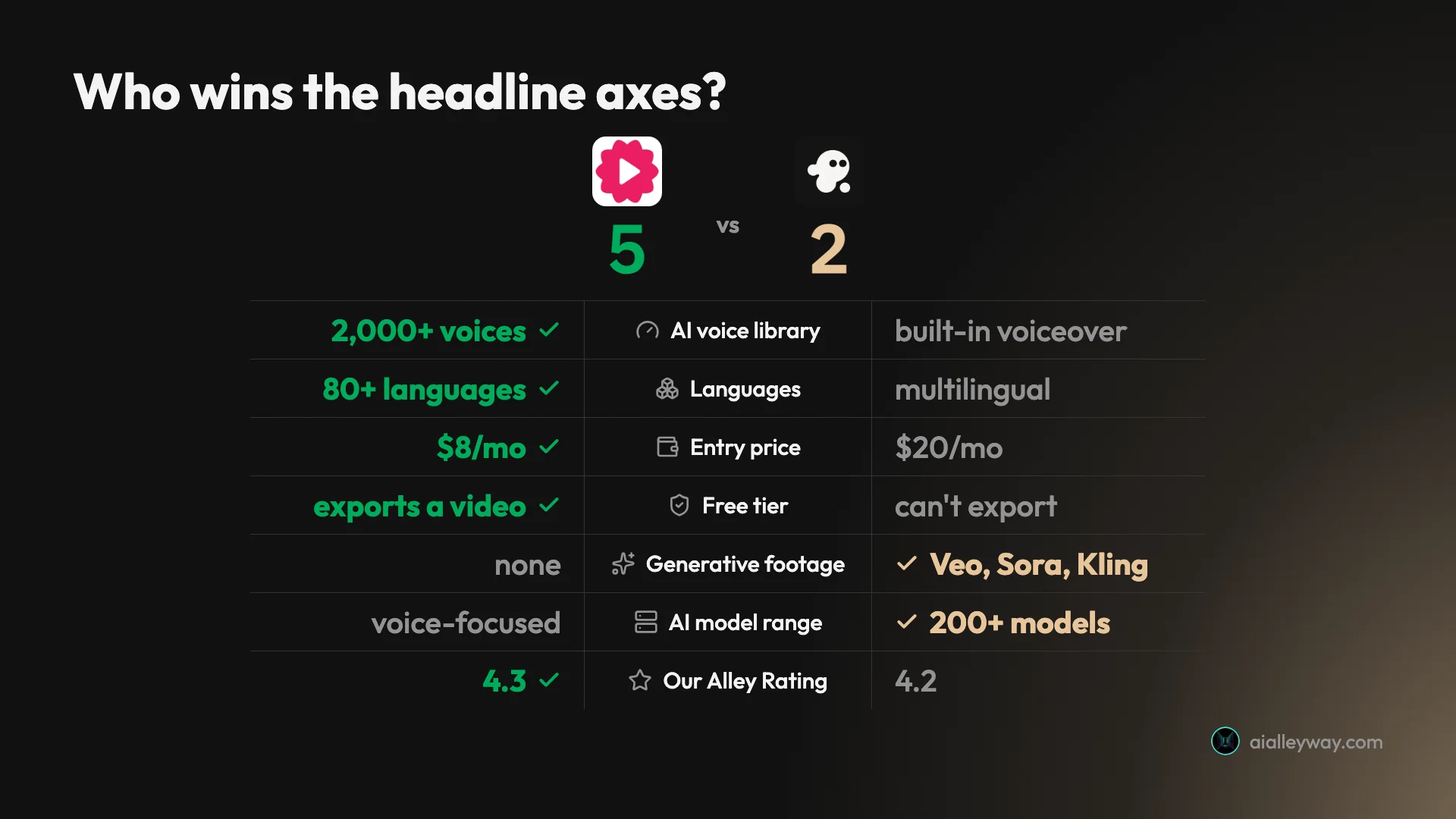
The 5-2 tally on the headline axes is real, but do not read it as a blowout, because the two axes InVideo wins are heavyweight. Generative footage and model range are not minor line items: for a creator whose videos live or die on how the footage looks, those two can outweigh Fliki’s five. The rating gap is a single tenth of a point precisely because the decision is not a scoreboard, it is a question of whether the voice or the picture is the thing your audience actually notices. Weigh the axes by your own work, not by the count.
Fliki: strengths and gaps
Fliki’s whole case rests on its voice: the library is far deeper and more natural than anything InVideo offers, and it is cheaper to get there, with a free tier you can actually publish from.
Where Fliki wins:
- The voice library is best-in-class — 2,000+ AI voices across 80+ languages, with ultra-realistic options that do not sound like text-to-speech. In my Fliki review the default voice sounded natural rather than robotic, which is the whole reason to use it.
- Multilingual is first-class, plus one-click translation on paid tiers and voice cloning from Standard, so one script becomes a stack of localized clips.
- A free tier that actually exports a video — watermarked, 720p, one minute, but a real clip, where InVideo’s free plan cannot generate one.
- It is cheap — $8 a month for Basic against InVideo’s $20 entry.
Where Fliki falls short:
- The visuals are basic. The AI-generated images and stock are generic, and there is no generative footage, so it cannot match InVideo’s cinematic ceiling.
- No fine editing — there is no timeline-level control, so fixes are coarse.
- Credits run down with iteration, and the free tier’s 720p watermark and one-minute cap make it evaluation-grade, not publish-grade.
Taken together, Fliki’s profile is one excellent feature wrapped in merely fine ones. The voice and the multilingual range are genuinely class-leading, and almost everything around them, the visuals, the editing, the captions, is adequate rather than impressive. That focus is a strength if narration is your priority and a ceiling if it is not.
InVideo: strengths and gaps
InVideo’s case is breadth and visual ceiling: it turns one sentence into a finished video and reaches the top generative models, so it can produce footage that looks shot rather than assembled.
Where InVideo wins:
- It generates original, cinematic footage. Reaching Google’s Veo 3.1, OpenAI’s Sora 2, Kling, and Seedance from one workflow gives it a visual ceiling Fliki has no answer to. Full detail in my InVideo review.
- It is the fastest one-prompt tool — a single sentence produces a complete captioned, narrated video in minutes.
- 200+ models in one place, so you experiment across the best video models without subscribing to each.
- Natural-language editing plus a real timeline — coarser fixes and precise ones both available.
Where InVideo falls short:
- The credit economics bite. A premium Veo/Sora clip costs 40 of the Plus plan’s 75 monthly credits, and regenerating charges full price again.
- The free plan cannot export a usable video, so there is no real way to try it before paying.
- The voice is fine, not a library — no 2,000-voice catalog, no dedicated cloning tier, and no advertised match for Fliki’s 80+ language coverage.
Taken together, InVideo’s profile is the mirror image: broad and visually powerful, with a credit meter running underneath all of it. The capability is remarkable for the price when you stay disciplined, and punishing when you do not, so how you feel about the meter is roughly how you will feel about the tool.
Which is cheaper, Fliki or InVideo?
This is one of the clearest gaps between them, and it runs in Fliki’s favor at both the sticker and the barrier to a first video. Fliki starts at $8 a month for Basic, and its free tier exports a real if watermarked video, so you can publish something for $0. InVideo starts at $20 a month for Plus, and its free plan cannot export a usable video at all, so your true entry cost is $20.
Here is what each plan looks like.
| Tier | Fliki | InVideo |
|---|---|---|
| Free | exports watermarked 720p clip | can’t export a usable video |
| Entry paid | $8/mo Basic | $20/mo Plus |
| Mid | $28/mo Standard | $100/mo Max |
| Top (individual) | $88/mo Premium | $200/mo Generative |
The free tiers deserve a closer look, because this is where the gap is starkest.
| Free tier | Fliki | InVideo |
|---|---|---|
| Exports a video | yes, watermarked | no |
| Resolution | 720p | — |
| Length cap | 1 minute | weekly export cap |
| Credit pool | 36 / year | too small to generate |
Both then meter usage in credits, but the models differ. Fliki gives a yearly pool, from 36 credits on the free tier up to 7,200 on Premium, and spends from it per generation. InVideo gives a monthly pool, 75 credits on Plus, where the cost per video swings from about 2 credits for stock to 40 for a premium Veo or Sora clip.
That swing is the whole story. On Fliki, cost rises mostly with voices and export length as you climb tiers, and the picture stays basic at every price. On InVideo, cost rises with the ambition of the footage, so a few cinematic clips can drain a month while stock clips barely register.
Put it on a real cadence and the gap holds. A creator posting a few short stock-and-voice videos a week sits comfortably on Fliki’s $8 Basic or $28 Standard, where the cost is mostly voices and export length, not footage. The same creator on InVideo would be on the $20 Plus plan, fine for stock but unable to touch premium generative more than once or twice a month before the 75-credit pool runs dry. Fliki is the cheaper home for steady, voice-led volume; InVideo’s cost only makes sense when a generative clip is worth 40 credits to you.
One more note for the budget-minded: Fliki’s annual billing plus its current promo roughly halves every price, so Standard can drop from $28 to about $14 a month on a yearly commitment. Promos end, so the monthly figures above are the safer ones to plan around, but the annual discount is steep if you are sure. InVideo’s annual billing trims a more modest ~15%.
For getting started, for budget creators, and for anyone who wants a free tier they can publish from, Fliki wins price decisively. InVideo only earns its higher cost if you specifically need the generative footage Fliki cannot produce, in which case you are paying for a capability, not just a bigger number on the invoice.
Which produces higher-quality videos?
Quality here is a straight trade: Fliki wins the voice, InVideo wins the visuals, and which one is “higher quality” depends entirely on which half of the video does the work.
Start with Fliki’s output. I pasted a short script into its free plan and it returned this captioned vertical clip, choosing a natural-sounding voice and timing the captions to the narration.
The voiceover carries it. The narration is clean and well-paced, exactly the part most rivals get wrong, and the depth of the voice library behind it is Fliki’s real edge. The visuals, though, are the giveaway: the AI-generated images are generic, and swapping to stock only trades one kind of generic for another. For a voice-led faceless clip that is a fair trade, but the picture is not the selling point.
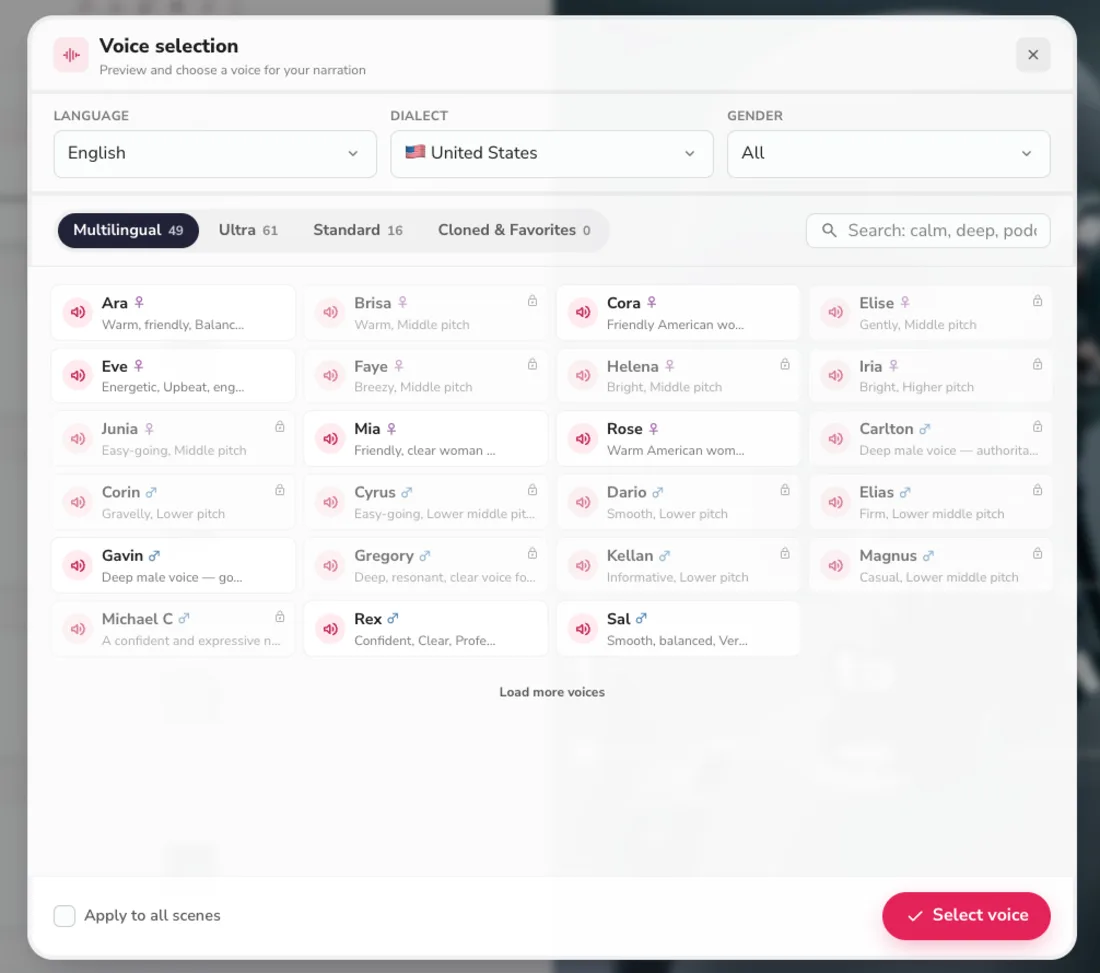
That library is the concrete reason Fliki wins the voice axis. Filtering to US English alone surfaced dozens of options across Multilingual, Ultra, and Standard categories, each with a one-tap preview, and you can filter by language, dialect, and gender before committing one to the video. InVideo gives you a single competent voice per pass; Fliki gives you a catalog to audition.
Voice cloning widens the gap further. From Fliki’s Standard tier you can clone your own voice and narrate every video in it, which is a real advantage for a personal brand that wants a consistent, ownable sound across a channel. InVideo has no equivalent dedicated cloning tier, so its narration is always one of its generated voices rather than yours. For a solo creator building recognition around how their videos sound, that alone can decide it.
| Voice capability | Fliki | InVideo |
|---|---|---|
| Voice count | 2,000+ | built-in set |
| Languages / dialects | 80+ / 100+ | multilingual |
| Ultra-realistic voices | hundreds (by tier) | not a library |
| Voice cloning | Standard and Premium | none |
Now InVideo on its premium generative setting. The same kind of brief produced original, cinematic footage using Veo and Sora, rather than pulling stock or AI stills.
The production value is on a different level: warm, shallow-focus shots that look filmed rather than assembled. That is the ceiling Fliki cannot reach, because it has no generative footage at all. The catch is the meter, since that clip cost 40 credits against a stock version’s 2, so the cinematic look is a luxury you ration.
On raw output resolution the two are closer than the ceiling suggests: both export clean 1080p on their paid plans, and neither pushes 4K as a headline. The difference is not the pixels, it is what fills them. Fliki’s 1080p frame holds a generic AI image; InVideo’s holds original generated footage. On the free tiers even that parity breaks, since Fliki at least exports a watermarked 720p clip while InVideo’s free plan cannot export a usable video at all, so a budget creator judging quality on what they can actually ship still lands on Fliki first.
So the honest read splits by what carries your video. If narration leads and the visuals just need to be present, Fliki produces the better result and does it cheaper. If the footage itself is the product, InVideo’s generative ceiling wins outright, as long as you can afford the credits it burns.
Which is faster, and easier to work in?
Both are fast and both are beginner-friendly, so this is close, but they lead with different strengths. InVideo has the lower starting floor: it builds a full draft from a single sentence, with footage, voiceover, and music assembled automatically, and nothing else in this class turns a bare idea into a complete video that quickly.
Fliki is nearly as fast, but its speed shows up in the voice workflow rather than the footage. It reads your script, proposes a format and a voice, and returns a captioned draft in minutes, and swapping the narration language or voice is a single pick from the same dropdown, which is where its multilingual speed really lands.
Editing after the draft tilts to InVideo. Its natural-language editing lets you type an instruction and have Agent One rebuild a scene, on top of a full manual timeline, while Fliki’s editor is scene-based and light, with no timeline-level control. Both let you swap a clip, retime a caption, or change a voice per scene, but InVideo gives you finer reach when the AI gets a detail wrong.
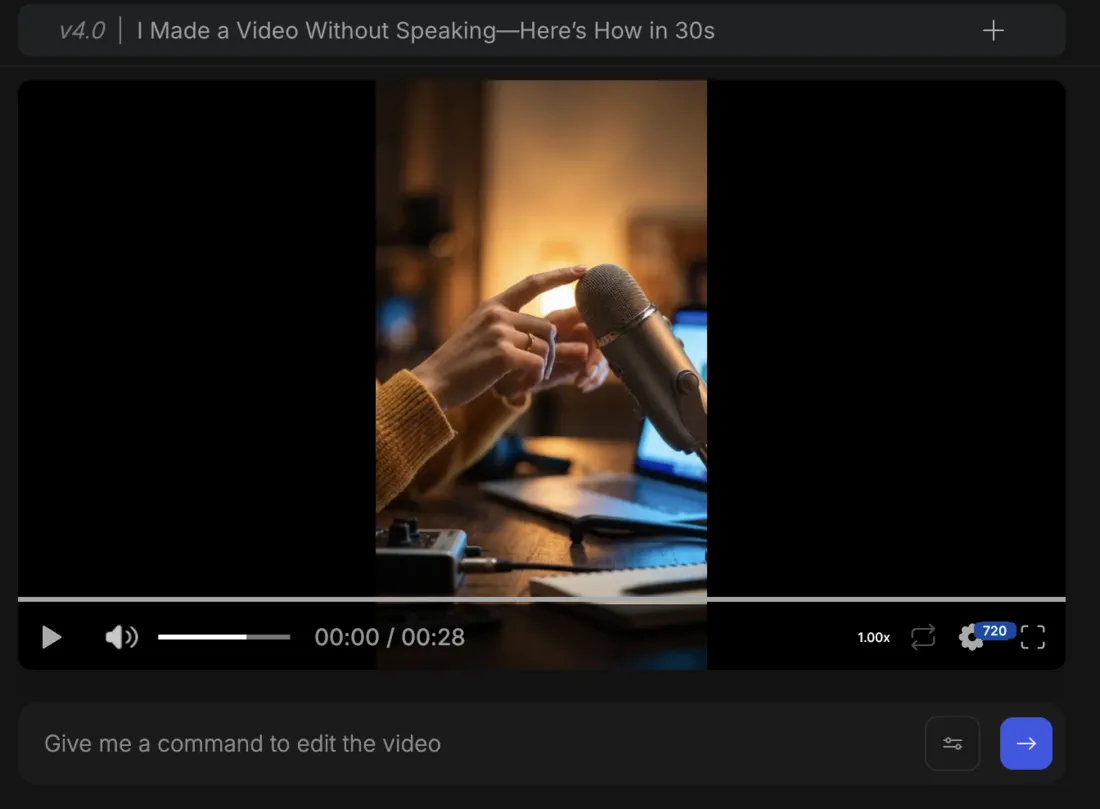
The caveat on InVideo’s speed is cost, not time: every regeneration spends credits, and on the premium tier a misread instruction is expensive to fix. Fliki’s iterations spend credits too, but from a cheaper pool and never at InVideo’s 40-credit premium rate. So InVideo is faster to a first draft and edits more precisely; Fliki is faster to a multilingual draft and cheaper to iterate on.
Templates and starting material are the other half of the workflow, and here InVideo’s breadth shows. It ships a large template library and an Explore gallery of finished example videos that reveal the exact prompt behind each one, plus an iStock integration frequently called the best stock access at this price. Fliki leans the other way: it generates scene images in a chosen style rather than only searching stock, which is a nice touch, but its template and layout options are thinner and its captions plainer. For starting variety and polish, InVideo has the edge; for generating in-style visuals around a voice, Fliki holds its own.
Ease of use is a genuine tie. Neither tool needs a manual: Fliki reads your script, proposes a format, voice, and caption style, and hands you a draft, while InVideo builds one from a single sentence. Fliki adds AI avatars on its Premium tier if you want a synthetic presenter, though neither tool is a dedicated talking-head maker the way Synthesia is. If you have never made an AI video before, you will be productive in either inside a first session.
Who should pick Fliki?
- Voice-first faceless creators on YouTube Shorts, TikTok, and Reels, where a natural narration matters more than original footage. The voice library is the whole reason to choose Fliki.
- Multilingual and non-English channels — 80+ languages plus one-click translation make Fliki the clear pick for publishing beyond English.
- Budget and high-volume creators who want a low entry price and a free tier they can actually publish from, and who can live with basic visuals.
- Not for you if you need original, cinematic footage or fine timeline editing. Fliki’s visuals are basic at every tier, and no amount of credits changes that.
The through-line for Fliki is that it rewards creators who sell with their voice. If your videos are narration over simple visuals, in one language or many, Fliki gives you the best voice in the class at the lowest price, and a free tier to prove it before you pay. The weaker your videos lean on the picture, the more sense it makes.
Who should pick InVideo?
- Creators who lead with visuals and want generative, cinematic footage from Veo, Sora, or Kling rather than stock or AI stills.
- Fast, one-prompt social creators who want a finished video from a single sentence and will mostly use cheap stock, treating the premium tier as an occasional splurge.
- Marketers and agencies on the higher plans, where the bigger credit pools exist precisely for people generating constantly.
- Not for you if voice quality, language coverage, or a working free tier are the priority, or you need predictable low cost. That is Fliki’s territory.
The through-line for InVideo is that it rewards creators who sell with the footage. If your videos need to look shot rather than assembled, and you can manage the credit meter that makes that possible, InVideo reaches a visual ceiling Fliki simply cannot. The more the picture is the product, the more its higher price is money well spent.
The verdict
Fliki takes this one at 4.3 out of 5 against InVideo’s 4.2, and it earns that on the axes most creators in this lane weigh first: the voice, the languages, the price, and a free tier that actually produces a video. If narration carries your content, or you publish in several languages, Fliki is the easier recommendation, and it is the cheaper one by a wide margin.
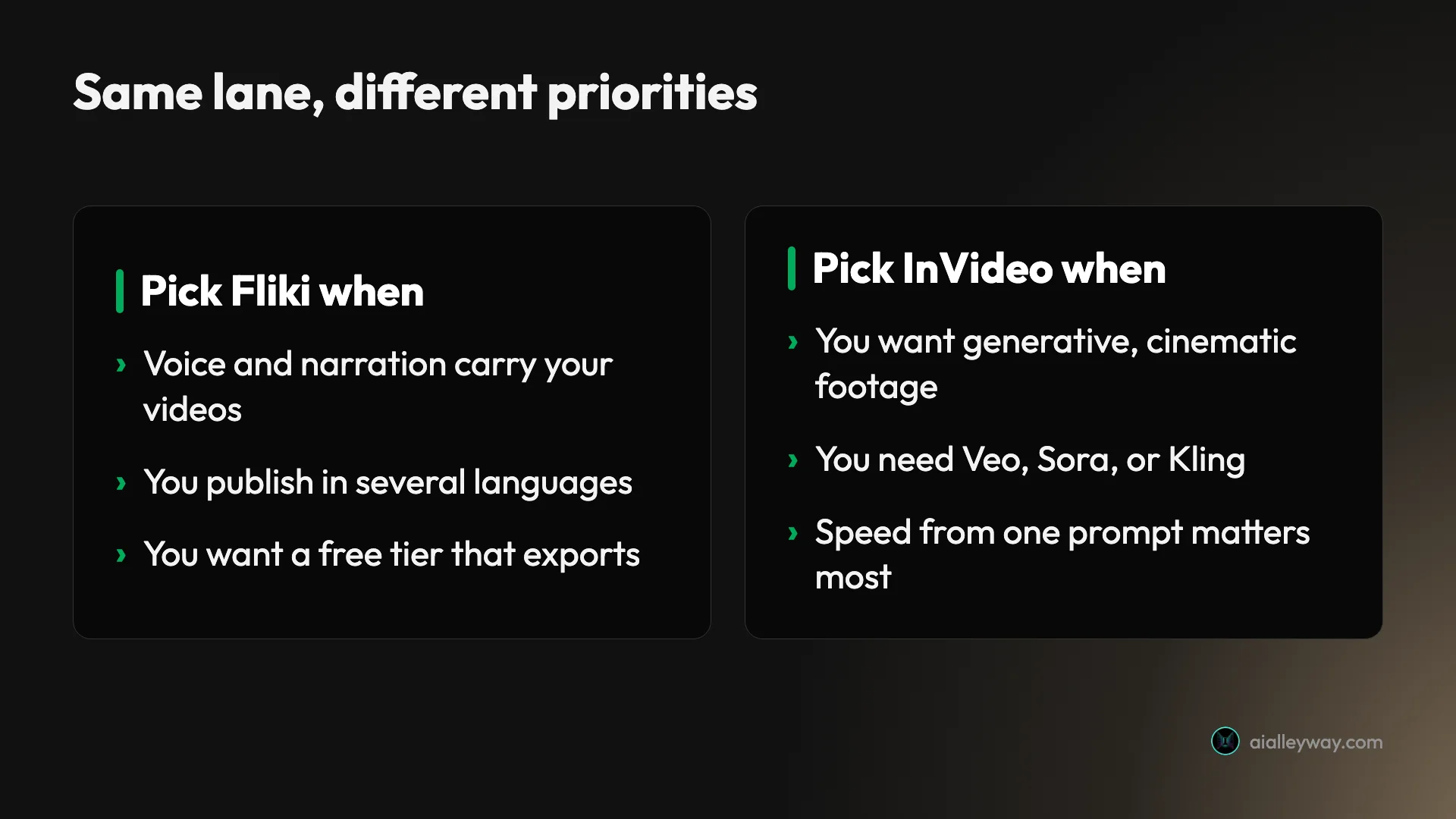
InVideo is the more powerful tool in raw capability, and where it wins it wins clearly: original, cinematic footage from Veo and Sora, the fastest one-prompt drafting, and 200+ models in one place. If the picture is the product, that ceiling is worth the higher price and the credit discipline it demands.
If you want a single question to settle it, play a video of yours with the sound off. If it still works, the footage is carrying it and InVideo is your tool. If it falls apart without the narration, the voice is doing the heavy lifting, and Fliki gives you a better voice, more languages, and a free tier to test it, for less money. Decide by what carries your video, not by the brand: voice, languages, and value, go Fliki; generative visuals and speed, go InVideo.
If you would rather turn existing blog posts and articles into video than generate from scratch, read our Pictory vs Fliki and Pictory vs InVideo comparisons, since Pictory is the repurposing specialist in this trio. All three are ranked in our best script-to-video AI tools roundup.
Frequently asked questions
Is Fliki better than InVideo?
For voice-first, multilingual, and budget video, yes, which is why I scored Fliki 4.3 against InVideo's 4.2. Fliki's voice library is far deeper (2,000+ AI voices across 80+ languages versus InVideo's built-in voiceover), its free tier actually builds and exports a video, and it is cheaper at $8 a month against InVideo's $20 entry. That combination makes it the easier pick for narration-led faceless content.
InVideo is the more powerful all-rounder, though. It generates a full video from a single prompt and can reach Google's Veo 3.1, OpenAI's Sora 2, Kling, and Seedance for original, cinematic footage, so its visual ceiling is far higher than Fliki's basic AI images and stock. So 'better' depends on what carries your video: for voice, languages, a working free tier, and value, Fliki wins; for generative visuals, speed, and model range, InVideo does. Most voice-first creators should start with Fliki.
Which is cheaper, Fliki or InVideo?
Fliki, clearly, at both the entry price and the barrier to a first video. Fliki's Basic plan is $8 a month against InVideo's $20 Plus, and its free tier exports a real if watermarked 720p video, so you can publish something for $0. InVideo's free plan cannot export a usable video at all, so your true entry cost there is the $20 Plus plan.
Both then meter usage in credits. Fliki gives a yearly pool (720 credits on Basic up to 7,200 on Premium) and spends from it per generation; InVideo gives a monthly pool (75 on Plus) where a stock clip costs about 2 credits but a premium Veo or Sora clip costs 40. So Fliki is cheaper to start, cheaper per month, and the only one with a free tier you can actually publish from. InVideo only justifies its higher cost if you need the generative footage Fliki cannot produce.
Which has better AI voices, Fliki or InVideo?
Fliki, and it is not close. Voice is the entire reason Fliki exists: it advertises 2,000+ AI voices across 80+ languages and 100+ dialects, with hundreds of ultra-realistic options, voice cloning on paid tiers, and one-click previews. In my test the default voice sounded natural and well-paced rather than robotic, which is the part most rivals get wrong, and you can filter the library by language, dialect, and gender.
InVideo generates a competent in-house voiceover as part of its one-prompt pass, and for a fast draft it is genuinely fine, but it is not a browsable library and there is no dedicated voice-cloning tier. So if narration carries your videos, or you publish in several languages, Fliki's catalog is a real, defensible advantage. If the voice is just there to caption a visually-driven clip, InVideo's built-in narration does the job without a second thought.
Does InVideo have a free plan like Fliki?
Both have a free plan, but only Fliki's produces a usable video. Fliki's free tier gives roughly five minutes of content a month and exports a finished 720p clip with a watermark and a one-minute cap, so it is a genuine test drive you can actually publish from in a pinch. InVideo's free plan watermarks everything, caps your weekly export time, and gives a credit pool a single generation can exhaust, so in practice it cannot export a usable video and works only as an interface tour.
That gap is one of the clearest reasons voice-first creators land on Fliki: you can evaluate the whole workflow, and even post a watermarked clip, without paying. To get clean, watermark-free 1080p video you need a paid plan on either tool, from $8 a month on Fliki Basic or $20 a month on InVideo Plus. But for trying before you buy, Fliki's free tier is the meaningfully better one.
Which is better for faceless multilingual YouTube videos?
Fliki, for most creators, because faceless multilingual video is exactly what it is built for. It carries 80+ languages with native-sounding voices, adds one-click translation of a finished video on paid tiers, and its whole pitch is narration-led social and explainer content without a camera. For a creator running Spanish, Hindi, or Portuguese channels, or several language channels at once, that breadth plus the working free tier makes it the natural home.
InVideo can produce faceless video too, and if a channel leans on cinematic, generative visuals rather than narration, its Veo and Sora footage pulls ahead. But it does not advertise anything like Fliki's 80+ language voice catalog, and its free plan cannot export, so the multilingual, budget, voice-led creator is squarely Fliki's. Pick InVideo here only if the look of the footage matters more than the voice or the number of languages you publish in.
Keep reading
Fliki pricing: what $8 a month really gets you
Fliki starts at $8/mo (or about $4 with the annual promo), and its free tier actually exports a video. The real per-plan cost, the credits, and the catch.
Fliki AI review: the voices carry it, the visuals don't
I ran a script through Fliki's free tier: a captioned video with a genuinely good AI voice in minutes. The voices are why you'd use it. My 4.3/5 verdict.
The best script-to-video AI tools, by job
The best script-to-video AI tools ranked by job: Fliki wins overall, InVideo for generative footage, Pictory for blog-to-video, plus avatar and editing picks.