
Murf AI review: the studio sells it, not the voice
I ran my own scripts through Murf's Studio. The voices are polished and the all-in-one studio is the real draw, but the value and cloning aren't here.
Contents
Is Murf AI worth it?

For the right person, yes. Murf AI is the rare text-to-speech tool that is really a production studio in disguise: a voice generator bolted onto a video timeline, a music library, subtitles, and team project folders. If you make e-learning, explainers, or corporate video and want all of that under one login, it earns its keep. I score it 3.8 out of 5.
If you only care about the voice itself, the math gets harder. Murf’s voices are polished but a step behind ElevenLabs on emotional range, the per-hour value is weak unless you pay annually, and the two features people most often want next — voice cloning and team sharing — are both walled off in Enterprise. Here is a clip I generated in the free Studio so you can judge the voice before reading another word.
What it does
Murf turns text into a voiceover, then hands you a small studio to finish the whole video around it. You type or paste a script, pick from 200-plus voices across 20-plus languages, and Murf renders speech in a few seconds. So far, so ordinary. The difference is everything that sits beside the text box.
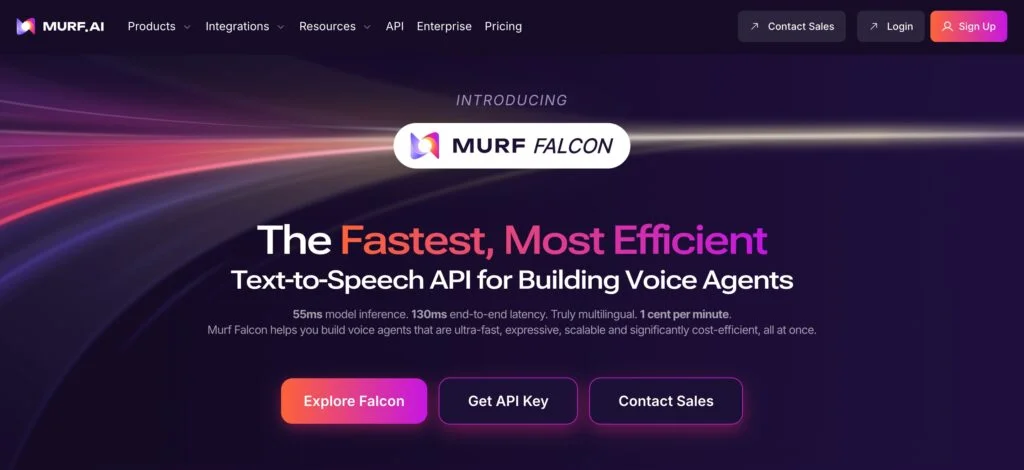
Most reviews treat Murf as an ElevenLabs competitor, and on the voice alone it is. But that framing misses the point. Murf bundles three jobs into one tool: it generates the voice, it gives you a timeline to assemble video and audio, and it adds the team layer — shared projects, folders, and approvals. Pure voice tools stop at the audio file. Murf wants to be the only tab open from script to finished MP4.
The generation step itself is quick and undramatic. Paste a script, choose a voice, and a one-minute clip comes back in well under fifteen seconds; longer passages scale up but never leave you waiting. The speed matters more than it sounds, because the real workflow is iterative — you generate, you hear a clumsy line, you fix it, you regenerate.
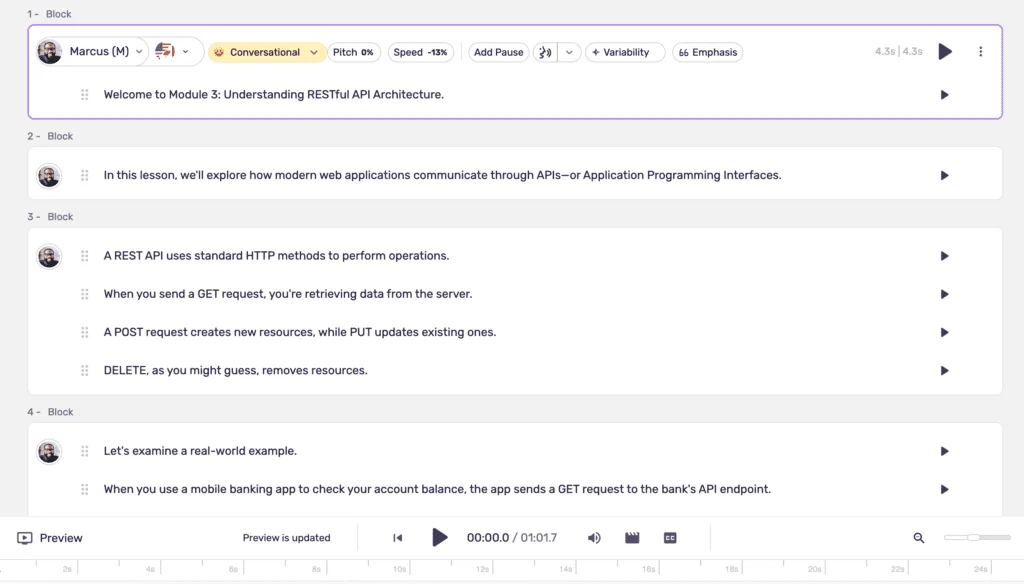
That iteration is the quiet win. Change one sentence and you regenerate only that block, not the whole track. For anyone who has re-recorded a five-minute script because of one fluffed line, editing voice like text is the moment Murf clicks. You stop thinking of audio as a take to nail and start treating it like a document to edit.
Beyond straight text-to-speech, Murf has grown a wider feature surface that the same subscription covers. AI Dubbing takes an existing video and re-voices it into another language, lining the new audio up with the original timing, which is a genuine shortcut for anyone localizing a back catalog. A separate Voice Changer converts a recording of your own voice into one of Murf’s studio voices, handy when you have a take with the right delivery but the wrong sound. Neither is the headline, and both lean on the same underlying voice models, but they widen what one tool can do.
The day-to-day loop is the same five steps every time. Write or paste the script, pick a voice, shape the delivery with pitch, pause, and emphasis, optionally drop in video and music, then generate and export. None of those steps needs a tutorial, which is the whole reason non-specialists reach for Murf in the first place. The current voices run on Murf’s Gen2 neural models, a clear step up from the flatter reads the tool shipped a couple of years ago.
The company behind it is established rather than experimental. Murf launched in 2020, is based in Salt Lake City, and markets itself to business and education buyers, with millions of users and a long list of corporate logos on its site. I spent my own testing inside the free Studio, running my scripts through a stack of different voices and languages, and the thing that lands first is how little it asks of you. There is no audio-engineering vocabulary to learn and no project setup ritual. You write, you pick a voice, you press generate.
Pricing
Murf’s pricing is the thing the old reviews get wrong, because it reads completely differently depending on whether you toggle monthly or annual. Billed monthly, Creator is $29 and Business is $99. Switch to annual and the same plans drop to $19 and $66 a month. That is the live pricing as of June 2026, pulled straight from the account.
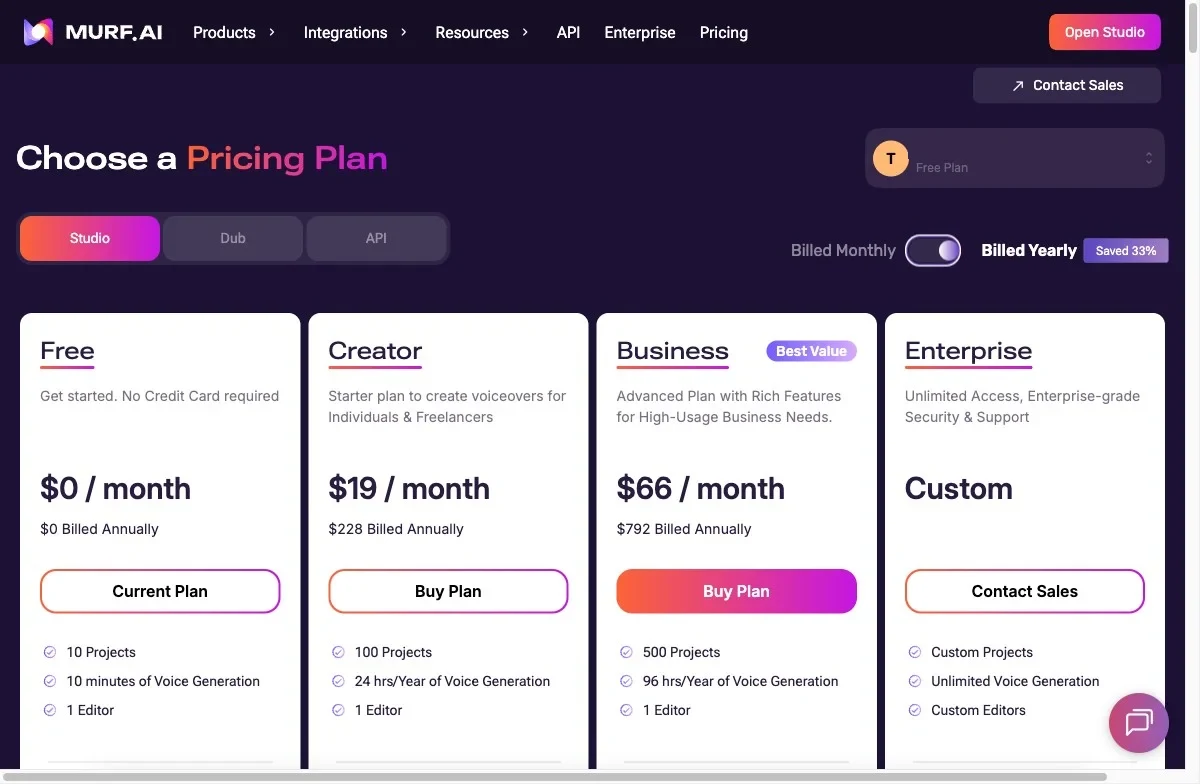
The full plan-by-plan breakdown, including what an hour of generated audio really costs on each tier, lives in our Murf pricing guide. The number that actually constrains you is not the price, it is the hours. Murf meters “voice generation time,” and it is stingy. Creator gives 2 hours of generated audio a month, Business gives 8, and the free plan gives 10 minutes total. Run out and you wait for the next cycle. Unused time does not roll over, so a light month is simply lost.
| Plan | Monthly | Billed annually | Voice generation | Projects | Commercial use |
|---|---|---|---|---|---|
| Free | $0 | $0 | 10 min total | 10 | No (preview only) |
| Creator | $29/mo | $19/mo ($228/yr) | 2 hrs / month | 100 | Yes |
| Business | $99/mo | $66/mo ($792/yr) | 8 hrs / month | 500 | Yes |
| Enterprise | Custom | Custom | Unlimited | Custom | Yes |
The free plan is best understood as a demo. Ten minutes of generation, ten projects, watermarked previews, no downloads, and no commercial rights. It exists so you can hear the voices and click around the editor, and it is genuinely useful for exactly that. It is not enough to finish a single real project, which is the point of the next paragraph.
The Creator plan at $29/mo (or $19 annually) is the real entry point and the minimum for commercial work. It covers all 200-plus voices, the MultiNative voices, unlimited watermark-free downloads, commercial rights, the music library, and the Canva integration. The cap is the 2-hour monthly generation budget and a single editor seat. For a solo course creator or freelancer making a handful of videos a month, it fits.
The Business plan at $99/mo (or $66 annually) is aimed at higher volume. You get 8 hours of generation, 500 projects, transcription, a business license, and Murf’s voices inside Windows apps. It is the tier agencies land on for the project capacity. One thing it does not add, despite the name, is real team editing — more on that below.
Now the value math, because it is the deciding factor for a lot of buyers. On monthly billing, the $29 Creator plan works out to $14.50 per finished hour of audio. Pay annually and that falls to $9.50. Business lands at $12.38 monthly or $8.25 annually. Against professional voice actors at $100 or more an hour, any of these is a clear saving. Against ElevenLabs, whose $22 Creator plan covers a comparable amount of speech at roughly $11 an hour, Murf only wins on the annual rate.
The Enterprise plan is custom-quoted and is where Murf parks everything a large or regulated organization needs: unlimited generation, voice cloning, multiple editor seats, single sign-on, and the compliance paperwork — security reviews, data-handling guarantees, and the like. There is no public price, so it is a sales conversation rather than a checkout. If you are an individual or a small team, you will never touch it; if you are a training department at a bank or a hospital, it is the only tier that fits.
Two more costs hide in the fine print. The refund window is tight — Murf only refunds within 24 hours and under 10 minutes of usage, which is stricter than most software. And API access is billed separately from these subscriptions, so if you want to drive Murf voices from your own app you are budgeting twice. Read the plan you are buying for the feature you actually want, because the headline tiers move those features around.
Who it’s for
Murf is built for people producing a steady stream of business and educational content, not for chasing the most lifelike single voice. The project system and integrated studio are the giveaway: this is a tool for volume and organization, and it rewards anyone who would otherwise be paying for three separate apps.
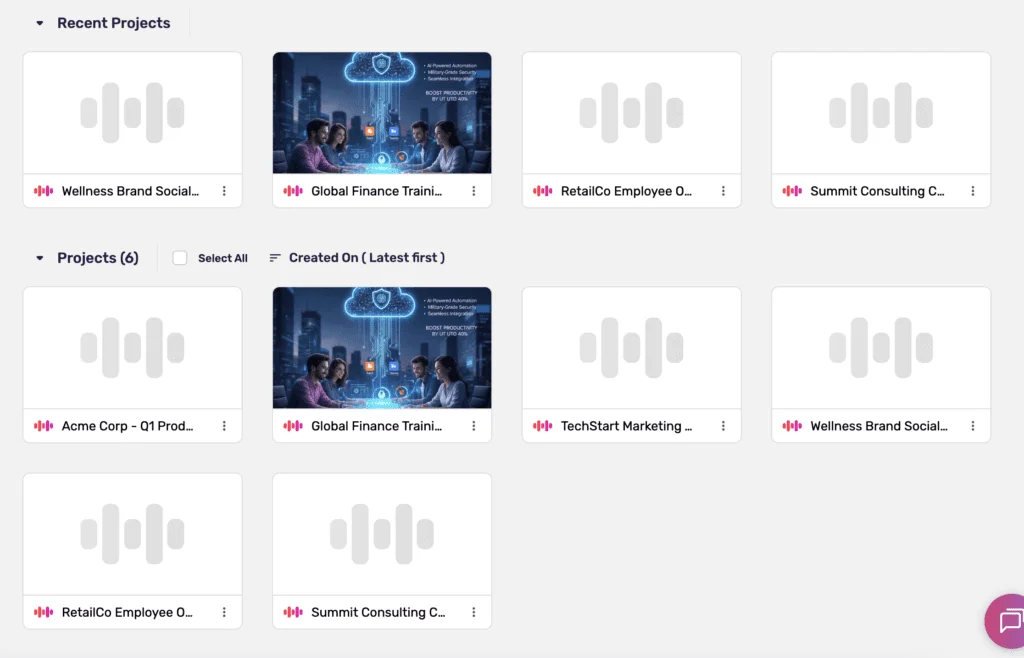
- E-learning course creators. This is Murf’s home turf. Dozens of lessons stay organized in projects, the voice stays consistent across a whole curriculum, and you can re-render a single updated module without touching the rest. A 15-module certification course is exactly the kind of complexity the project system is built to hold.
- Business and marketing teams. Presentations, sales videos, and internal comms all get professional narration in minutes instead of hours of self-recording, and the 100-to-500 project capacity comfortably handles multiple clients or campaigns at once. The PowerPoint and Slides plugins make this almost frictionless.
- Multilingual content makers. If you ship the same content in several languages, the MultiNative voices and the dubbing workflow save real time and money over hiring a native speaker for each language, while keeping one consistent brand voice across all of them.
- High-volume video creators. If you publish daily, the Business plan’s 8 hours plus the built-in video editor and music library can replace a small stack of tools, and the per-hour cost drops as you use more of the budget.
- Corporate training and L&D departments. Large organizations producing compliance courses, onboarding, and IVR prompts get the Enterprise pieces that matter to them: unlimited generation, single sign-on, and the security and data-handling guarantees a regulated industry has to satisfy. This is the one audience for whom the Enterprise tier is the feature, not the obstacle.
- Anyone who wants one tool, not five. The whole draw is consolidation: voice, video timeline, music, and subtitles in one subscription instead of four logins and four invoices.
- Not for voice-quality perfectionists or solo creators on a tight budget. If the voice is the product — audiobooks, character work, a personal brand voice you want to clone — the realism gap and the Enterprise-only cloning make ElevenLabs the better call, and a month-to-month solo creator overpays for the voice alone.
The good
The voices are clean and broadcast-ready for business work
For narration, explainers, and corporate decks, Murf’s voices do the job without drawing attention to themselves. Clear articulation, steady pacing, sensible emphasis. In my testing the e-learning voices held a consistent, professional tone across a long technical script, which is exactly what a training module needs.
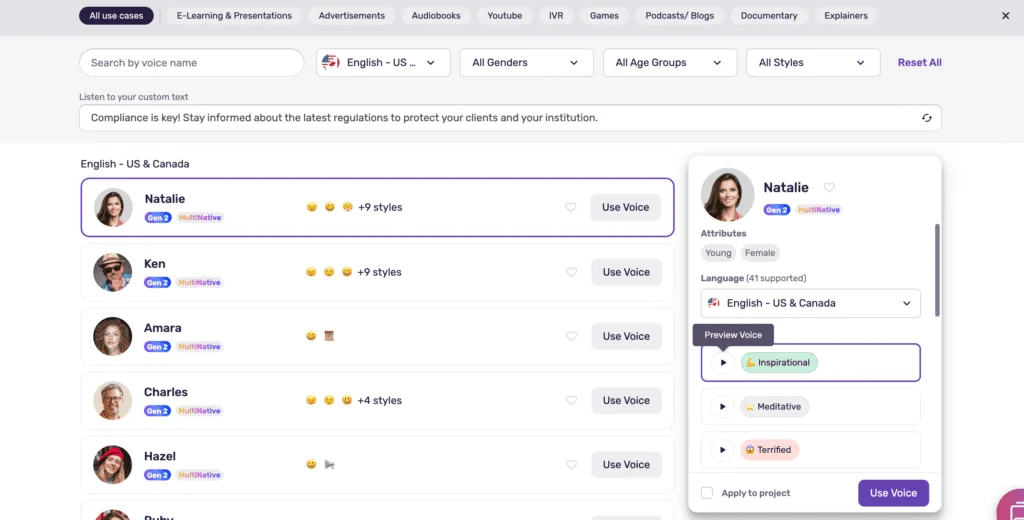
The library is deep enough that you can match a voice to the content rather than settling. Voices are sorted by age, accent, and use case, and tagged with delivery styles like promotional, conversational, documentary, and newscast. Finding a “calm explainer” or an “upbeat ad read” takes seconds. Here is one of those renders.
The editor is fast and forgiving
Murf’s whole interface is built for people who are not audio engineers, and it shows. I was generating usable voiceovers within a couple of minutes of logging in, with no manual to read. The layout is plain: script on the left, voice and timeline on the right, generate button never far from your cursor.
The single best habit it enables is regenerating one sentence instead of the whole track when you change a word. Combined with the quick render times, that turns scripting into a tight loop. You are never punished for a typo or a last-minute rewrite, which is the opposite of how recording your own voice feels.
Murf also leans on templates and a job-oriented home screen, so a new user starts from “make an explainer” or “narrate a presentation” rather than a blank canvas. For a marketer who does this occasionally, that framing is the difference between shipping today and bookmarking the tool for later.
Delivery controls are genuinely granular
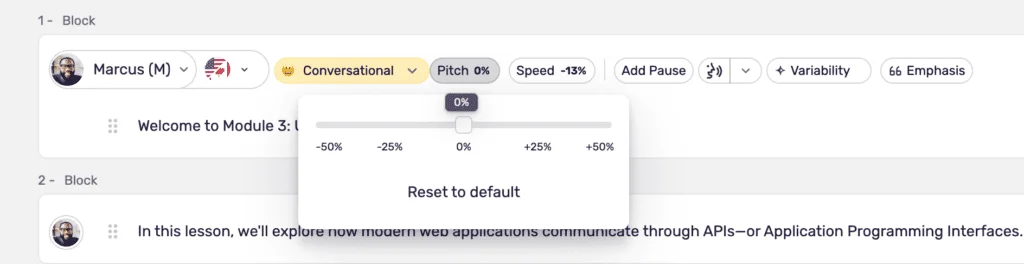
This is where Murf earns the “studio” label. You can nudge pitch and speed within a wide range, drop in pauses of an exact length, and emphasize specific words by hand. Used lightly, the controls turn a flat read into something with rhythm; the pause insertion in particular is what makes training content breathe instead of rushing.
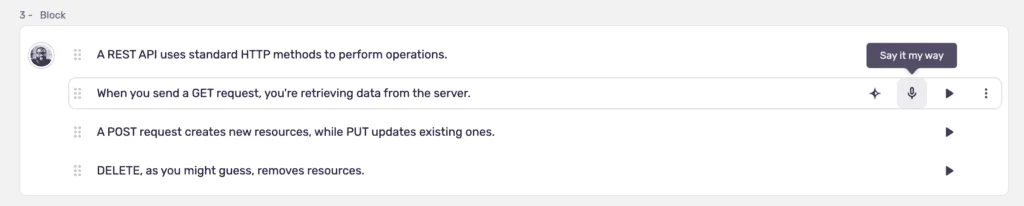
Two extras go further than I expected. “Say It My Way” lets you record yourself delivering a line, then matches the AI voice to your pacing and emphasis. It does not nail the read every time, but for a tagline or a tricky emphasis it gets you most of the way there.
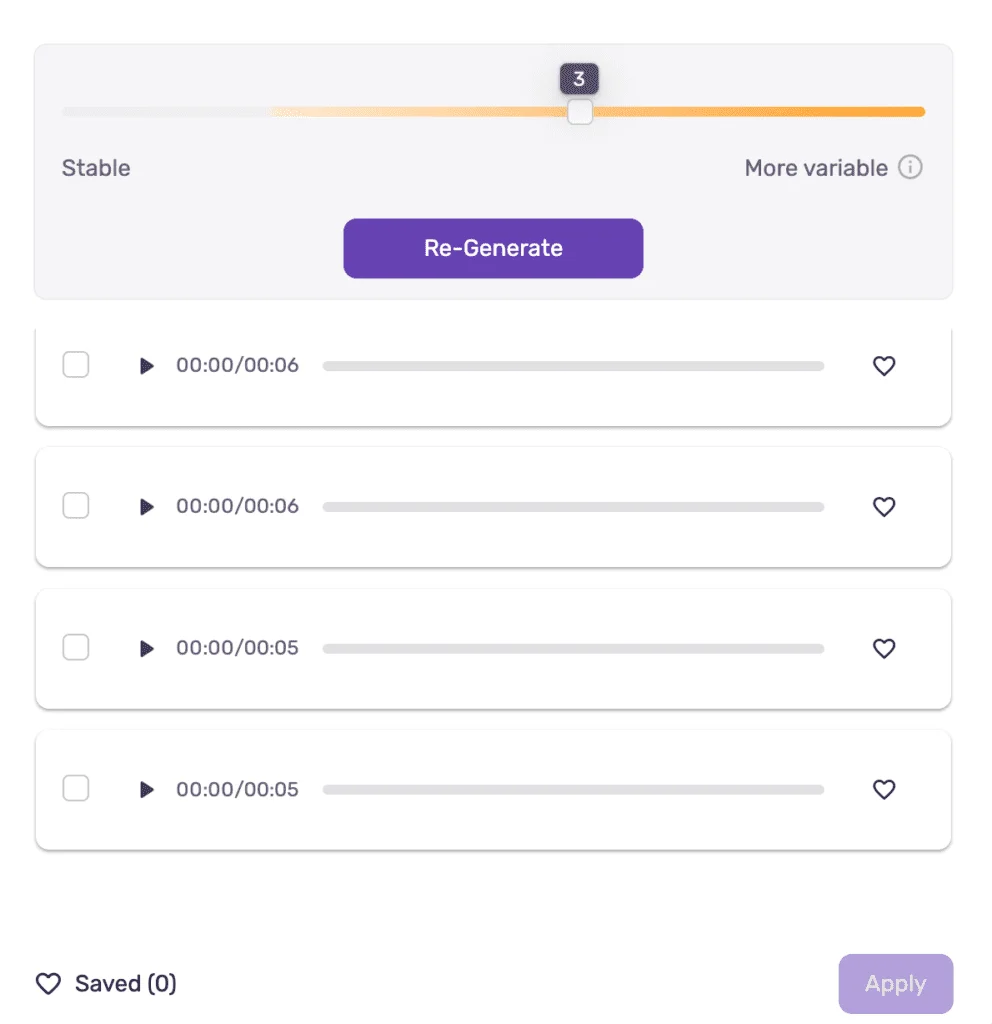
The “Variability” feature generates several different takes of the same line so you can pick the one that lands best. It is a small thing that mirrors how a real voice session works, where you record a few passes and choose. For ad copy and short punchy lines, having three or four options beats settling for the first render.
MultiNative voices switch language mid-sentence
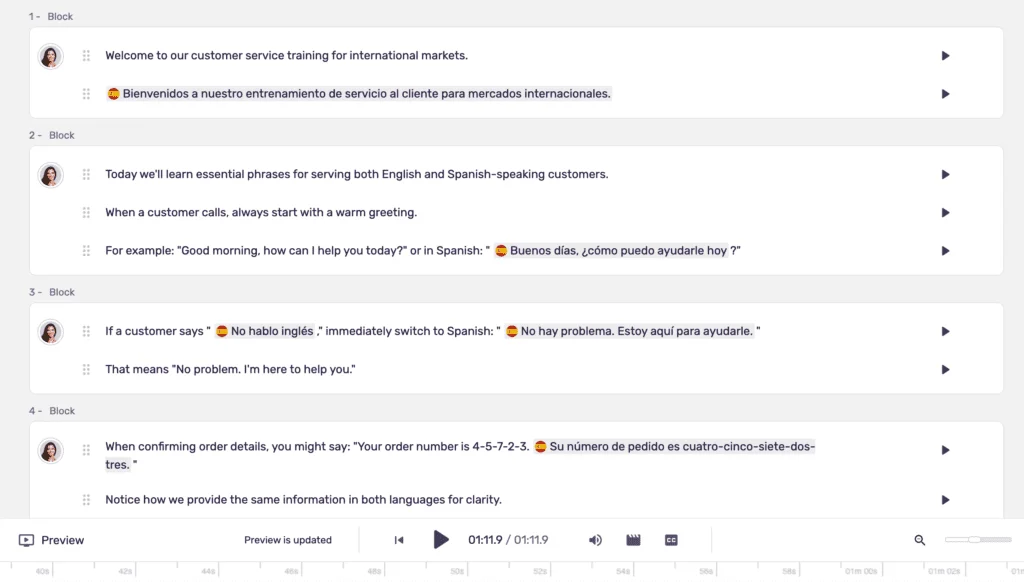
Murf’s standout trick is a set of voices that move between languages inside a single line while keeping the same character and accent quality. I ran an English-to-Spanish script through one, and the switch stayed smooth instead of lurching into a different speaker. ElevenLabs makes you change voices per language, which breaks continuity; Murf keeps one voice across the whole thing.
Non-English quality holds up better than I expected, too. The Mandarin render below avoids the usual “English voice reading foreign words” tell that sinks a lot of competitors. Murf also runs an AI dubbing workflow that re-voices an existing video into dozens of languages, which is the natural next step for anyone already producing multilingual content.
It is a whole production studio, not just a voice box
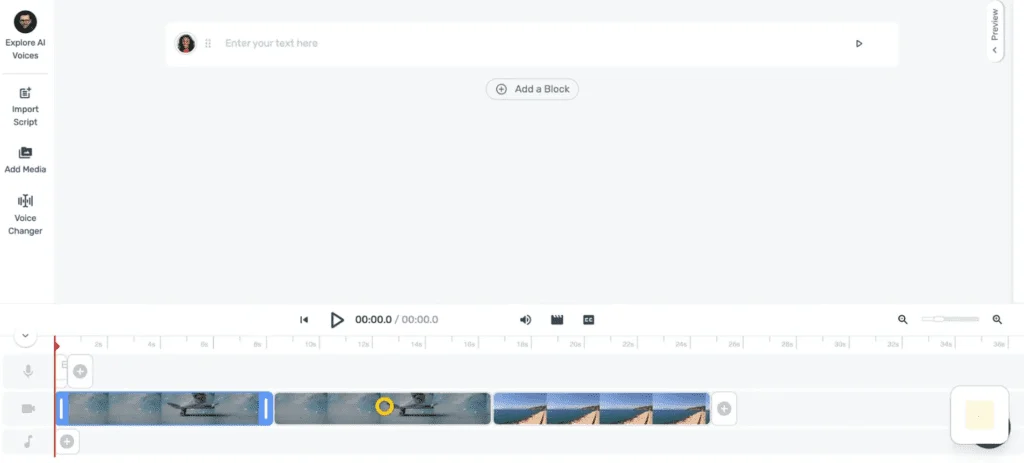
The thing that actually separates Murf from ElevenLabs is the timeline. You can upload footage, sync the voiceover to the picture, add music from a licensed library, burn in subtitles, and export a finished video without leaving the tab. For a small team, replacing a video editor, a music-licensing service, and a subtitle tool with one subscription is the real saving.
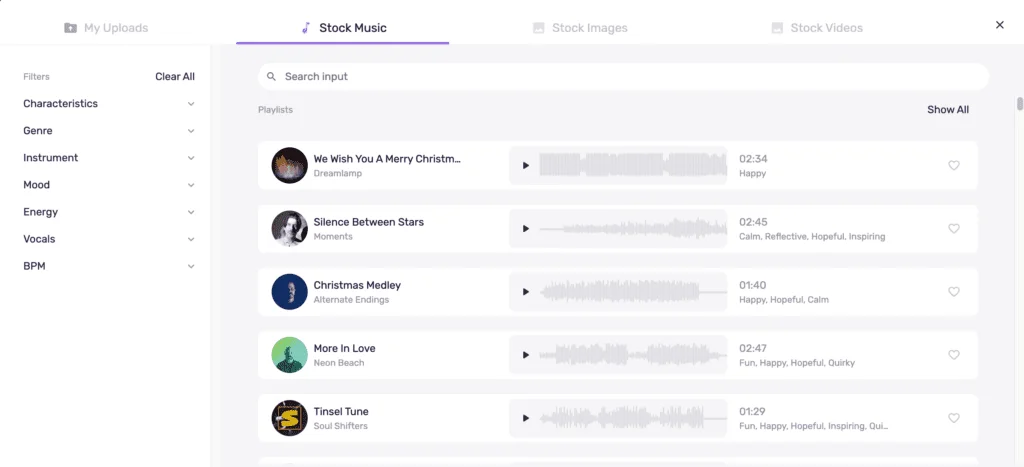
The music library deserves its own mention: thousands of royalty-free tracks, organized by mood, with copyright-safe codes for YouTube. That alone removes a recurring headache for video creators who otherwise spend an afternoon hunting for a track they are allowed to use.
Subtitles are part of the same flow rather than a bolt-on. You can generate captions from the script, edit their timing, and either burn them into the video or export them separately, which covers the accessibility requirement most corporate and e-learning content has to meet. Doing it in the same tab that made the voiceover beats round-tripping through a separate captioning app.
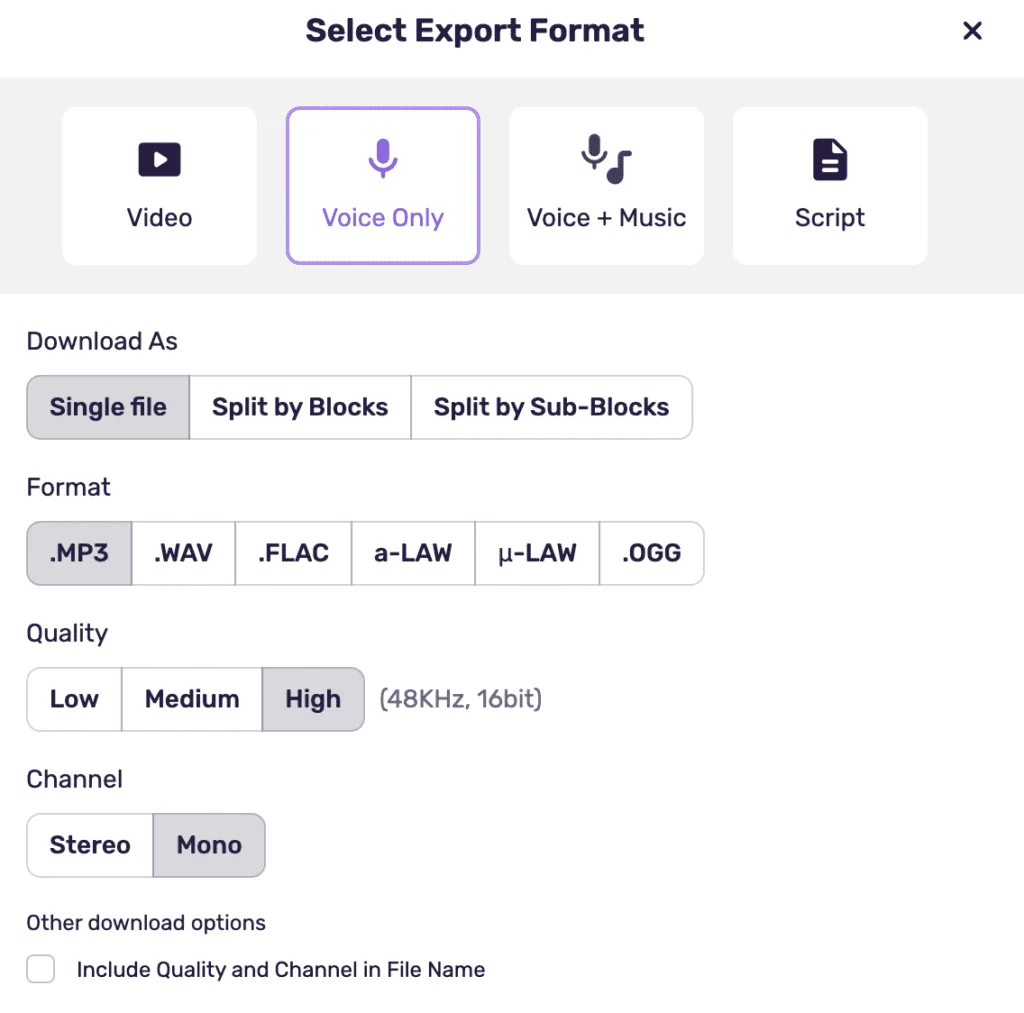
Export is comprehensive too. Audio comes out as MP3, WAV, and broadcast or telephony formats; video exports as MP4 and other common containers; subtitles export as SRT or VTT. If you need a specific format for an IVR system or a learning platform, it is almost certainly in the list.
The integrations actually save time
Murf plugs into the tools content teams already live in. The Canva add-on lets you add voiceover to a design without leaving Canva, and the PowerPoint and Google Slides plugins drop narration straight onto specific slides. For social and presentation work, that removes the clumsy export-and-reimport dance entirely.
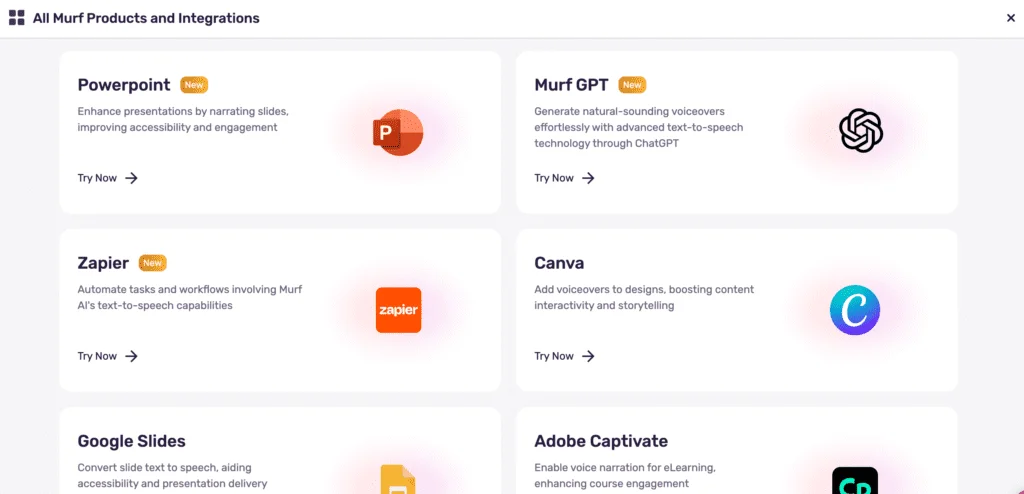
For more automated pipelines, Murf connects to Zapier and Make, so you can trigger voice generation when a new script lands in a sheet or a content tool. It also exposes an API for developers building voice into their own apps, billed separately from the Studio plans. None of this is the headline, but it is the kind of plumbing that decides whether a tool fits a real workflow.
The track record is real
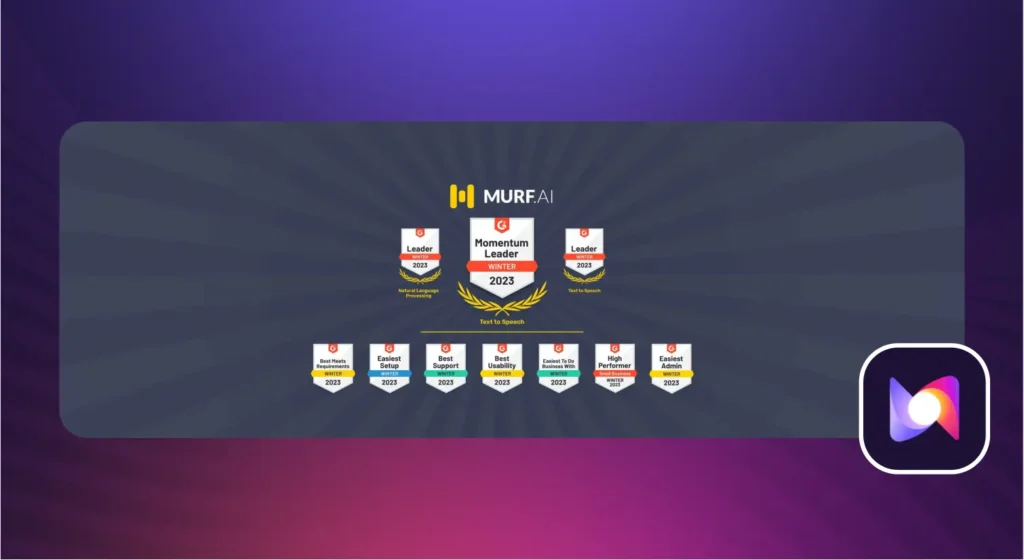
Murf is not a weekend project. It carries a 4.7 out of 5 on G2 across more than 1,400 reviews, and a 4.7 on Trustpilot across roughly 190, with the praise clustering on ease of use and clean output. Google’s AI Overview reads the same room: “praised for its clean, intuitive interface and high realism.”
That matters more than vanity metrics. Murf markets itself to business and education buyers and lists large enterprise logos as customers, which means the product is funded to keep improving rather than likely to disappear mid-subscription. The Gen2 voice upgrade and the newer MultiNative and dubbing features are evidence of a roadmap that is still moving, not a tool coasting on its launch.
The bad
The voice is good, not the best
Hold a Murf render next to ElevenLabs on the same script and the gap is audible. Murf’s voices are clean but a little flat on emotional lines, with less natural breathing and the occasional odd emphasis on longer passages. Google’s AI Overview lands on the same limitation, noting the voices “can sometimes fall flat on highly emotional or complex scripts.” Fine for narration and explainers; not the voice you would cast for drama.
Google’s AI Overview lands in the same place, noting that “highly emotional scripts can still sound slightly robotic.” Here is ElevenLabs reading a comparable script, for contrast.
For business and e-learning this is fine. For audiobooks, characters, or anything where the voice is the performance, it is the wrong tool, and you will hear why within a paragraph or two of listening.
The per-hour value is weak on monthly billing
The headline price hides the real cost, which is the hours. At $29/mo for 2 hours, Creator is $14.50 per finished hour of audio — more than ElevenLabs’ roughly $11 per hour on its $22 Creator plan, while giving you a similar amount of speech. The annual rate of $9.50 an hour closes the gap, but only if you commit to a full year upfront.
A solo creator paying month to month is therefore overpaying for the voice alone, and the no-rollover rule makes it worse: any hours you do not use evaporate at the end of the cycle. You are paying for a budget, not for what you actually generate.
| Plan | Price | Audio per month | Cost per hour |
|---|---|---|---|
| Murf Creator (monthly) | $29/mo | 2 hrs | $14.50 |
| Murf Creator (annual) | $19/mo | 2 hrs | $9.50 |
| ElevenLabs Creator | $22/mo | ~2 hrs | ~$11 |
Voice cloning is Enterprise-only
This is the limitation that catches people out. Voice cloning does not appear on Creator or Business at all. Murf’s cloning page routes every visitor to Contact Sales with no public price, no self-serve flow, and no listed minimum. It is positioned as an Enterprise feature you negotiate, not a button you press.
ElevenLabs, by contrast, includes instant voice cloning on its $22/mo Creator plan from a 60-second sample. If you want to scale content in your own voice — a YouTuber, a podcaster, a personal brand — Murf effectively asks you to talk to sales. The cheaper, faster route is somewhere else.
Team sharing is also walled off in Enterprise
Murf markets itself to teams, but the collaboration features now sit behind Enterprise. Every self-serve plan — Free, Creator, and Business — caps you at a single editor seat. Project sharing, viewer seats, and private folders only open up on Enterprise.
That is a real trap for a small studio. A two-person team that signs up for the $99 Business plan expecting to co-edit will find that only one person can edit a project at a time. For the collaboration Murf advertises, you are talking to sales whether you wanted to or not. The table below lays out which of the features people most often ask about are actually gated to Enterprise.
| Feature | Free | Creator | Business | Enterprise |
|---|---|---|---|---|
| Voice cloning | No | No | No | Yes |
| Share projects | No | No | No | Yes |
| Private folders | No | No | No | Yes |
| Editor seats | 1 | 1 | 1 | 5+ |
| Transcription | No | No | 4 hrs | Unlimited |
| Priority support | No | No | Yes | Yes |
The pattern is consistent: the features that turn Murf from a solo tool into a team tool are the ones reserved for the plan with no public price. For an individual that is irrelevant; for a growing team it is the moment the bill stops being predictable.
The free tier is a demo, not a trial
Ten minutes of total voice generation, no downloads, no commercial rights, watermarked previews. It is just enough to hear the voices and click around the editor, and nowhere near enough to finish a real project or properly test your own workflow before paying.
Competitors that hand out 30 to 60 minutes a month make Murf’s free plan look stingy by comparison. The practical effect is that you cannot fully validate the tool on your actual content until you are already a paying customer, which is a frustrating place to make a buying decision from.
Pronunciation needs babysitting, and credits drain fast
Murf gets tripped up by names, acronyms, and context-dependent words like “read” or “live,” and the fix is a custom pronunciation library you build over time. A term like “SaaS” or an unusual surname will come out wrong on the first pass, and you teach Murf the right sound once so it sticks. For a clean script that is a minor chore; for one full of brand names and jargon, it is a real time sink before the audio is usable.
The hours go quickly, too. The metering is the recurring gripe across independent reviews and Google’s own AI Overview, which flags that the hours-per-year model “can drain credits quickly” for anyone whose scripts run long. Between rationing the meter and fixing pronunciations, the polished final clip takes more passes than the marketing implies.
Small frustrations add up: restrictions, support, and lag
A few smaller gripes round out the picture. Murf blocks profanity and mature content, which is sensible for brand safety but limiting if you produce comedy, true crime, or anything edgier. Standard-tier support runs on email and chat with multi-day response times; priority support is a Business-and-up perk, so most users wait.
Reviewers also report the interface getting sluggish on larger projects, with rendering that “takes longer than you’d think for a cloud service.” None of these is a dealbreaker on its own, but together they are the texture of a tool that is good rather than effortless.
Alternatives worth considering
If Murf isn’t the fit, two tools cover the two reasons you’d walk away: the voice, or the workflow. We cap this at the names that genuinely matter so it stays a recommendation, not a second roundup.
ElevenLabs — if the voice is the point
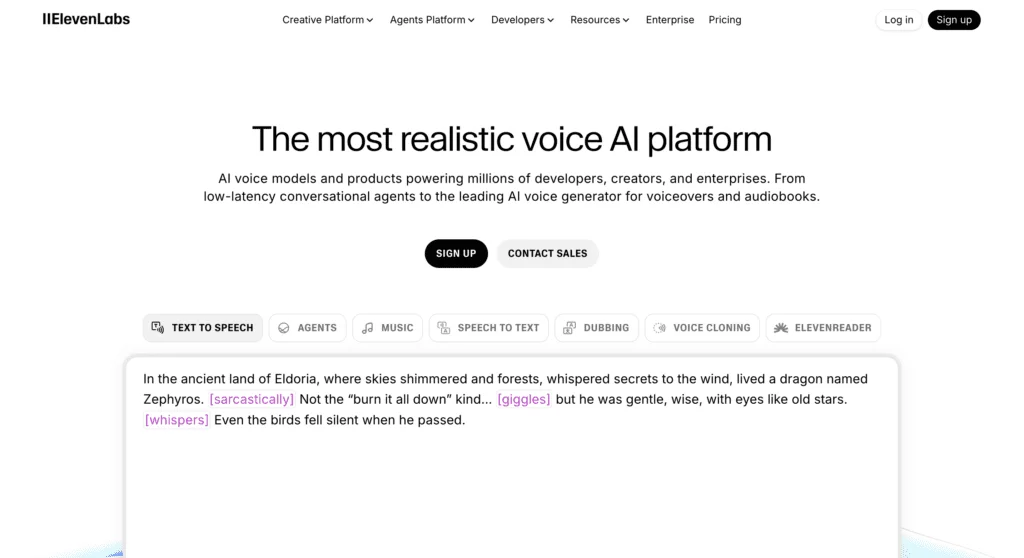
ElevenLabs is the one to beat on raw voice quality. The voices breathe and place emphasis on meaning in a way Murf doesn’t quite match, instant voice cloning is included from the $22/mo Creator plan, and the same account drives an excellent API for apps and voice agents. What you give up is the studio: no video timeline, no music library, no project folders — you generate audio files and bring your own editor.
The decision is cleaner than it looks. Pick ElevenLabs when the voice is the deliverable: audiobooks, podcasts, character work, or a brand voice you want to clone cheaply. Stick with Murf when the voice is one ingredient in a video you are assembling anyway, and the timeline and music save you more time than the extra realism is worth. We rate ElevenLabs a notch higher overall precisely because it nails the one thing it sets out to do.
Read our full ElevenLabs review, or see them head-to-head in ElevenLabs vs Murf.
Descript — if you’re really editing video and podcasts
Descript comes at the same problem from the editing side. It is a podcast and video editor where you cut the media by deleting words in a transcript, with AI voice as a secondary feature. If your actual job is editing recordings rather than generating narration from scratch, Descript consolidates more of your workflow than Murf does, and it adds the real-time collaboration Murf reserves for Enterprise.
The split is about where the work starts. Murf is for content that begins as a script and needs a voice; Descript is for content that begins as a recording and needs editing. A lot of creators end up using both — Murf to generate clean narration, Descript to cut the talking-head footage around it — which tells you they are complements as often as competitors.
A third name worth a look is Speechify, if you mostly want a fast, cheap read-aloud voice rather than a studio. But for most buyers choosing against Murf, the real decision is ElevenLabs for the voice or Descript for the editing. If cloning your own voice is the job, Murf is the wrong tool entirely and our best AI voice cloning roundup covers the ones that do it.
Final word
Murf AI is exactly what it claims to be: a complete, business-focused voiceover studio, and a good one. The voices are clean, the editor is quick to learn, the MultiNative trick is a genuine edge, and the project system makes real sense for teams and course creators churning out content. For that audience, it earns its 3.8 and the subscription pays for itself by replacing three other tools.
The catch is who it quietly leaves out. Solo creators pay a premium per hour unless they commit annually, voice-quality perfectionists will hear the gap against ElevenLabs, and anyone hoping to clone a voice or share projects with a teammate runs into the Enterprise wall. Test it on the free plan first, with your own scripts, and you will know within ten minutes whether the studio is worth more to you than the last drop of realism.
Frequently asked questions
Is Murf AI free to use?
There is a free plan, but it is a demo, not a workspace. You get 10 minutes of voice generation total, 10 projects, and no downloads — every export is preview-only with no commercial rights.
It is enough to judge the voices and the editor, not to publish anything. Commercial use starts on the $29/mo Creator plan.
How much does Murf AI cost?
Paid plans are Creator at $29/mo and Business at $99/mo billed monthly. Annual billing cuts about a third, dropping Creator to $19/mo ($228/year) and Business to $66/mo ($792/year). Enterprise is custom-quoted.
Creator includes 2 hours of voice generation a month and 100 projects; Business includes 8 hours and 500 projects.
Does Murf AI offer voice cloning?
Yes, but only through Enterprise. Voice cloning does not appear on the Creator or Business plans at all — Murf's cloning page routes everyone to Contact Sales with no public price. For comparison, ElevenLabs includes instant voice cloning on its $22/mo Creator plan, so if cloning matters, Murf is the expensive route.
How realistic are Murf AI voices?
Clean and professional, and clearly fine for narration, explainers, and e-learning. They sit a notch below ElevenLabs on emotional range — Google's AI Overview and forum reviewers both describe them as slightly robotic on highly emotional scripts. For business and course content where clarity beats drama, the quality is more than enough.
Can I use Murf AI voices commercially?
Yes, on any paid plan. Creator ($29/mo) and above include commercial rights and unlimited downloads. The free plan does not — it is preview-only and personal-use, so anything you plan to publish or sell needs at least the Creator plan.
What languages does Murf AI support?
More than 20 languages and a wider set of accents, with 200-plus voices across them. The standout is MultiNative: a set of voices that switch between languages inside a single line while keeping the same character, which is genuinely useful for multilingual training and marketing content.
Is Murf AI good for beginners?
Yes — ease of use is one of its real strengths. The editor is fast and forgiving: paste a script, pick a voice, and adjust pitch, speed, and emphasis without a learning curve, and mistakes are easy to undo. Because voice, video timeline, music, and subtitles all live in one studio, a beginner is not stitching separate tools together.
If you have never made a voiceover before, Murf is one of the easier ways to start. The ceiling only shows up later, when you want the fine-grained, word-level control it does not offer.
Is Murf AI safe to use?
Yes for everyday use. Murf runs on standard cloud infrastructure, and the enterprise-grade assurances businesses ask about — single sign-on, security reviews, and data-handling guarantees — live on the custom-quoted Enterprise plan, which is where regulated teams like banks and hospitals go. On Creator or Business as an individual or small team, there is nothing unusual to weigh.
One safety-adjacent note: Murf blocks profanity and mature content by default, which is good for brand safety but limiting if your content is edgier.
Is Murf AI better than ElevenLabs?
They optimize for different things. ElevenLabs wins on raw voice realism and includes affordable voice cloning; Murf wins on the surrounding studio — video timeline, music library, subtitles, and project management in one place.
If the voice is the product, pick ElevenLabs. If you want voice plus production tools for business and e-learning content, pick Murf.
Keep reading

Murf AI pricing: the meter is hours, not dollars
Murf AI pricing runs free to $66/mo, but the real limit isn't the price — it's the hours-per-year voice meter, and cloning is locked to Enterprise.
Best ElevenLabs alternatives: which one replaces it?
The best ElevenLabs alternative depends on why you're leaving. I lined up Murf, Descript, Cartesia and 4 more against the one job each actually wins.
Best AI voice generator: what an hour of audio really costs
ElevenLabs wins on voice and costs $10.91 an hour. We normalised six AI voice generators plus open-source to one unit: the cost of an hour you can publish.
Best AI voice cloning: which tool actually sounds like you?
ElevenLabs is the best AI voice cloning tool overall, but the right pick depends on whether you're cloning your own voice, building an app, or want it free.